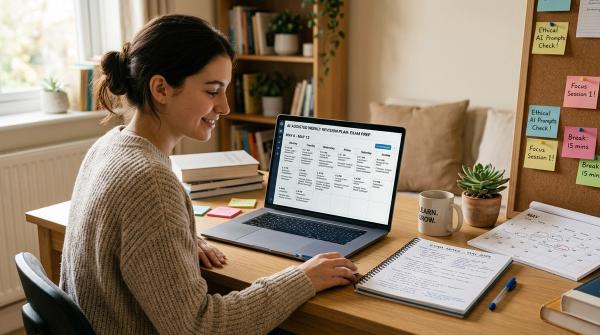
If your class notes are scattered across lecture slides, PDFs, screenshots, Google Docs, Notion pages, phone photos, and one notebook you somehow lost for two weeks, you are not alone.
Most students do not have a “lack of material” problem. They have the opposite problem: too much material, in too many places, with no clear way to turn it into actual revision.
That is where AI flashcards from class notes can genuinely help.
AI can turn your notes into flashcards, quizzes, practice questions, oral exam drills, and quick review sessions. It can help you find the important ideas hiding inside messy notes. It can also make studying feel less overwhelming when you do not know where to start.
But there is a catch: AI can be wrong. It can misunderstand your notes, miss an important exception, simplify something too much, or confidently invent a detail that was never in your lecture.
So the point is not: “Let AI study for me.” A much better goal is: “Let AI help me create practice, then I do the learning myself.”
That means you still answer the questions. You still check the cards. You still fix mistakes. You still come back later and review.
What AI Can Actually Help With
#AI is useful for studying because it can turn messy information into something you can practice with.
For example, it can help you:
- Turn class notes into flashcards
- Create quizzes from your own material
- Ask step-by-step practice questions
- Compare two confusing concepts
- Build revision checklists
- Review mistakes after a quiz
- Create short study sessions before exams
- Turn long notes into active recall questions
But AI does not automatically know what your professor cares about. It does not know your exam style unless you tell it. It might not understand that one tiny sentence your lecturer emphasized three times is actually exam gold.
So treat AI-generated flashcards as a first draft.
A strong workflow looks like this:
- Give AI clean notes
- Ask it to create practice questions
- Answer the questions yourself
- Check every answer
- Edit weak or wrong cards
- Review again later
The learning happens in the checking, answering, and repeating. Not in simply generating the cards.
AI Study Tools Students Are Using in 2026
#You do not need ten different AI study apps. Pick one or two that fit your course rules and the way you like to learn.
NotebookLM / Gemini Notebook
#NotebookLM, sometimes referred to as Gemini Notebook in Google materials, is useful because it works from sources you add. You can upload or add approved material, then generate summaries, flashcards, quizzes, and study guides based on those sources.
It is a good choice when you want your revision to stay close to your actual notes, slides, or PDFs.
ChatGPT Study Mode
#ChatGPT Study Mode is helpful when you want a more guided learning experience. Instead of only giving you an answer, it can walk you through a topic, ask questions, explain mistakes, and help you reason step by step.
Use it when you want practice, feedback, or a tutor-like study session.
Gemini Guided Learning
#Gemini Guided Learning can help you study through prompts and files in a more structured way. It is useful when you want to work through a topic gradually instead of just asking for a quick answer.
Claude Learning Mode
#Claude Learning Mode is useful for careful explanations, guided review, and concept practice. It can be especially helpful when you want to slow down and understand why something works, not just memorize the answer.
The tool matters, but the workflow matters more. Clean notes plus careful checking will help you more than dumping everything into an app and trusting the first output.
Before You Upload Anything, Check This First
#Before you paste notes, upload a PDF, or add lecture material to an AI tool, pause for a minute.
1. Check your school or course policy
#Some schools allow AI for private revision. Some allow it only in specific ways. Some courses have stricter rules than the general university policy.
Look for rules about:
- AI use in assignments
- AI use during exam preparation
- Uploading class material to third-party tools
- Using AI-generated text in graded work
- Course-specific restrictions
- Academic integrity policies
Making flashcards for your own private revision is usually very different from submitting AI-written work. But still, check first.
2. Remove personal information
#Do not upload notes that include your full name, student ID, email address, phone number, classmates’ names, private group project comments, personal stories, internship details, placement data, or workplace information that should stay private.
If your notes include a personal example, rewrite it in a neutral way. For example, change “My internship at ABC Company showed that...” to “A workplace example showed that...”
3. Do not upload confidential material
#Avoid uploading confidential university documents, unpublished research, private lab data, internal company training material, patient or client information, research participant data, restricted course files, or anything marked private or internal.
If you are not sure whether something is confidential, do not upload it.
4. Be careful with copyrighted material
#Do not upload textbooks, paid PDFs, course packs, or lecture slides unless you are allowed to use them in that tool.
A safer option is to write your own notes in your own words and generate flashcards from those.
The Safe AI Flashcard Workflow
#The safest workflow is simple:
- Clean your notes
- Generate flashcards or quizzes
- Verify the answers
- Tag weak topics
- Review using active recall
Skipping even one step can lead to bad revision. Bad input creates bad cards. Unchecked cards can teach you the wrong thing. Untagged weak areas get ignored. Passive review gives you the illusion of studying without much learning.
Step 1: Clean Your Notes First
#AI works better when your notes are clear.
Before using an AI flashcard generator, try to:
- Add clear headings
- Separate lectures, chapters, or weeks
- Fix typos that change the meaning
- Remove random jokes, side comments, and unrelated chat
- Mark definitions clearly
- Keep formulas readable
- Include units where needed
- Label examples, exceptions, common mistakes, and exam points
Messy notes often create messy flashcards.
For example, this is hard for AI to use well:
photosynthesis light thing chlorophyll ATP maybe Calvin cycle not light?? exam diagram
A cleaned version would be:
Topic: Photosynthesis. Light-dependent reactions occur in the thylakoid membrane. Chlorophyll absorbs light energy. These reactions produce ATP and NADPH. The Calvin cycle occurs in the stroma and uses ATP and NADPH to fix carbon dioxide into sugars.
That small cleanup makes a huge difference.
Step 2: Generate Flashcards and Quizzes
#Once your notes are cleaned, paste them into your chosen tool or upload them if your course rules allow it.
Do not just say: “Make flashcards.” That is too vague.
Try this:
Based only on the notes below, create 20 flashcards for active recall. Make the questions specific. Keep answers short. Include definitions, comparisons, formulas, and cause-and-effect relationships. Do not add facts that are not in the notes.
This keeps the cards closer to your course material and reduces random extra information.
Step 3: Verify Every Card
#AI-generated flashcards are not finished study material until you check them.
Look for:
- Incorrect definitions
- Missing conditions
- Overgeneralized answers
- Questions that are too easy
- Answers that mix up two concepts
- Facts that are not in your notes
- Wording that does not match your lecturer’s explanation
- Cards that test something your course never covered
If a card is wrong, edit it. If it is vague, make it sharper. If it includes outside information you do not need, delete it.
Step 4: Tag Weak Topics
#After your cards are ready, do a first review. You will probably get some wrong. That is fine. The first round is not about feeling smart. It is about finding gaps.
Use simple tags like:
#weak#confusing#formula#definition#exam-likely#needs-review#chapter-3#lecture-7
The point is to stop treating every card equally. Spend more time on the cards you miss. Spend less time on the cards you already know well.
Step 5: Review With Active Recall
#Generating flashcards is not the same as studying. Testing yourself is studying.
Active recall means you try to remember the answer before looking at it. It feels harder than rereading notes, but that effort is exactly why it works.
A simple review schedule could look like this:
- Same day: Review new cards once
- Next day: Review missed or difficult cards
- After 3 days: Review weak topics again
- After 1 week: Do a mixed quiz
- Before the exam: Review full topics and mistake cards
When you see a flashcard, pause. Actually try to answer. Say it out loud, write a rough answer, or explain it as if you were teaching someone else. Then check the answer.
AI Study Prompts You Can Copy
#Flashcard generator prompt
#Act as a careful study assistant. Based only on the class notes below, create 20 flashcards for active recall. Format each card like this: Front: [question], Back: [short answer]. Focus on definitions, key concepts, comparisons, formulas, processes, and common mistakes. Do not add information that is not present in the notes. If something is unclear, write “unclear in notes” instead of guessing.
Quiz prompt
#Create a 10-question quiz based only on the notes below. Include a mix of multiple-choice, short-answer, and explanation questions. Make the difficulty medium. Do not show the answers first. Ask me one question at a time, wait for my answer, then give feedback based on the notes.
Mistake review prompt
#I keep getting these questions wrong: [paste missed questions or topics]. Based only on my notes, identify the concept I am misunderstanding. Then ask me 5 guided questions to help me correct the mistake. Do not give the full explanation immediately. Help me reason through it step by step.
Exam revision prompt
#I have an exam on [topic] soon. Based only on the uploaded notes, create a focused revision session. Start with the 10 most important ideas, then quiz me one question at a time. After each answer, tell me what I got right, what I missed, and which part of the notes I should review.
How to Make Better Flashcards
#A weak flashcard looks like this:
Front: Photosynthesis. Back: Plants make food.
It is too broad. A better card is:
Front: What do light-dependent reactions produce in photosynthesis? Back: ATP and NADPH.
And if your course expects process understanding, this is even better:
Front: Why are ATP and NADPH important for the Calvin cycle? Back: They provide the energy and reducing power needed to fix carbon dioxide into sugars.
Good flashcards are specific, short enough to answer, focused on one idea, written as questions, clear about conditions and exceptions, connected to your syllabus, and easy to test without rereading a paragraph.
A Simple Workflow for Lecture Recordings
#Lecture recordings can be useful, but only if you are allowed to record or transcribe them.
Use this process:
- Convert the lecture into a transcript, if allowed.
- Remove personal names and private discussion.
- Delete unrelated conversation.
- Add headings for each topic.
- Mark professor hints like “important,” “exam point,” or “common mistake.”
- Generate flashcards from the cleaned transcript.
- Verify the cards against your class notes.
Use this prompt:
Turn this cleaned lecture transcript into flashcards. Prioritize points the professor marked as important, exam-relevant, or commonly misunderstood. Do not include jokes, admin announcements, or unrelated discussion.
A Simple Workflow for PDFs
#PDFs can be helpful, but be careful with them.
Only upload PDFs if you are allowed to use them in that AI tool. If the PDF is copyrighted, confidential, restricted, or shared only inside your class, do not upload it.
Safer options include your own notes from the PDF, a short summary you wrote yourself, open educational resources, and public lecture notes where upload is allowed.
Use this prompt:
Based only on this PDF or summary, create a chapter review quiz. Focus on the learning objectives, definitions, diagrams, and end-of-section concepts. If the PDF contains information outside the course notes, mark it separately as “extra” instead of mixing it into the main revision.
What to Do When AI Makes a Bad Card
#Bad cards happen. That does not mean the tool is useless. It just means the card needs editing.
If a card is too vague, ask:
Rewrite these flashcards to make each question more specific and test only one idea per card.
If a card is too easy, ask:
Make these flashcards more exam-style. Add application and comparison questions, but stay strictly within the notes.
If a card includes outside information, ask:
Remove any flashcards that are not directly supported by the notes. For each remaining card, keep the answer short and source-based.
But remember: regenerating cards does not guarantee they are correct. Always check the new version yourself.
Ethical Use: Where the Line Is
#Using AI to create private study flashcards from your own notes is usually very different from using AI to complete graded work.
A safe use case looks like this:
- You upload cleaned notes that you are allowed to use
- AI creates practice questions
- You answer the questions yourself
- You verify and edit the cards
- You use them for personal revision
Risky or unacceptable use may include asking AI to write a graded essay, uploading a take-home exam and asking for answers, submitting AI-generated work as your own, uploading confidential course files, sharing classmates’ private notes without permission, uploading copyrighted material without permission, or using AI in a way your course has banned.
If you are unsure, ask your instructor.
A 45-Minute AI-Assisted Study Session
#Minutes 0 to 5: Prepare
#Pick one topic. Remove personal details from your notes. Add headings. Fix unclear lines. Delete anything unrelated.
Minutes 5 to 10: Generate
#Use an AI flashcard generator or study mode prompt to create 15 to 20 flashcards. Keep the prompt specific. Ask for active recall questions, short answers, and no outside information.
Minutes 10 to 20: Verify
#Check every card against your notes. Delete weak cards. Edit vague ones. Fix anything that sounds wrong.
Minutes 20 to 35: Test
#Answer each flashcard without looking. Mark wrong or shaky answers with #weak.
Minutes 35 to 45: Review Mistakes
#Ask AI to help you work through only the missed topics.
I missed these flashcards: [paste missed cards]. Based only on my notes, ask me one guided question at a time to help me understand the mistakes. Do not give me a full summary unless I ask.
This turns AI into a study partner instead of a shortcut.
Common Mistakes to Avoid
#Mistake 1: Uploading everything without cleaning
#More input does not always mean better output. A huge pile of messy notes can create confusing flashcards.
Mistake 2: Trusting AI without checking
#AI can be helpful and still wrong. Verify the cards before you study from them.
Mistake 3: Making only definition cards
#Definitions matter, but many exams also test application, comparison, and reasoning. Ask for a mix of question types.
Mistake 4: Using flashcards like mini notes
#Do not just reread the answers. Try to answer first, then check.
Mistake 5: Ignoring privacy
#Remove personal data. Avoid confidential or copyrighted uploads. Check your school policy before using course materials in AI tools.
Final Takeaway
#AI can make revision faster, but it should not make studying passive.
The safest workflow is:
- Clean your notes
- Generate flashcards or quizzes
- Verify the output
- Tag weak topics
- Review on a schedule using active recall
Tools like NotebookLM / Gemini Notebook, ChatGPT Study Mode, Gemini Guided Learning, and Claude Learning Mode can help you create better practice sessions.
But the learning still comes from you.
You answer. You check. You correct. You come back later and try again.
Use AI to practice better, not to skip the work.