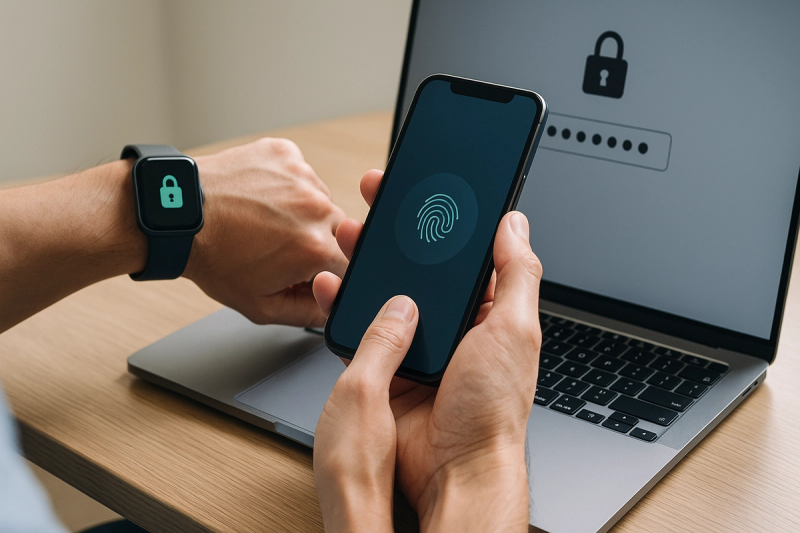
I’ve been kinda obsessed with login security the last year or so, mostly because I got that horrible 2:13 AM email saying somebody tried to sign into one of my old accounts from a device I def didnt recognize. Nothing wakes you up faster than that. And since then I’ve been slowly moving everything from my giant mess of reused passwords into a proper password manager, while also testing passkeys on basically every service that offers them. So this post is the thing I wish I had read earlier. Not the polished corporate version. The real one. What’s safer in 2026, password managers or passkeys? Short answer: passkeys are usually safer for signing in. Longer answer... password managers still matter a lot, maybe more than people realize.
First, the big vibe shift in 2026
#By 2026, passkeys have gone from “interesting future thing” to just... normal, at least on major platforms. Apple, Google, and Microsoft all pushed hard on passkey support over the last few years, and now most people using newer phones or laptops have at least seen the prompt, even if they clicked past it. A ton of large services support passkeys now, especially financial apps, ecommerce giants, productivity tools, and social platforms trying to cut account takeovers. FIDO Alliance has kept banging the drum, and the industry finally seems less interested in making us type weird strings like Giraffe$Train!42 into little boxes forever.
At the same time, password managers didn’t vanish. If anything, they adapted. Most of the big ones now support storing and syncing passkeys too, which was honestly the smartest move possible. 1Password, Dashlane, Bitwarden, NordPass, Google Password Manager, Apple Passwords, and others all leaned into this hybrid world. Because the truth is, we’re not living in a pure passkey utopia yet. We’re in this awkward transition era where some sites use passkeys beautifully, some still want a password plus OTP code plus your left shoe size, and some are stuck in 2014.
What a password manager actually protects you from
#A good password manager fixes the oldest internet problem there is: humans are bad at passwords. Me included. Especially me, if I’m honest. Before I cleaned things up, I had versions of the same password all over the place. A number at the end, maybe an exclamation mark if the site got picky, and boom I told myself it was “different.” It was not different. It was the same bad idea with a fake moustache.
Password managers make it possible to use long, unique passwords for every account without remembering any of them. That means if one site gets breached, attackers can’t just reuse that password everywhere else. They also help against phishing a little bit, because a decent manager usually won’t autofill on the wrong domain. That sounds small, but it’s actually huge. One tiny typo in a URL is all it takes for a fake site to look real enough when you’re tired and in a hurry and trying to pay a bill before coffee.
- They generate unique passwords you’d never make yourself
- They reduce password reuse, which is still one of the biggest causes of account compromise
- They can warn you about breached, weak, or duplicate credentials
- Most now support TOTP codes, secure notes, and passkeys too
But here’s the catch, and it’s a big one. A password manager is still built around passwords. And passwords are phishable. If you can be tricked into typing it into a fake site, or if malware grabs it, or if your master password and second factor are weak, then the system can still fail. Password managers massively improve password security. They do not magically remove the password problem. They just make it way less terrible.
Why passkeys feel like cheating, in a good way
#Passkeys are based on public-key cryptography, and yeah I know that phrase can make eyes glaze over, but the practical result is simple: the secret doesn’t get shared with the website in the same way a password does. Your device keeps a private key. The service stores a public key. When you sign in, your device proves it has the right private key, usually after you unlock with biometrics or a PIN. So even if you land on a phishing site, the passkey flow usually won’t complete for the fake domain. That’s the killer feature right there. Phishing resistance.
And that’s why, in pure security terms, passkeys are generally safer than passwords in 2026. Not because they’re trendy. Because they remove a whole category of stupid-dangerous attacks that still work way too often against normal users and, frankly, against employees at giant companies too. We’ve seen enough credential phishing, MFA fatigue attacks, and session theft headlines by now to know that “just use stronger passwords” wasn’t ever the full answer.
If your main threat is getting tricked, rushed, or phished, passkeys are a better defense than even an excellent password stored in a great password manager. That’s the part people keep dancing around, but it’s true.
So are passkeys perfect? Uh, no. Not even close
#This is where I get a little grumpy with passkey evangelists, because some of the messaging got way too utopian. Passkeys are safer for authentication, yes. But they introduce ecosystem and recovery questions that are not always obvious until something goes wrong. I realized this when I was helping a family member upgrade phones. Their passkeys were tied into a platform account they barely understood, device sync was enabled but not something they could explain, and recovery options were this vague cloud-of-trust thing that sounded fine until I asked, “okay but what if you lose everything at once?” Silence. Bad silence.
In 2026 this has improved a lot. Cross-platform support is better than it was in the early rollout years, and credential managers can often sync passkeys across operating systems. There’s also better support for hardware security keys as backup, and enterprise deployments are much more mature now. But lock-in anxiety hasn’t disappeared. Some people are still understandably nervous about tying all account access to Apple, Google, Microsoft, or one third-party manager. And recovery flows remain wildly inconsistent between services. Some sites handle passkey recovery sensibly. Others feel like they were designed by raccoons in a trench coat.
My actual experience using both, not the marketing brochure version
#On my own stuff, passkeys have been fantastic where they work well. Logging into Google, GitHub, a few shopping apps, and some banking tools with Face ID or Windows Hello feels almost suspiciously easy. No typing, no SMS code delays, no “was that an uppercase i or lowercase L” nonsense. It’s cleaner. Faster. And I make fewer mistakes. Which matters more than security nerds sometimes admit, because friction causes bad habits. Every extra annoying step makes people take shortcuts.
But I still keep a password manager front and center every single day. Why? Because half my digital life is still not fully passkey-native. There are old forums, government sites, random SaaS dashboards, ISP portals, travel accounts, and all sorts of weird edge-case services that still need classic credentials. Plus the password manager stores software licenses, API tokens, recovery codes, SSH notes, Wi-Fi passwords, identity docs references... all that messy real-world stuff. Passkeys didn’t replace that. Not even a little bit.
The thing people miss: this isn’t really a winner-takes-all fight
#I keep seeing headlines frame it like a cage match. Password managers versus passkeys. One survives. The other gets thrown into the sun. But in real life 2026, the safer setup for most people is usually both. Use passkeys wherever available, and use a password manager for the giant remainder of life, plus as a secure place to manage the transition. That’s not as dramatic, I know, but it’s more true.
| Question | Password Manager | Passkeys |
|---|---|---|
| Phishing resistance | Improves things, but passwords can still be phished | Much stronger, designed to resist phishing |
| Legacy site support | Works almost everywhere | Still uneven on older or niche services |
| Ease of daily login | Good with autofill, but still type-ish sometimes | Excellent when biometrics work smoothly |
| Account recovery | Usually clear if you protect master account well | Can be confusing, varies by platform/service |
| Best use in 2026 | Managing all credentials and secure data | Primary login method where supported |
What’s changed lately in 2026 that actually matters
#A few developments make this conversation way more practical now than it was even two years ago. First, enterprise adoption is up. More companies are rolling out passkeys for workforce logins because phishing-resistant auth is becoming less of a nice-to-have and more of a compliance and cyber-insurance thing. Second, browser support is basically a non-issue now for mainstream users. Third, password manager vendors have gotten serious about passkey UX. Early versions felt bolted on. Now it’s smoother, especially if you use one ecosystem consistently.
Also, and this is important, security guidance has matured. A lot more experts now recommend hardware-backed credentials, device biometrics, and recovery planning instead of just shouting “enable MFA” into the void. We’ve learned that not all MFA is equal. SMS is still better than nothing, usually, but it’s weaker than authenticator apps or hardware-backed methods. Passkeys skip a bunch of that complexity by design. Less user burden, stronger default outcome. That’s rare in security. Usually safer means more annoying. Here it often means less annoying, which still feels kinda miraculous.
Where password managers are still safer, yes safer
#Here’s my maybe-controversial take. In some situations, a well-secured password manager is the safer practical choice, at least today. If you need visibility into all your credentials, easy export options, family sharing with emergency access, platform flexibility, and a single place to audit security hygiene, a mature password manager setup can be more reliable than a scattered passkey setup spread across devices and cloud accounts you don’t fully control. Especially for households. Especially for less technical users.
I’ve watched very non-tech relatives succeed with password managers after some setup. They understand “one vault, one strong master password, one emergency sheet in a safe place.” Weirdly, that model clicks. Passkeys, by contrast, can seem invisible until there’s a problem. Invisible is nice... until recovery day. Then everybody suddenly wishes they had a map.
- If you use a password manager, protect the master account like it’s the keys to your house, because it basically is
- Use a long master password or passphrase, not some clever short thing
- Turn on strong MFA for the manager itself, ideally hardware key or at least an authenticator app
- Keep offline recovery info somewhere safe, seriously do this now not later
Where passkeys are clearly safer
#If the question is narrowly, technically, “which sign-in method is safer against phishing and credential theft?” then passkeys win. Pretty decisively. They’re also better for people who never really got comfortable with password hygiene, because they remove the need to create and remember secrets for each site. There’s no sticky note under the keyboard if there’s no password to write down. Well, unless someone writes down their device PIN, which... people absolutely still do, lol.
For high-risk accounts, I’d say passkeys plus a recovery plan is the best place to be in 2026. Email, banking, main cloud account, messaging apps, developer platforms, anything tied to identity verification. Those are the places where phishing-resistant login gives you the biggest return. If the service offers passkeys, I use them. No hesitation. Then I make sure there’s a backup path I actually trust.
My recommendation for normal humans, not security robots
#So, what should you do? If you’re starting from a mess, get a reputable password manager first. That’s step one. Clean up reused passwords, generate unique ones, save recovery codes, turn on MFA, and stop raw-dogging the internet with the same password you used in 2019. Then, as services offer passkeys, adopt them for important accounts. Let the password manager help if it supports passkey storage well, or use your platform’s built-in solution if that fits your life better. There isn’t one holy perfect setup. There’s the setup you’ll actually maintain.
- Get a trusted password manager and secure it properly
- Fix your email account first, because every other reset depends on it
- Use passkeys on your highest-value accounts whenever available
- Keep backup and recovery methods documented somewhere safe
- Review old accounts every few months, because digital clutter turns into risk real fast
Final answer: which is safer in 2026?
#If I have to give one direct answer, here it is: passkeys are safer than passwords for authentication in 2026. Full stop. They’re more resistant to phishing, easier to use correctly, and increasingly well supported. But password managers are still essential because the internet is messy, incomplete, and full of legacy junk. So the smartest answer isn’t “pick one.” It’s “use passkeys wherever you can, and use a password manager for everything else, including managing the transition.”
That’s where I’ve landed after messing with this stuff on my own devices, helping family recover accounts, and watching security advice slowly get less dumb over time. We’re finally, finally moving past the era where security meant memorizing pain. Thank God. Or thank cryptography, I guess. Same diff. Anyway, if you like nerdy practical tech rambling like this, poke around AllBlogs.in too, there’s some genuinely useful stuff there and not just the usual recycled fluff.