The little square sticker that suddenly became part of dinner
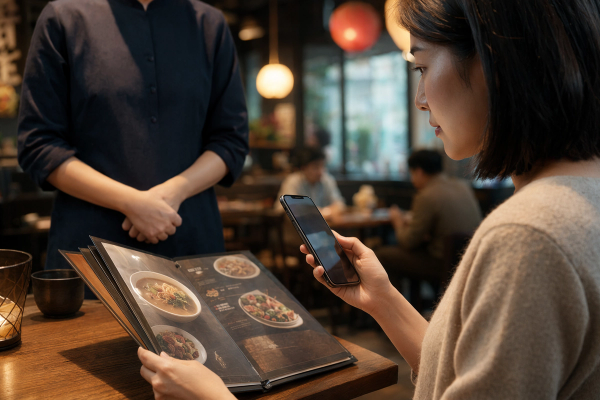
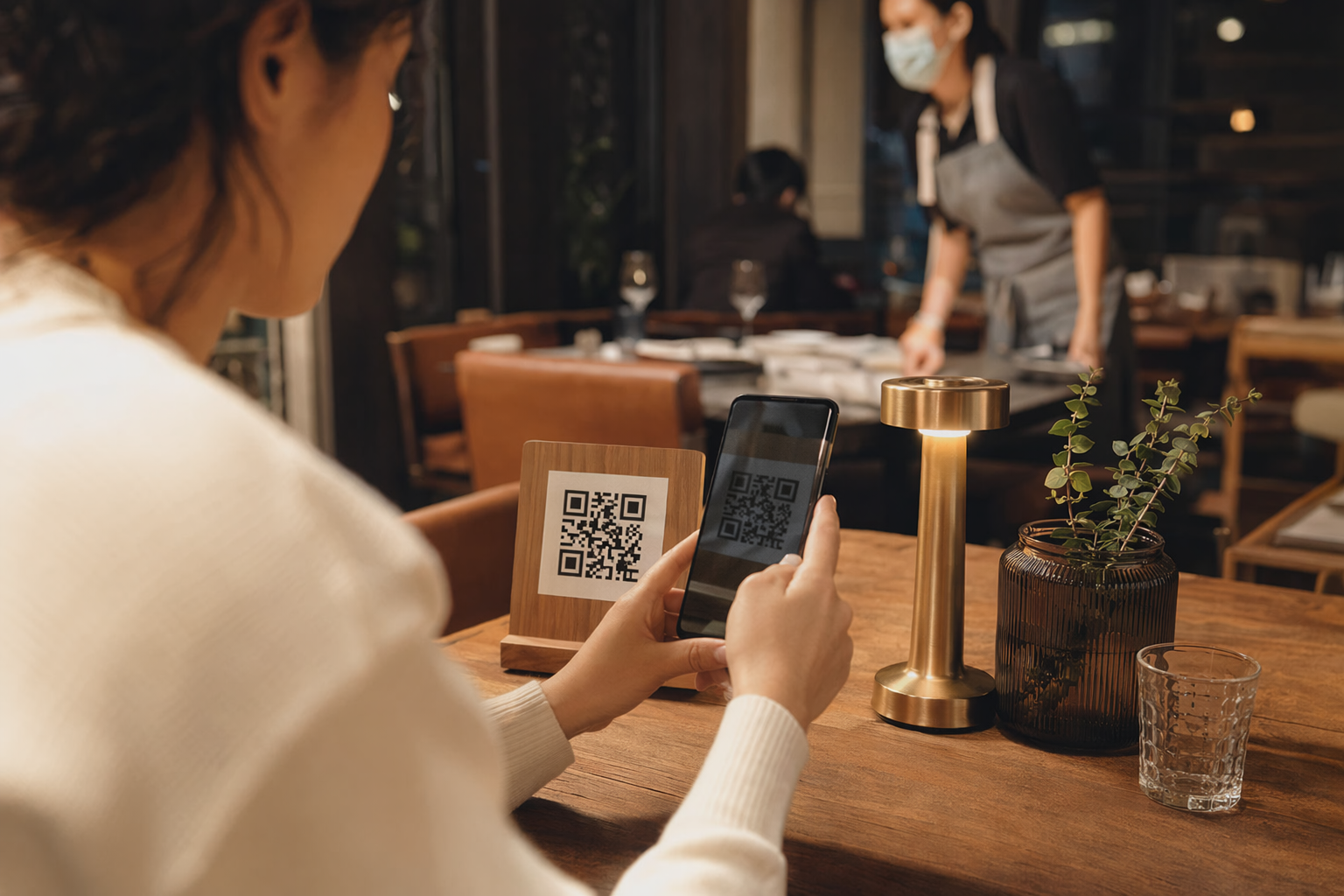
#I still remember the first time I got weirdly suspicious of a restaurant QR menu. It was at this tiny noodle place after a long day, I was hungry enough to eat the napkin, and the server just pointed at a laminated card with a QR code. Normal, right? We all do it now. But the code had this slightly crooked sticker slapped on top of another sticker, and my brain did that annoying tech-person thing where it goes, “hang on… why is that layered?” My friend was already scanning it, ordering dumplings, living his life. Me? I was zooming in like a conspiracy goblin. And honestly, that’s kinda where we are with QR menus now. They’re useful, fast, cheap for restaurants, and brilliant when they work. But they’re also just links in disguise. And links, as we all learned from years of phishing emails and sketchy popups, can be trouble.
I’m not anti-QR menu at all. Actually I like them. I love not touching sticky plastic menus that smell faintly like ketchup and cleaning spray. I love when the menu has photos, allergen info, specials that are actually updated, and maybe a “reorder” button for the fries I absolutely did not need. But QR codes have this magic trick where they feel official because they’re printed on the table. That trust is the dangerous bit. If someone replaces a QR sticker, or if the restaurant uses some random menu platform that tracks every tap, or if the page asks for a card before you’ve even seen the dessert list… yeah, I’m gonna pause. Not panic. Just pause.
QR codes aren’t dangerous by themselves, which is somehow more annoying
#Here’s the thing that took me a while to explain to my less-techy relatives: a QR code is basically just encoded text. Usually it’s a URL. Sometimes it’s Wi‑Fi login info, a vCard, a payment address, whatever. The square itself isn’t evil. It’s like a printed hyperlink. The problem is what happens after your phone reads it, and whether you notice where it’s taking you before you tap through. Modern iPhone and Android cameras usually show a preview of the link, which is good, but people are hungry and impatient and the preview is often tiny. I’ve tapped stuff too fast. We all have.
Security folks have been warning about this for a while. The FBI put out a public warning in 2022 about cybercriminals tampering with QR codes to redirect people to malicious sites, and consumer protection agencies like the FTC have warned about QR codes being used in phishing, fake payment pages, and credential theft. That doesn’t mean your neighborhood taco shop is a cybercrime battlefield. But it does mean the attack is real enough that boring official agencies had to say “hey, maybe look before scanning.” Which is usually a sign that the scam has moved beyond nerd forums and into normal life.
The restaurant QR scam I worry about most: sticker swapping
#If I were trying to scam people at restaurants, and to be clear I am not, the easiest trick would be replacing or covering the real QR code. No hacking the restaurant Wi‑Fi. No breaching a payment processor. Just print a convincing sticker, slap it over the real one, and point hungry people to a fake menu or fake payment page. It’s dumb-simple, which is why it works. The fake page might look like the restaurant’s ordering site, but it asks for your card directly, or pushes you to create an account, or claims the “menu app” needs installing. Maybe it even forwards you to the real menu after collecting something. That last part is nasty because the victim thinks nothing happened.
I’ve seen legit QR codes that look messy too, so don’t go accusing the waiter because a label is crooked. Restaurants are chaotic places. Tape happens. Lamination bubbles happen. But if the QR code is a sticker placed over another code, if it’s on a table outside where anyone can mess with it, if the URL preview looks nothing like the restaurant name, or if it routes through a random short link like a mystery meat URL… that’s when I get a bit more careful. I’ll ask staff, “hey is this your menu link?” It feels awkward for exactly three seconds. Then it’s fine.
My quick physical check before I scan
#- Look for a sticker on top of another sticker. Not automatically bad, just worth noticing.
- Check if every table has the same printed design, or if yours looks oddly different.
- Prefer QR codes on official signage, receipts, or the restaurant’s own website instead of random table tents outside.
- If the code is scratched, half-covered, or weirdly placed near a payment prompt, I slow down.
- When in doubt, ask for a paper menu. I promise this is not a moral failure.
The URL preview is your best tiny bodyguard
#The most practical safety habit is boring: read the URL preview before opening it. Not every character, because nobody wants to do forensic analysis before ordering soup, but enough to catch obvious nonsense. If I’m at “Maya Bistro,” I’m happier seeing mayabistro.com or a known ordering platform with the restaurant name in the path. I’m less happy seeing something like free-menu-login-example.xyz or a shortened link that hides everything. HTTPS is good, but please don’t treat the padlock like a holy shield. Scam sites can use HTTPS too. It only means the connection is encrypted, not that the site is honest.
Also watch for lookalike domains. This is where scammers get cute. They use rn instead of m, add extra letters, use hyphens, or create domains like restaurantname-menu-pay.com. On a phone screen, especially after two beers and bad lighting, that stuff is hard to spot. I usually tap the preview only if it opens in the browser and I can see the address bar. I don’t love in-app browsers from social apps for this kind of thing because they can hide too much, and they make me feel like I’m browsing through a mail slot. Maybe that’s dramatic. Still.
| What you see | How I read it | What I do |
|---|---|---|
| restaurantname.com/menu | Probably fine if it matches the place | Open it, but still don’t overshare |
| order.toasttab.com or another known platform | Often legit, many restaurants use third-party ordering | Check restaurant name and location before paying |
| bit.ly or tinyurl style link | Could be legit, could be hiding the destination | Ask staff or search the restaurant manually |
| Random domain with urgent payment language | Big nope energy | Close it and tell the restaurant |
| Page asking to install an app to view menu | Suspicious for a basic menu | Don’t install unless you truly trust the source |
Menus should not need your life story
#This is my privacy hill, and I’ll probably die on it with a basket of onion rings in my hand: a menu should not require an account. If I’m just checking whether the veggie burger has mushrooms, you do not need my email, phone number, birthday, precise location, marketing consent, and the name of my first pet. Some restaurants use ordering systems that collect info because they’re built for loyalty programs and delivery, not just browsing. Fine, business reasons exist. But from the customer side, it’s too much. Data minimization is not only a regulatory phrase that makes people fall asleep in meetings. It’s common sense.
A QR menu page can collect more than people think. Your IP address, device type, browser, approximate location from the network, referral info, time of visit, what you clicked, and sometimes tracking cookies from analytics or ad tools. If you allow location, camera, notifications, or sign in with Google or Facebook, that’s more exposure. Is every restaurant doing creepy surveillance? No. Most are just trying to sell nachos. But the menu platform might be doing analytics in the background, and the restaurant may not even fully understand it. That’s the messy modern web, unfortunately.
My “do they really need that?” privacy test
#When a QR menu asks for something, I mentally sort it into needed, maybe needed, and absolutely-not-needed. Needed: showing the menu, maybe table number if I’m ordering to the table. Maybe needed: phone number if I’m joining a waitlist or receiving pickup updates. Not needed: contact list access, notification permission just to browse, app install, social login, exact GPS for a dine-in order, or saving my card for “faster checkout” when I’m at a place I may never visit again. I’m not saying never create restaurant accounts. I have a few. I’m weak for loyalty points. But I don’t make accounts casually anymore, because those accounts pile up like digital junk drawers.
Payment through QR menus: convenient, but slow down a tiny bit
#Pay-at-table QR systems can be great. Splitting a bill without waving down a server for 18 minutes? Beautiful. But payment is where I get the most careful. A fake QR code leading to a fake payment page is a very believable scam because paying from your phone at restaurants is normal now. Before entering card details, I check the restaurant name, the bill amount, the table number if shown, and the domain. If it asks for debit card details on a page that looks janky or has spelling mistakes worse than mine, I back out. I prefer Apple Pay or Google Pay when available because tokenized payments reduce the need to type card numbers into yet another website.
And no, a VPN does not magically fix this. I like VPNs for certain travel situations, especially sketchy Wi‑Fi, but if you willingly type your card into a fake site, the VPN can’t save you. Same with private browsing mode. It helps reduce local history and some cookie persistence, but it doesn’t make a scam site less scammy. The best defense is still boring human attention. Which is unfair, honestly, because I want technology to protect me while I focus on mozzarella sticks.
The weird travel angle: QR menus are harder when you’re tired and abroad
#Travel makes QR menu safety harder because your normal instincts get scrambled. You might not recognize local domains, payment brands, or language patterns. You might be roaming, exhausted, and balancing a suitcase between your knees. That’s when a fake menu page has more room to trick you. I’ve used camera translation on menus a lot, and sometimes I’d rather point an offline translator at a paper menu than scan some mystery code in a tourist-heavy area. If that’s your vibe too, I’ve found comparisons like Offline Translation Apps for Travel Compared useful because offline tools mean you don’t always need to trust a random page just to figure out whether something has peanuts.
Same goes for broader travel privacy. Restaurants are just one part of the public-tech gauntlet. Hotel TVs, airport Wi‑Fi, rental kiosks, QR posters for “free city maps” — it all blends together when you’re moving fast. I keep key travel docs saved offline and avoid depending on random links for essential info, which pairs nicely with a checklist like Digital Travel Wallet Checklist: Save Travel Docs Offline. And if you’re logging into streaming apps on hotel TVs after dinner, please log out later. Seriously. The Hotel Smart TV Privacy Checklist for Travelers is basically the cousin of this whole QR menu paranoia.
What restaurants should be doing, because this isn’t all on customers
#I don’t love when security advice turns into “customers must inspect every pixel while businesses do whatever.” Restaurants can make QR menus safer without turning into cybersecurity labs. Print the restaurant name and full destination URL under the QR code, so people can compare. Use tamper-resistant stickers or put codes behind sealed table displays. Check the codes during opening and closing, just like checking salt shakers and chairs. Keep the menu domain simple and branded if possible. If using a third-party platform, train staff to recognize the correct URL and what the payment flow should look like. This is not expensive fancy stuff. It’s operational hygiene.
Also, please offer a non-QR option without making people feel ancient. Paper menu, wall menu, staff tablet, whatever. Accessibility matters here too. Not everyone has a charged phone, a data plan, good eyesight, or comfort scanning codes. My dad once stared at a QR code like it had insulted him personally, and honestly I get it. Tech should add options, not remove basic service. QR menus are great when they’re a convenience. They become annoying when they’re a gatekeeping device between you and lunch.
A restaurant-side safety checklist I’d actually like to see
#- Print the plain URL near the QR code, not just the square.
- Use one official menu domain and avoid random shorteners when possible.
- Inspect table codes daily for sticker tampering or damage.
- Tell staff what the legit menu and payment pages look like.
- Don’t require accounts for browsing the menu. Please. I am begging a little.
- Have a fallback menu for people who can’t or don’t want to scan.
My personal QR menu routine, because apparently I have one now
#I didn’t mean to become the person with a QR routine, but here we are. First, I look at the code physically. Is it official-looking or has someone slapped a new sticker over it? Second, I scan with the phone camera, not a random QR scanner app from an ad. Most phones have built-in scanning now, and I don’t need some mystery app collecting scan history. Third, I read the preview. If the domain feels off, I search the restaurant name manually and find the menu from their website or maps listing. Fourth, I avoid creating accounts unless I’m actually ordering and it makes sense. Fifth, for payment, I prefer wallet payments or a known processor. That’s it. Takes maybe 10 seconds.
Do I follow this perfectly every time? Nope. Last month I scanned a code at a ramen place and tapped through before the preview fully loaded because I was distracted by a sizzling plate going past me. Nothing bad happened. But that’s why habits matter. You don’t need to be paranoid, you just need a couple of small friction points that catch the obvious bad stuff. It’s like checking both ways before crossing a street, even on a quiet road. You’re not living in fear of cars. You’re just not volunteering to get flattened.
Red flags that make me close the tab immediately
#- The menu page asks me to download an APK, profile, certificate, or “security update.” Absolutely not.
- It asks for card details before showing menu prices, or the checkout amount doesn’t match what I ordered.
- The URL is a short link and staff can’t confirm it belongs to them.
- The page asks for my email and phone just to view food items. For ordering maybe, for browsing no thanks.
- Popups demand notification permission. I do not need push alerts from a bowl of soup.
- The site looks like a login page for Google, Apple, Facebook, or my bank when all I wanted was tacos.
- The QR code is placed somewhere public and unattended, like a street poster, and claims a discount that feels too good.
If you already scanned something sketchy
#First, don’t spiral. Scanning alone usually isn’t the disaster. The bigger risks come from entering information, downloading files, granting permissions, or paying on a fake page. If you only opened the link and closed it, you’re probably fine, though I’d still clear the tab and not revisit it. If you entered a password, change it from the real website or app, not from the suspicious link. If you reused that password anywhere else, yeah… change those too. I know, it’s annoying. Password managers make this less miserable, and I say that as someone who resisted them for years like a stubborn raccoon.
If you entered card details, contact your bank or card issuer quickly, watch transactions, and consider freezing or replacing the card. If you downloaded something, delete it, run your phone’s security checks if available, and review installed apps and permissions. On iPhone, be extra suspicious of configuration profiles you didn’t mean to install. On Android, check for unknown apps and whether you allowed installs from unknown sources. And tell the restaurant. Not in a dramatic “your table tried to rob me” way, just let them know the code may be tampered with. They might have no idea.
The privacy settings I keep meaning to nag everyone about
#A few phone settings make QR life safer in general. Keep your OS and browser updated, because mobile browsers patch security issues constantly. Disable automatic opening of links if your scanner app has that option. Use the built-in camera scanner instead of random QR apps, unless you have a specific trusted tool. Review browser site permissions occasionally, especially location, camera, microphone, and notifications. I also like using a browser that shows the address clearly and blocks some trackers by default. None of this makes you invincible. It just reduces the amount of nonsense that gets through.
One tiny tip I love: if a restaurant QR code opens a page that seems legit but wants too much data, try backing up to the root domain or searching the restaurant manually. Often there’s a simple PDF menu somewhere with no login. PDFs have their own security history, sure, but a normal menu PDF from the official site is usually less invasive than a marketing-heavy ordering portal. That said, don’t download random files from random domains either. See, this is why security advice gets messy. Everything is “it depends,” and we all just wanted pasta.
So are QR menus worth it?
#Yeah, I think they are. That might sound funny after 2,000 words of me poking holes in them, but I’m still genuinely excited about what QR menus can do. Real-time updates, better allergen filters, translations, photos, faster ordering, less waste from reprinted menus — all good stuff. For small restaurants, digital menus can be a lifesaver when prices change or items sell out. The tech isn’t the villain. Lazy implementation and blind trust are the problem. A QR menu should be treated like any other web link, because that’s what it is. Printed on a table, dressed up as convenience, but still a link.
My final take is simple: scan, but don’t sleepwalk. Look at the sticker. Read the URL preview. Don’t install weird apps. Don’t hand over personal data just to see appetizers. Use safer payment methods when you can. Ask for a paper menu if something feels off. These aren’t extreme habits, they’re just modern street smarts for eating in a connected world. And honestly, once you start noticing this stuff, you notice it everywhere, not in a fearful way, more like “oh wow, the physical internet is held together with stickers and trust.” Which is kind of beautiful and terrifying at the same time. Anyway, if you like these practical tech-safety rabbit holes, I keep finding good reads over on AllBlogs.in, and yeah, I’ve lost more than one evening there when I meant to just check one thing.