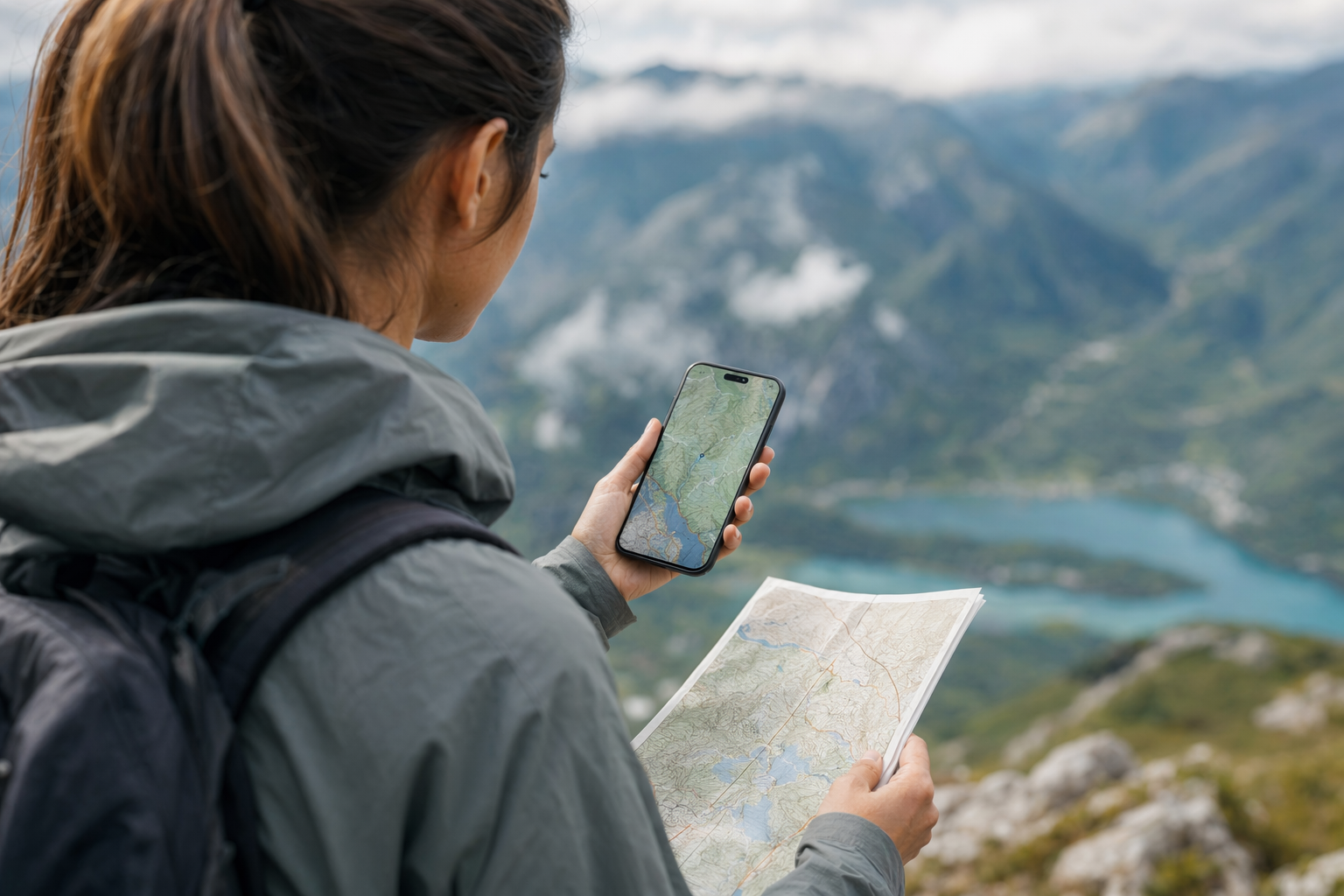
The moment I stopped trusting roaming and started downloading maps like a paranoid raccoon
#I got properly obsessed with offline maps after one of those travel days where everything goes slightly wrong, but not wrong enough to be dramatic. I was in a new city, tired, hungry, phone battery doing that fake “12%” thing where it is basically already dead, and my roaming data decided it was on holiday too. Google Maps was spinning. Apple Maps was staring at me like “good luck buddy.” I had a hotel address saved somewhere, except of course it was in an email that wouldn’t load. Classic. Since then, before almost every trip, I download offline maps the way some people pack extra socks. Actually I also pack extra socks, because I am not a monster.
So this is my very human, slightly nerdy comparison of Google Maps, Apple Maps, and Maps.me for offline travel. Not a lab test with clipboards and 47 identical routes. More like: what I’ve used on actual trips, what worked, what made me swear quietly in public, and where I think each app fits. I’m mostly talking about normal travel stuff here: landing at airports, finding hotels, wandering neighborhoods, saving restaurants, hiking-ish walks that become accidental cardio, and trying not to burn mobile data just because you took a wrong turn near a cathedral.
Quick reality check: offline maps are not magic, but they feel like it sometimes
#An offline map is basically map data stored on your phone before you need it. Streets, place names, some points of interest, sometimes route calculation. The whole point is that when your phone has zero data, weak data, expensive data, or you just refuse to connect to random airport Wi‑Fi because it gives you bad vibes, the map still opens. GPS itself does not require mobile data, which a lot of people forget. Your phone can still figure out where it is using satellites, but without downloaded map tiles it might show you as a lonely blue dot floating in grey nothingness. Very poetic, not very useful.
The annoying bit is that “offline” means different things in different apps. Google Maps lets you download areas, but offline public transit and walking directions are limited compared with online mode. Apple Maps, since iOS 17, lets iPhone users download map areas and use them for directions and place browsing, which was honestly overdue but very welcome. Maps.me is built around offline use from the start and uses OpenStreetMap data, which can be weirdly brilliant in some places and patchy in others. So yeah, all three can help you survive a no-signal moment, but they don’t solve the same problem in the same way.
Google Maps offline: still the default for a reason, even when it annoys me
#Google Maps is the one I reach for first because my brain has been trained by years of travel. I save stars, lists, hotel pins, coffee places, train stations, random bakeries I saw on TikTok and will probably never visit. The offline download flow is easy enough: search a city or area, tap download, resize the box, wait. You can also go into Offline maps and pick your own map area. I like that it warns you about storage size before downloading, because offline maps can quietly eat space if you’re doing a big country or multiple regions. Ask me about the time I tried to download half of Italy on a 64GB phone. Actually don’t, it was embarrasing.
Where Google is great: finding businesses, reviews, photos, opening hours when cached or available, and driving navigation offline. It is especially handy if you already live inside the Google ecosystem. My saved places usually come across properly, and if I planned the trip in Google Maps on desktop, everything feels familiar on the phone. For road trips, it’s usually my safest pick. The map detail in big cities is excellent, and the search is forgiving when I type half a place name wrong, which I do constantly. It’s like Google knows I’m tired and holding a pastry in one hand.
But Google offline has limits that matter when traveling. Offline maps don’t give you the full online experience. Public transport directions are not something I’d rely on offline in Google Maps, and walking or cycling routing can be limited depending on situation and region. Live traffic obviously needs data. Fresh opening hours need data. If a restaurant closed last month, your downloaded map might not save you from standing outside a dark doorway feeling betrayed. Also, offline map areas expire unless updated, which makes sense, but it means your old downloaded Tokyo map from two years ago isn’t a sacred artifact. Update it before you go.
Apple Maps offline: finally good enough that I actually use it
#I used to treat Apple Maps like the backup singer of my phone. There, nice-looking, occasionally useful, but not the one I trusted for the big solo. That changed a lot. Apple Maps has improved massively over the years, and offline maps arriving with iOS 17 was one of those features that made me go, “wait, why didn’t we have this forever?” On iPhone, you can download a map area, then search and navigate inside it without a connection. It works with the general Apple vibe: clean UI, not too many knobs, and it integrates nicely with the rest of the phone.
The best thing about Apple Maps offline is how calm it feels. I know that sounds silly, but UI matters when you’re in a train station with people walking directly into your soul. Apple’s map design is readable, the offline area manager is simple, and if you also use Apple Watch, the turn prompts can be really nice while walking. I’ve had moments where I didn’t want to hold my phone out like a tourist beacon, and wrist taps helped. Not always perfect, but very smooth when it works.
The downside is obvious: Apple Maps offline is only for Apple people. If you’re on Android, skip this section and go make a tea. Also, Apple’s place database still feels uneven to me depending on the country. In some cities it’s fantastic. In others, Google has more reviews, more photos, and better “is this place actually open?” energy. I also find Apple’s search less forgiving when I mangle a name. Maybe that’s my fault. Probably. But while Apple Maps is now a real offline contender, especially for iPhone users, I still don’t always trust it as my only map outside big cities.
Maps.me: the scrappy offline nerd that saved me more than once
#Maps.me is different. It is not just Google Maps with the internet switched off. It’s more like a travel tool that grew up in the offline world. You download country or region maps and then use them with GPS, search, bookmarks, and routing. It uses OpenStreetMap data, which is community-built. That means it can be insanely detailed in places where local mappers care a lot: footpaths, alleys, little trails, benches, viewpoints, water fountains, weird tiny paths through parks. I have found walking shortcuts on Maps.me that Google didn’t seem to care about at all.
My first real “okay, I love this thing” moment with Maps.me was on a trip where I wandered too far from the main area, because obviously I saw a viewpoint and thought “that looks close.” It was not close. Mobile signal dropped, Google got a bit useless, and Maps.me still showed the paths clearly. Not just the road. The little footpath. The bend. The trail that looked like it was invented by goats. It got me back without drama, and I became one of those annoying people who says “you should download Maps.me” at dinner.
But I don’t want to over-romanticize it. Maps.me can feel cluttered. Depending on the version and region, the app experience can include promos or extra travel-service stuff that I personally don’t always want when I’m just trying to find a toilet. Search can be hit or miss. Business data may not be as fresh as Google’s. And because it relies on OpenStreetMap, quality depends on the local mapping community. In Europe, big tourist areas, hiking regions, and places with active mappers, it can be brilliant. Somewhere with sparse OSM coverage, less so. Still, for offline-first travel, it deserves respect.
The comparison I wish someone gave me before I filled my phone with map downloads
#| App | Best offline strength | Biggest weakness | Who I’d recommend it to |
|---|---|---|---|
| Google Maps | Familiar interface, strong place database, good offline driving navigation | Offline mode loses a lot of transit, walking, live traffic, and freshness | Most travelers, especially if you already save places in Google |
| Apple Maps | Clean offline experience on iPhone, nice Apple Watch integration, simple downloads | Apple-only, place data can be weaker in some regions | iPhone users who want a polished backup or main city map |
| Maps.me | Built for offline, great for walking paths and OpenStreetMap detail | Search and business info can be uneven, interface can feel busy | Backpackers, walkers, hikers, and anyone going beyond the obvious tourist streets |
If I had to reduce it to one messy opinion: Google is the safest default, Apple is the nicest if you’re in the Apple garden, and Maps.me is the best “oh no, I’m offline offline” friend. I don’t think there is one winner for everyone. Travel is too weird for that. A business trip to Singapore, a family holiday in Paris, a scooter ride in Bali, and a hiking weekend in Slovenia all punish your map app in different ways.
What I download before a trip, because future me is useless
#My pre-trip routine is not glamorous. Usually the night before flying, I’m sitting on the floor near a charger, deleting old videos and asking why I still have screenshots from 2021. Then I download maps. First, Google Maps for the main city and surrounding area. If I’m on iPhone, I download the same rough area in Apple Maps because redundancy makes me feel clever. Then, if I’ll be walking a lot, going to smaller towns, renting a car, or doing anything nature-ish, I download Maps.me for the region too.
Storage is the boring villain here. Offline maps are not always huge, but they stack up with photos, WhatsApp media, podcasts, Netflix episodes, and the 900 pictures of your dog you refuse to delete. Before a longer trip, I usually clean the phone properly and think about photo backup too. If you’re doing the same pre-flight digital tidy-up, this piece on Cloud Storage vs External SSD for Travel Photos is a very related rabbit hole, because map downloads and travel photos both fight for the same sad little storage bar.
- Download the airport area, hotel area, and at least the route between them. This sounds obvious until you land at midnight and your eSIM activation email won’t open.
- Open the downloaded map once before leaving home. Don’t just trust the progress bar like it’s a legally binding contract.
- Save your hotel as a favorite in every app you plan to use. Yes, every app. Paranoid? Maybe. Effective? Also yes.
- Update maps a few days before travel, not six months before. Roads change, businesses close, and cities love construction for some reason.
Connectivity backups still matter, even if you love offline maps
#Offline maps are a backup, not a complete replacement for connectivity. That’s the part people get wrong. You can navigate and orient yourself, but you still might need data for ride-hailing, messaging your host, checking train platform changes, translating a menu, or figuring out why your flight moved gates while you were eating noodles. I’m a big believer in having layers: offline maps, saved PDFs, screenshots, eSIM or local SIM, and a plan for Wi‑Fi that doesn’t involve clicking every sketchy captive portal in the airport.
If you travel internationally, especially from India or anywhere roaming gets expensive fast, sort your connectivity before you leave. Offline maps are still worth downloading even if you bought an eSIM, because activation issues, weak coverage, and payment OTP chaos are real things that happen to real people at the worst times. The comparison in Malaysia eSIM vs Local SIM for Indian Travelers is a good example of why I don’t put all my trust in one connection method. And when you’re stuck choosing between airport Wi‑Fi and your own data, Airport Public Wi‑Fi Safety vs Mobile Hotspot is basically the kind of thing I wish more people read before they travel.
The weird technical stuff that actually affects your day
#Map apps feel simple, but underneath they’re doing a lot. Vector maps, place databases, routing graphs, GPS positioning, cached search indexes, language labels, and update cycles. You don’t need to know all that to use them, obviously, but it explains why one app can show a tiny walking path and another can’t. It also explains why offline search sometimes feels dumb. Online search can ask a giant server, “what did this sleepy tourist mean by ‘old square pizza place near fountain’?” Offline search has to work with whatever index is stored locally on your phone. Much harder.
Routing is another big one. Driving routes offline are easier to support because roads are structured and apps can store enough data to calculate them. Transit is messy: schedules, delays, temporary closures, platform changes, agency feeds. That’s why offline transit is never something I fully trust, even when an app says it has some support. Walking is also weird because travelers don’t walk like route algorithms think we walk. We stop for photos. We cut through markets. We follow crowds. We cross streets because the other side has shade. No app fully understands the human need for shade.
My actual winner depends on the trip, which is annoying but true
#For a city break, I mostly use Google Maps with Apple Maps as a backup if I’m on iPhone. Google’s saved lists and place info are just too useful. I want reviews, photos, busy times, opening hours, and the ability to search “ramen near me” with the spelling accuracy of a raccoon wearing mittens. Apple Maps comes out when I want a cleaner interface, walking prompts on Watch, or just a second opinion. It’s also nicer for browsing sometimes, less visually loud. Though Google still wins my stomach, because food search is where it shines.
For road trips, Google Maps is usually first again, especially if I’ve downloaded the route area. But I’ll often keep Apple Maps running as the “is Google doing something weird?” checker. You’d be suprised how often two map apps disagree about a turn and one of them is clearly having a moment. For remote areas, smaller roads, or places where I know signal may vanish, Maps.me joins the party. I don’t always use it for turn-by-turn driving, but I like having the offline geography visible. It makes me less nervous.
For walking-heavy travel, old towns, trails, islands, and backpacker-ish wandering, Maps.me becomes much more important. OpenStreetMap detail can be a gift. I’ve used it to find stairs, paths through parks, and little lanes that made a walk shorter or at least more interesting. Google is better at “what is this cafe and should I eat there?” Maps.me is often better at “how do I physically get from this corner to that other corner without walking along a horrible road?” Apple sits somewhere in the middle, pleasant and increasingly capable, but not always the most detailed.
A few mistakes I’ve made so you can avoid them, maybe
#- I downloaded only the city center and forgot the airport was way outside the box. This is how you learn geography through suffering.
- I assumed saved places meant offline place details. Sometimes the pin is there, but the useful stuff needs data. Screenshot key addresses.
- I forgot that offline maps expire or need updates. Old maps are better than no maps, but not always by much.
- I trusted hotel Wi‑Fi to download maps after arrival. The Wi‑Fi was slower than a sleepy snail and required a room number I didn’t have yet.
- I didn’t download the local language labels where available. This made comparing map names with street signs more annoying than it needed to be.
Also, battery. Offline maps still use GPS, screen, and sometimes compass sensors, so they can drain your phone even without mobile data. If I’m out all day, I carry a power bank. Not a huge one, just enough to stop that low-battery panic. And I turn down screen brightness when I can, though realistically I forget until my phone is hot and judging me.
Privacy, data, and the slightly creepy comfort of maps
#There’s another angle here: privacy. Google Maps is incredibly useful partly because Google knows a lot about places and, depending on your settings, maybe a lot about you. Apple markets itself more strongly around privacy, and some people prefer that. Maps.me and other OSM-based tools have a different feel because the map data comes from a community project, though the app itself still has its own policies and features to understand. I’m not going to pretend I’m perfectly privacy-pure. I use convenience apps all the time. But travel makes me more aware of what I’m sharing, because location is such personal data.
My compromise is boring but practical: I review location permissions before trips, turn off anything that doesn’t need always-on access, and download maps over trusted Wi‑Fi before I leave. I also avoid logging into random services just to see a map if I don’t have to. Is this perfect? Nope. But it’s better than blindly accepting everything while half-asleep at an airport gate.
So, which offline map app should you use?
#If you only want one answer: download Google Maps offline for your destination. It’s the broadest, easiest recommendation for most travelers. If you use an iPhone, also download Apple Maps for the same area because it’s simple and gives you a second option. If you’re going to walk a lot, hike, visit smaller towns, travel somewhere with unreliable data, or you just enjoy having a proper offline-first tool, add Maps.me. That sounds like overkill, but maps are not that big compared with the cost of getting lost, missing check-in, or paying for emergency roaming because you needed one street name.
My personal setup is three layers. Google for places and general navigation. Apple for clean backup on iPhone. Maps.me for offline confidence and path detail. If storage is tight, I choose based on trip type: Google for cities, Maps.me for walking and remote stuff, Apple if I’m fully in iPhone mode and want smoothness. None of them are perfect. All of them are wildly better than the paper map I once unfolded in the wind and immediately hated.
The best offline map is not the one with the prettiest screenshots. It’s the one you remembered to download before your signal died.
Final thoughts from a map nerd who still gets lost sometimes
#Offline maps are one of those boring-sounding travel tech things that become exciting the first time they save your day. They don’t make travel frictionless, and honestly I don’t want travel to be completely frictionless. Getting a bit lost is part of the fun. But there’s a difference between charming lost and “my hotel is somewhere in this grey rectangle and I’m sweating through my backpack” lost. Google Maps, Apple Maps, and Maps.me all reduce that second kind.
If you’re planning a trip soon, do future-you a favour: download the maps, save the hotel, screenshot the address, and test everything once before you leave. It takes ten minutes and makes you feel like a genius later. And if you like this kind of practical travel-tech rabbit hole, I’d keep poking around AllBlogs.in too, because that’s exactly the sort of place where I end up finding one more useful thing before a trip and then pretending I was organized all along.