The trip that made me stop trusting just one backup
#I used to be that annoying person who said, “oh I’ll just upload everything later.” Later meant when I got back to the hotel, then later meant when I got home, and then later meant… never. The wake-up call was a rainy night in Lisbon where my phone got soaked in my jacket pocket and started doing that terrifying ghost-touch thing. I had maybe 900 photos from the week on it, plus some little video clips of trams and tiles and one very dramatic seagull stealing a pastry. Nothing award-winning, but they were mine, you know? I remember sitting on the bed with a towel, a cheap USB cable, terrible hotel Wi‑Fi, and that special travel panic where your brain goes “well, you had ONE job.” Since then I’ve become weirdly passionate about travel photo backups. Cloud storage vs external SSD sounds boring until it’s your memories on the line, then suddenly it’s the most exciting tech decision in your backpack.
So, cloud storage or external SSD? My honest short answer
#If you force me to pick one, I’ll say this: cloud storage is better for protecting against theft and disaster, while an external SSD is better for speed, control, and not depending on whatever Wi‑Fi situation the universe throws at you. But the real answer, the one nobody likes because it means buying one more thing and doing one more habit, is both. I know, I know. That sounds like overkill. But travel is basically a hostile environment for data. Bags get lost, phones get dropped, SD cards get corrupted, hotel Wi‑Fi crawls, and sometimes you’re too tired to think straight after walking 26,000 steps. I’ve had cloud backups save me, and I’ve had an SSD save me when the cloud was basically a decorative icon on my screen doing nothing. They solve different problems, and pretending they’re the same is where people get burned.
Why cloud storage feels magical when it works
#Cloud storage is amazing in that quiet, invisible way. You take a photo, your phone waits for Wi‑Fi or mobile data, and the image floats away to Apple Photos, Google Photos, OneDrive, Dropbox, Lightroom cloud, whatever ecosystem you live in. If your phone gets stolen in a market or your backpack disappears from an overhead rack, those photos can still be waiting for you when you log in from a new device. That’s the big emotional win. The off-site copy. The “my stuff exists somewhere else” feeling. For travel, that matters a lot because your laptop, camera, phone, SSD, and memory cards are often physically close together. Sometimes literally in the same sling bag, which is convenient and also a terrible idea. I’ve done it. I still do it for short walks and then feel guilty like my NAS at home is judging me.
But cloud has this annoying little catch called reality. Uploading RAW files from a mirrorless camera can be painful. A single modern RAW photo can be huge, and 4K video clips are just rude. If you shoot a lot, your nightly backup can be tens or hundreds of gigabytes. Hotel Wi‑Fi may throttle, airport Wi‑Fi may be sketchy, and mobile data abroad can get expensive depending on your plan. Before I sync a pile of travel photos in public places, I think a lot harder about network safety than I used to. I wrote notes for myself after too many sketchy captive portals, and this is exactly where something like Airport Public Wi‑Fi Safety vs Mobile Hotspot becomes very real, because backup speed is useless if you’re logging into your entire digital life on a network you don’t trust.
Where the external SSD absolutely crushes it
#An external SSD is the opposite vibe. It’s not magical, it’s physical. You plug it in, move files, verify them, unplug it, and you can literally hold your backup in your hand. I love that. Maybe it’s the old-school nerd in me, but seeing a folder named “JapanDay04_RAW” sitting on a drive gives me peace. SSDs are fast, tiny, and don’t care if the hotel Wi‑Fi was designed in 2009 by someone who hates photographers. With a USB-C SSD and a decent cable, copying a full SD card can take minutes instead of the whole night. And if you’re traveling with a laptop or tablet, the workflow can be pretty painless once you get the muscle memory down.
The downside is also obvious: an SSD can be lost, stolen, crushed, drowned, or just randomly die because hardware is hardware and hardware has moods. People talk about SSDs like they’re indestructible, but they are not little gods. They can fail. Cables fail too, which is the dumbest possible reason to lose confidence in your backup setup, but it happens. Also, if your SSD is in the same bag as your camera and that bag gets stolen, congratulations, you made a very neat package for a thief. I try to split things up now. Phone in pocket, camera in bag, SSD in a different pouch, spare SD cards somewhere else. If you’re already thinking about where to stash passport and cash, the same logic applies to drives and cards, and I liked the practical angle in Hotel Safe vs Luggage Lock: Passport and Cash Safety Tips because travel security is never just one object, it’s a system.
My current travel photo backup setup, messy but it works
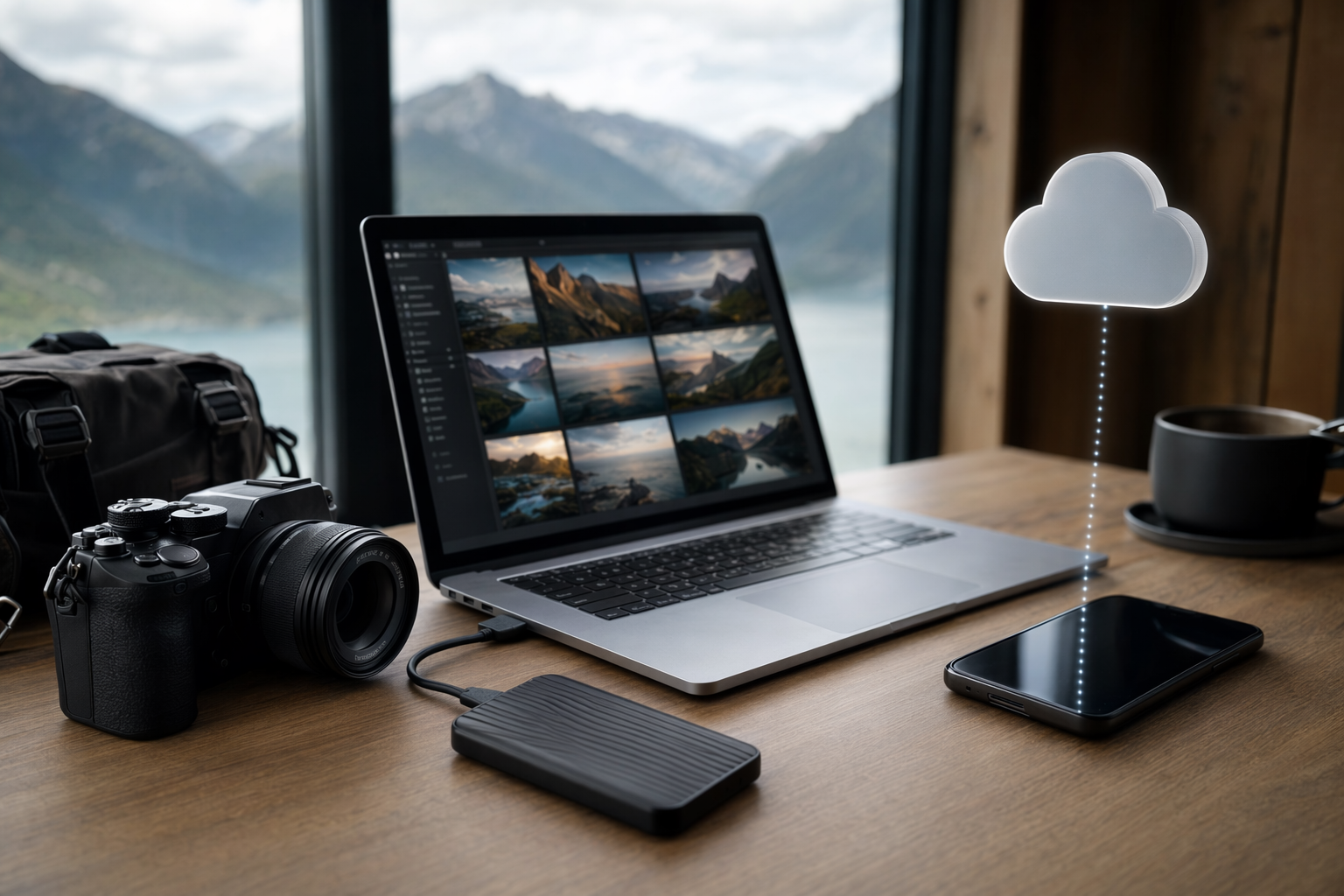
#My setup changes depending on whether I’m doing a lazy weekend trip or a big camera-heavy trip. For a normal city break, I’ll shoot mostly on my phone and let cloud sync handle the basics. I still check that sync is actually happening though, because I’ve been fooled before by the cheerful little “backing up” message that was doing absolutely nothing because battery saver was on. For longer trips, I bring a compact external SSD, a short USB-C cable, a tiny card reader, and usually a small USB-C hub if I’m using a tablet or laptop. Nothing huge. I used to bring way too many dongles and cables, like a traveling electronics goblin. Now I keep it boring and repeatable. The trick is not having the most expensive drive, it’s having a workflow you will actually do when you’re sweaty, tired, and maybe slightly sunburnt.
- Phone photos: auto-sync to cloud when I’m on trusted Wi‑Fi or my own hotspot, and I check the backup status before deleting anything
- Camera photos: copy SD card to external SSD every night, usually into folders by date and place, not fancy but searchable enough
- Best shots: I’ll sometimes export small JPEGs to my phone too, so a few favorites reach the cloud even if the RAW files wait until home
- Important rule: I don’t format SD cards until I have at least two copies, and even then I hesitate like a coward
The “two copies before format” rule has saved me from myself. One night in Italy I copied a card to an SSD, got distracted by pizza, and almost formatted the card before realizing the copy had failed halfway through because the cable was loose. No dramatic error. No siren. Just missing files. That was the day I started doing spot checks. Open a few files. Check file counts. Look at folder sizes. Boring stuff, but boring is better than crying into airport coffee.
The tiny hardware bits matter more than people admit
#Everyone talks about the SSD brand, but honestly the cable, card reader, and hub can make or break the whole thing. A cheap cable might charge your phone but transfer data slowly, or not transfer at all. Some portable hubs get hot. Some card readers feel like they were assembled from leftover lunchbox plastic. If you’re backing up from SD cards while traveling, test the whole chain at home: camera card to reader, reader to phone or tablet or laptop, files to SSD, open the files, eject properly. Do it before the airport, not on a hostel bunk bed while your roommates are sleeping and your laptop is at 7 percent. I’ve been there, and it’s not character building, it’s just annoying.
If you’re confused about hubs, docks, power pass-through, card readers and all that weird USB-C chaos, the practical difference matters a lot more on the road than at your desk. I’d read something like USB-C Hub vs Docking Station: Which One Should You Actually Buy? before buying random travel gear, because a small hub with the right ports is often better than dragging around a big dock you don’t need. My travel rule is simple: fewer pieces, known-good pieces, and one backup cable because cables are sneaky little traitors.
Cloud storage: the good, the bad, and the “why is this still uploading?”
#Cloud backup wins because it gets your photos away from your physical location. That’s the whole magic. If your luggage disappears, a proper cloud backup doesn’t care. If your phone dies, the photos can still be there. And cloud services are pretty good now at search too. Typing “beach,” “receipt,” “cat,” or “museum” and actually finding stuff feels like witchcraft. For phone shooters, cloud is probably the easiest backup you’ll ever use because it’s automatic. That matters because manual backups depend on discipline, and my discipline after a 14-hour travel day is usually a sandwich and falling asleep with one shoe still on.
But cloud storage is not free in the emotional sense or the money sense. Free tiers fill up fast. Paid plans can be reasonable, but once you start shooting RAW, ProRAW, burst photos, and video, storage grows like weeds. Also, every big platform has its own rules about original quality, sync behavior, device storage optimization, deleted items, shared albums, and what counts against your quota. Those policies do change sometimes, so before a big trip I actually check the current support pages for whichever service I’m using. Not fun, but better than discovering mid-trip that your “backup” was only optimized previews or that your laptop hadn’t downloaded originals. Cloud is convenient, but it’s not the same as understanding what got uploaded, in what quality, and whether deletions sync everywhere. That last one matters. Sync is not always backup, and I will die on this hill probably.
Sync versus backup, aka the trap that bites normal people
#This is where friends glaze over when I talk, but it’s important. Sync means changes follow you across devices. Delete a photo on your phone, and depending on the service and settings, it may delete from the cloud too. Backup should mean there’s an independent copy you can recover from. Many cloud photo services feel like backup, and they can act like backup, but they’re often built around syncing and library management. That’s fine if you know the rules. It’s dangerous if you think “in the cloud” means “impossible to delete.” I’ve seen people clean up their phone storage and accidentally remove stuff everywhere. Not because they’re dumb. The interfaces just don’t always explain consequences in plain language.
My workaround is a bit clunky. For important trips, I keep originals on the SD cards until I’m home, copy them to the SSD, and let some version reach the cloud. Once home, I import everything into my main library and another local backup drive. Then I relax. Sort of. I don’t think any backup person ever fully relaxes. We just develop nicer checklists.
External SSDs: fast, private, and kind of satisfying
#There’s something deeply satisfying about an external SSD for travel photos. No subscription dashboard. No upload queue. No “preparing 12,842 items” for four hours. Just files. Folders. Transfer progress. Done. If you’re shooting with a dedicated camera, especially RAW, SSDs are almost mandatory in my opinion. You can back up in a cafe with no internet. You can edit from the drive if it’s fast enough. You can carry multiple projects. You can hand it to a travel partner and say “please put this in your bag,” which is not high-tech but is extremely effective off-site-ish backup.
Privacy is another thing people don’t always mention. Cloud providers have strong security teams, and for most people they’re safer than a random unencrypted hard drive in a backpack. But an SSD gives you local control, especially if you encrypt it. On macOS, Windows, and many mobile setups, encrypted drives are not that hard anymore, though you should absolutely test unlocking them before you leave. Please don’t encrypt a drive for the first time in a hotel room and then forget the password. Also, don’t put the password in a note called “SSD password.” I say this with love because I have done equally stupid things.
A quick comparison from my actual travel brain
#If I’m ranking cloud and SSD by real-world travel feelings, it looks like this: cloud wins for disaster recovery, SSD wins for speed. Cloud wins for automatic phone backup, SSD wins for camera RAW. Cloud wins if your bag gets stolen, SSD wins if the internet is trash. Cloud can cost you every month, SSD costs more upfront but then just exists. Cloud is easier until it isn’t. SSD is more manual until the routine becomes second nature. See? Annoyingly balanced. This is why the online debates get silly. People argue like one has to defeat the other. They don’t. They’re teammates. Slightly grumpy teammates, but teammates.
- Pick cloud-first if you mostly shoot on your phone and have reliable data or Wi‑Fi during travel
- Pick SSD-first if you shoot lots of RAW, 4K video, drone footage, or you travel where internet is weak
- Pick both if the photos really matter, which honestly they usually do
- Do not pick “I’ll sort it out later” unless you enjoy unnecessary drama
The workflow I recommend to friends now
#When friends ask me what to do, I try not to turn into a backup preacher, but I kinda do. My basic travel photo workflow is simple enough that normal humans can follow it. During the day, shoot as usual. Don’t delete aggressively in-camera unless you really need space, because tiny camera screens lie. At night, plug in the SD card and copy everything to the external SSD. If you’re using a phone, make sure cloud backup is enabled and actually moving. If Wi‑Fi is bad, prioritize favorites or smaller JPEGs and let the huge RAW dump wait. Then keep the SSD separate from the camera bag whenever possible. Different bag, different person, hotel safe, whatever makes sense. The important thing is avoiding one single point of failure.
- Before the trip, test your whole setup at home with real photos, not one empty folder named “test”
- During the trip, copy camera cards to SSD every night or every second night if you’re exhausted
- Check a few random files after copying, because a folder existing does not mean the files are good
- Let cloud backup run when the network is trusted and stable, but don’t assume it finished unless you check
- Keep originals on cards as long as you can afford the space, then rotate cards carefully if needed
The best version of this is basically the old 3-2-1 backup idea: three copies, two kinds of storage, one copy off-site. On the road, that might mean SD card, external SSD, and cloud. Or phone, SSD, and a second drive in your partner’s bag. It doesn’t have to be perfect. Perfect systems often fail because they’re too annoying. A slightly messy system you actually use beats a beautiful system you abandon after day two.
What I’d buy or pack, without getting too brand-obsessed
#I’m not going to pretend there is one perfect SSD for everyone. The market changes, models get refreshed, prices bounce around, and tech reviewers argue about sustained write speeds like it’s a sport. My buying advice is boring: get a reputable portable SSD with enough capacity for your shooting style, make sure it supports the connection speed your device can actually use, and don’t cheap out on the cable. If your camera makes huge files, buy more capacity than you think you need. Travel has a way of making you shoot more than planned. “I’ll only take a few photos today” is a lie I tell myself before taking 312 photos of doors.
For cloud, pick the service that fits your devices and habits. If you’re all Apple, iCloud Photos is convenient. If you live in Google Photos, use that. If you edit in Lightroom, Adobe’s cloud workflow may make sense. Microsoft OneDrive can be great if you’re already paying for Microsoft 365. Dropbox is still useful for folder-style people. The wrong cloud is the one you forget to check, or the one that silently doesn’t upload originals because you didn’t understand the setting. Again, policies and storage plans can change, so I check the current details before relying on any one service for a major trip. That sounds fussy, but it takes five minutes and can save a whole lot of regret.
A few mistakes I made so you don’t have to
#First mistake: I once brought an SSD but forgot the right cable. Incredible work from me. I had a drive, a laptop, a camera, and absolutely no way to connect the stupid things. Second mistake: I assumed a hotel Wi‑Fi upload had finished because my laptop went to sleep and looked peaceful. It had not finished. Third mistake: I kept the SSD and SD cards in the same camera cube for “organization.” Very tidy, very dumb. Fourth mistake: I bought a tiny drive because it was cheaper and then spent the trip rationing storage like I was crossing a desert. Don’t do that if you shoot video. Video eats storage like a monster.
Another thing: label stuff. Physically label cards, drives, and little cases. Not with your full home address, obviously, but enough that you know what’s what. I use boring names like “SSDTRAVEL2TB” and card numbers. I also make folders like “2026-Paris-Day03” even if it feels nerdy. Later, when you’re importing photos at home and jet lagged, those folder names become a gift from past you. Past me is not always helpful, but folder-name past me? Great guy.
When I would use only cloud
#There are trips where I don’t bring an SSD. A weekend with just my phone? Cloud only is fine for me, as long as I have enough storage and I confirm backups are running. If I’m going somewhere with strong mobile data, not shooting much video, and not carrying a “real” camera, cloud is beautifully simple. It’s also great for sharing with family while you’re still traveling, though be careful with public albums and location data if that matters to you. The key is knowing the risk. If the photos are casual snapshots, cloud only is acceptable. If it’s a once-in-a-lifetime trip, paid work, or anything you’d be heartbroken to lose, I wouldn’t rely on cloud alone. Not because cloud is bad, but because travel adds too many variables.
When I would use only an SSD
#SSD only makes sense when internet is basically unavailable or you’re generating massive files. Think wildlife trip, remote hiking, long train routes, diving trip, drone-heavy travel, or any place where uploading 200GB is laughable. In those cases, I’d bring one or two SSDs, more SD cards, and be very serious about separating copies. If I had two drives, I’d make duplicate backups and keep them in different places. One with me, one with a travel partner or locked away. Is that paranoid? Maybe. But I’ve met enough photographers with horror stories that my paranoia feels well-earned. Also, if you’re doing paid work while traveling, your clients do not care that the Wi‑Fi was bad. They care that the files exist.
My final verdict, after way too many cables and a few small disasters
#For travel photos, cloud storage and external SSDs are not enemies. Cloud is your safety net when physical stuff goes wrong. An SSD is your fast, reliable workhorse when networks fail or files are huge. If you shoot mostly phone photos, start with cloud and learn the settings properly. If you shoot camera RAW or lots of video, bring an SSD and practice the workflow before you leave. If the photos matter a lot, use both. That’s the least dramatic and most practical answer I’ve found after years of pretending I could wing it.
And honestly, this whole topic made me appreciate travel tech more. Not the flashy part, not the “look at my shiny gadget” part, but the quiet systems that protect memories. A good backup routine is boring right up until it saves your trip. Then it feels like genius. So yeah, pack the SSD, check the cloud, don’t trust random Wi‑Fi with your whole life, and please test your cables before you’re sitting on a hotel floor at midnight. If you’re into this kind of practical tech rabbit hole, I’ve been finding more stuff to read and compare over on AllBlogs.in, which is exactly the sort of site I end up browsing when I should probably be packing.