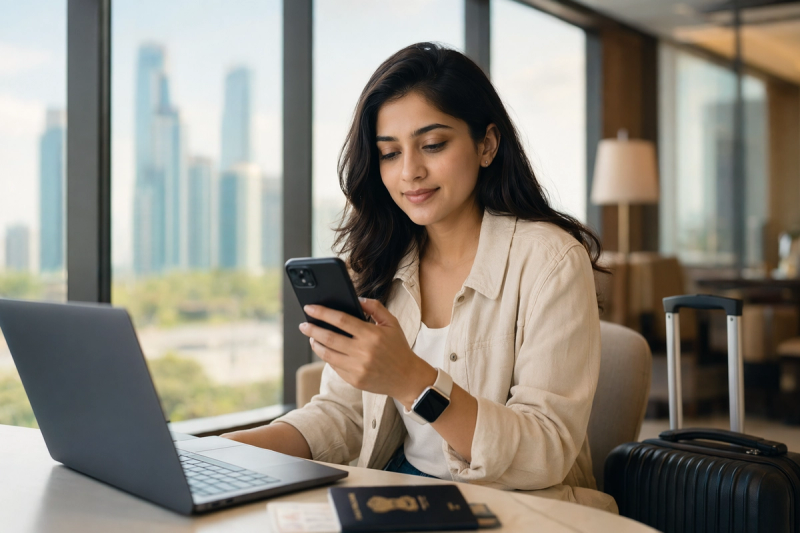
The OTP panic is real, and I learnt it the annoying way
#There is a very specific kind of fear Indian travelers know. You are standing in some airport, hotel lobby, train station, or tiny Airbnb kitchen at 1:30 in the night, trying to pay for something or log into your bank app, and the screen says: “Enter OTP sent to your registered mobile number.” And then... nothing. No SMS. No little ding. No blessed 6 digits. Just you staring at your phone like it personally betrayed you.
I got properly obsessed with this whole eSIM plus OTP thing after a messy trip where my data eSIM worked beautifully, like honestly magic, but my Indian number was basically sulking in the corner. I had internet, WhatsApp, Google Maps, Uber, everything. But the moment I needed a bank OTP, I realised data is not the same as your Indian mobile number being reachable. Sounds obvious now. Did not feel obvious then, yaar.
So this guide is basically the thing I wish someone had forced me to read before I flew out. It’s for Indian travelers who want cheap roaming data through an eSIM, but still need OTPs from SBI, HDFC, ICICI, Axis, Zerodha, Aadhaar, IRCTC, credit cards, UPI apps, email logins, and all those random services that still think SMS is the final boss of identity verification.
First, the boring but important bit: eSIM data does not magically bring your Indian OTPs
#This is the part people mix up all the time. A travel eSIM from Airalo, Nomad, Holafly, Ubigi, a local operator, or whatever cool app you found on Instagram usually gives you mobile data in that country. It does not automatically make your Indian number active abroad. If your OTP is being sent to your Indian Airtel, Jio, Vi, or BSNL number, that Indian line must be switched on and roaming on a partner network, even if you don’t use it for internet.
Think of it like two pipes. One pipe is internet data. The other pipe is SMS to your Indian number. Your travel eSIM can make Google Maps and WhatsApp fly. But your OTP SMS still comes through your Indian SIM or Indian eSIM line. If that line is off, deleted, not roaming, not registered on a network, or stuck with no signal, your OTP may not arrive. Simple, but also not simple when you are jetlagged and hungry.
Official support pages from Apple and major Indian operators all say this in their own corporate-sounding way: eSIM is just a digital SIM profile, not a magic roaming exemption. Apple’s support docs also mention that many iPhone models can store multiple eSIMs, but only a limited number can be active at once depending on the model. Android is even more “depends on the phone, bro.” Samsung, Pixel, Motorola, OnePlus, Vivo, all have different eSIM support by model and region.
My current travel setup, after making enough mistakes
#These days, my ideal setup is boringly practical. Indian number stays active for calls and SMS. Travel eSIM handles data. WhatsApp stays on my Indian number, because WhatsApp doesn’t care what data connection you use after it is already activated. Banking apps stay logged in before I leave India. And I test one tiny OTP or SMS before the trip, if I can.
On an iPhone, I normally set the Indian line as the default voice line, keep it available for SMS, and set the travel eSIM as mobile data. Then I turn data roaming ON only for the travel eSIM and keep mobile data OFF for the Indian SIM, unless I have an international roaming pack. This avoids that horrible surprise where your Indian SIM quietly uses data abroad and your wallet starts crying. On Android, the labels are different, but the idea is same: choose one SIM for data, keep the Indian SIM alive for texts.
| Thing | What I do before flying | Why it matters |
|---|---|---|
| Indian SIM or Indian eSIM | Keep it active and roaming enabled | OTP SMS needs the Indian number to register abroad |
| Travel eSIM | Install before departure, activate near arrival if required | Gives cheaper data without hunting for airport SIM counters |
| Banking apps | Open them once in India and update if needed | Some apps hate first-time login from a foreign network |
| Default mobile data | Set to travel eSIM abroad | Avoid accidental Indian roaming data charges |
| SMS and calls | Keep Indian line on, even with data off | OTP is SMS, not internet data in many cases |
Physical SIM vs Indian eSIM vs travel eSIM, because the names get confusing
#Let’s clean this up. Your Indian mobile connection can be a physical SIM card or an eSIM. Separately, your foreign travel data plan can also be an eSIM. These are not the same thing. You can have Indian Airtel eSIM plus a travel eSIM. Or Indian physical SIM plus travel eSIM. Or two physical SIMs if your phone supports it, though newer premium phones are pushing more toward eSIM.
For many Indian travelers, the easiest combo is still: keep Indian physical SIM in the phone, add travel eSIM for data. It’s not fancy, but it works on lots of phones. If your Indian number is already an eSIM, then check if your phone supports two active eSIMs or one eSIM plus one physical SIM. Some iPhones support two active eSIMs on newer models, while older models may support one physical SIM and one eSIM active. Android phones vary a lot, and I mean a LOT. Don’t assume just because the box says eSIM that it can run your exact combo.
Also, tiny warning from personal paranoia: don’t convert your Indian physical SIM to eSIM two days before an international flight unless you really need to. eSIM activation sometimes requires SMS verification, carrier app steps, QR codes, waiting periods, or customer care nonsense. If it works, great. If it doesn’t, you’ve created a completely avoidable pre-trip headache. I love tech, but I do not love doing telecom experiments while packing socks.
The OTP checklist I follow before leaving India
#This is my slightly obsessive checklist. It looks long, but most of it takes 20 minutes while you’re pretending to pack. Do it before you leave, not after you land and realise your bank app wants to verify your existence with an SMS from 2014.
- Check if your phone supports eSIM and dual SIM properly. Don’t just check “has eSIM.” Check whether your model can keep your Indian line and travel eSIM active together.
- Turn on international roaming for your Indian number. For Airtel, Jio, Vi, and others, this can usually be managed from their app or customer care, but exact steps and charges change, so check your operator before travel.
- Decide if you need an international roaming pack. If you only need incoming SMS, sometimes you may not need a big pack, but don’t trust random internet comments. Operators change terms, and countries differ.
- Open every important app once in India: bank app, UPI app, credit card app, airline app, email, DigiLocker, Aadhaar-related services, brokerage app, office VPN, whatever your life depends on.
- Update your phone OS and apps a few days before travel, not at the airport. I’ve seen banking apps refuse to open because they needed an update and airport Wi-Fi was doing airport Wi-Fi things.
And if your international flight online check-in is failing because of passport name mismatch, visa document upload, or weird airline verification drama, fix that separately too. I’d honestly pair this OTP prep with this useful travel-tech piece: International Flight Online Check-In Not Working? Passport, Visa & Name Fixes for Indian Travelers. Same family of problems, basically: digital systems acting very confident while ruining your mood.
How to set up a travel eSIM without breaking your OTP life
#Most travel eSIMs work like this: you buy a plan, recieve a QR code or install through an app, then add it under your phone’s mobile plan settings. Some activate immediately after installation, some activate when they first connect to a supported network abroad. Read that line carefully. I know, nobody reads setup screens, but this one actually matters.
On iPhone, the usual path is Settings, Mobile Service or Cellular, Add eSIM, then scan QR or use the provider app. On Android, it’s often Settings, Network and Internet or Connections, SIM manager, Add eSIM. The naming changes between brands, and Android menus sometimes feel like they were designed during a group argument. Still, you’ll find it.
Once installed, name your lines clearly. I use labels like “India OTP” and “Japan Data” or “EU Data.” Sounds silly until you’re tired and accidentally turn off the wrong line. Keep your Indian line ON. Set travel eSIM for mobile data. Keep “Allow mobile data switching” off if you’re worried your phone may jump to Indian roaming data. If your operator has an affordable roaming pack and you’re fine with it, then okay, but be intentional.
My rule: travel eSIM for internet, Indian SIM for identity. The phone can juggle both, but only if you tell it exactly what job each line has.
The landing routine: what I do after the plane reaches
#The first ten minutes after landing are when people start tapping everything randomly. Don’t. Take a breath. Turn off airplane mode, let the phone search, and give your Indian SIM a minute or two to register on a partner network. Sometimes it shows “No Service” and then suddenly catches signal. Sometimes you need to restart the phone. Sometimes manual network selection helps, where you choose a roaming partner yourself instead of automatic.
Then check your travel eSIM data. Open a simple webpage, not Instagram reels, because reels will happily waste 300 MB while you’re still figuring life out. If data works, nice. Now send yourself a test SMS if possible, or trigger a low-risk OTP from something non-critical. I often check if bank alert SMS or telecom app messages are coming, but I avoid doing major transactions right away unless needed.
If OTPs don’t arrive, don’t instantly delete the eSIM profile. That’s one of those panicky mistakes people make. Instead, check: is the Indian line ON, is roaming enabled, is it showing signal, is SMS storage okay, is the phone blocking unknown senders, is DND or spam filtering hiding messages, is the bank sending OTP to old number, is the network just slow. SMS abroad can be delayed. Annoying, but true.
Banking, UPI, Aadhaar, and all the places OTPs ambush you
#Indian digital life is very OTP-heavy. Banks use OTPs for card transactions, login verification, new device registration, beneficiary addition, and suspicious activity checks. UPI apps usually need your registered SIM for activation and sometimes device binding. Aadhaar OTP goes to the mobile number linked with Aadhaar. Credit card apps may ask for OTP if they smell a new location. Even email providers can ask for SMS if your authenticator app isn’t setup.
This is why I tell people to treat OTP access like passport access. Not as dramatic maybe, but close. If you lose OTP access, you may still have internet, but you can get locked out of money tasks. Food delivery, hotel deposits, forex card top-up, emergency booking, card limit changes, even logging into some work services. Been there, hated it.
UPI abroad is especially funny. You can use UPI apps over any internet connection after setup, but if the app logs you out or asks to re-verify the SIM, it may try sending an SMS from your Indian number, not just receiving one. That outgoing international SMS can fail if roaming or balance isn’t right. So don’t uninstall PhonePe, GPay, Paytm, BHIM, or your bank UPI app mid-trip unless you enjoy chaos. Also don’t change phones right before travel. Me and a friend did that once before a Singapore trip, and he spent half a morning fighting device verification instead of eating kaya toast.
What if your Indian OTP still does not come?
#Okay, so you did everything and still no OTP. First, annoying truth: sometimes the issue is not your phone. It can be the sending bank, the international SMS route, the roaming partner, temporary outage, or anti-fraud systems. But there are practical things to try before you start shouting into customer care chat.
- Restart the phone. Basic, almost insulting, but it fixes network registration more often than it should.
- Toggle the Indian line off and on. Not delete. Just disable and enable the line.
- Try manual network selection and choose a different partner network if available.
- Make sure your Indian SIM has validity, active plan, and roaming enabled. Prepaid users, please don’t ignore validity. It’s boring until it isn’t.
- Check blocked SMS, spam folder, filtered senders, and message app settings. Some Android skins get aggressive.
- If your bank offers app-based approval, email OTP, authenticator, hardware token, or WhatsApp alerts, set those up before travel. Not all banks offer all options, but check.
One thing I don’t recommend is relying only on customer care from abroad. It can help, sure, but sometimes they ask for verification that again needs OTP. Beautiful little loop of pain. If your number is totally dead, a trusted family member in India may be able to help with operator store visits or documents, but that’s a last resort and also privacy-sensitive. Don’t hand over passwords or OTPs casually, even to relatives. Especially to relatives who forward every WhatsApp “bank warning” message, sorry uncle.
The hidden enemy: battery, chargers, and one dying phone
#Here’s the least glamorous truth in this guide: OTP planning is useless if your phone is dead. I once had perfect roaming, perfect eSIM data, perfect bank app access, and 4 percent battery outside a metro station. That is when technology becomes philosophy.
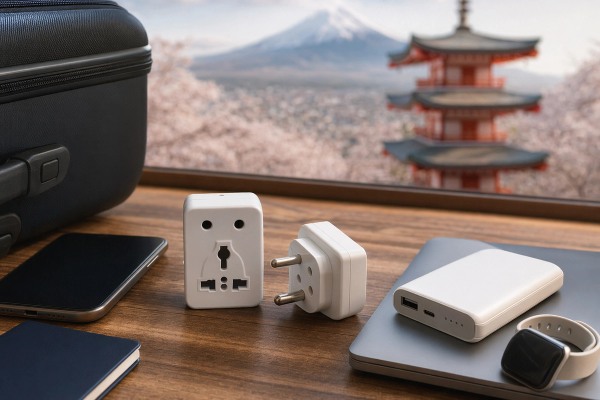
Carry a power bank, a proper cable, and the correct plug adapter for your destination. Also, don’t cheap out on one tiny broken cable and then blame the eSIM. If you’re going Japan specifically, voltage and plug shape are worth checking because Indian chargers usually handle 100-240V but plug pins can still be an issue. This Japan Plug Adapter Guide for Indian Travelers fits nicely into the same prep list, because keeping your phone charged is literally part of keeping OTPs, banking apps, UPI, and WhatsApp alive.
I also keep screenshots of my eSIM QR details, hotel address, passport scan, insurance, and emergency numbers offline. Not in a random gallery folder only. In Files, Google Drive offline, Apple Notes, whatever works. Just don’t store passwords and OTP backup codes in plain screenshots if your lock screen is weak. Convenience is great until your phone gets stolen in a crowded market.
Security stuff nobody wants to read, but please read this bit
#OTP access is powerful, which means scammers love it. Being abroad makes you more vulnerable because you’re distracted, tired, using public Wi-Fi, and maybe panicking about money. Basic rules: never share OTP, UPI PIN, card PIN, CVV, netbanking password, or remote access screen with anyone. Banks and telecom operators do not need your OTP to “restore roaming.” If someone calls claiming that, cut the call.
I’m also a big fan of using authenticator apps for email, password managers, and important accounts wherever possible. SMS OTP is better than nothing, but it’s not the strongest security method. For banks, you may not have a choice, because Indian finance systems still love SMS. But for Google, Microsoft, GitHub, social media, travel apps, and work tools, set up app-based 2FA or passkeys before leaving.
And please set a strong phone lock. Not 1234. Not birth year. If your phone is stolen and your SMS previews show OTPs on the lock screen, that’s bad. Hide notification previews when locked. Enable Find My iPhone or Find My Device. Keep your Indian SIM PIN enabled only if you understand it, because SIM PIN can protect against SIM misuse, but if you forget it abroad you may lock yourself out. Technology gives and technology takes, basically.
Should you buy an Indian international roaming pack instead of travel eSIM?
#Honestly, sometimes yes. I know this is an eSIM guide and I personally love travel eSIMs, but if your trip is short, your operator has a decent pack, and you absolutely need reliable calls and SMS on your Indian number, an official international roaming pack is less mental load. It may cost more than a data eSIM, but convenience has a price. For business trips, elder parents, medical travel, or complicated banking needs, I’d seriously consider it.
For longer trips, multi-country holidays, or data-heavy travel, I prefer travel eSIM plus Indian SIM active for OTP. It gives me cheap data and keeps identity tied to my Indian number. But don’t blindly copy me. Check your destination, operator rates, phone support, how much data you use, and whether you need incoming or outgoing calls. Some people are totally fine using WhatsApp calls and data-only eSIM. Some need normal calls from banks, airlines, or family. Both are valid.
| Option | Best for | Watch out for |
|---|---|---|
| Indian roaming pack only | Short trips, important calls, low setup headache | Can be expensive for data, terms vary by country |
| Travel eSIM plus Indian SIM | Most holidays, good data prices, OTP access | Needs dual SIM setup and roaming enabled on Indian line |
| Local physical SIM abroad | Long stays, local number needs | May remove Indian SIM if phone has one slot, OTP risk |
| Wi-Fi only | Very light travel, backup browsing | No OTP if Indian line has no roaming signal |
Tiny mistakes that cause big OTP drama
#Some of these sound dumb, but I have either done them or watched someone do them. Deleting the Indian eSIM profile abroad. Removing the physical Indian SIM to insert a local SIM and then forgetting OTPs need that SIM. Buying a data-only eSIM and assuming Indian SMS will come through WhatsApp somehow. Turning off the Indian line to “save battery.” Keeping airplane mode on and using only airport Wi-Fi. Changing phones the night before flight. Letting prepaid validity expire. Not carrying the SIM ejector tool. Classic.
Another sneaky one: SMS inbox full or messaging app permissions broken after phone migration. Also, some people use dual apps or cloned messaging apps on Android and then wonder where messages are going. And if you use iPhone with iMessage, remember bank OTPs are SMS, not iMessage. Blue bubble, green bubble, none of that matters when SBI is trying to send six digits.
I’m not saying become paranoid. Travel is supposed to be fun. But a 30-minute prep session can save you a very stupid afternoon abroad. And stupid afternoons abroad are expensive, because they usually involve roaming calls, taxi rides, airport counters, or buying coffee just to sit somewhere with Wi-Fi.
My simple recommendation for most Indian travelers
#If a friend asked me what to do, I’d say this: keep your Indian number active, enable international roaming, buy a travel eSIM for data if your phone supports it, test everything before flying, and don’t mess with your banking apps mid-trip. That’s the cleanest setup for most people. Not perfect. But pretty solid.
If you are going with parents or someone who isn’t comfortable changing SIM settings, maybe don’t overcomplicate it. Put an Indian roaming pack on their phone and leave it alone. For your own phone, sure, play with eSIMs. I love playing with this stuff, but I’ve also accepted that the best tech setup is the one you can explain while standing outside immigration with one hand holding luggage.
The bigger lesson for me is that travel tech is not just gadgets. It’s identity, payments, maps, language, safety, and tiny invisible systems talking to each other. eSIMs are genuinely brilliant, and I still get a little nerdy thrill when I land in a country and my phone gets data in 30 seconds. But OTPs are the old-school thread still tying us to our Indian mobile number. Respect that thread. Keep it alive.
Anyway, that’s my very lived-in eSIM OTP abroad guide. Hope it saves you from staring at a blank SMS inbox in some foreign airport like I did. If you like practical travel-tech stuff like this, I keep finding nice rabbit holes on AllBlogs.in, so yeah, worth a casual browse before your next trip.