Category: Tech & Innovation
If you’re buying a charger today and you want the simple answer, here it is:
Buy a USB-C PD charger with PPS support.
That’s the best all-around choice for most newer phones, tablets, and laptops. Standard USB-C PD is already great for iPhones, iPads, MacBooks, many Windows laptops, and plenty of Android devices. But PPS is the extra feature that matters for a lot of newer Android phones, especially Samsung Galaxy and Google Pixel models.
Just don’t buy a charger only because the box says 65W or 100W. Wattage matters, but it’s only one part of the picture. The charger, cable, and device all need to support the right charging standard if you want the best speed.
Quick Summary
#- USB-C PD, or USB Power Delivery: the main modern fast-charging standard over USB-C. Best for iPhones, iPads, MacBooks, many Windows laptops, tablets and many Android phones. Check wattage, port output and cable rating.
- PPS charging: a flexible part of USB-C PD that adjusts voltage in smaller steps. Best for many Samsung Galaxy phones, newer Google Pixel phones and some newer Androids. The charger specs must clearly say PPS.
- Quick Charge, or QC: Qualcomm’s older fast-charging standard. Best for older Android phones and older USB-A charging setups. Only prioritize it if your older device supports it.
- GaN charger: a charger made with gallium nitride components. Useful for smaller travel and multi-port chargers, but GaN is not a charging standard. You still need PD or PD + PPS.
In plain English:
USB-C PD is the main standard you want.PPS is the bonus feature many newer Android phones need for their best charging speeds.Quick Charge mostly matters for older devices.
Why Charger Labels Are So Confusing Now
#Charging used to be simple. You bought a phone, the charger came in the box, and that was that.
Now, a lot of phones and tablets only include a cable. So you end up shopping through chargers labeled:
- 20W
- 30W
- 45W
- 65W
- 100W
- GaN
- PD
- PPS
- QC
- Super Fast Charging
- Turbo charging
- Travel charger
And, honestly, some of those labels don’t tell you as much as they should.
A charger can say 65W Fast Charger and still fail to charge your phone at its fastest possible speed. The plug may fit. Your phone may show the charging icon. Everything may look fine. But if the charger, phone, and cable don’t speak the same charging “language,” your device will usually fall back to a slower, safer charging mode.
So no, wattage alone isn’t enough.
Before buying a charger, check three things:
- The charging protocol, such as USB-C PD, PPS, or Quick Charge
- The wattage your device can actually use
- The cable rating, especially for laptops or higher-speed phone charging
Let’s make the whole thing less annoying.
USB-C PD vs PPS vs Quick Charge: What’s the Actual Difference?
#1. USB-C PD: The Modern Baseline
#USB-C PD stands for USB Power Delivery. It’s the main fast-charging standard used by many modern phones, tablets, laptops, power banks, and accessories.
You’ll see USB-C PD used with:
- iPhones using USB-C or Lightning-to-USB-C fast charging
- iPads
- MacBooks
- Many Windows laptops with USB-C charging
- Many Android phones
- Tablets
- Power banks
- Handheld gaming devices
- Travel accessories
USB-C PD works because the charger and device communicate with each other. The charger offers certain power levels, and the device chooses what it can safely accept.
That’s why you can usually plug a phone into a 65W or 100W USB-C PD laptop charger without damaging it. The phone doesn’t just take 100W because the charger can provide it. It asks for the amount it supports.
Newer USB Power Delivery versions can go very high, up to 240W with USB PD 3.1 EPR. But most people buying a charger for everyday gear don’t need to worry too much about that. For phones, tablets, and many thin laptops, you’re usually looking somewhere between 20W and 100W.
Best Use for USB-C PD
#Buy a USB-C PD charger if you want one charger for:
- iPhone
- iPad
- MacBook Air or similar laptops
- USB-C Windows laptops
- Tablets
- Power banks
- Travel tech
For most homes with a mix of devices, USB-C PD is the place to start.
2. PPS Charging: The Android Detail People Often Miss
#PPS stands for Programmable Power Supply.
It sounds like a separate charging standard, but it isn’t. PPS is actually an extension of USB-C PD.
This is where a lot of people get caught out.
A charger can support USB-C PD but not support PPS. For some phones, that means it’ll still charge, but it may not reach the fastest charging mode your phone supports.
Regular USB-C PD uses fixed voltage levels, like 5V, 9V, 15V, or 20V. PPS lets the charger adjust voltage and current in smaller steps while charging. That gives the phone more control, which can help with heat, efficiency, and charging speed.
This matters most for phones that rely on PPS for their best fast-charging performance.
PPS Is Especially Important For:
#- Modern Samsung Galaxy phones with Super Fast Charging or Super Fast Charging 2.0
- Newer Google Pixel phones
- Some newer Android phones that list USB PD PPS in their specs
For example, a Samsung phone may charge perfectly fine from a normal USB-C PD charger. But if you want Samsung’s faster charging mode, the charger usually needs to clearly support USB PD PPS.
Some Samsung 45W charging setups also need a compatible 5A USB-C cable. Not just any USB-C cable will do, which is frustrating, but true.
Best Use for USB-C PD + PPS
#Buy a USB-C PD charger with PPS if you use:
- A Samsung Galaxy phone
- A newer Google Pixel
- A newer Android phone that mentions PPS
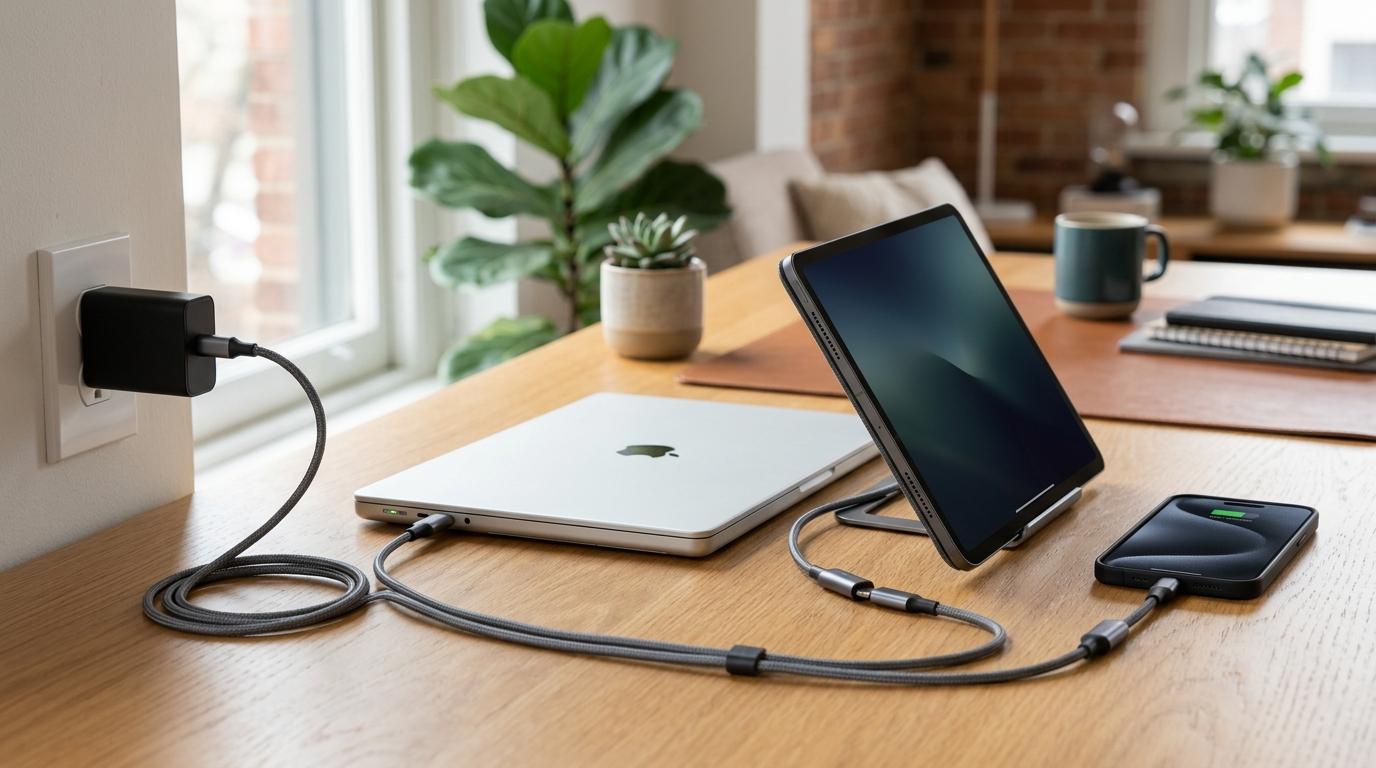
- A mix of iPhones, Android phones, tablets, and laptops
- One travel charger for everything
For most people, this is the sweet spot: USB-C PD plus PPS.
3. Quick Charge: Still Useful, But Not the Main Thing Anymore
#Quick Charge, often written as QC, is Qualcomm’s fast-charging technology. It was very common on older Android phones and chargers, especially back when USB-A chargers were everywhere.
You might still see labels like:
- Quick Charge 3.0
- QC 3.0
- QC 4.0
- QC compatible
Quick Charge isn’t bad. It’s just not the first thing most people should look for when buying a new charger today.
If you have an older Android phone that specifically supports Quick Charge, then yes, a QC charger can still be useful. But for newer USB-C phones, tablets, and laptops, USB-C PD matters more. And for many newer Android phones, PPS is the extra feature you’ll want.
Best Use for Quick Charge
#Quick Charge is mainly worth caring about if:
- You still use an older Android phone
- Your device manual specifically mentions Quick Charge
- You use older USB-A cables or accessories
If you’re buying a new charger now, don’t choose Quick Charge over USB-C PD unless you have a specific older device that needs it.
PD vs PPS vs Quick Charge Comparison
#- USB-C PD: best general-purpose USB-C fast charging for iPhones, iPads, laptops, tablets and many Android phones. Prioritize it today.
- USB-C PD with PPS: best for Samsung Galaxy, Google Pixel and newer Android phones that need more precise charging support. This is the safest overall pick for mixed-device homes.
- Quick Charge: useful mostly for older Android phones and older USB-A charging setups. Do not make it your main priority for new USB-C gear.
Who Should Buy Which Charger?
#Buy a Standard USB-C PD Charger If:
#A regular USB-C PD charger is usually enough if you mostly use:
- iPhone
- iPad
- MacBook
- USB-C Windows laptop
- Basic tablets
- Power banks
- General travel accessories
For Apple users, USB-C PD is the important standard. You usually don’t need PPS for iPhone or iPad fast charging.
A good everyday choice is a USB-C PD charger with enough wattage for your largest device. If you’re only charging a phone, you probably don’t need a huge charger. If you’re charging a laptop, you’ll need to pay closer attention to the wattage.
Buy a USB-C PD + PPS Charger If:
#This is the better choice if you own, or might soon buy:
- A Samsung Galaxy phone
- A Google Pixel phone
- A newer Android phone with PPS in its specs
- Multiple USB-C devices from different brands
A USB-C PD + PPS charger gives you more flexibility. It can still charge iPhones, iPads, laptops, and tablets, while also supporting PPS for devices that need it.
If you’re confused and just want the safest choice, get PD with PPS.
Buy a Higher-Wattage Multi-Port Charger If:
#You travel often or charge several devices at once, like:
- Phone
- Tablet
- Laptop
- Smartwatch
- Earbuds
- Power bank
In that case, don’t just look at the big wattage number on the front. Look at the total wattage and the per-port wattage.
A charger might say 65W or 100W, but that doesn’t always mean one port gives the full amount while everything else is plugged in. Multi-port chargers often split power between ports.
For example, one USB-C port may provide 65W when used alone, then drop to 45W when another device is connected.
Always check the power distribution table in the product specs. It’s boring, yes, but it matters.
Who Should Avoid Which Charger?
#Avoid Standard PD-Only Chargers If:
#Avoid a PD-only charger if your main goal is getting the fastest charging speed from a phone that needs PPS.
This mostly applies to some Samsung Galaxy and Google Pixel models. A PD-only charger may still work, but it may not unlock the fastest supported charging mode.
Avoid Quick Charge-Only Chargers If:
#Avoid QC-only chargers if you’re buying for:
- A new iPhone
- A new iPad
- A USB-C laptop
- A recent Samsung Galaxy phone
- A recent Google Pixel
- Any device that clearly asks for USB-C PD or PPS
Quick Charge can still be fine for older phones, but it’s not the safest default for newer USB-C gear.
Avoid Buying Only by Wattage If:
#A 100W charger is not automatically better than a 45W charger for your phone.
Your phone has a maximum charging speed. If it only accepts around 20W to 30W, a 100W charger won’t magically make it charge at 100W.
For laptops, higher wattage matters more, but only if the laptop supports or requires it.
In short: wattage matters, but the protocol matters too.
USB-C Charger Buying Guide: The Simple Checklist
#Use this checklist before buying a charger.
1. Check Your Device’s Maximum Charging Speed
#Look up your exact model, not just the brand.
For example:
- Different iPhone models can charge at different practical speeds
- Samsung Galaxy models vary by charging tier
- Google Pixel charging speeds vary by generation
- Laptops may need 30W, 45W, 65W, 100W, or more
Don’t assume every phone from the same company charges the same way. They don’t.
2. Check Whether Your Device Needs PPS
#If you use a modern Samsung Galaxy or Google Pixel, check for PPS support.
The charger listing should clearly say something like:
- USB PD PPS
- PPS supported
- Programmable Power Supply
- Output includes PPS ranges, such as 3.3V to 11V
If the listing only says “fast charger” or “PD charger” and never mentions PPS, don’t assume PPS is included.
3. Match the Wattage to Your Biggest Device
#If you only charge a phone, you may not need a massive charger.
If you charge a laptop, check the laptop’s required wattage. A charger with too little power may charge slowly, may not keep up while you’re using the laptop, or may not be suitable at all.
As a rough buying habit:
- Phone-only users should match the phone’s supported speed
- Tablet users should check the tablet’s recommended charger wattage
- Laptop users should prioritize the laptop’s power requirement
- Multi-device users may want 65W or higher, depending on their devices
The exact number should come from your device specs, not guesswork.
4. Read the Multi-Port Power Split
#This is one of the easiest mistakes to make.
A charger may advertise 65W, but that might be the total output. If you plug in two devices, the charger may split power as 45W plus 20W, 30W plus 30W, or some other combination.
That’s not automatically bad. You just need to know what you’re getting.
Check:
- Maximum output from each USB-C port
- Output when two ports are used
- Output when all ports are used
- Whether PPS is available on the port you plan to use
Some chargers only offer the best output on one specific USB-C port. So yes, read the small specs.
5. Don’t Forget the Cable
#The cable can limit charging speed.
Many normal USB-C cables are rated for up to 60W, or 3A. That’s fine for lots of phones and tablets, but it isn’t always enough for higher-power laptop charging or some 45W PPS phone setups.
For 100W charging, you need a USB-C cable rated for 5A with an e-marker chip. For some Samsung 45W PPS charging, a 5A cable may also be required.
If your charger is good but your cable isn’t, you may still get slower charging than expected.
6. Check the Port Type
#For modern fast charging, USB-C is usually the better choice.
Older USB-A ports can still be useful for older cables and accessories, but they’re usually not the best option for modern USB-C fast charging.
A travel charger with two USB-C ports and one USB-A port can be really handy. But if the top charging speed only works through USB-A Quick Charge, it may not be the right charger for a new phone or laptop.
Common Mistakes to Avoid
#Mistake 1: Buying the Highest Wattage Without Checking PPS
#A 100W charger without PPS may be great for a laptop, but not ideal for a Samsung or Pixel phone that uses PPS for its best charging behavior.
If your phone needs PPS, the charger must actually say PPS.
Mistake 2: Thinking GaN and PD Are the Same Thing
#This confuses a lot of people.
GaN charger vs PD charger: which is better?
That question compares two different things.
- GaN refers to the charger’s internal material and design
- PD refers to the charging standard the charger supports
A GaN charger can be smaller and more efficient, which is great. But it still needs USB-C PD or PPS support to charge your device at the right speed.
The ideal modern charger is often a GaN charger with USB-C PD and PPS, but GaN by itself doesn’t guarantee fast charging compatibility.
Mistake 3: Assuming Any USB-C Charger Is a Fast Charger
#USB-C is just the connector shape. It doesn’t automatically mean fast charging.
A USB-C charger can be slow, medium, or high power. It may support PD, PPS, both, or neither. Always read the output specs.
Mistake 4: Ignoring the Cable
#If your phone or laptop isn’t charging as fast as expected, the charger might not be the problem. The cable might be.
This happens all the time when people reuse old USB-C cables from earbuds, power banks, or older phones.
Mistake 5: Buying a Charger Only for Today’s Phone
#Chargers usually last longer than phones.
If you’re buying one now, it often makes sense to choose USB-C PD with PPS, even if your current phone doesn’t fully need PPS. It gives you more flexibility for your next phone, tablet, or travel setup.
You don’t need to wildly overbuy, but don’t buy the absolute bare minimum if you want to keep the charger for years.
Quick Buying Recommendations by User Type
#For iPhone Users
#Buy a USB-C PD charger.
PPS is not usually needed for iPhone fast charging, but it’s perfectly fine if the charger includes it. If you also charge an iPad or MacBook, choose the wattage based on the bigger device.
For Samsung Galaxy Users
#Buy a USB-C PD charger with PPS.
If your model supports higher charging tiers, check whether it needs a 5A cable and whether the charger’s PPS output supports the right range. Don’t assume every 45W or 65W charger will trigger Samsung’s fastest charging mode.
For Google Pixel Users
#Buy a USB-C PD charger with PPS.
Pixel phones can be a little picky about charging behavior, and PPS support is important for many newer models. A normal PD charger may work, but PPS is the better match.
For Laptop Users
#Buy a USB-C PD charger with enough wattage for your laptop.
PPS is less important for most laptops than total USB-C PD wattage. But if the charger includes PPS, it’ll be more useful for phones too.
Also check the cable. For 100W laptop charging, use a 100W-rated 5A USB-C cable.
For Travelers
#Buy a compact multi-port USB-C PD charger with PPS support.
Check:
- Plug type for your travel region
- Total wattage
- Per-port wattage
- Multi-port power split
- Cable rating
- Whether it can charge your laptop and phone at the same time
GaN is useful here because GaN chargers are often smaller. Just remember, GaN is not a replacement for PD or PPS.
Final Takeaway
#For most people, the best choice is simple:
Buy a USB-C PD charger with PPS support.
USB-C PD gives you broad compatibility with iPhones, iPads, laptops, tablets, and many other devices. PPS adds the extra support many modern Android phones need for their best charging speeds. Quick Charge still matters for some older devices, but it shouldn’t be your main priority when buying a new USB-C charger.
Don’t buy only by wattage. Check the protocol, check the port output, and check the cable.
If the charger says USB-C PD + PPS and has enough wattage for your biggest device, you’re much less likely to buy the wrong one.