Here’s the short version: if you take a lot of calls, work in a noisy space, or move around while talking, buy a headset.
If you have a quiet room, sit at your desk, and want your voice to sound warmer and more professional, buy a USB microphone.
That’s the real decision. It’s not just about which one has “better audio.” It’s about where the microphone sits: on your desk, or right next to your mouth.
Quick Answer
#Best choice for most work calls: HeadsetBest voice quality in a quiet room: USB microphoneBest for noisy homes or shared spaces: HeadsetBest for webinars, teaching, recording, and polished presentations: USB microphoneMain trade-off: A USB mic can sound better, but it needs a good room and proper placement. A headset is usually more consistent because the mic stays close to your mouth.
If you just want a simple work-from-home audio setup that works without much thought, get a headset.
If you want to sound more polished and you can control your space a little, a USB mic can be a great upgrade.
Who This Guide Is For
#This guide is for remote workers, online teachers, coaches, small business owners, creators, students and everyday laptop users who are tired of people saying, “your audio is breaking” or “you sound far away.”
It is not a product ranking. Prices, specs and availability can change, so check the current model page and return policy before buying any specific microphone or headset.
The Real Difference: Desk Mic vs Mic Near Your Mouth
#A lot of people compare USB microphones and headsets by looking at specs, reviews, or nice-looking desk setups. That helps a little, but it misses the bigger point.
The better question is:
Do you want the microphone sitting in the room, or attached to you?
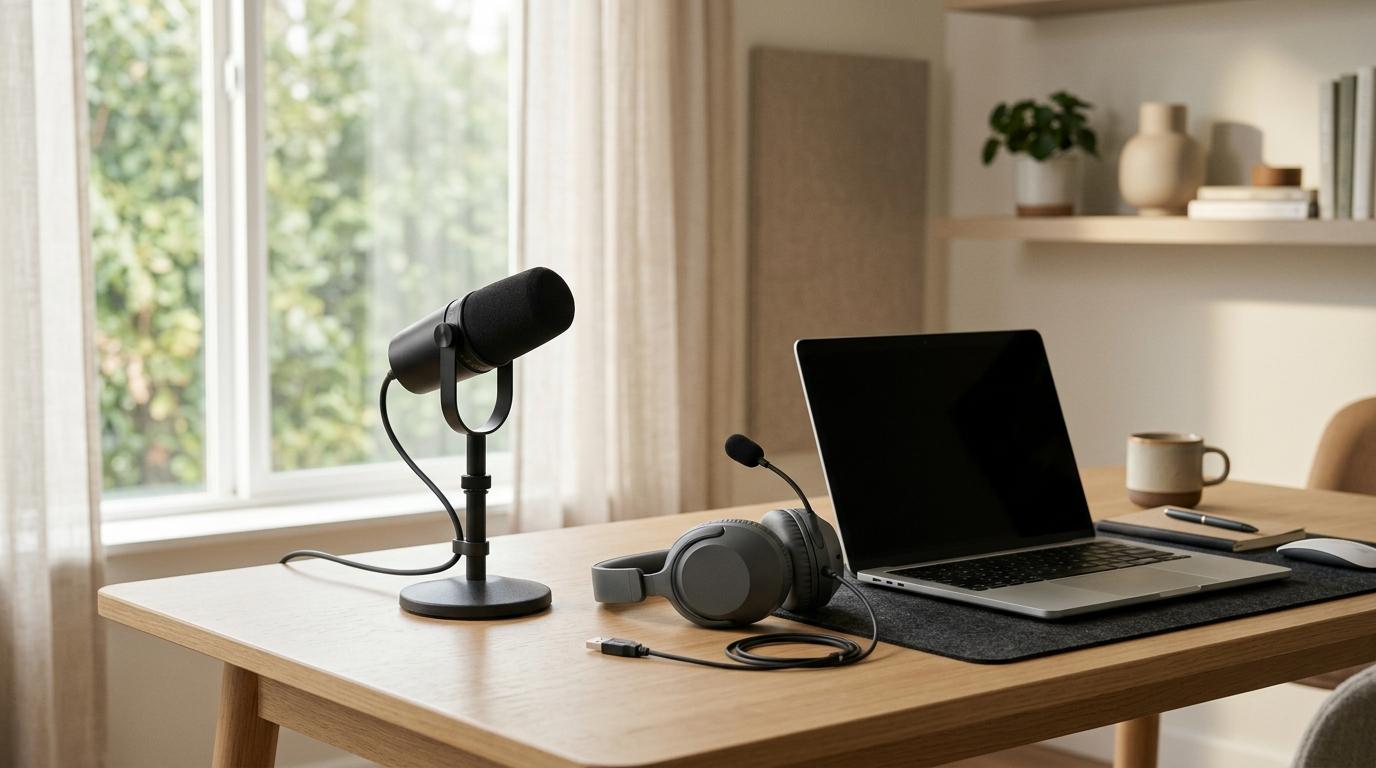
A USB microphone sits on your desk. When it’s placed well, it can make your voice sound fuller, clearer, and more natural. But because it’s sitting out in the room, it can also hear the room.
That might include:
- Keyboard typing
- Room echo
- Fans or air conditioning
- Kids, pets, or roommates
- Traffic outside
- Other people talking
- Sound from your speakers
A headset microphone sits close to your mouth. It may not sound as rich as a good USB mic, but it’s usually more reliable. If you turn your head, lean back, or move around in your chair, the microphone moves with you.
So the choice is less about “good audio vs bad audio” and more about:
Better voice quality vs better consistency.
What to Check First Before Buying
#Before choosing, check these five things:
- Room noise: quiet room, shared home, street noise, fan noise or keyboard noise.
- Call style: short meetings, all-day calls, teaching, webinars, recordings or client pitches.
- Movement: whether you sit still, turn to a second monitor or walk while talking.
- Listening setup: laptop speakers, earbuds, headphones or headset audio.
- Comfort: whether you can wear a headset for hours or prefer nothing on your head.
If your room is noisy or your calls are frequent, start with a headset. If your room is quiet and voice quality matters, consider a USB microphone.
Choose a Headset If You Want Reliable Call Audio
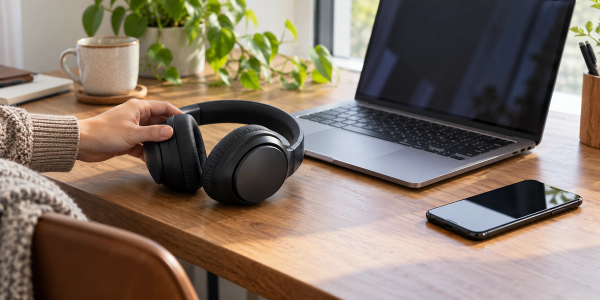
#For most people working from home, a headset is the practical choice.
It gives you headphones and a microphone in one device. That solves two common problems right away: people can hear you more clearly, and your microphone is less likely to pick up sound from your speakers.
It’s also simple. You put it on, select it in Zoom, Teams, Google Meet, or whatever app you use, and you’re ready.
You don’t have to think much about mic placement, desk distance, room echo, or whether your voice gets quieter when you turn away.
A headset is a good choice if:
#- You work in a noisy or shared space. If there are people nearby, kids in the house, traffic outside, or general background noise, a headset is usually safer.
- You move while talking. If you lean back, look at a second monitor, take notes, or walk around, the mic stays with you.
- You take a lot of calls. For daily meetings, support calls, team check-ins, and client updates, convenience matters.
- You want one simple device. A headset handles both listening and speaking.
- You don’t want to adjust your setup every day. It’s usually the easiest plug-and-play option.
A headset may not be ideal if:
#- You hate wearing something on your head. Some people get ear pressure, heat, or headaches after wearing a headset for hours.
- You want a polished broadcast-style sound. Headset mics are practical, but they usually don’t sound as full as a good USB mic.
- You don’t like how headsets look on video. This can matter for presentations, recordings, or client-facing calls.
- You already have headphones or earbuds you love. In that case, adding a separate USB mic might make more sense.
A headset isn’t always the most exciting option, but for everyday work calls, it’s often the one that causes the fewest problems.
And honestly, that matters.
Choose a USB Microphone If You Want Better Voice Quality
#A USB microphone is a standalone mic that plugs directly into your computer. If you teach, present, record, coach, or speak with clients often, it can make your voice sound more natural and professional.
This is where a USB mic for Zoom calls can really shine.
In a quiet room, with the mic placed close enough to your mouth, your voice can sound warmer and clearer than it would through a laptop mic or many headset microphones.
But there’s a catch: a USB mic needs a little more care.
You need to place it properly. You need to stay near it. You need to think about how you’ll listen to the meeting. And if your room is noisy or echoey, the mic may pick up more of that than you expected.
A USB microphone is a good choice if:
#- You present often. Webinars, client pitches, training sessions, and online classes can all benefit from better voice quality.
- You create content. Tutorials, podcasts, lessons, voiceovers, and videos usually sound better with a dedicated mic.
- You have a quiet workspace. USB mics work best when the room is calm and not too echoey.
- You sit in one place while talking. If you stay close to the mic, it can do its job well.
- You don’t like wearing a headset. A desk mic lets you speak naturally without anything on your head.
A USB microphone may not be ideal if:
#- Your room is noisy. A desk mic may pick up pets, typing, fans, other voices, or traffic.
- You move around on calls. If you lean back or turn away, your voice may get quieter.
- You want the easiest setup possible. A USB mic usually needs more attention than a headset.
- You plan to use laptop speakers. The mic can pick up the other person’s voice and cause echo.
- You don’t want extra gear on your desk. A USB mic takes up space and works best when positioned carefully.
A USB mic can be excellent, but it’s not magic. It works best when your room, your desk, and your speaking position are fairly consistent.
USB Microphone vs Headset: Practical Comparison
#Voice quality
#- USB microphone: Often fuller and more natural when placed well.
- Headset: Usually clear and consistent, but less rich.
Background noise
#- USB microphone: Depends heavily on room noise, distance and placement.
- Headset: Usually better in real-world noisy spaces because the mic stays close to your mouth.
Ease of use
#- USB microphone: Needs more setup, placement and listening-device planning.
- Headset: Usually simpler and more plug-and-play.
Movement during calls
#- USB microphone: You need to stay near the mic.
- Headset: The mic moves with you.
Comfort
#- USB microphone: Nothing on your head, but it takes desk space.
- Headset: Convenient, but can feel tiring after long use.
Video appearance
#- USB microphone: Can look cleaner if placed outside the camera frame.
- Headset: More visible on camera, which may or may not matter.
Best overall fit
#- USB microphone: Better for quiet-room presentations, teaching, webinars and recordings.
- Headset: Better for daily meetings, shared spaces, noisy homes and frequent calls.
The simple version: a USB mic can sound better in the right setup. A headset is more forgiving in normal work conditions.
Step-by-Step Buying Checklist
#Use this checklist before you buy:
- Record your current audio first. Use your meeting app or voice recorder to understand the real problem.
- Check your room noise. If the room is noisy, prioritize a headset or a close mic position.
- Decide how you will listen. If you buy a USB mic, plan to use earbuds or headphones.
- Check device compatibility. Confirm USB-A, USB-C, Bluetooth, operating system and meeting-app support.
- Check comfort and return policy. Fit matters more than spec sheets if you wear it daily.
- Avoid fake precision. Do not choose only by frequency range, sample rate or marketing terms.
- Test quickly after buying. Record a short test in your real room before the return window closes.
Best Choice by Use Case
#For remote workers in daily meetings
#Choose a headset.
Most remote workers need reliable audio more than studio-quality sound. If your day is full of team calls, quick updates, project meetings, and check-ins, a headset is usually the most practical choice.
For online teachers
#It depends on your room.
If you teach from a quiet desk setup and mostly stay in one place, a USB microphone can make your voice sound fuller and easier to listen to.
If your space is noisy or you move around while teaching, choose a headset.
For small business owners
#If you often pitch clients, run consultations, record training, or host webinars from a quiet room, a USB microphone can help you sound more polished.
If you take calls from different rooms, shared spaces, or while multitasking, a headset will probably be more reliable.
For creators
#Choose a USB microphone if you record videos, podcasts, tutorials, lessons, or voiceovers.
When your audio is going to be published, reused, or shared widely, better voice quality matters.
That said, for casual livestreams or calls in a noisy space, a headset can still be the more practical choice.
For everyday laptop users
#Choose a headset.
If your main goal is to stop people from saying “you sound far away” or “there’s an echo,” a headset is usually the easiest fix.
Common Mistakes to Avoid
#Mistake 1: Buying a USB mic and using laptop speakers
#This is one of the most common work-from-home audio mistakes.
A USB mic records your voice. It does not solve how you hear the meeting.
If the meeting audio comes through your laptop speakers, your mic may pick it up. That can cause echo, feedback, or weird audio processing that makes the call unpleasant for everyone.
If you choose a USB mic, plan to use headphones or earbuds with it.
Mistake 2: Putting the USB mic too far away
#A USB microphone sitting far across the desk may make you sound distant, thin, or echoey. It may also pick up more of the room than your voice.
If you buy a USB mic, placement is part of the setup. It needs to be close enough to capture your voice clearly.
Mistake 3: Expecting a better mic to fix a bad room
#A better microphone does not automatically remove barking dogs, loud typing, nearby conversations, or room echo.
In a noisy room, a headset may sound cleaner simply because the microphone is much closer to your mouth. That physical distance matters more than most people think.
Mistake 4: Choosing based on how your setup looks
#A USB mic can make your desk look more professional. A headset can look more casual.
But your coworkers, students, and clients mostly care about one thing: whether they can hear you clearly.
Buy for your actual calls, not for the desk photo.
Mistake 5: Forgetting about comfort
#A headset is convenient, but it can be uncomfortable if you wear it all day.
A USB mic is comfortable because nothing is on your head, but it takes desk space and needs careful positioning.
The best choice is the one you’ll actually use every day without getting annoyed by it.
Helpful AllBlogs Guides to Read Next
#If you are improving your work setup, these related AllBlogs guides may help:
- USB-C Hub vs Docking Station: Which One Should You Actually Buy?
- Webcam Cover vs Camera Privacy Settings: What Should You Use for Laptop Privacy?
- AI Meeting Notes vs Voice Recorder for Indian Small Businesses: What to Use Before You Pay
Final Takeaway
#The USB microphone vs headset choice comes down to your room, your habits, and how much effort you want to put into your setup.
Choose a USB microphone if you have a quiet room, sit near your desk, and want richer voice quality for presentations, teaching, recordings, or client-facing work.
Choose a headset if you work in a noisy space, move during calls, want a simple setup, or need reliable audio every day.
For most everyday work calls, a headset is the safer buy.
For a more polished voice in the right environment, a USB mic is the better upgrade.