Noticed a NACH debit in your bank statement and wondering where the money went?
In most cases, it is not fraud. A NACH debit usually means money was automatically deducted from your bank account because you had given permission earlier. This could be for a loan EMI, SIP, insurance premium, credit card auto-payment, utility bill, subscription, or another recurring payment.
But if you do not recognise the debit, do not ignore it. Check the details carefully, look for the UMRN, contact your bank only through official channels, and cancel or dispute the mandate if needed.
Banks often use short transaction descriptions like NACH, ECS, ACH, mandate debit, or auto debit, which can look confusing. This guide explains what they mean, how to verify the debit, how to cancel a NACH mandate, and what to do if the debit seems unauthorized.
What Is a NACH Debit?
#NACH stands for National Automated Clearing House. It is a payment system run by the National Payments Corporation of India, or NPCI, for bulk and recurring payments between banks in India.
A NACH mandate is simply your permission to let a company or institution debit money from your bank account automatically.
That company could be:
- A bank or lender
- A mutual fund company
- An insurance provider
- A utility company
- A fintech app
- A subscription platform
- A credit card issuer
- Any business collecting recurring payments
Common NACH debit examples include:
- Home loan, car loan, or personal loan EMIs
- Mutual fund SIP instalments
- Insurance premiums
- Credit card bill auto-payments
- Electricity, gas, broadband, or other utility bills
- Recurring deposits or scheduled payments
- App, membership, or subscription charges
A NACH mandate can be created through a physical signed form or through an online process called e-NACH. In e-NACH, you may approve the mandate using net banking, debit card authentication, Aadhaar-based authentication where available, or another method supported by your bank.
Why Your Statement Says NACH, ECS, ACH, or Auto Debit
#Different banks describe the same type of debit in different ways.
Your statement may show:
- NACH DR
- ECS DR
- ACH debit
- Mandate debit
- Auto debit
- SI debit
- Recurring payment
The wording may change, but the meaning is usually the same: money was deducted because an auto-debit instruction was active on your account.
Sometimes the statement may also show:
- Merchant or lender name
- UMRN
- Mandate reference number
- Debit amount
- Debit date
- Short company or bank code
For example, it may appear as:
NACH/DR/ABC FINANCE/UMRNXXXXXXXX
or:
ECS DR XYZ INSURANCE
If the name looks familiar, it may be linked to a loan, SIP, policy, subscription, or bill you signed up for earlier.
If the name does not look familiar, do not panic. Just verify it properly before taking action.
NACH vs ECS vs UPI AutoPay
#Here is a simple way to understand the difference.
Many people still call every recurring bank debit “ECS,” even when the transaction is actually processed through NACH. So do not rely only on the word shown in the statement. Check the mandate details.
What Is UMRN?
#UMRN means Unique Mandate Reference Number.
It is the unique reference number attached to a specific NACH mandate. Think of it as the tracking ID for that auto-debit permission.
If you want your bank to identify, cancel, or investigate a NACH debit, the UMRN is one of the most useful details you can provide.
Without the UMRN, your bank may still be able to trace the debit, but it may take longer. With the UMRN, the bank can usually locate the exact mandate more easily.
Keep These Details Before You Complain or Cancel
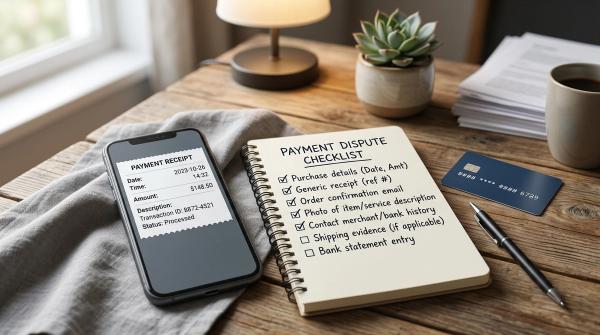
#Before contacting your bank or the merchant, collect as much information as possible. Save proper copies, not just temporary screenshots.
Use this checklist:
- Bank statement PDF or screenshot showing the NACH debit
- Debit date
- Debit amount
- Statement narration exactly as shown
- UMRN or mandate reference number, if visible
- Merchant, lender, insurer, biller, or platform name
- SMS or email alert from the bank
- Mandate approval email or message, if available
- Loan closure letter or NOC, if linked to a closed loan
- SIP cancellation confirmation, if linked to investments
- Policy cancellation or premium change proof, if linked to insurance
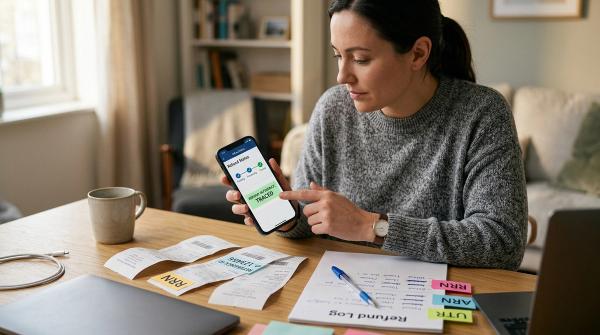
- Complaint or service request number from bank or merchant
- Date and time of every call, email, or complaint
This may feel like extra work, but it helps a lot if you later need to prove that the debit was wrong, duplicated, already cancelled, or unauthorized.
How to Check an Unknown NACH Debit Safely
#If you see a NACH debit you do not recognise, start with basic checks. Do not click random links or call random numbers from search results.
1. Read the Transaction Description Carefully
#Look closely at the statement narration.
A familiar lender, insurer, or merchant may appear under a shortened name. Sometimes the name shown is not the brand you know, but the payment processor, finance partner, or registered company name.
Look for words like:
- NACH
- ECS
- ACH
- DR
- Mandate
- UMRN
- Auto debit
- SI
- Recurring
If the narration includes a company name or UMRN, note it down exactly.
2. Check the Mandate Section in Your Bank App
#Log in only through your bank’s official app or website.
Look for sections such as:
- Mandate Management
- e-Mandates
- Standing Instructions
- Auto Debit
- BillPay
- Recurring Payments
- Service Requests
Some banks show active and cancelled mandates separately. Check both. Sometimes an old mandate remains visible long after you forgot about it.
3. Match the Amount and Date
#Compare the debit with your regular payments.
It may match your:
- EMI
- SIP amount
- Insurance premium
- Credit card auto-payment
- Subscription fee
- Utility bill
- School fee
- Society maintenance payment
Also check the date. If the amount and date match your usual payment cycle, that is a strong clue.
4. Search Your Email and SMS
#Search your email and messages for words like:
- NACH
- eNACH
- mandate
- UMRN
- autopay
- recurring payment
- debit mandate
- the exact debit amount
- the merchant name
Many mandates are approved months or even years before a debit surprises you. This is common with loans, SIPs, insurance, and credit card payments.
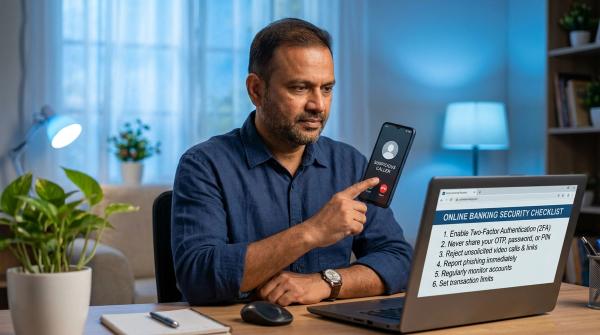
5. Do Not Call Random Helpline Numbers
#This is important.
Do not search the transaction name online and call the first phone number you see. Fraudsters often create fake customer care numbers and pretend to be bank employees.
Use only:
- Your bank’s official app
- Your bank’s official website
- The merchant’s official website or app
- Phone numbers printed on official documents
- Verified customer care channels
Never share OTPs, PINs, passwords, card details, or screen-sharing access with anyone.
When Should You Cancel a NACH Mandate?
#Cancel a NACH mandate when the payment is no longer required or when you no longer want automatic debits from your account.
Common reasons include:
- Loan is fully closed, but EMI debit is still active
- SIP is stopped, but mandate still exists
- Insurance policy is cancelled or changed
- Subscription is cancelled, but debit continues
- Wrong amount is being deducted
- Duplicate mandate has been created
- Mandate was created, but service was never used
- Merchant name is unknown
- Debit appears unauthorized
But be careful.
Cancelling the mandate only stops the payment route. It does not automatically cancel your agreement with the merchant.
For example, if you cancel the NACH mandate for an active loan EMI, the lender may still treat the EMI as unpaid. That can lead to late fees, penalties, collection calls, or credit score impact, depending on your loan terms.
The same can happen with insurance premiums, subscriptions, utility bills, or credit card payments.
So the safer rule is:
First understand what the debit is for. Then cancel it through the correct channel.
How to Cancel a NACH Mandate Safely
#Step 1: Contact the Merchant or Service Provider
#If you recognise the merchant, start there.
Ask them to confirm:
- Why the debit was made
- Which mandate was used
- The UMRN or mandate reference
- Whether the loan, SIP, policy, service, or subscription is still active
- Whether cancellation has already been processed
- Whether any future debit is scheduled
If the payment is no longer needed, ask the merchant to cancel the mandate and send written confirmation by email, app message, or support ticket.
This is especially important for loans, insurance policies, and SIPs. Stopping the bank debit alone may not close the actual obligation.
Step 2: Cancel It Through Your Bank
#If the merchant does not respond, the debit is clearly unwanted, or you want to withdraw permission, contact your bank.
You may be able to cancel through:
- Mobile banking
- Net banking
- Bank branch
- Written service request
- Official customer care
- Mandate management section in the banking app
In your cancellation request, mention:
- Account details through secure official channels only
- Debit date
- Debit amount
- Statement narration
- UMRN or mandate reference
- Merchant name, if known
- Reason for cancellation
Ask for a written confirmation or service request number. Do not rely only on verbal confirmation.
Step 3: Allow Time Before the Next Debit
#Mandate cancellation may not reflect instantly everywhere.
If the next debit date is very close, ask your bank whether a debit request is already in process. This helps avoid confusion if one more debit attempt appears before the cancellation fully updates.
Step 4: Monitor Your Account
#Check your account for the next billing cycle.
If the debit continues after confirmed cancellation, raise a fresh complaint with your bank and attach your previous cancellation proof.
Safety Checks Before You Stop Any Auto Debit
#Before cancelling a NACH mandate, ask yourself:
- Is this linked to an active loan EMI?
- Is it paying my credit card bill?
- Is it for an active insurance policy?
- Is it a SIP I still want to continue?
- Is it paying a utility bill?
- Did I recently sign up for a trial, subscription, app, or loan?
- Did I close the service but forget to cancel the mandate?
- Is there a risk of late fees, penalties, or service suspension?
If the debit is valid but unwanted, cancel the service or payment arrangement properly.
If the debit is unauthorized, report it to your bank immediately and follow up with the merchant only through official channels.
Common Red Flags
#Be extra careful if:
- The merchant name is completely unknown
- Multiple small debits happen close together
- The same amount is debited twice
- EMI deductions continue after loan closure
- You receive mandate approval messages you did not initiate
- Someone calls asking for OTP to “cancel NACH”
- A caller asks you to install an app for a refund
- Someone asks for screen-sharing access
- You are pressured to act immediately
Your bank will not need your OTP, password, PIN, or screen-sharing access to cancel a NACH mandate.
If someone asks for these, treat it as a scam warning.
Final Takeaway
#A NACH debit is usually a normal recurring auto-debit from your bank account. It is commonly used for EMIs, SIPs, insurance premiums, utility bills, credit card payments, and subscriptions.
But every NACH debit should be traceable.
The most important details to check are:
- Debit amount
- Debit date
- Statement narration
- Merchant name
- UMRN or mandate reference
If the debit is valid but no longer needed, cancel it through both the merchant and the bank.
If the debit is unauthorized, report it to your bank immediately, ask for mandate proof, save every complaint number, and escalate only through official channels if required.
Disclaimer: This article is for general education only. It is not financial, investment, tax, loan, or legal advice. Banking interfaces, mandate rules, charges, and complaint processes can vary by bank and service provider. Always use your bank’s official channels for account-specific help.