Bank SMS alert charges in India changed in 2026: banks should not separately charge customers for certain mandatory, security, compliance, awareness, and fraud-related SMS alerts. Optional or customised alerts may still be chargeable if your bank clearly lists them. Do not switch off security alerts just to save a small fee.
If you have ever opened your bank statement and noticed a small debit called “SMS Charges,” “Alert Charges,” “SMS Fee,” or something similar, you are not alone. Many savings account customers in India have seen these deductions, often once a quarter.
In 2026, the RBI’s rules around bank SMS alert charges changed the way banks can recover these costs from customers. The broad idea is simple: banks should not separately charge customers for certain mandatory alerts, especially those linked to safety, fraud prevention, or required customer communication.
That does not mean every SMS-related fee has disappeared. Some optional or customised alerts may still be chargeable. Also, for smaller transactions, banks may send alerts through other channels such as email, app notifications, WhatsApp, or in-app transaction history instead of a regular SMS.
What changed in bank SMS alert charges in 2026?
#The 2026 RBI update made it clearer that banks cannot treat every SMS alert as a paid add-on service. Some alerts are essential for safe banking and customer protection, so banks are expected to send them without recovering separate SMS charges from customers.
Banks are now expected to separate alerts into different categories, such as:
- Mandatory alerts that should not carry separate SMS recovery charges
- Optional or customised alerts that may still be chargeable
- Usage-based charges, where permitted, instead of unclear flat fees
Earlier RBI guidance had also said that SMS alert charges should be linked to actual usage and should not be applied unfairly as a blanket charge.
For customers, the main point is this: your regular SMS alert fee may reduce, change, or disappear for some alerts. But optional alert services can still cost money if your bank clearly lists them in its official Schedule of Charges.
Mandatory vs optional SMS alerts
#The easiest way to understand this is to divide bank alerts into two groups.
Mandatory alerts: usually not separately chargeable
#These are alerts that are important for safety, fraud prevention, compliance, or customer protection.
They may include:
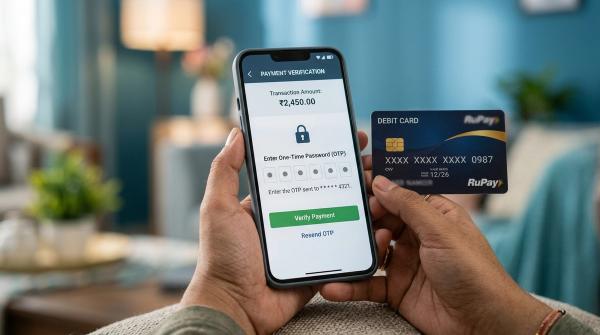
- OTPs and authentication-related messages
- Fraud warnings
- Suspicious transaction alerts
- Important account security messages
- Regulatory or compliance communication
- Customer awareness messages from the bank
These alerts are part of safe banking. You should not switch them off just to avoid a small fee. Missing one important fraud alert can cost far more than any SMS charge.
Optional or customised alerts: may still be chargeable
#Some alert services may still be treated as optional, depending on your bank and your account settings.
These may include:
- Custom balance alerts
- Daily balance SMS updates
- Extra transaction alerts beyond the standard alerts
- SMS-based statement or enquiry services
- Premium alert packages
- Alerts sent to more than one mobile number, if the bank offers this service
If your bank is charging for these services, the charges should be clearly mentioned in its official Schedule of Charges or service fee document.
What about small transaction alerts?
#This is where many customers may notice a real change.
Today, people use UPI, debit cards, and online payments for everything — tea, groceries, fuel, food delivery, subscriptions, and small transfers. Earlier, many customers expected an SMS for almost every debit or credit.
Now, for small-value transactions, some banks may choose to send alerts through digital channels instead of regular SMS.
You may receive the alert through:
- Mobile banking app notification
- WhatsApp banking message
- In-app transaction history
- Other bank-approved digital channels
Some banks may continue sending SMS alerts for small payments because customers are used to them. Others may shift more alerts to app notifications or email to reduce costs.
So, if you suddenly stop receiving SMS alerts for small UPI or card transactions, do not assume the bank has stopped alerting you completely. First check whether those alerts are now coming through your bank app, email, or another approved channel.
How to check SMS charges in your savings account
#Use this simple check before assuming a charge is wrong.
1. Review your last few account statements
#Open your savings account statement for the last two or three months, or the last two quarters if your bank charges quarterly.
Look for entries such as:
- SMS Charges
- SMS Alert Charges
- Alert Fees
- Debit Card SMS Charges
- Consolidated Charges
- Service Charges
- Account Alert Fee
Note the amount, date, and frequency.
2. Check your bank’s official Schedule of Charges
#Do not rely on social media posts, WhatsApp forwards, or screenshots. Bank charges can differ by account variant, customer category, branch location, and service preference.
Go to your bank’s official website or mobile banking app and search for:
- Schedule of Charges
- Service Charges
- Savings Account Charges
- SMS Alert Charges
- Account Alert Fees
- Digital Banking Charges
Check whether SMS alerts are still chargeable and whether the fee is monthly, quarterly, annual, or based on actual usage.
3. Review your alert settings
#Log in to your bank’s mobile app or net banking account and check your notification preferences.
Make sure the following details are correct:
- Registered mobile number
- Registered email ID
- App notification permission
- WhatsApp banking consent, if enabled
- Debit and credit alert settings
- UPI alert settings
- Card transaction alert settings
If your old mobile number or email ID is still registered, you may miss important alerts even if the bank is sending them correctly.
4. Check if you opted into extra alert services
#Many customers select extra services while opening an account, applying for a debit card, or activating net banking — and then forget about them.
Look for optional services such as:
- Daily balance SMS
- Extra balance alerts
- Alerts on multiple mobile numbers
- Premium notification packs
- SMS-based account enquiry services
- Additional card or transaction alerts
If you do not use these services, check whether your bank allows you to disable only the optional paid alerts.
Be careful: do not disable OTPs, fraud alerts, login alerts, or security messages.
Fraud safety matters more than saving a small fee
#Lower bank charges are good, but fraud protection is more important.
Small transactions should not be ignored. In many fraud cases, scammers first test an account, card, or UPI access with a small debit before attempting a bigger transaction.
Keep security alerts active
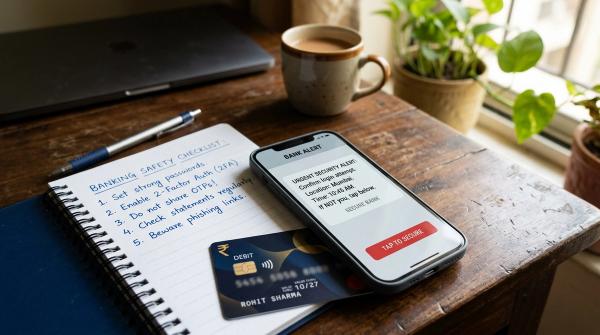
#Always keep alerts for OTPs, login attempts, debit transactions, card usage, and fraud warnings active wherever possible.
Even if your bank offers multiple alert channels, make sure at least one reliable channel is always working.
Turn on email alerts
#Email alerts are useful because they create a searchable record of your transactions. You can easily search by amount, date, merchant, or bank name.
Make sure your email ID is updated with the bank and check whether debit and credit alerts are enabled.
Enable app notifications
#Install only your bank’s official mobile app from a trusted app store.
Then allow notifications for:
- Transactions
- Login attempts
- UPI activity
- Debit card usage
- Credit card usage, if applicable
- Security warnings
If your bank moves some small-value alerts from SMS to app notifications, this step becomes even more important.
Check small debits regularly
#Once or twice a month, scan your account statement or transaction history.
Pay attention to repeated small debits such as:
- ₹1
- ₹10
- ₹50
- ₹100
- ₹200
A small unknown debit may not feel serious, but it can sometimes be a warning sign.
Report suspicious transactions only through official channels
#If you see a transaction you do not recognise, contact your bank immediately.
Use only official channels such as:
- Your bank’s mobile app
- Your bank’s official website
- The customer care number printed on your card or passbook
- Your branch
- The card blocking option in your banking app
Avoid calling numbers found in random SMS messages, search ads, social media comments, or forwarded posts. Fake helpline numbers are very common and can look convincing.
Never share OTPs, PINs, passwords, or CVV
#No genuine bank employee will ask for your OTP, UPI PIN, ATM PIN, password, CVV, or full card details.
If you receive an unknown UPI collect request, do not approve it. Decline it and check your account immediately.
What you should not do
#Trying to avoid SMS charges by switching off all alerts is risky.
Avoid these mistakes:
- Do not disable OTPs or fraud alerts.
- Do not ignore small debits just because they are below ₹500.
- Do not assume email or WhatsApp alerts are active unless you have checked.
- Do not rely only on SMS if your bank has moved some alerts to app notifications.
- Do not trust customer care numbers found on random websites or forwarded messages.
- Do not approve unknown UPI requests.
- Do not share banking details with anyone claiming to help you reverse charges.
The better approach is simple: keep all security alerts active, update your contact details, and remove only optional paid services that you do not use.
Source-aware notes
#This guide was prepared using current RBI source material on SMS alert charges and digital banking safeguards, plus recent bank-fee coverage and Sanity duplicate checks. Always verify the latest charge for your exact account type in your own bank’s official Schedule of Charges.
Final takeaway
#The 2026 RBI update may reduce some SMS alert charges for bank customers in India, especially where alerts are mandatory or security-related. But optional alert services may still be chargeable.
So do not simply switch off alerts to save money. Instead:
- Check your account statement.
- Review your bank’s official charges.
- Update your mobile number and email ID.
- Enable app and email notifications.
- Remove only optional paid alert services you do not need.
- Keep all security and fraud alerts active.
Small charges are worth checking. But missed fraud alerts can be far more expensive.
Disclaimer: Bank charges, alert rules, and notification settings can vary by bank, account type, and customer preference. Always verify the latest details through your bank’s official Schedule of Charges, mobile app, net banking dashboard, customer care, or branch.