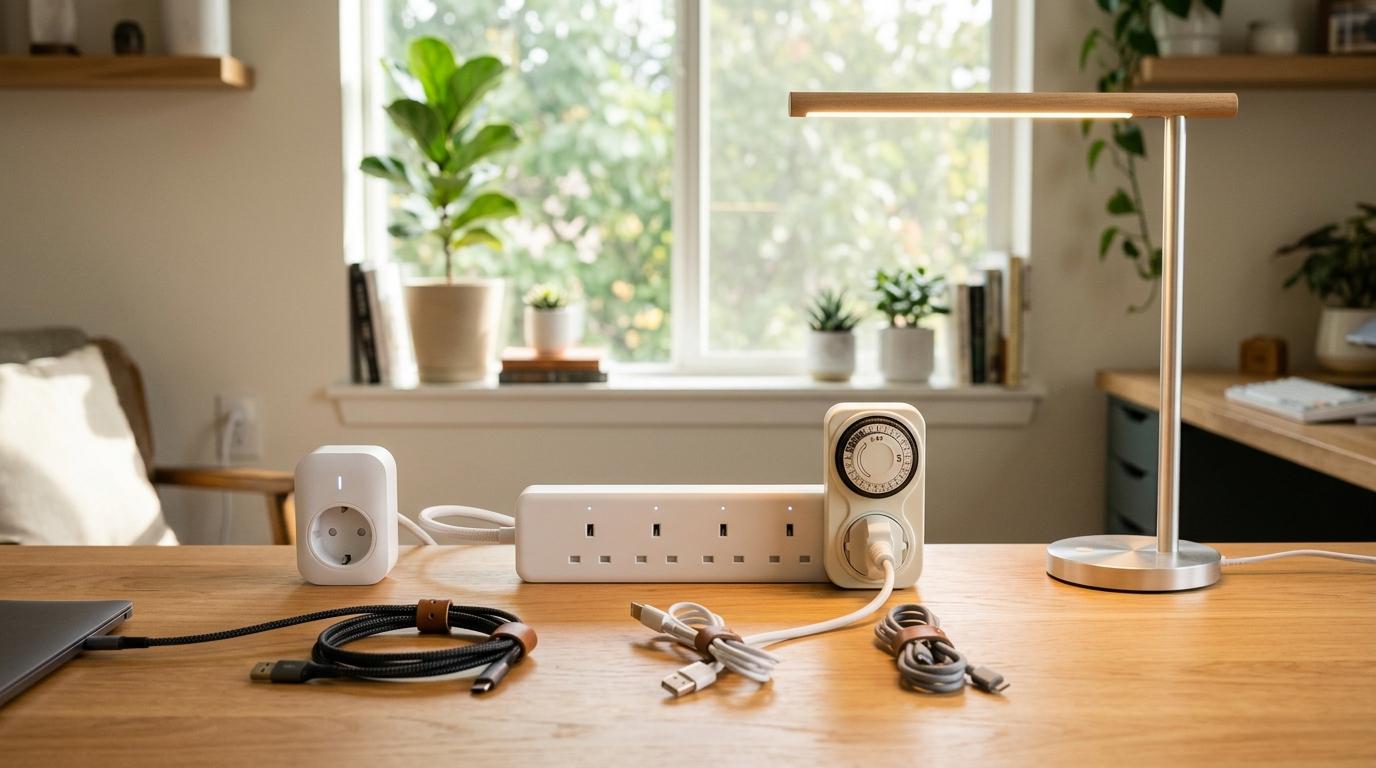
If you’re trying to decide between a smart plug, a smart power strip, and a timer plug, here’s the quick answer:
Buy a smart plug when you want to control one thing, like a lamp, fan, phone charger, or basic coffee maker.
Buy a smart power strip when you have several devices in the same spot, like a desk, TV unit, gaming setup, or charging corner.
Buy a timer plug when you just want something to turn on and off at the same time every day, without Wi-Fi, apps, accounts, or voice assistants.
That’s the simple version. But before you click “buy,” there are a few practical things worth checking, especially wattage, plug type, safety certification, and whether your appliance will actually turn back on after power is restored.
This guide keeps things simple and practical, so you can automate everyday home devices without overbuying or making your setup more complicated than it needs to be.
Quick Summary
#- Smart plug: Best for one device, like a lamp, fan, charger, or basic coffee maker. It is small, easy to set up, and great for simple automation, but it gets messy if you need several in one place.
- Smart power strip: Best for a group of devices, like a desk, TV setup, or gaming corner. It gives you one cable and multiple outlets in a cleaner setup, but it is bigger and unnecessary for one device.
- Timer plug: Best for fixed schedules, holiday lights, and offline routines. It needs no internet and is simple, but it does not offer app control, remote control, or voice assistant features.
Easy rule to remember:
- One device? Get a smart plug.
- Several devices in one corner? Get a smart power strip.
- Same schedule every day and no Wi-Fi needed? Get a timer plug.
Smart Plug vs Smart Power Strip vs Timer Plug: What’s the Difference?
#All three devices do the same basic job: they control power. The difference is how much control you get, and how complicated the setup is.
A smart plug turns one wall socket into an app-controlled outlet. You plug it into the wall, plug your device into it, and control that device from your phone or voice assistant.
A smart power strip is like a smart plug for multiple devices. It gives you several outlets in one strip. Depending on the model, you may be able to control each outlet separately, or only control them in groups.
A timer plug is the simplest option. It turns power on and off based on a schedule you set, usually with a dial or digital buttons. It does not need Wi-Fi, an app, or a smart home system.
So the best choice is not always the “smartest” one. It depends on what you’re plugging in, where it is, and how much control you really need.
Option 1: Smart Plug
#A smart plug is usually the easiest way to start with home automation.
You plug it into a wall socket, connect it to its app, and then plug in one device. After that, you can usually turn the device on or off from your phone, set schedules, use timers, or control it with a voice assistant.
Smart plugs work well for:
- Bedside lamps
- Floor lamps
- Portable fans
- Phone chargers
- Tablet chargers
- Some coffee makers
- Small appliances that restart automatically after power comes back
Some smart plugs also include energy monitoring. An energy monitoring plug can show how much electricity the connected device is using.
That can be helpful if you’re curious about standby power or want to see which devices are using more electricity than expected. Just remember: seeing the numbers does not automatically save money. You still have to change the schedule, switch things off, or adjust your habits.
Best use case
#A smart plug is perfect when you want a lamp to turn on at sunset, a fan to run before bedtime, or a charger to stop drawing power overnight.
Not ideal for
#A smart plug is not the best choice for a TV unit, home office desk, or gaming setup with several devices. If you use five separate smart plugs in one place, the setup can quickly become bulky, messy, and annoying.
Option 2: Smart Power Strip
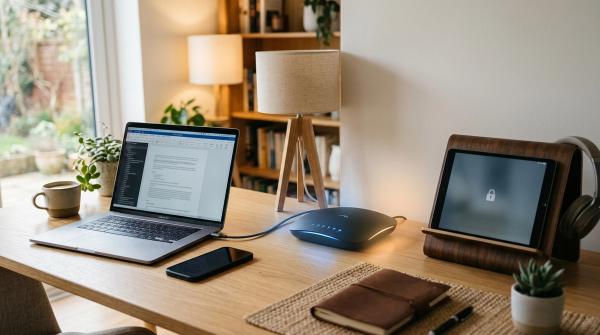
#A smart power strip makes more sense when you have several devices in one area.
Think about a home office desk, entertainment unit, router corner, gaming setup, or study table. These areas usually have more than one thing plugged in, so using one smart power strip is much cleaner than using several separate smart plugs.
A smart power strip may include:
- Multiple AC outlets
- App control
- Scheduling
- Individual outlet control
- USB ports
- Energy monitoring
- Surge protection
The exact features depend on the model, so don’t assume every smart strip has everything.
The biggest advantage is cable management. Instead of turning a regular extension board into a bulky mess with several smart plugs, one smart power strip can handle multiple devices through a single cable.
Smart power strips work well for:
- Monitors
- Laptop chargers
- Speakers
- TVs
- Streaming devices
- Game consoles
- Desk lamps
- Routers and modems
- Phone charging stations
- Power bank charging stations
Best use case
#A smart power strip is ideal when several devices are grouped together and you want a cleaner, more organized setup.
Not ideal for
#If you only want to automate one lamp across the room, a smart power strip is overkill. It takes up more space, usually costs more, and gives you features you probably won’t use.
Option 3: Timer Plug
#A timer plug is the old-school option, but that’s exactly why it still makes sense.
It does not rely on Wi-Fi. It does not need app updates. It does not care if your smart home platform is down. You set the schedule, plug in your device, and let it do its job.
Timer plugs are useful for:
- Holiday lights
- Decorative lights
- Basic lamps
- Indoor plant lights
- Simple daily routines
- Areas with weak Wi-Fi
- People who don’t want another app
Mechanical timer plugs usually have a dial with small pins or tabs. Digital timer plugs usually let you set more precise schedules.
They are not as flexible as smart plugs, but for predictable routines, they can be wonderfully simple.
Best use case
#A timer plug is great when the job is simply: “Turn this on at 6 PM and off at 11 PM every day.”
Not ideal for
#A timer plug is not right if you want phone control, voice assistant control, remote access, energy usage data, or schedules that change based on sunrise, sunset, weather, or whether someone is home.
Who Should Buy a Smart Plug?
#You should buy a smart plug if you want simple automation for one device.
It is a good fit for:
- Renters
- Students
- Bedrooms
- Small apartments
- Lamps and fans
- Basic charging routines
- People trying smart home devices for the first time
A smart plug is also a low-commitment way to test home automation. You don’t need to change wiring, replace switches, or build a full smart home system.
Avoid a smart plug if...
#Avoid using several smart plugs in one crowded area. They can block nearby outlets, create cable clutter, and make the setup harder to manage.
Also avoid using a smart plug with high-power appliances unless the plug is clearly rated for that load and the appliance manual says it is safe to do so.
Who Should Buy a Smart Power Strip?
#You should buy a smart power strip if you have several devices in one place.
It is a good fit for:
- Remote workers
- Home office desks
- Entertainment units
- Gaming setups
- Dorm rooms
- Shared workspaces
- Charging stations
A smart power strip is usually the cleaner choice when you want to control more than one device in the same area.
Avoid a smart power strip if...
#Avoid it if you only need to automate one device. It will take up more room, cost more than a basic smart plug, and may include features you never use.
Also, don’t assume every smart power strip has surge protection, energy monitoring, or individual outlet control. Product pages can be a little too generous with wording, so check the actual specifications before buying.
Who Should Buy a Timer Plug?
#You should buy a timer plug if your routine is fixed and you don’t need smart features.
It is a good fit for:
- Holiday lighting
- Basic daily schedules
- Offline use
- Weak Wi-Fi areas
- People who don’t want another app
- Simple lighting automation
A timer plug is often the easiest answer when all you need is a reliable daily schedule.
Avoid a timer plug if...
#Avoid a timer plug if you want:
- Phone control
- Voice assistant control
- Remote access
- Energy usage data
- Sunrise or sunset schedules
- Weather-based automation
- Presence-based automation
A timer plug is dependable, but it is not flexible.
What to Check Before Buying
#Before you buy any home automation plug, check the boring details first. They matter more than fancy app features.
1. Wattage and Current Rating
#Every smart plug, smart power strip, and timer plug has a maximum load rating. Do not go over it.
Check:
- The wattage of your appliance
- The amp rating of the plug or strip
- The voltage used in your region
- Whether the device runs continuously
- Whether the appliance has a motor or heating element
Be especially careful with high-draw appliances such as:
- Space heaters
- Air conditioners
- Irons
- Kettles
- Large kitchen appliances
- Hair dryers
- Appliances with large motors
Many standard smart plugs are not designed for these kinds of loads.
If the appliance manual says not to use it with extension cords, timers, or remote switching devices, follow the manual. Don’t guess with electrical safety.
2. Local Plug Type and Voltage
#This is easy to overlook when shopping online.
Make sure the device matches:
- Your wall socket type
- Your country or region’s voltage
- Your appliance plug
- Your grounding requirements
Do not use travel adapters as a permanent solution. A travel adapter may make the plug fit, but it does not automatically make the setup safe for long-term use, voltage compatibility, grounding, or heavy loads.
3. Safety Certification
#Look for real safety certifications used in your region.
Depending on where you live, these may include:
- UL
- ETL
- CE
- UKCA
- BIS
- Other local certification marks
The right mark depends on your country, so don’t just trust a random logo on a product image. Check the listing, packaging, and documentation.
Be extra cautious with unknown brands that make vague safety claims, especially for something that will stay plugged in all day.
4. Appliance Behavior After Power Loss
#A smart plug or timer plug works by cutting power and restoring it. That sounds simple, but not every appliance responds the same way.
Some devices turn back on automatically. Others stay off until you press a button.
For example, a fan with a physical switch left in the “on” position may restart when power returns. But a fan with an electronic button may need you to press the button again, which means a smart plug won’t fully automate it.
This is one of the most common things people forget. They buy the plug, set the schedule, and then wonder why the appliance doesn’t turn on.
Check the appliance manual first.
5. Wi-Fi, Matter, and Voice Assistant Support
#Most everyday smart plugs use 2.4 GHz Wi-Fi, but not all of them do.
Some devices may use:
- Wi-Fi
- Bluetooth
- Zigbee
- Thread
- Matter
- A brand-specific hub or bridge
Voice assistant support is common, but it is not guaranteed. Compatibility with Alexa, Google Assistant, Apple Home, Samsung SmartThings, or Matter can vary by model, region, firmware, and app version.
If smart home compatibility matters to you, check the latest product details before buying. Don’t assume one model works with your system just because a similar-looking one does.
6. Individual Outlet Control
#If you’re buying a smart power strip, check whether each outlet can be controlled separately.
Some smart power strips let you control every AC outlet one by one. Others only control groups of outlets. USB ports may also be grouped together, even if the AC outlets are separate.
This matters a lot in real life.
For example, you may want to turn off your monitor and speakers at night, but keep your router powered on. For that, you need individual outlet control.
7. Indoor or Outdoor Use
#If you plan to use a plug for balcony lights, garden lights, porch lights, or outdoor decorations, make sure it is rated for outdoor use.
Do not use a standard indoor smart plug outside, even if the outlet is under a roof. Moisture, dust, heat, and insects can still cause problems.
For outdoor use, buy a device specifically designed and rated for outdoor conditions.
Common Mistakes to Avoid
#Mistake 1: Buying Too Many Smart Plugs for One Area
#If you have five devices in one spot, a smart power strip is usually the better choice.
Too many smart plugs can:
- Block nearby outlets
- Make cables harder to manage
- Add unnecessary app clutter
- Make troubleshooting more annoying
- Increase the risk of overload if used carelessly
For a desk, TV unit, or gaming setup, start by looking at smart power strips.
Mistake 2: Ignoring the Appliance’s Power Rating
#Just because a plug fits does not mean it is safe to use.
High-power appliances need extra caution, especially anything that heats, cools, or has a large motor.
Always compare the appliance wattage with the plug or strip rating. Also check the appliance manual.
If you’re not sure, don’t use smart control for that appliance.
Mistake 3: Assuming Every Smart Strip Has Surge Protection
#A smart power strip is not automatically a surge protector.
Some models include surge protection. Some do not. Some are simply extension strips with smart switching.
If you’re plugging in a computer, TV, console, or expensive electronics, check the product details carefully.
Mistake 4: Buying Smart Features for a Simple Timer Job
#Not everything needs an app.
If you only want holiday lights to turn on every evening and switch off at night, a timer plug may be all you need. It is simple, cheap, predictable, and it works even if your Wi-Fi is down.
Sometimes the less “smart” option is the better one.
Mistake 5: Forgetting About App and Account Requirements
#Some smart plugs require an app account, cloud access, and permissions you may not want to deal with.
Before buying, check:
- Whether the app is available in your region
- Whether remote control needs cloud access
- Whether local control is supported
- Whether setup requires a certain phone operating system version
- Whether the device can still work if the internet goes down
This matters even more if you’re buying for an older family member or a shared home. Nobody wants to become full-time tech support for a lamp.
Best Everyday Examples
#Bedroom Lamp
#Buy a smart plug.
You only need one outlet, and the lamp is usually low power. A schedule, timer, or voice command is enough for most people.
Home Office Desk
#Buy a smart power strip.
A desk often has a laptop charger, monitor, desk lamp, speakers, phone charger, and maybe a router nearby. One strip keeps everything much cleaner.
Holiday Lights
#Buy a timer plug or an outdoor-rated smart plug, depending on what you need.
If the schedule is the same every day, a timer plug is enough. If you want app control, remote control, or changing schedules, choose a smart plug rated for that location.
TV and Gaming Setup
#Buy a smart power strip.
A TV area usually has several devices, such as a TV, streaming stick, speakers, game console, and chargers. If you want to switch some things off while leaving others on, make sure the strip supports individual outlet control.
Portable Fan
#Buy a smart plug, but check the fan controls first.
If the fan turns back on automatically when power returns, a smart plug can work well. If the fan needs a button press every time, the smart plug probably won’t do what you want.
Final Takeaway
#When choosing between a smart plug vs smart power strip, let the room setup guide you.
For one device, buy a smart plug.
For several devices in one area, buy a smart power strip.
For a fixed schedule without Wi-Fi, buy a timer plug.
Before you buy, check the basics: wattage, plug type, voltage, safety certification, appliance behavior, and smart home compatibility.
That’s the safest way to get useful home automation without spending money on features you don’t actually need.