
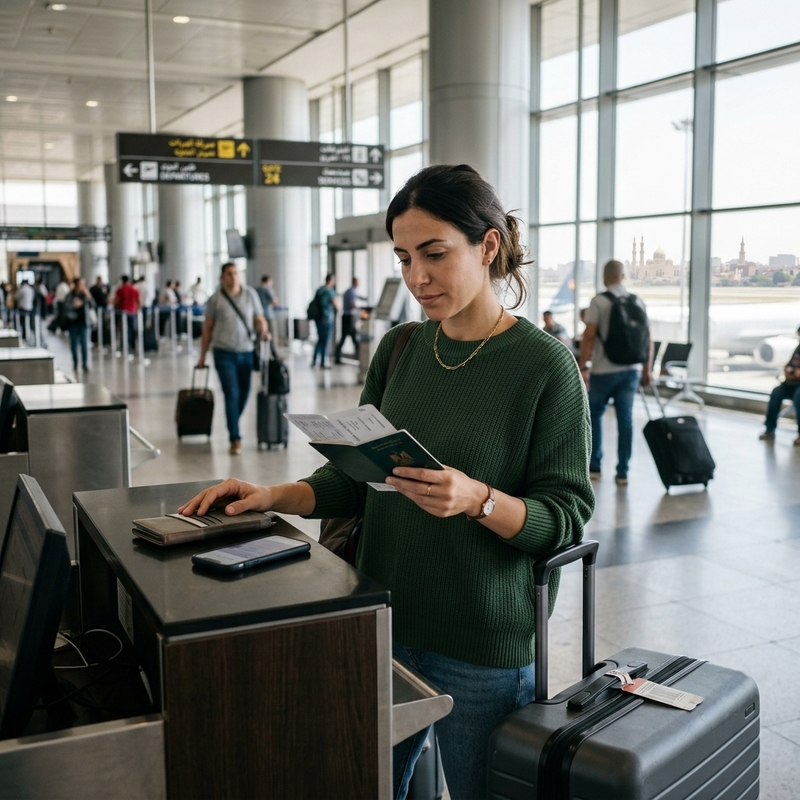
If Air Cairo online check-in is not working, take a breath first. It does not automatically mean your ticket is cancelled, your booking is invalid, or you have done something wrong.
In many cases, the problem is something fairly ordinary: the browser is not supported, check-in has not opened yet, the name or booking reference is not being entered exactly right, or Air Cairo needs to check your passport, visa, or transit documents at the airport.
This happens quite often on international trips, including routes through Cairo, Hurghada, Sharm el-Sheikh, or itineraries that combine domestic Egypt flights with international sectors. You may even see one passenger in the same booking check in successfully while another person gets blocked because their documents, baggage, visa rules, or assistance needs require a manual check.
Here is a practical, traveler-friendly guide to why Air Cairo web check-in may fail, what you can try at home, and when it is smarter to stop refreshing the page and go to the airport counter.
Quick answer
#If Air Cairo online check-in is not working, try these first:
- Switch browser. Air Cairo’s online check-in page asks passengers to use Firefox, Google Chrome, or Microsoft Edge. If you are using Safari, an in-app browser, or an older mobile browser, change browsers and try again.
- Check the timing. Air Cairo’s pages show slightly different web check-in windows. One says check-in opens 48 hours before departure and closes 4 hours before departure. Another says it is available within 24 hours and up to 3 hours before the flight.
- Expect document checks on international routes. If your trip involves passport, visa, transit, or entry-rule verification, the system may not issue a boarding pass online.
- Special assistance can require airport handling. Wheelchair assistance, medical support, infant documents, unaccompanied minor travel, or similar services may need staff to check things in person.
- Checked baggage still has deadlines. Even if online check-in works, your checked bag must be dropped before the counter closes.
If your flight is soon, do not spend too long trying the same failed page again and again. Try the simple fixes, then leave early for the airport.
Why Air Cairo online check-in may not work
#Online check-in feels like it should be simple: enter your booking, choose a seat, get a boarding pass.
Behind the scenes, though, the airline system is checking several things at once. It has to match your booking, name, ticket, route, flight timing, passport details, visa requirements, baggage status, and sometimes special assistance notes.
If even one of those items needs manual review, online check-in may stop.
These are the most common reasons.
1. The browser may be the problem
#This is the easiest fix, and it is worth trying first.
Air Cairo’s online check-in page specifically says to use Firefox, Google Chrome, or Edge.
So if you are trying to check in using:
- Safari on iPhone, iPad, or Mac
- A browser opened inside WhatsApp, Gmail, Instagram, or another app
- An old Android browser
- A work laptop with strict security settings
- A VPN connection
- A saved link from an old email or page
try again with:
- Google Chrome
- Mozilla Firefox
- Microsoft Edge
A few extra things can also help:
- Clear your browser cache and cookies.
- Turn off your VPN temporarily.
- Use a laptop instead of a phone, if possible.
- Allow pop-ups for the Air Cairo website.
- Type the Air Cairo website address directly instead of using an old bookmarked page.
- Enter your booking reference and surname exactly as they appear on your ticket.
It sounds basic, but with airline websites, these basic fixes often work.
2. You may be outside the check-in window
#This is where Air Cairo can feel a little confusing.
One Air Cairo page says online check-in opens 48 hours before departure and closes 4 hours before departure.
Another Air Cairo page says web check-in is available within 24 hours and up to 3 hours before your flight.
Because both timings appear on Air Cairo pages, the safest approach is:
- Try from 48 hours before departure.
- If the system says check-in is not open, try again from 24 hours before departure.
- Do not leave online check-in until the last few hours.
- Try to complete it more than 4 hours before departure.
- Recheck the latest official Air Cairo page for your specific flight and route.
If you are too early, the system may not show your flight yet. If you are too late, online check-in may already be closed, and you will need to check in at the airport.
3. Your booking details may not match exactly
#Airline check-in systems are very strict. A small mismatch can be enough to stop the process.
If Air Cairo web check-in cannot find your booking, check:
- Booking reference or PNR
- E-ticket number, if requested
- Passenger surname spelling
- Name order on the ticket
- Middle names or initials
- Spaces or special characters
- Flight date, especially for flights after midnight
- Whether the flight is actually operated by Air Cairo or by another airline
For Indian travelers, name formatting can be especially annoying. Your passport may show given name, surname, initials, or expanded names differently from your ticket.
Keep your passport and ticket open side by side, then enter the details carefully. Do not keep guessing repeatedly.
If the name on the ticket is genuinely wrong, online check-in probably will not solve it. Contact the airline, your travel agent, or go to the airport counter early.
4. Your passport, visa, or transit documents may need to be checked
#This is one of the biggest reasons international travelers cannot complete online check-in.
Airlines are responsible for checking whether passengers have the right documents to travel. That can include passport validity, visa rules, transit permission, return-ticket requirements, and entry rules for the destination country.
Sometimes this can be checked online. Sometimes it cannot.
Air Cairo may send you to the airport counter if your trip includes:
- International travel to or from Egypt
- A Cairo connection
- Transit through another country
- Visa checks for your destination
- Return or onward ticket requirements
- Passport validity checks
- A domestic Egypt flight connected to an international itinerary
- Missing or unclear document information in the booking
This does not always mean there is a problem with your documents. It may simply mean airline staff need to see them before issuing your boarding pass.
Passport, visa, and transit documents to keep ready
#If you are searching for Air Cairo passport visa documents because check-in is not going through, focus on being prepared rather than repeatedly trying the same page.
Before you leave for the airport, keep these ready:
- Passport used for the booking
- Egypt visa, if required for your nationality and route
- Visa or entry approval for your final destination
- Transit visa or proof that you can transit, if needed
- Return or onward ticket, if destination rules require it
- Hotel booking or local address, if required
- E-visa printout, approval letter, or supporting document
- Documents for infants, children, or dependents traveling with you
For Indian travelers, the key point is simple: do not assume online check-in failure is only a website issue. On international flights, Air Cairo may need to verify that you meet entry or transit rules before allowing you to board.
If you are transiting through Cairo, flying to Hurghada, connecting through Sharm el-Sheikh, or combining a domestic Egypt sector with an international ticket, document checks can be more detailed.
Carry both digital and printed copies if you can. When the counter is busy, printed documents can save time.
Also remember that visa and entry rules can change. Always verify requirements through official airline, airport, government, or consulate sources before travel.
5. Special assistance bookings may need airport check-in
#Some passengers should be ready for Air Cairo airport check-in from the start, even if online check-in is technically available.
Use the airport counter if your booking includes:
- Wheelchair or mobility assistance
- Medical clearance
- Medical equipment
- Oxygen or special medical handling
- Unaccompanied minor travel
- Infant or child document checks
- Group booking issues
- Name correction
- Passport or visa mismatch
- Extra baggage questions
- Sports equipment or unusual baggage
- Pet or service animal handling, if relevant
- Any passenger who needs help through airport formalities
In these cases, staff may need to confirm forms, seats, assistance arrangements, baggage, or documents in person.
Sometimes online check-in will fail completely. Other times it may complete but still tell you to visit the airport counter.
If you need assistance, arrive earlier than the minimum deadline. The process can take longer, especially at busy airports such as Cairo, Hurghada, and Sharm el-Sheikh.
Air Cairo airport timing checklist
#If online check-in does not work, time becomes the most important thing you can control.
Air Cairo publishes airport check-in timings for international and domestic flights. Always recheck your booking and the latest official Air Cairo information before travel, because airport procedures can change.
For international Air Cairo flights
#Plan around these timings:
- Arrive at the airport: 3 hours before scheduled departure
- Check-in counters open: 3 hours before departure
- Check-in counters close: 60 minutes before departure
- Boarding gates open: 60 minutes before departure
- Boarding gates close: 30 minutes before departure
Do not treat the 60-minute counter closure as your arrival time. That is the final deadline, not a comfortable target.
You still need time for document checks, baggage drop, security, passport control, and walking to the gate.
For domestic Air Cairo flights within Egypt
#This can apply to routes involving Cairo, Hurghada, Sharm el-Sheikh, Luxor, or other domestic sectors.
Plan around these timings:
- Arrive at the airport: 2 hours before scheduled departure
- Check-in counters open: 2 hours before departure
- Check-in counters close: 30 minutes before departure
- Boarding gates open: 45 minutes before departure
- Boarding gates close: 20 minutes before departure
If your itinerary includes both an international flight and a domestic Egypt connection, follow the stricter timing. When in doubt, arrive earlier.
What to do before leaving for the airport
#If Air Cairo online check-in is still not working, use this simple order.
Step 1: Try a supported browser
#Use Chrome, Firefox, or Edge. Avoid Safari and in-app browsers.
If possible, try from a laptop instead of a phone.
Step 2: Check whether check-in is open
#If your flight is more than 48 hours away, wait.
If you are inside 48 hours but not yet inside 24 hours, try once now and again at 24 hours before departure.
If departure is within 3 to 4 hours, online check-in may already be closed.
Step 3: Re-enter your booking details carefully
#Check your:
- Surname
- Booking reference
- Ticket number, if needed
- Flight date
- Departure airport
- Operating airline
Enter everything exactly as shown on your e-ticket.
Step 4: Prepare your documents
#Do not wait until you reach the counter to search through emails.
Keep your passport, visa, transit documents, ticket, and supporting papers ready before you leave home.
Step 5: Leave early
#If the website still does not work, go to the airport with enough time for manual check-in.
For international flights, plan to arrive 3 hours before departure.
For domestic flights, plan to arrive 2 hours before departure.
What if baggage or boarding pass is involved?
#Online check-in and baggage drop are connected, but they are not the same thing.
Here are the most common situations.
Situation 1: Online check-in worked, but you have checked baggage
#Even if Air Cairo check-in online works, you still need to drop your checked bag before the counter deadline.
If the counter closes, your baggage may not be accepted.
So do not arrive late just because you already have a boarding pass.
As a general plan:
- International flight: arrive 3 hours before departure
- Domestic flight: arrive 2 hours before departure
Situation 2: Online check-in worked, but no boarding pass was issued
#This can happen when Air Cairo needs to verify documents at the airport.
If the system confirms check-in but tells you to collect your boarding pass at the counter, take:
- Passport
- Visa or entry approval
- Transit documents, if any
- Booking confirmation
- Baggage receipts or add-on confirmations
Do not wait until boarding time. You still need counter processing.
Situation 3: Online check-in failed and you have baggage
#Go to the airport counter within the recommended timing.
Do not spend too long trying the same failed page, especially if departure is getting close.
At the counter, keep it simple:
“I tried online check-in, but it did not complete. Here is my passport and booking reference.”
The staff can then check your booking, documents, and baggage.
Situation 4: You are flying from Hurghada or Sharm el-Sheikh
#For Air Cairo Hurghada check-in or Sharm el-Sheikh departures, the same issues usually apply:
- Browser problem
- Check-in window not open
- Booking details mismatch
- Passport or visa check
- Baggage drop deadline
- Airport document verification
Holiday routes can have many international passengers, checked bags, and passport-control queues.
If web check-in fails, give yourself extra airport time instead of cutting it close.
When to stop troubleshooting and go to the airport
#Stop trying online and prepare for airport check-in if:
- Your flight is getting close to the online check-in closing time.
- You already tried Chrome, Firefox, or Edge.
- The booking is found, but the boarding pass is not issued.
- Your passport or visa details need checking.
- You have checked baggage and time is running out.
- Your booking includes special assistance.
- The passenger name or document details do not match properly.
- You are unsure whether your transit or visa documents are acceptable.
Going to the airport counter is not a failure. For some bookings, it is simply the correct process.
Final travel note
#If Air Cairo online check-in is not working, start with the simple fixes: use Chrome, Firefox, or Edge, check the timing, and enter your booking details carefully.
But if your trip involves passport checks, visas, transit rules, baggage, special assistance, or a document mismatch, do not keep fighting the website for too long.
Get your documents ready and reach the airport early enough for counter check-in, baggage drop, security, passport control, and boarding.