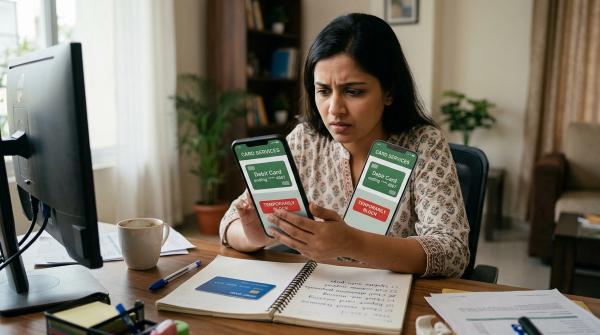
If you made the payment yourself and the merchant has simply messed something up, start with the merchant. Ask them for a refund or correction first. In most normal order-related problems, that is the quickest and least complicated route.
If the merchant ignores you, refuses to help, or keeps saying “refund processed” but the money never comes back, then it may be time to raise a dispute with your bank, card issuer, wallet, UPI app, or payment provider.
But if you did not make the transaction, or you suspect fraud, do not wait for the merchant. Contact your bank immediately, block the card or account access if needed, and report the transaction through official channels.
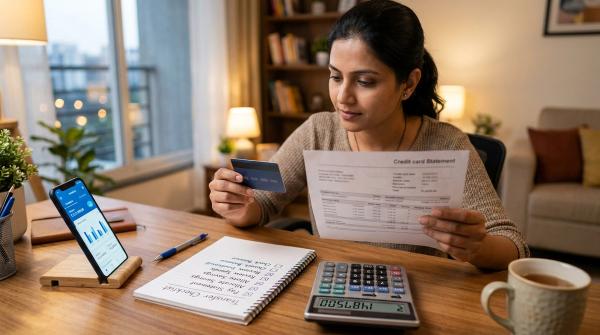
Online payments are convenient until something goes wrong. Maybe your order never arrived. Maybe you were charged twice. Maybe the website said “payment failed” but your money was still debited. Or maybe you saw a transaction on your statement that you do not recognize at all.
This guide explains chargeback vs refund, when to contact the merchant, when to raise a debit card dispute or credit card dispute, and when you should go straight to your bank.
This is general information only. It is not legal advice, financial advice, or a guarantee that you will get a refund.
Refund vs dispute vs chargeback, in plain English
#These terms are often used together, but they do not mean exactly the same thing.
A refund is when the merchant agrees to return your money. This is usually the simplest option if there is a genuine issue with the order, delivery, cancellation, billing, or service, and the seller is willing to fix it.
A merchant dispute means you are challenging a payment, order, delivery, refund, service, subscription, or billing issue. You may begin by raising it with the merchant. If that does not work, you can escalate it to your bank, card issuer, wallet, UPI app, or payment provider, depending on how you paid.
A card chargeback is a formal dispute process for card payments. It is raised through your card-issuing bank. Chargebacks are commonly used for duplicate billing, wrong amount charged, non-delivery, refund not received, or unauthorized card use.
Quick comparison: refund vs dispute vs chargeback
#So, what should you try first?
#1. If it is an order or service issue, contact the merchant first
#If you made the payment and the problem is with the order, delivery, service, cancellation, or billing, start with the merchant.
For example:
- You paid, but the order was not delivered.
- You received the wrong item.
- The item arrived damaged or incomplete.
- You were charged the wrong amount.
- You were billed twice for the same order.
- You cancelled the order, but the refund has not arrived.
- The app or website showed payment failed, but your money was debited.
In these situations, a merchant refund is usually the cleanest solution. The seller can check the order, cancel it, correct the billing, or issue a refund directly.
Send a short, clear message like this:
Hi, I paid ₹____ on ____ for order ID ____. The issue is ____. Please confirm the refund or correction and share the expected timeline.
Try not to rely only on phone calls. Use email, app support, chat, or a complaint ticket whenever possible. Written proof is very useful if you later need to escalate the issue.
2. If the merchant does not help, raise a dispute
#If the merchant does not reply, refuses to fix the problem, or keeps promising a refund without actually returning the money, move to the next step.
Where you complain depends on how you paid:
- Credit card: Raise a credit card dispute with your card-issuing bank.
- Debit card: Raise a debit card dispute with your bank.
- Wallet or payment app: Use the official help or dispute section inside the app.
- UPI or bank transfer-type payment: Use your bank or payment app’s official complaint route.
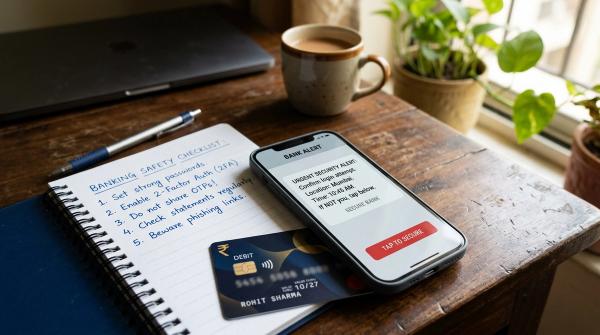
Be careful while looking for refund help. Do not share OTPs, PINs, CVV, passwords, or screen-sharing access with anyone. A real bank or payment provider does not need your OTP to process a refund.
3. If you suspect fraud, contact your bank immediately
#This is the important exception.
If you did not make the transaction, do not wait for the merchant to reply. Contact your bank or payment provider as soon as possible through official channels.
Examples of suspected fraud include:
- You do not recognize the transaction.
- Your card was used even though it was still with you.
- You received an OTP or debit alert for a payment you did not make.
- Your wallet, UPI, card, or banking app may be compromised.
- Someone tricked you into sharing an OTP, PIN, password, screen access, or payment approval.
- Your phone, SIM, email, or banking credentials may have been misused.
Act quickly:
- Call your bank using the official number from the bank website, card, or banking app.
- Block the card or freeze account access if needed.
- Report the unauthorized transaction.
- Save the complaint number or service request number.
- Change passwords and app PINs from a safe device.
- Keep SMS alerts, emails, call logs, and app notifications.
Do not delete anything. Even small details can help later.
India and RBI note
#In India, RBI’s customer protection framework for unauthorized electronic banking transactions gives importance to prompt reporting by the customer. Your liability and the final outcome can depend on the facts, timing, transaction type, bank investigation, and applicable rules.
Always report fraud through your bank’s official fraud reporting channel. Also check current RBI guidance and your bank or card issuer’s own terms.
Do not assume guaranteed compensation or a fixed refund timeline.
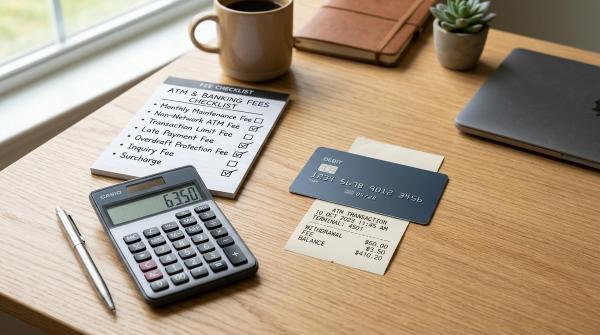
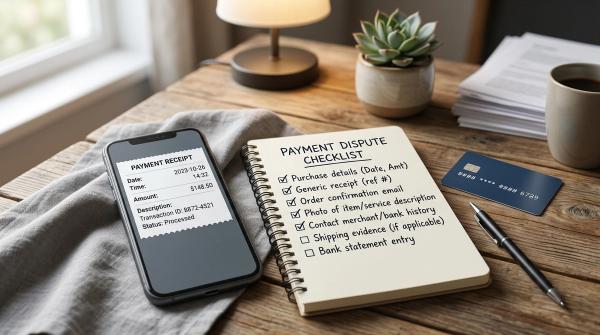
Evidence checklist before you complain
#Before you raise a merchant dispute, card chargeback, debit card dispute, or credit card dispute, collect your proof. A clear complaint is much easier to review than a long, emotional one.
Basic payment proof
#- Transaction date and time
- Amount charged
- Merchant name shown on bank or card statement
- Order ID, invoice number, booking ID, or reference number
- Payment method used, such as credit card, debit card, wallet, UPI, or payment app
- Screenshot of bank or card statement showing the transaction
Order or service proof
#- Product or service description
- Delivery promise, booking confirmation, or service date
- Screenshots of the order page
- Invoice, receipt, or confirmation email
- Tracking details, if delivery was involved
- Photos or videos if the item was damaged, wrong, or incomplete
Merchant communication proof
#- Emails with the merchant
- Chat support transcript
- Complaint ticket number
- Screenshots of refund promises
- Date and time of calls, if you spoke by phone
- Any response where the merchant refused the refund
- Proof that the merchant did not reply after reasonable follow-up
Refund and policy proof
#- Merchant cancellation policy
- Return or refund policy screenshot
- Subscription cancellation confirmation
- Refund initiation message, if any
- Expected refund date shared by the merchant
How to ask the merchant for a refund
#Keep it simple. You do not need to write five angry paragraphs, even if you are frustrated.
You can say:
Hello, I paid ₹____ on ____ for order/booking ID ____. The issue is ____. I am requesting a refund or correction. I have attached the payment proof and order details. Please confirm the status and expected resolution.
If it was a failed transaction, write:
The payment was debited, but the order was not confirmed. Please check transaction reference ____ and confirm whether a refund has been initiated.
If the merchant says the refund has already been processed, ask for:
- Refund reference number
- Date of refund initiation
- Amount refunded
- Payment method used for refund
- Expected credit timeline, if they can provide one
A merchant saying “refund done” does not always mean the money is already back in your account. Keep checking your actual bank or card statement.
When to raise a bank or payment provider dispute
#Raise a dispute when the merchant route is not working, or when the issue is something your bank or payment provider needs to handle.
Common reasons include:
- Duplicate charge
- Wrong amount charged
- Paid but order not confirmed
- Goods or services not received
- Refund approved but not credited
- Cancelled subscription still charged
- Merchant not responding
- Unauthorized transaction
- Failed transaction refund not received after the provider’s stated process
Use the official app, net banking, card issuer website, customer care number, or branch route.
Avoid random customer care numbers from search results, social media comments, WhatsApp forwards, or unknown websites. Scammers often create fake support numbers to steal OTPs and account access.
How a card chargeback usually works
#For a card payment, a card chargeback is usually raised through the bank that issued your card. As a customer, you generally do not raise it directly with Visa, Mastercard, RuPay, or another card network.
Your issuing bank is usually your point of contact.
A chargeback process may look something like this:
- You identify the problem transaction.
- You contact the merchant first, unless it is fraud.
- You collect evidence.
- You raise a dispute with your card-issuing bank.
- The bank asks for details and documents.
- The bank reviews the complaint.
- The case may go through the card network process.
- The merchant or acquiring bank may submit their evidence.
- Your bank communicates the outcome.
A chargeback is not an instant refund button. It is a formal review. The merchant can contest it. Your bank may ask for more documents. The final result depends on the facts, timing, rules, and evidence.
Also, do not delay. Banks and card networks have dispute windows, and those windows can vary by transaction type, issuer, and card network rules. If something looks wrong, raise it quickly.
Failed transaction refund: what to do
#Failed transactions can be especially frustrating because the order fails, but the money still appears to be debited.
First check:
- Did the merchant create an order ID?
- Did you receive a payment success message?
- Did you receive a debit alert from your bank?
- Does the merchant show the order as failed, pending, or successful?
- Is the amount pending or fully posted in your card or account statement?
Then do this:
- Save the transaction proof.
- Check the merchant or payment app’s status page.
- Contact the merchant or payment app with the reference number.
- Wait for the provider’s stated process, if they have one.
- If the money is not reversed, raise a dispute with your bank or payment provider.
Do not assume the refund is guaranteed by a specific date unless your bank, merchant, or payment provider officially confirms it.
Debit card dispute vs credit card dispute
#The complaint steps may look similar, but the money impact can feel very different.
With a credit card dispute, the amount is on your card bill or credit line. Depending on the issuer’s policy, the bank may treat the disputed amount in a certain way while the case is being reviewed.
With a debit card dispute, the money has usually already left your bank account. That can feel more stressful because it affects your actual balance and cash flow.
In both cases:
- Report quickly.
- Keep proof.
- Use official channels.
- Reply to bank requests on time.
- Do not assume a guaranteed refund.
What not to do
#Avoid these common mistakes:
- Do not wait for weeks if the transaction is unauthorized.
- Do not share OTPs, PINs, CVV, passwords, or screen access for refund help.
- Do not file a chargeback just because you changed your mind.
- Do not delete emails, SMS alerts, or chat records.
- Do not rely only on verbal promises.
- Do not call random customer care numbers found online.
- Do not raise multiple unclear complaints without tracking numbers.
- Do not exaggerate or twist facts. A clean, honest dispute is stronger.
Simple decision guide
#Use this if you are unsure what to do next.
Ask the merchant first if:
#- You placed the order yourself.
- The item is late, wrong, damaged, or missing.
- You want to cancel or return something.
- The merchant promised a refund.
- The payment failed but the merchant can check the order status.
Raise a dispute with your bank or payment provider if:
#- The merchant is not responding.
- The merchant refuses to correct a genuine issue.
- A promised refund has not arrived.
- You were charged twice.
- The wrong amount was charged.
- You paid, but no order was created.
Contact your bank promptly if:
#- You did not authorize the transaction.
- You suspect card, wallet, UPI, or account fraud.
- Your phone, SIM, card, or banking credentials may be compromised.
- You received alerts for payments you did not make.
Final note
#This article from AllBlogs is for general information only. It is not investment, tax, loan, financial, or legal advice. Refunds, disputes, chargebacks, timelines, liability, and compensation depend on the payment method, bank, card network, merchant policy, evidence, and applicable rules.
Always check your bank, payment provider, card issuer, and official RBI guidance where relevant.