If you’ve shared an OTP, revealed your UPI PIN, scanned a suspicious QR code, or entered banking details on a link that now feels doubtful, don’t waste time blaming yourself.
Take a breath. Then act quickly.
Your first call should be to your bank’s official helpline. Ask them to block the affected card, account access, UPI service, net banking, or any other channel that may be at risk. After that, report the fraud on 1930 and file a complaint at cybercrime.gov.in.
Do not keep talking to the caller. Do not call numbers they send you. Do not share one more OTP to “reverse” anything.
Save screenshots, note complaint numbers, change passwords, and lock down your payment apps as soon as possible.
Most scam calls don’t sound like scams at first. They often begin with something ordinary and urgent:
“Your KYC will expire today.”“Your courier is stuck.”“I’m sending an advance payment. Just scan this QR.”“Read the OTP so I can cancel the transaction.”“Enter your UPI PIN to receive the refund.”
That is how many cases of bank OTP fraud, UPI PIN fraud, QR code fraud, phishing, and payment app fraud begin.
The mistake may happen in seconds. But what you do in the next few minutes can make a real difference.
This guide is a practical first-response checklist for Indian banking, card, UPI, and payment-app users. It does not promise recovery or compensation. Its purpose is simple: reduce further loss, use official channels, and keep a proper complaint trail.
First 10-Minute Lockdown Checklist
#If money has already gone, or you think it may go soon, treat the next hour as urgent.
Don’t wait to “confirm” things with the scammer. Don’t call back numbers they share. Don’t believe anyone who says they can reverse it if you share another OTP or PIN.
Start with your bank and official reporting channels.
1. Call Your Bank Immediately
#Use only your bank’s official helpline.
You can find it on:
- The back of your debit or credit card
- Your bank’s official mobile app
- Your bank’s official website
- Your cheque book or account statement
Avoid searching random “customer care” numbers online, especially from social media posts, ads, comments, or forwarded messages. Fake customer care numbers are often part of banking fraud.
When you reach the bank, explain clearly what happened.
You can say:
- “I shared an OTP by mistake.”
- “I suspect UPI PIN fraud.”
- “My card details may be compromised.”
- “My net banking details may have been entered on a fake website.”
- “A fraudulent transaction has happened.”
- “I fear a fraudulent transaction may happen.”
Ask the bank to:
- Block the affected debit or credit card
- Disable or restrict net banking and mobile banking, if needed
- Disable UPI on the affected account, if needed
- Check for newly added beneficiaries, devices, mandates, or login sessions
- Raise a fraud complaint and give you a complaint number
- Mark the transaction as disputed, if money has already been debited
Try to stay factual. Give the exact time, amount, transaction ID, phone number, UPI ID, link, QR code, or account details used by the scammer, if you have them.
You do not need to explain everything perfectly. Just report quickly and get the complaint registered.
2. Lock Your Card If Card Details or Card OTP Were Shared
#If you shared a card OTP, CVV, card number, expiry date, or typed card details on a suspicious page, treat that card as compromised.
Use your bank app, internet banking, or official customer care to:
- Block the debit or credit card
- Turn off domestic and international online usage, if your app allows it
- Turn off contactless or ATM usage if you suspect wider misuse
- Ask whether a replacement card is needed
- Dispute any unauthorized transaction
Do not rely only on changing your card PIN. If the scammer has your card details and OTP access, blocking the card is much safer.
3. Secure UPI and Payment Apps
#If the fraud involved Google Pay, PhonePe, Paytm, BHIM, Amazon Pay, WhatsApp Pay, or any other UPI app, secure the app and linked bank account quickly.
Take these steps:
- Report the transaction inside the payment app
- Use the app’s Help, Support, or Dispute section
- Do not call a number sent by the scammer
- Change your app lock, phone lock, and related passwords
- Remove unknown devices, if the app shows device sessions
- Contact your bank to disable UPI on the affected account, if needed
- Check whether any UPI AutoPay mandate or collect request was approved
If the scammer made you install a screen-sharing app, remote access app, APK file, or fake “support” app, disconnect your internet for a while, uninstall suspicious apps, and tell your bank that your phone may have been accessed remotely.
That detail matters.
4. Call 1930 to Report Financial Fraud
#Call 1930, the national cybercrime helpline for reporting financial fraud in India.
This is especially important if money has already left your account. The idea is to help authorities act quickly through the financial system where possible.
Fast reporting may improve the chance of stopping the movement of funds, but it does not guarantee recovery.
Keep these details ready:
- Your name and mobile number
- Bank or payment app involved
- Amount lost
- Time and date of transaction
- Transaction ID, UTR, or reference number
- Scammer’s phone number, UPI ID, account number, link, or QR details
- Bank complaint number, if you already have one
If you cannot get through immediately, keep trying. Also file the complaint online.
5. File a Complaint on cybercrime.gov.in
#Go to the official National Cyber Crime Reporting Portal: cybercrime.gov.in.
Choose the option for financial fraud or cybercrime complaint, depending on what fits your case. Fill in the details carefully. Upload screenshots and documents wherever possible.
After filing, save the acknowledgment number or complaint ID.
You may need it later for:
- Bank follow-ups
- Payment app follow-ups
- Police follow-ups
- Escalation
- Dispute tracking
What to Do Based on What Happened
#Different scams need slightly different steps. Use the section that matches your situation.
If You Shared a Bank OTP
#A bank OTP is not “just a code.”
It may approve a transaction, password reset, beneficiary addition, card payment, device registration, or some other account change.
Do this immediately:
- Call the bank’s official helpline.
- Ask the bank to block or restrict the affected service.
- Ask whether any new beneficiary, device, card token, or login was added.
- Change your net banking and mobile banking passwords.
- Log out of all sessions, if your bank app allows it.
- Report any money loss to 1930 and cybercrime.gov.in.
- Save the bank complaint number.
When explaining the issue, you can use the phrase bank OTP fraud if that is what happened. It helps keep the complaint clear.
If You Shared Your UPI PIN
#Your UPI PIN is used to approve money going out of your account.
You do not need to enter your UPI PIN to receive money.
If someone told you to enter your UPI PIN to “receive payment,” “cancel a request,” “verify account,” or “get a refund,” and money was debited, act quickly.
Do this:
- Report the transaction in the UPI app.
- Contact your bank and ask them to disable UPI for the affected account, if needed.
- Check whether any collect request, mandate, or AutoPay was approved.
- Change your phone screen lock and app lock.
- Call 1930 if money was debited.
- File a complaint at cybercrime.gov.in.
- Keep the UTR or transaction reference number.
UPI PIN fraud usually works by creating confusion.
The simple rule is this:
If an app asks for your UPI PIN, you are authorizing money to leave your account.
If You Scanned a QR Code
#QR scams are very common in buying and selling situations.
A scammer may pretend to be a buyer and say:
“Scan this QR to receive money.”
This is where many people get trapped.
You can show your own QR code to receive money. But if someone asks you to scan their QR code and enter your UPI PIN, you are likely making a payment.
If this happened:
- Do not scan again.
- Do not enter your UPI PIN again to “reverse” or “cancel” the transaction.
- Report the payment in the UPI app.
- Contact your bank.
- Call 1930 if money was debited.
- File the complaint on cybercrime.gov.in.
Before entering your UPI PIN anywhere, always read the screen carefully. Check whether the amount is being sent or received.
If You Entered Details on a Phishing Link
#A phishing link may look like a real page from a bank, courier company, KYC service, electricity board, income tax refund portal, or payment app.
If you entered your mobile number, account details, card details, OTP, UPI PIN, net banking password, PAN details, or anything sensitive, act quickly.
Do this:
- Close the page.
- Do not download any app from that page.
- Call your bank and report possible credential compromise.
- Change passwords only from the official app or official website.
- Block the card if card details were entered.
- Remove suspicious apps from your phone.
- Report the link and transaction details on cybercrime.gov.in.
If the scammer asked you to install a screen-sharing app or remote access app, tell your bank clearly.
Say something like:
“The scammer may have had remote access to my phone.”
That can change how the bank assesses the risk.
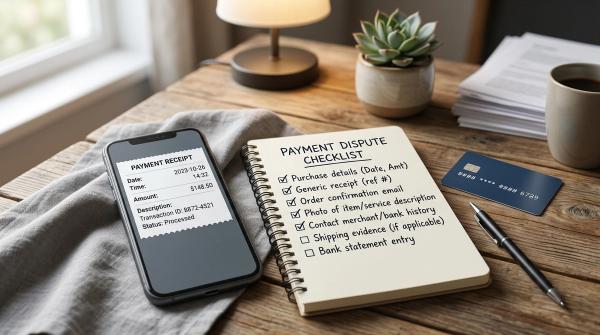
Proof and Complaint ID Checklist
#Do not delete messages, call logs, payment alerts, or screenshots in panic.
It may feel embarrassing, but proof is important. Banks, payment apps, cybercrime teams, and police need a clear timeline.
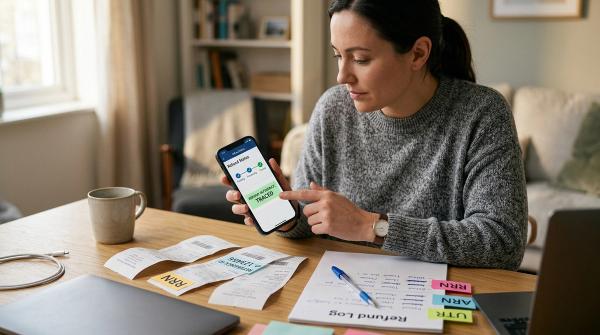
Create a folder on your phone or computer and save everything related to the incident.
Transaction Proof
#Save:
- Bank SMS alert
- Email alert from bank or card issuer
- UPI app transaction screen
- Bank statement entry
- UTR number or transaction reference ID
- Amount, date, and time of debit
Scammer Details
#Save:
- Phone number used by the caller
- WhatsApp number or Telegram ID, if any
- UPI ID or name shown in the app
- Bank account number, if visible
- QR code screenshot
- Fake website link
- Email address or sender ID
Conversation Proof
#Save:
- Screenshots of chats
- Call logs
- SMS messages
- Payment request screenshots
- Any “customer care” number shared by the scammer
- Screenshots of the phishing page, if safely available
Complaint IDs
#Keep these in one note:
- Bank complaint number
- Card dispute reference number
- UPI app ticket ID
- 1930 complaint reference, if provided
- cybercrime.gov.in acknowledgment number
- Police complaint number, if filed locally
Also write a short timeline while it is still fresh in your mind.
For example:
- 4:05 pm — Received call from unknown number
- 4:10 pm — Shared OTP
- 4:12 pm — ₹X debited
- 4:18 pm — Called bank and blocked card
- 4:25 pm — Called 1930
- 4:40 pm — Filed complaint on cybercrime.gov.in
This helps you stay consistent when speaking to your bank, payment app, helpline, or police.
Why Fast Reporting Matters Under RBI’s Limited-Liability Rules
#The Reserve Bank of India’s customer liability framework for unauthorized electronic banking transactions gives a lot of importance to prompt reporting.
In simple terms, liability can depend on the facts of the case, including whether the loss happened because of:
- A bank-side issue
- A third-party breach where neither the bank nor the customer is at fault
- Customer negligence, such as sharing credentials, OTP, PIN, or password
- Delay in reporting after receiving transaction alerts
If you shared an OTP or entered your UPI PIN because a scammer misled you, the bank may treat it differently from a case where you never shared any credential.
Still, you should report it immediately.
A key caution from the RBI framework is this: where the loss is due to customer negligence, the customer may bear the loss until the unauthorized transaction is reported to the bank. Losses after reporting are treated differently under the framework.
That is why you should not wait until morning, the next working day, or after “talking again” to the caller.
Report first. Clarify later.
Also remember: no article, agent, or third-party “recovery service” can promise that your money will come back.
Your safest route is:
- Your bank
- 1930
- cybercrime.gov.in
- Official complaint channels
Red Flags: OTP, UPI PIN, QR, and Phishing Scams
#Most scams work by creating urgency.
The person on the phone wants you to stop thinking and start following instructions. They may sound polite, professional, angry, helpful, or threatening. The tone can change, but the goal is the same: make you act fast without checking.
Watch for these warning signs.
OTP Red Flags
#Be alert if someone says:
- “Read the OTP to stop a transaction.”
- “Share the OTP for KYC.”
- “Tell me the OTP to unblock your account.”
- “This is from your bank. We need the OTP for verification.”
- “Your card will be blocked unless you share the code.”
Banks, payment apps, government offices, and courier companies do not need you to read out your banking OTP.
Never share it with anyone.
UPI PIN Red Flags
#Be alert if someone says:
- “Enter UPI PIN to receive money.”
- “Enter UPI PIN to accept refund.”
- “Enter UPI PIN to cancel wrong payment.”
- “Enter UPI PIN for verification.”
- “Enter UPI PIN after scanning my QR.”
Your UPI PIN is used when money is being sent from your account.
Treat every UPI PIN prompt as a payment approval screen.
QR Code Red Flags
#Be careful when:
- A buyer sends you a QR code to “receive” money
- Someone asks you to scan and enter your PIN
- A refund is linked to scanning a QR code
- The person rushes you before you can read the payment screen
- You see your bank account being debited, not credited
You can receive money by sharing your UPI ID or your own QR code.
You do not need to scan someone else’s QR code and enter your PIN to receive funds.
Phishing Red Flags
#Be suspicious of:
- Shortened links sent by unknown numbers
- Bank KYC links sent on WhatsApp or SMS
- Pages asking for card number, CVV, OTP, and PIN together
- APK files or apps sent outside official app stores
- “Customer care” links in comments or social media ads
- Messages threatening instant account closure
If a message creates panic and asks for secret information, pause.
Open the bank app yourself. Or type the official website address manually. Do not use the link sent in the message.
What Not to Do After an OTP or UPI Scam
#A few actions can make things worse.
Do not:
- Call numbers sent by the scammer
- Share another OTP to “reverse” the first transaction
- Enter your UPI PIN again to “cancel” a payment
- Install remote access apps on request
- Delete screenshots, SMS, or call logs
- Wait for the scammer to refund you
- Trust anyone promising guaranteed recovery for a fee
- Post full account details publicly on social media
If you contact your bank on social media, use only verified handles. Do not share sensitive details in public replies.
A Simple Follow-Up Plan for the Next 24 to 72 Hours
#Once the first lockdown is done, keep following up in an organized way.
Within the First Day
#- Check all bank accounts linked to the same mobile number
- Review debit cards, credit cards, UPI apps, wallets, and net banking
- Change important passwords
- Check for new beneficiaries or mandates
- Save all complaint numbers
- File the cybercrime.gov.in complaint if not already done
Over the Next Few Days
#- Follow up with the bank using the complaint number
- Follow up on the payment app ticket
- Keep checking the cybercrime complaint status
- Watch for new scam calls pretending to be “recovery agents”
- Monitor account statements for small test transactions
Fraudsters sometimes call again after the first scam. They may pretend to be police officers, bank staff, RBI officials, cyber cell officers, or recovery agents.
They may say:
“We can recover your money, but you need to pay a processing fee.”“Share this OTP so we can release your refund.”“Install this app so we can help you.”
Do not engage.
Use only official channels.
Final Word
#If you are dealing with bank OTP fraud, UPI PIN fraud, QR fraud, phishing, or payment app fraud right now, focus on two things: speed and proof.
Call your bank.Block the affected access.Call 1930.File a complaint at cybercrime.gov.in.Save every screenshot and complaint ID.
You do not need to panic. But you do need to act quickly, stay organized, and use only official channels.
Disclaimer: This article is for general educational purposes only and is not legal, financial, or recovery advice. AllBlogs does not provide fraud recovery services or unofficial helplines. For any real incident, rely on your bank, 1930, cybercrime.gov.in, and other official authorities.