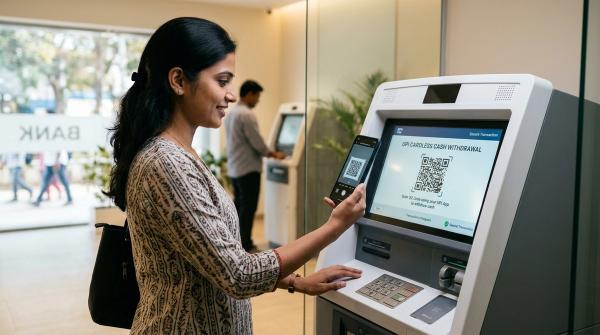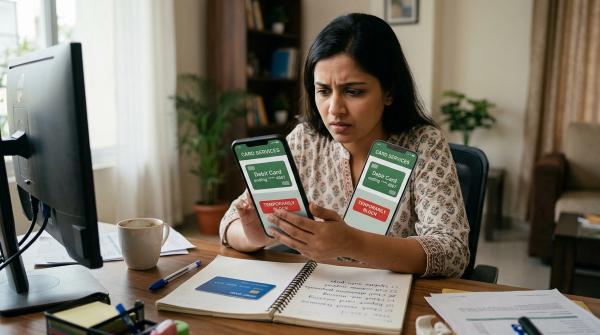
If money has suddenly gone out of your account through UPI and you suspect fraud, don’t wait and don’t panic-call random numbers.
First, call your bank’s official fraud helpline and ask them to block UPI or digital banking access if needed. Then call 1930, the national helpline for financial cyber fraud, and file a complaint on cybercrime.gov.in. Also report the transaction inside the payment app you used.
Keep everything: screenshots, UPI transaction ID, SMS alerts, WhatsApp chats, call logs, QR codes, links, and complaint numbers. Quick reporting can help, especially if the money can be traced or frozen in time, but recovery is not guaranteed.
Disclaimer: This guide is for general information only. It is not legal, financial, banking, or professional advice. Bank rules, complaint handling, timelines, and outcomes can differ from case to case. Reporting quickly may improve the chance of freezing funds or limiting liability under applicable RBI customer-protection guidance, but no refund or recovery is guaranteed.
Seeing money leave your account without permission is frightening. It is normal to feel shocked, angry, embarrassed, or confused.
But in the first few minutes, your goal is simple:
- Stop any more money from going out
- Create an official complaint record
- Save all proof
- Report through the right channels
Do not spend time arguing with the scammer. Do not search Google for “customer care” numbers and call the first result. Do not delete anything out of embarrassment.
This guide explains what to do after an unauthorised UPI transaction, fake QR code scam, collect request fraud, OTP scam, UPI PIN scam, phishing link, or payment app fraud.
The First 30-Minute Checklist
#If money has already been debited, act quickly. You do not need to do everything perfectly, but you should start the complaint trail as soon as possible.
1. Call your bank immediately
#Your bank should be your first call because your bank account has been debited.
Use only official contact details from:
- Your bank’s official mobile app
- The back of your debit card
- The bank’s official website
- Your account statement or passbook
Tell the bank clearly:
“I want to report an unauthorised UPI transaction. Please block UPI access or take steps to stop any further debit, and give me a complaint number.”
Ask for:
- Complaint number or service request number
- Date and time of complaint registration
- Details of what has been blocked, such as UPI, mobile banking, net banking, or card access
- Expected response timeline
Do not call numbers from random Google results, YouTube comments, Facebook posts, WhatsApp forwards, Telegram groups, or unofficial “customer care” pages. Fake bank helpline numbers and fake payment-app support numbers are common.
2. Call 1930 for cyber financial fraud reporting
#Call the National Cyber Crime Helpline: 1930 as soon as possible.
They may ask for:
- Your name and mobile number
- Bank name
- Amount debited
- Date and time of transaction
- UPI transaction ID or UTR
- Scammer’s phone number, UPI ID, or account details, if available
If the call does not connect, keep trying. At the same time, file the complaint online at cybercrime.gov.in. Do not wait for one method to work perfectly before using the other.
3. File a complaint at cybercrime.gov.in
#Go to the official National Cyber Crime Portal and choose the relevant option for financial fraud. Submit your complaint with whatever details and proof you already have.
Do not delay the complaint just because your screenshots are not neatly arranged. File it quickly, then keep collecting and saving the remaining proof.
4. Report the transaction inside your payment app
#Open the app used for the transaction, such as Google Pay, PhonePe, Paytm, BHIM, or your bank’s UPI app.
Go to:
- Transaction history
- The disputed transaction
- Help, support, raise issue, or report problem
Raise a complaint and save the ticket ID or reference number. You may need this later when following up with the bank, payment app, NPCI, or RBI CMS.
5. Save proof before deleting anything
#Do not delete:
- WhatsApp chats
- SMS alerts
- Call logs
- Payment app notifications
- QR code images
- Emails
- Screenshots
- Links sent by the scammer
- Social media messages
- Marketplace chats
Even if you feel foolish, keep everything. Fraudsters are trained to confuse people. One small detail, like a phone number, UPI ID, timestamp, or link, may help later.
Is It a Failed Payment, Wrong Transfer, or UPI Fraud?
#Not every UPI issue is fraud. Before filing a UPI fraud complaint, try to understand what most likely happened.
A failed payment may come back through the normal reversal process. A wrong transfer may depend on the recipient and bank process. But suspected fraud needs urgent reporting to both your bank and cybercrime channels.
Common UPI Scam Warnings You Should Know
#Most UPI scams work because the fraudster creates urgency, fear, or confusion. They want you to act before you think.
1. UPI PIN scam
#Your UPI PIN is used to send money, not receive money.
If someone says:
“Enter your UPI PIN to receive a refund, prize, rent payment, advance payment, courier refund, or government benefit.”
Treat it as a scam.
Never share your UPI PIN with anyone, even if the person claims to be from a bank, payment app, police, RBI, courier company, marketplace support, government department, loan company, or KYC team.
No genuine support person needs your UPI PIN. Not even for “verification”.
2. OTP scam
#Do not share OTPs over phone, WhatsApp, SMS, email, or screen share.
An OTP can be used to:
- Log in to your account
- Reset access
- Approve a transaction
- Add a new device
- Take over your payment app or bank access
If someone says they need your OTP to “verify”, “cancel”, “reverse”, or “release” a payment, stop. It is most likely a scam.
3. Fake UPI QR code
#A common fake UPI QR code scam happens on buying and selling platforms.
The scammer may say:
“Scan this QR code and enter your PIN to receive money.”
That is a big warning sign.
Scanning a QR code and entering your UPI PIN can send money from your account. You do not need to scan a QR code or enter a UPI PIN to receive money.
4. Collect request trap
#A collect request is a request for you to pay someone.
If you tap “Approve” and enter your UPI PIN, money goes from your account to the other person.
Scammers may disguise collect requests as refunds, deposits, delivery confirmation, KYC updates, booking payments, job registration, cashback claims, or rent advances.
Always read the screen carefully. If the app says “Pay”, “Approve”, “Send”, or asks for your UPI PIN, assume money is going out.
5. Phishing links and fake customer care
#Fraudsters often send links that look like bank, payment app, courier, electricity bill, loan, or KYC pages.
Do not enter sensitive details such as:
- UPI PIN
- OTP
- Debit card number
- CVV
- Card PIN
- Net banking password
- Aadhaar or PAN details
Only enter personal or financial details on verified official channels and only when the purpose is genuine.
Also, do not download screen-sharing apps because a stranger asks you to. If they can see your screen, they may see OTPs, bank details, payment approvals, and personal information.
Proof and Document Checklist for a UPI Fraud Complaint
#Keep your proof clear and easy to understand. You may need it for your bank, payment app, cybercrime portal, NPCI dispute, police complaint, or RBI escalation later.
Transaction details
#Save:
- UPI transaction ID or UTR
- Date and time of debit
- Amount debited
- Bank account from which money was debited
- Payment app used
- Screenshot of transaction details from the app
- SMS or email debit alert from the bank
Scammer details, if available
#Save:
- Mobile number
- UPI ID
- Name shown in the app
- Bank account number, if visible
- QR code image
- Website link or phishing link
- Social media profile
- Marketplace listing
- Call logs
Communication proof
#Keep copies of:
- WhatsApp chats
- SMS messages
- Emails
- Screenshots of payment instructions
- Audio recordings, if you already have them
- Screenshots of collect requests or payment requests
- Screenshots of fake refund, job, KYC, courier, buyer, seller, or support messages
Complaint proof
#Save:
- Bank complaint number
- Payment app ticket number
- Cybercrime portal acknowledgement number
- 1930 call complaint reference, if provided
- Police complaint or FIR details, if filed
- NPCI complaint reference, if raised
- RBI CMS complaint number, if escalated later
Keep copies in more than one place, such as your phone and email. Do not crop or edit screenshots in a way that removes timestamps, transaction IDs, phone numbers, UPI IDs, URLs, or names.
Official Escalation Path for UPI Fraud Complaint
#A proper UPI fraud report usually needs more than one complaint. Use the right channels and keep reference numbers for each one.
Step 1: Report to your bank
#Your bank is the first place to report because your account has been debited.
Tell the bank:
- It is an unauthorised UPI transaction or suspected fraud
- Amount and time of debit
- UPI transaction ID or UTR
- Whether you shared an OTP, entered UPI PIN, clicked a link, scanned a QR code, or approved a collect request
- Whether there were any more suspicious debits
Ask the bank to register a formal complaint, give you a complaint number, block UPI or other digital access if needed, and confirm next steps.
RBI customer-protection point
#RBI customer-protection guidance for unauthorised electronic banking transactions links customer liability to factors such as how the fraud happened and how quickly the customer reported it.
This does not mean every complaint gets a refund. It only means quick reporting is important and may affect liability assessment in eligible cases. Delayed reporting can weaken your position, so do not wait.
Step 2: Call 1930 and file at cybercrime.gov.in
#For suspected online financial fraud, call 1930 and file a complaint through the official National Cyber Crime Portal.
This is important for UPI money debited fraud, OTP scams, UPI PIN scams, fake QR payments, collect request fraud, phishing link fraud, and payment app account takeover.
Give accurate details. Do not exaggerate and do not guess. If you do not know something, simply say you do not know.
Step 3: Report inside the payment app
#The payment app can help create a transaction-level dispute record.
Use the app’s official support flow:
- Open the transaction
- Choose help or report issue
- Select fraud, unauthorised transaction, wrong transfer, or failed payment, as applicable
- Upload screenshots if the app allows it
- Save the ticket ID
For serious fraud, do not rely only on in-app chat. Also report to your bank and cybercrime channels.
Step 4: Raise a dispute through NPCI, if needed
#UPI is operated by the National Payments Corporation of India, or NPCI. If the issue is not resolved through the app or bank, you can use the official NPCI dispute or grievance mechanism available on NPCI’s website.
This may help for UPI transaction disputes, failed transactions not reversed, transaction status issues, and disputes that remain unresolved through app support.
Keep your UPI transaction ID ready before raising the dispute.
Step 5: Escalate to RBI CMS if the bank does not resolve it
#If your bank does not respond within the applicable grievance timeline, rejects your complaint, or you are not satisfied with the response, you can escalate through the RBI Complaint Management System, CMS.
Use this for complaints against regulated entities such as banks and eligible financial institutions.
The RBI Ombudsman route is not a first-day fraud reporting channel. It does not replace your bank complaint, 1930, cybercrime.gov.in, or payment app complaint.
RBI escalation mainly checks whether the bank handled your complaint properly under applicable rules. It does not personally track the scammer and it does not guarantee recovery of money.
What Not To Do After UPI Fraud
#Avoid these mistakes. They can make the situation worse.
- Do not call random customer care numbers from search results
- Do not share OTP, UPI PIN, card PIN, CVV, or passwords
- Do not install screen-sharing apps on request
- Do not delete chats, call logs, payment alerts, or screenshots
- Do not keep arguing with the scammer
- Do not send more money to “unlock” a refund
- Do not believe anyone who promises guaranteed recovery for a fee
- Do not delay reporting because you feel embarrassed
- Do not trust anyone who says they are from the bank but asks for PIN, OTP, or remote access
Fraud can happen to careful people too. Fast reporting matters more than self-blame.
Simple Complaint Wording You Can Use
#You can copy and edit this message while writing to your bank, payment app, or cybercrime portal.
I want to report a suspected unauthorised UPI transaction and UPI fraud complaint. An amount of ₹[amount] was debited from my bank account on [date] at [time] through UPI. The UPI transaction ID is [UTR/transaction ID]. I did not authorise this transaction / I was tricked through [fake QR / collect request / OTP scam / phishing link / UPI PIN scam]. Please register my complaint, block further unauthorised digital transactions if required, investigate the transaction, and provide a complaint reference number.
Attach screenshots if possible. Also mention that you have reported, or will report, the matter through 1930 and the official National Cyber Crime Portal.
Final Takeaway
#If you suspect UPI fraud, remember this order:
- Call your bank using official contact details
- Call 1930
- File a complaint at cybercrime.gov.in
- Report the transaction inside the payment app
- Save all proof and complaint numbers
- Escalate to NPCI or RBI CMS if the normal complaint route does not resolve the issue
Act quickly, stay calm, and do not trust anyone promising a guaranteed refund. Quick reporting can protect your position, but no bank, app, authority, or private person can promise recovery in every UPI fraud case.