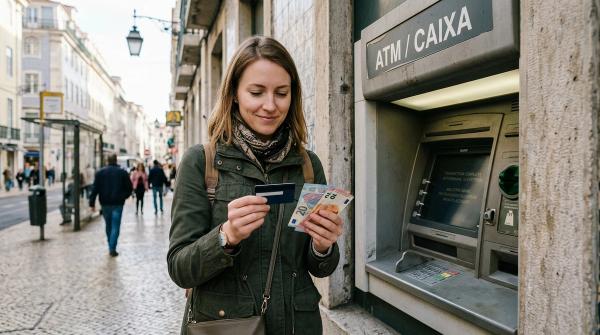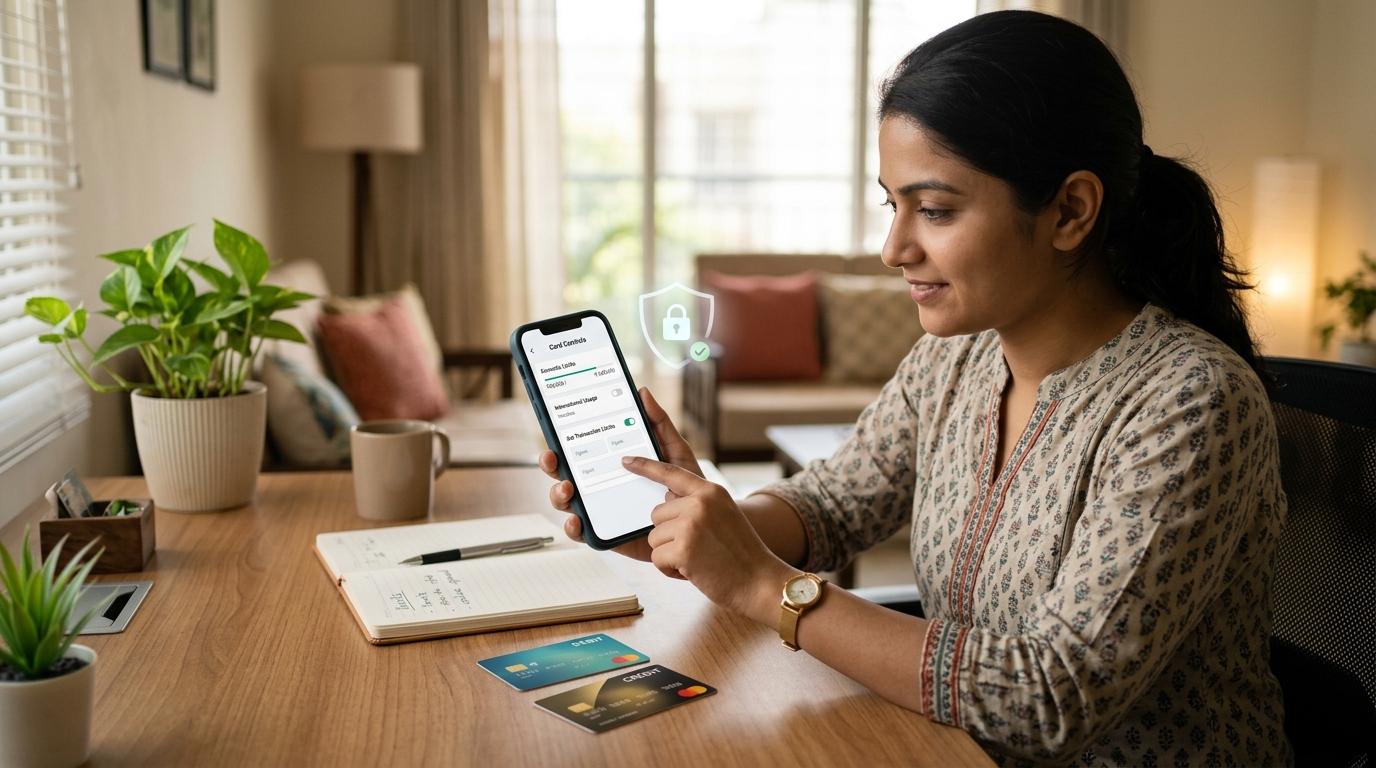
Card transaction limits in India are the maximum amounts you can spend or withdraw using your debit or credit card.
But here’s the part many people miss: your card usually does not have just one limit.
It may have separate limits for:
- Online payments
- POS payments at shops
- ATM cash withdrawals
- Contactless tap-to-pay
- International transactions
Your bank or card issuer decides the maximum limit your card can have. Within that, you can usually manage how your card is used. In most banking apps, you can turn certain channels on or off and set smaller limits based on your needs.
And honestly, that is one of the simplest ways to make your card safer.
You do not need every feature active all the time. If you never use international payments, keep them off. If you do not use tap-to-pay, disable contactless. If you only use your card online for small purchases, do not leave a very high online limit open for no reason.
This guide explains how card transaction limits work in India, what each limit means, and how to review your card controls without overthinking it.
What Card Transaction Limits Actually Mean
#A card transaction limit is a cap on how much money can be spent or withdrawn through your card.
There are usually two types of limits involved.
1. The Maximum Limit Set by Your Bank or Card Issuer
#Your bank or card issuer decides the top limit available on your card.
This may depend on:
- Your card type
- Your account type
- Your credit limit, if it is a credit card
- Your bank’s internal rules
- Card network features
- Product category or customer profile
You usually cannot increase your card limit beyond what the issuer has approved.
For example, if your bank has allowed a maximum POS limit of ₹50,000, you may be able to reduce it to ₹10,000 or ₹20,000. But you cannot simply increase it to ₹2 lakh unless your issuer allows it.
2. The Limits You Can Manage Yourself
#Within the bank-approved maximum, you can often control how your card works across different channels.
These are commonly called card controls, usage controls, or manage limits.
You may be able to set limits for:
- ATM withdrawals
- POS payments
- Online card payments
- Contactless payments
- International usage
This is where card safety becomes practical.
If you do not use a channel, switch it off. If you use it rarely, keep the limit low. If you need a higher limit for one large purchase, increase it temporarily and reduce it again later.
It is a small habit, but it can make a real difference.
RBI Note on Card Controls
#The Reserve Bank of India has pushed banks and card issuers to give customers better control over card usage.
In simple terms, cardholders are generally given options to enable, disable or modify card usage across different channels such as domestic, international, ATM, POS, online and contactless payments.
Many new, renewed or replacement cards may also come with some channels disabled by default. For example, your card may work at domestic physical terminals, but online, contactless or international usage may need to be switched on manually.
The exact options depend on your bank.
One bank may call it “Card Controls”. Another may call it “Manage Usage”, “Set Limits”, “Card Settings” or “Transaction Controls”.
So the safest place to check is always your own bank’s official mobile app or net banking website.
Why Card Limits Matter in Everyday Life
#Most people use cards casually.
You may use a debit card to withdraw cash once in a while. You may use a credit card for online shopping. Maybe your card is saved on a food delivery app, travel app or subscription service.
But ask yourself this:
Do you really need international usage active every day?
Do you need contactless payments switched on if you never tap your card?
Do you need a high online card limit for small monthly payments?
Probably not.
Card limits are not meant to make your life harder. They are meant to reduce unnecessary risk.
Think of them like locking the doors you do not use.
Your main door can stay open when you need it. But there is no reason to leave every entrance unlocked all day.
Online, POS, ATM, Contactless and International Limits Compared
#How to Choose Practical Card Limits
#You do not need to find the perfect number.
A sensible number is enough.
Look at your normal spending, not the biggest emergency you can imagine. If you ever need a higher limit for a specific transaction, many banks allow you to change it through the app, subject to issuer rules.
Online Card Limit
#Your online card limit controls how much you can spend on websites, apps and online merchants.
This includes:
- Shopping apps
- Food delivery apps
- Travel booking websites
- Subscription platforms
- Utility payment websites
- Other e-commerce payments
If you mostly use UPI and rarely pay online by card, keep the online card limit low. You can even keep online usage disabled until you need it.
If you regularly use your card online, set a limit that comfortably covers your usual payments. But avoid leaving the full available limit open without a reason.
For a large one-time purchase, increase the limit before payment. Once the transaction is done, reduce it again.
It takes a minute, but it is worth doing.
POS Limit
#Your POS limit applies when your card is used at a physical merchant terminal.
This includes payments at:
- Shops
- Restaurants
- Fuel stations
- Supermarkets
- Clinics
- Hotels
- Salons
- Department stores
If you use your card often for offline payments, keep the POS limit practical. If your card mostly stays in your wallet and is rarely used, you can lower the limit.
The goal is not to block genuine payments. The goal is to avoid keeping a large limit open everywhere.
ATM Limit
#Your ATM limit controls how much cash you can withdraw using your card.
If you rarely withdraw cash, you may not need a high ATM limit.
A lower ATM withdrawal limit can reduce risk if your card and PIN are ever compromised.
Ask yourself: “How much cash do I realistically withdraw in a day?”
Set the limit around that amount, if your bank gives you the option.
Contactless Card Limit
#Contactless payments are convenient. You tap your card and the payment goes through quickly.
But if you never use tap-to-pay, there is no need to keep it active.
If you like using contactless payments for small purchases, keep it enabled with a modest limit. If you always insert the card and enter the PIN, disable contactless usage.
Do not keep a feature on just because it exists.
International Usage Limit
#International usage needs extra care.
If you are not travelling abroad and do not pay foreign websites, keep international usage off.
This is one of the easiest card safety steps.
When you do need international usage, enable only what is required, if your bank gives separate options.
For example:
- International online only
- International POS only
- International ATM only
- International contactless only
After your trip or payment is done, turn it off again.
Many people enable international usage once and forget about it for months. Set a reminder if needed.
Step-by-Step Checklist to Review Card Limits
#Set aside 10 to 15 minutes.
Use only your bank’s official mobile app or official net banking website. Do not use links received through SMS, email, WhatsApp or social media.
Step 1: Log in Safely
#Open your bank’s official app or website.
Use your normal login method such as:
- Password
- MPIN
- Biometric login
- Net banking credentials
- Any other bank-approved method
Avoid clicking on “urgent” banking links sent in messages. Fraudsters often use fake links that look very real.
Step 2: Find the Cards Section
#Look for options such as:
- Cards
- Debit Cards
- Credit Cards
- Manage Cards
- Card Services
- Card Controls
- Manage Usage
- Set Limits
- Transaction Controls
Every bank uses slightly different wording, so you may need to explore the menu.
Step 3: Select the Correct Card
#If you have more than one card, choose the card you want to review.
Also check whether it is a debit card or a credit card.
A debit card uses money from your bank account. A credit card uses the credit limit approved by the issuer.
Both can have channel-wise limits, but the overall structure is different.
Step 4: Review Domestic Usage
#Start with domestic transactions.
Check settings for:
- Domestic ATM
- Domestic POS
- Domestic online or e-commerce
- Domestic contactless
Keep only the channels you actually use.
If you do not use a feature, switch it off.
Step 5: Review International Usage
#Next, check international usage.
Some banks show one international toggle. Others provide separate controls for:
- International ATM
- International POS
- International online
- International contactless
If you do not need international usage, keep it disabled.
If you need it for a specific reason, enable only that channel and set a sensible limit.
Step 6: Check Your ATM Limit
#Look at your ATM withdrawal limit.
Ask yourself:
“How much cash do I normally need to withdraw?”
If the current limit is much higher than your usual need, reduce it.
Step 7: Check Your POS Limit
#Now review your POS limit.
Ask:
“How much do I usually spend at physical shops?”
Set a limit that works for your regular life, but avoid leaving it unnecessarily high, especially on cards you rarely use.
Step 8: Check Your Online Card Limit
#Review your online card limit.
If you do not use card payments online often, keep the limit low or switch online usage off.
If you use your card for regular online purchases, set the limit based on your usual spending. Do not set it based on a rare big purchase you may make someday.
Step 9: Check Your Contactless Limit
#Review your contactless card limit.
If you do not use tap-to-pay, disable it.
If you use it occasionally, keep the limit small and practical.
Also check whether your bank has separate domestic and international contactless controls.
Step 10: Save and Authenticate
#After making changes, save the settings.
Your bank may ask you to authenticate using:
- OTP
- MPIN
- Profile password
- Biometric approval
- Another verification method
Complete this only inside the official bank app or website.
Never share your OTP with anyone on a call or message.
Step 11: Check the Confirmation
#Most banks show a confirmation after changes are saved. You may also receive an SMS or email.
Keep the confirmation message for reference.
If anything looks wrong, contact your bank only through official customer care channels.
A Simple Monthly Card Safety Routine
#You do not need to check your card limits every day.
For most people, a quick monthly review is enough.
Once a month, open your card controls and check:
- Is international usage still off?
- Is contactless usage set correctly?
- Is the online card limit still practical?
- Is the POS limit realistic?
- Is the ATM limit higher than needed?
- Are there old cards you barely use?
- Are SMS and app alerts working?
Also review your limits after:
- Receiving a new card
- Getting a renewed or replacement card
- Travelling abroad
- Making a large one-time purchase
- Losing a card
- Seeing an unusual transaction alert
- Changing how you usually pay
This is not about being scared. It is basic financial hygiene.
Like checking whether your door is locked before sleeping.
What to Do If You Notice a Suspicious Card Transaction
#If you see a transaction you did not make, act quickly.
Do not wait and hope it will fix itself.
1. Do Not Call Numbers from Random Messages
#Fraud messages can look genuine.
Scammers may send fake transaction alerts with fake helpline numbers. If you call them, they may ask for your OTP, PIN, CVV or card details.
Use only official contact options from:
- Your bank’s official app
- Your bank’s official website
- The back of your card
- Your bank statement
- Verified customer care pages
2. Block or Disable the Card
#If you suspect misuse, block the card immediately.
You can usually do this through your banking app. Some banks also allow you to temporarily disable all card channels.
If you cannot access the app, call the official bank helpline and request card blocking.
Blocking first is usually better than waiting.
3. Report the Transaction Quickly
#Report unauthorized or suspicious transactions to your bank as soon as possible.
RBI’s customer liability framework gives importance to prompt reporting, especially when the customer has not shared credentials and the issue is not due to customer negligence.
Raise a complaint and keep the complaint reference number.
4. Never Share Sensitive Information
#Never share:
- OTP
- CVV
- ATM PIN
- Card PIN
- Full card number
- Net banking password
- Mobile banking MPIN
- Screen-sharing access
- Remote access app permission
Your bank does not need your OTP, CVV or PIN to block your card or investigate a complaint.
If someone asks for these details, treat it as a red flag.
5. Review Recent Transactions
#Check your:
- SMS alerts
- Email alerts
- Card statement
- Mobile banking transaction history
Look for small test transactions too. Fraudsters may try a small amount before attempting a larger payment.
If you see multiple suspicious transactions, report all of them clearly.
6. Change Passwords If Needed
#If you think your banking app, email account or shopping account has been compromised, change the relevant passwords.
Use official websites and apps only.
Avoid searching online for random customer care numbers. Many fake helpline numbers appear in search results and ads.
7. Keep Proof
#Save important records such as:
- SMS alerts
- App screenshots
- Complaint reference number
- Email acknowledgement
- Date and time of reporting
These details can help if you need to follow up later.
Common Mistakes to Avoid
#Keeping Every Channel On
#Many people leave ATM, POS, online, contactless and international usage active all the time.
Not because they need them.
Because they never checked.
You do not need every door open. Keep only the ones you use.
Setting Limits Once and Forgetting Them
#Your payment habits change.
Maybe you start using UPI more. Maybe you stop using one card. Maybe you travel abroad. Maybe you add your card to a new subscription app.
So review your card limits occasionally.
Not daily. Just once in a while.
Enabling International Usage and Forgetting It
#This is very common.
You enable international usage for one foreign website or one trip. Then it stays on for months.
If you turn it on, set a reminder to turn it off.
Confusing Credit Limit with Transaction Limit
#A credit card may have an overall credit limit, but it can still have separate limits for online, POS, ATM cash withdrawal, contactless and international usage.
Similarly, a debit card may have enough balance in the account, but a transaction can still fail if the relevant card limit is lower.
Your account balance, credit limit and transaction limits are different things.
Trusting Callers Who Know Some Details
#A scammer may already know your name, bank name, city or last few card digits.
That does not make the caller genuine.
Never share OTP, CVV, PIN or full card details with anyone, no matter how convincing they sound.
Practical Card Limit Setup for Different Users
#These are not personalised financial recommendations. Use them as simple examples to think through your own setup.
If You Mostly Use UPI and Rarely Use Cards
#- Keep online card usage off or set a low limit
- Keep international usage off
- Disable contactless if you do not use it
- Keep ATM and POS limits practical
- Review old cards you barely use
If You Use Cards for Online Shopping
#- Keep online usage enabled
- Set the online limit around your regular spending
- Increase the limit temporarily for large purchases
- Keep international usage off unless needed
- Keep transaction alerts active
If You Travel Often Within India
#- Keep domestic ATM and POS limits usable
- Set online limits based on your booking habits
- Keep contactless on or off based on comfort
- Keep international usage off unless you travel abroad
If You Are Travelling Abroad
#- Enable only the international channels you need
- Set practical limits within issuer-approved limits
- Keep SMS, email and app alerts active
- Save official bank contact details before travel
- Disable international usage after the trip
If You Have an Old Card You Barely Use
#- Turn off unused channels
- Reduce transaction limits
- Keep alerts active
- Check if you still need the card
- Close or replace it if necessary, after checking with your issuer
Quick Card Safety Checklist
#Before you close your banking app, check these seven things:
- Online card limit reviewed
- POS limit reviewed
- ATM limit reviewed
- Contactless card limit reviewed
- International usage disabled unless needed
- SMS or app alerts active
- Official bank contact details saved
That is the core of safer card usage.
Not complicated. Just intentional.
Final Takeaway
#Card transaction limits are not just technical settings hidden inside your banking app.
They are everyday safety controls.
Your bank decides the maximum limit, but you can usually manage how your card works across online, POS, ATM, contactless and international channels.
Keep what you use. Switch off what you do not. Set limits that match your real life, not some imaginary “just in case” situation.
A few minutes in your banking app can make your card safer without making your banking life complicated.