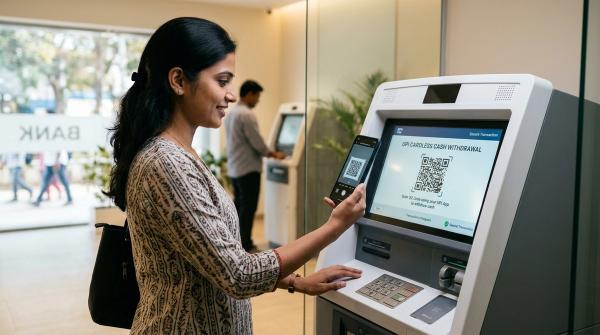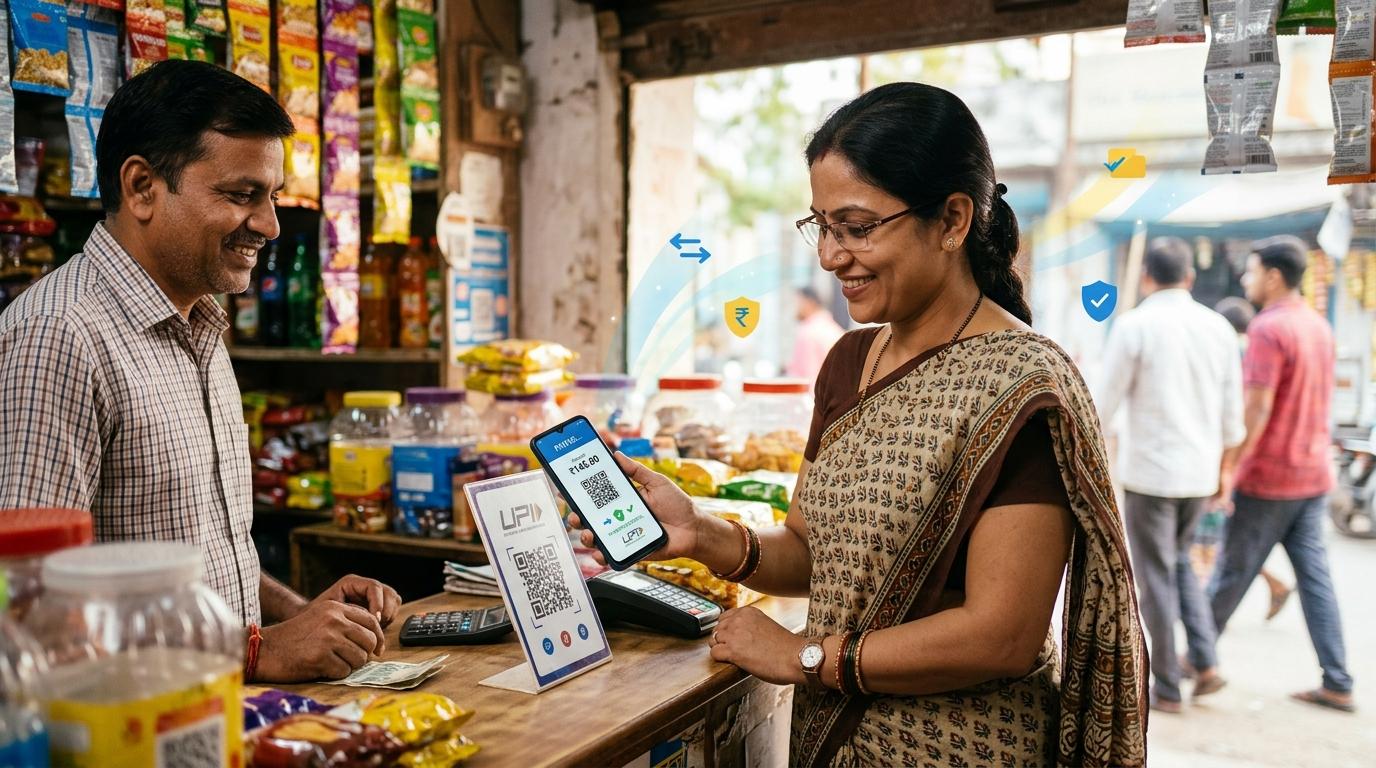
Yes, it is safe to share your UPI ID when someone needs to send you money. Your UPI ID is like your payment address. By itself, it does not let anyone withdraw money from your bank account.
The real danger is different: scammers try to make you enter your UPI PIN, approve a fake request, scan a wrong QR code, or share an OTP. That is when money can leave your account.
UPI has become part of daily life in India. We use it for tea, groceries, rent, cab rides, school fees, online shopping, small business payments, and even splitting dinner bills. Sharing a UPI ID or QR code feels normal because it is normal.
But scammers also know how comfortable people are with UPI now. They usually do not need to “hack” your account. Many times, they just need to confuse you for a few seconds.
This guide explains what is safe to share, what you should never share, how fake collect request scams work, and what to do if something suspicious happens.
Quick answer: what is safe and what is not?
#You can safely share your:
- UPI ID
- UPI QR code
- Merchant UPI details, if you use them for business payments
You should never share your:
- UPI PIN
- OTP
- Debit card PIN
- Net banking password
- UPI app login details
- Screen-sharing access during a payment issue
- Remote access to your phone
Here is the simplest rule to remember:
You do not need to enter your UPI PIN to receive money.
If someone says you must enter your PIN to receive a refund, payment, cashback, prize, or buyer payment, stop immediately. That is not how normal UPI receiving works.
UPI ID vs UPI PIN vs QR code
#Can someone withdraw money with your UPI ID?
#No. Someone cannot withdraw money with your UPI ID alone.
Your UPI ID only tells the payment system where money should be sent. Think of it like sharing your home address for a parcel delivery. The address helps someone send something to you. It does not give them the key to your house.
Similarly, your UPI ID helps someone send money to you. It does not give them permission to take money from your bank account.
For money to leave your account, you usually need to approve the transaction using your UPI PIN in your own UPI app. That is why your UPI PIN must stay private.
The trouble starts when a scammer sends a request that looks like you are receiving money, but in reality, it is asking you to pay.
How UPI scams usually happen
#Most UPI fraud does not happen just because someone knows your UPI ID. It happens because the user is tricked into doing something unsafe.
For example, scammers may convince someone to:
- Enter their UPI PIN
- Approve a collect request
- Share an OTP
- Scan a QR code
- Install a screen-sharing app
- Click a fake payment or refund link
- Trust a fake screenshot
They often use very ordinary stories, such as:
- “I sent money by mistake. Please return it.”
- “I am buying your product. Accept this request to receive payment.”
- “Scan this QR code to get cashback.”
- “Your UPI account will be blocked. Verify your PIN now.”
- “I am from customer care. Share the OTP so I can reverse the transaction.”
- “Your refund is ready. Just approve this.”
The pattern is almost always the same. They create urgency, keep you on a call, and push you to tap quickly without reading the screen properly.
If someone is rushing you during a UPI transaction, that itself is a warning sign.
Fake collect request and refund scam checklist
#Use this checklist whenever you receive a UPI request, refund message, QR code, payment link, or call from someone you do not fully trust.
1. The fake collect request
#A collect request is a request asking you to pay someone. Scammers misuse this feature by making it sound like you are receiving money.
What the scammer may say:
- “Accept this to receive your payment.”
- “Enter your UPI PIN to claim the amount.”
- “This is a refund request. Approve it fast.”
- “I sent money, but it is stuck. Accept this request.”
- “You will not be charged. It is only verification.”
Check before doing anything:
- Does the screen say you are paying someone?
- Is the request from an unknown UPI ID?
- Is someone pressuring you on call or chat?
- Are you being asked to enter your UPI PIN to receive money?
- Is the amount shown as a debit or payment request?
Safe action: Decline the request if you do not recognise it. Do not enter your UPI PIN.
2. The “accidental transfer” refund scam
#In this scam, a person calls and says they accidentally sent money to your account. They may sound worried, polite, or even apologetic. Then they send a collect request and ask you to approve it as a refund.
Do not act only because the person sounds genuine.
What to check:
- Did your bank account actually receive the money?
- Is there a real credit SMS from your bank?
- Can you see the credit in your bank statement or UPI app history?
- Is the caller asking you to enter your UPI PIN?
- Are they showing only screenshots, while your own app shows no credit?
Safe action: Do not trust screenshots sent by the caller. Check your own bank account. If money was not credited, there is nothing to refund.
3. The fake buyer scam for online sellers
#This is common on resale platforms and social media marketplaces. A buyer agrees quickly, does not ask many questions, and says they will pay through UPI. Instead of sending money, they send a collect request.
Warning signs:
- The buyer says, “Enter PIN to receive money.”
- The buyer sends a QR code and asks you to scan it for payment.
- The buyer says the payment is stuck unless you approve something.
- The buyer keeps you on a phone call during the transaction.
- The buyer sends a screenshot and says, “See, payment done.”
Safe action: Ask the buyer to send money directly to your UPI ID or QR code. Confirm the credit in your own UPI app or bank SMS. You do not need to enter your UPI PIN to receive money.
4. The QR code trick
#A scammer may send you a QR code and say:
- “Scan this to receive cashback.”
- “Scan this to get your refund.”
- “Scan this to receive prize money.”
- “Scan this to accept payment.”
- “Scan this for verification. No money will be deducted.”
In normal UPI use, scanning someone else’s QR code usually means you are preparing to pay that person.
Check before scanning:
- Who owns the QR code?
- Is the app asking you to enter an amount?
- Is the app asking for your UPI PIN?
- Does the screen show that money will be debited?
- Are you being promised a reward, refund, or prize?
- Did you start this transaction yourself?
Safe action: Do not scan unknown QR codes to receive money.
What you should never share
#Even if a caller knows your name, phone number, UPI ID, bank name, order details, address, or recent transaction information, do not assume they are genuine.
Scammers often collect small details from different places and use them to sound official.
Never share your UPI PIN
#Your UPI PIN authorises transactions from your bank account. NPCI’s UPI FAQ explains that the UPI PIN is used to authorise bank transactions. In simple words, your PIN is the approval step for moving money.
No bank, UPI app, NPCI, RBI official, police officer, delivery agent, buyer, seller, or customer care person needs your UPI PIN.
If someone asks for it, they are not helping you.
Never share OTPs
#RBI safety guidance is clear: never share PIN, OTP, or UPI-PIN with anyone.
OTPs are meant for authentication. If someone asks for an OTP on call, SMS, WhatsApp, Telegram, email, or screen share, stop immediately.
A real bank or payment app will not ask you to read out your OTP.
Never allow screen sharing during payments
#If someone asks you to install a screen-sharing or remote-control app to “fix” a UPI problem, be very careful.
With screen sharing, they may be able to see:
- OTPs
- Bank SMS alerts
- UPI app screens
- PIN entry screens
- Notifications
- Account details
- Payment approvals
This is one of those mistakes people often realise too late. It is safer to refuse from the start.
Never approve a request under pressure
#Fraudsters often keep talking so you do not get time to read the screen.
Slow down. Read every word before tapping approve.
If the person is genuine, they can wait.
Is your phone-number UPI ID safe to share?
#From a money-safety point of view, yes, sharing a UPI ID is generally safe for receiving payments.
But there is also a privacy issue.
Many UPI IDs include a mobile number, such as 9876543210@upi. If you share this widely with customers, strangers, marketplace buyers, or on social media, you may also be sharing your phone number. That can lead to spam calls, unwanted messages, and phishing attempts.
If your UPI app allows it, you can use a UPI ID that does not expose your mobile number. For example, you may prefer a name-based or business-name-based VPA.
This is especially useful for:
- Small shop owners
- Freelancers
- Home businesses
- Online sellers
- Creators
- Service providers
The rule remains the same: your UPI ID can be shared for receiving money, but your UPI PIN and OTP must stay private.
What to check before approving any UPI payment
#Before entering your UPI PIN, pause for five seconds and ask yourself:
- Who am I paying?
- Is the receiver name correct?
- Is the amount correct?
- Did I start this transaction myself?
- Am I sending money, or did someone tell me this is needed to receive money?
- Is there pressure, urgency, fear, or a promise of cashback?
- Is the request from an unknown person?
- Does anything feel odd?
If you did not start the payment, do not approve it.
And if you are confused, do nothing for a minute. That one minute can save your money.
What proof to save after suspicious UPI activity
#If you receive a suspicious request or lose money through a UPI transaction, do not delete anything. Save proof first.
Keep these records:
- Screenshot of the UPI request or transactionCapture the UPI ID, name shown, amount, time, and date.
- Transaction ID or UTR numberThis is usually available in your UPI app’s transaction history. It may be called UTR, UPI reference number, or transaction reference ID.
- Bank SMS alertsSave debit or credit SMS messages from your bank.
- UPI app transaction historyTake screenshots before clearing app data or reinstalling the app.
- Bank account statementDownload or screenshot the relevant entry showing the debit or suspicious activity.
- Chat messagesSave WhatsApp, SMS, email, marketplace, or social media chats with the person involved.
- Call logs and phone numbersNote the caller’s number, call time, and any names they used.
- QR code or payment link, if anyIf the scam involved a QR code, payment link, or screenshot, save it.
This information can help when you contact your bank, report through your UPI app, or file a complaint through official cybercrime channels.
What to do if you suspect UPI fraud
#Act quickly, but do not panic. Use official channels only.
1. Contact your bank immediately
#Call your bank using the official customer care number from its website, mobile app, debit card, passbook, or official communication.
Report the transaction and ask them to secure the account if needed.
Do not randomly search for helpline numbers online. Fake customer care numbers are a common second scam, and many people fall for them after the first fraud.
2. Report through your UPI app
#Open the UPI app where the transaction happened. Go to transaction history, select the suspicious transaction, and look for options such as:
- Report
- Raise dispute
- Help
- Get support
- Contact support
The exact wording may vary by app, but most major UPI apps have a support or dispute option.
3. Report online financial fraud through official cybercrime channels
#For online financial fraud in India, use the official cybercrime reporting channels:
- Call 1930, the national cybercrime helpline for financial fraud
- File a complaint at cybercrime.gov.in
These are official government reporting options. Avoid unofficial “money recovery” agents, random social media accounts, or anyone promising guaranteed refunds.
4. Keep your complaint details safe
#After filing a complaint, save:
- Acknowledgement number
- Complaint ID
- Screenshots
- Bank communication
- UPI app support messages
- Cybercrime portal details
You may need these later, so do not rely only on memory.
5. Change sensitive credentials if needed
#If you shared OTPs, app credentials, card details, or allowed remote access, contact your bank immediately and follow its instructions.
You may also need to:
- Change app passwords
- Remove suspicious apps
- Revoke app permissions
- Disable screen-sharing tools
- Secure your phone
- Check linked bank accounts and cards
Official-source wording to remember
#Here are the key safety points that match official guidance from trusted Indian sources.
NPCI UPI
#NPCI’s UPI FAQ explains that the UPI PIN is used to authorise bank transactions.
That means your UPI PIN is not just a simple login code. It is the approval step for moving money from your account.
RBI
#RBI safety guidance repeatedly warns users to never share PIN, OTP, or UPI-PIN with anyone.
Banks and payment companies do not need these details to help you.
cybercrime.gov.in and 1930
#For online financial fraud, report through the official portal cybercrime.gov.in or call the national cybercrime helpline 1930.
Reporting quickly is important, but no one should promise guaranteed recovery.
For small merchants and online sellers
#If you run a shop, sell products online, or accept UPI from customers, sharing your UPI ID or displaying your QR code is normal.
Still, a few habits can keep you safer:
- Use a UPI ID that does not unnecessarily expose your personal phone number, if your app allows it.
- Treat unknown collect requests as suspicious.
- Do not enter your UPI PIN to receive customer payments.
- Confirm payment in your own UPI app or bank SMS.
- Do not trust only screenshots sent by customers.
- Do not issue a refund unless you can see the actual credit in your account.
- Save transaction IDs for customer disputes.
- Avoid taking payment instructions while someone is pressuring you on a call.
- If something feels rushed, stop the transaction.
For merchants, the most common trap is the fake buyer who says, “I have sent money. Just enter your PIN.”
That is not how receiving money works.
The safest way to think about UPI
#UPI has two different actions: receiving money and sending money.
Most confusion starts when scammers make one look like the other.
Receiving money
#You can receive money through:
- UPI ID
- QR code
- Mobile number linked to UPI, depending on the app flow
You do not need to enter your UPI PIN to receive money.
Sending money
#You may need to enter your UPI PIN when:
- You are paying someone
- You are approving a collect request
- You are transferring money from your account
So if your screen asks for your UPI PIN, assume money may leave your account. Read carefully before approving.
Final safety note
#So, is it safe to share UPI ID? Yes, if someone needs to send you money, sharing your UPI ID is safe.
But your UPI PIN, OTP, banking passwords, and phone access must stay private.
The safest habit is simple:
Enter your UPI PIN only when you want to send money.
If anyone says your UPI PIN is needed to receive money, slow down, read the screen, and do not approve the request.
This article is for general digital safety awareness only. It does not provide investment, tax, loan, legal, or fund-recovery guarantees. For fraud reporting, use your bank, your UPI app, 1930, and cybercrime.gov.in.