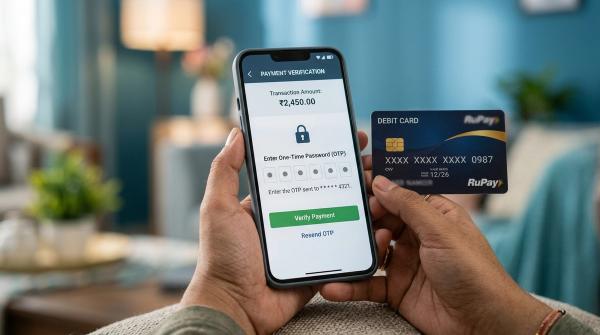
If you need to send money urgently, IMPS is usually the easiest choice, as long as the amount is within your bank’s IMPS limit. If the transfer is not time-sensitive, NEFT is often good enough. And if you are sending a large amount, especially ₹2 lakh or more, and the payment needs to go through quickly, RTGS is generally the better option.
All three methods — NEFT, RTGS, and IMPS — are available 24x7, including weekends and bank holidays. But they are not the same. They differ in speed, limits, charges, tracking details, and the kind of payment they are best suited for.
General education disclaimer: This article is for general educational purposes only. It is not investment, tax, legal, or personalised financial advice. Bank rules, charges, limits, and processes can change, so always check the latest details with your own bank before making a transfer.
Quick answer: NEFT, RTGS, or IMPS?
#Here is the simplest way to decide:
- Use IMPS when the payment is urgent and you want instant transfer.
- Use NEFT when the payment is routine and a small delay is okay.
- Use RTGS when you are sending ₹2 lakh or more and the payment is urgent.
Most banking apps now make this fairly easy. You add the beneficiary, enter the amount, and the app shows the transfer options available to you. Still, it helps to know the difference, especially when the amount is large or the payment is important.
What are NEFT, RTGS, and IMPS?
#NEFT, RTGS, and IMPS are common ways to transfer money from one bank account to another in India.
They all help you move money digitally, but they work in different ways.
NEFT: National Electronic Funds Transfer
#NEFT stands for National Electronic Funds Transfer. It is owned and operated by the Reserve Bank of India, or RBI.
NEFT is available 24x7, including Sundays and bank holidays. However, it does not work like an instant one-by-one transfer. NEFT payments are processed in batches at regular intervals.
That makes NEFT a good option when the transfer is important, but not extremely urgent.
There is no RBI-prescribed maximum limit for NEFT. That said, your own bank can still set limits based on the channel you are using, such as mobile banking, internet banking, branch banking, or newly added beneficiaries.
As per RBI guidance, banks do not charge for online NEFT transactions from savings bank accounts. But charges may differ for branch transactions, business accounts, or other cases, so it is always better to check your bank’s latest fee schedule.
RTGS: Real-Time Gross Settlement
#RTGS stands for Real-Time Gross Settlement. It is also owned and operated by the RBI.
RTGS is meant for high-value transfers. The minimum amount for RTGS is ₹2 lakh. RBI does not prescribe a maximum limit, but banks may have their own limits depending on your account type, banking channel, risk checks, and internal rules.
RTGS is available 24x7. Unlike NEFT, RTGS processes transactions individually and in real time. This makes it useful when you are sending a large amount and the money needs to move quickly.
One important thing: be very careful with RTGS details. RBI guidance makes it clear that the account number is extremely important. If you enter the wrong account number and the transaction goes through, the money may be credited to the wrong account, even if the name appears similar or correct.
IMPS: Immediate Payment Service
#IMPS stands for Immediate Payment Service. It runs on the National Payments Corporation of India, or NPCI, network.
IMPS is instant and available 24x7, including Sundays and bank holidays. It is widely used for quick day-to-day transfers, especially when you want the money to reach immediately.
IMPS limits and charges vary from bank to bank. Some banks allow higher IMPS transfers, while others may keep lower limits, especially through mobile banking or for newly added beneficiaries.
So before sending a large amount through IMPS, check your bank app, net banking page, or schedule of charges. Do not assume that the limit is the same across all banks.
NEFT vs RTGS vs IMPS comparison table
#When should you use NEFT?
#Use NEFT when the payment does not need to reach instantly.
NEFT works well for:
- Rent payments
- Routine family transfers
- School or college fees
- Vendor or supplier payments
- Payments where same-day processing is enough
- Transfers where you are not under time pressure
NEFT is simple, reliable, and widely accepted. Since RBI does not set a maximum limit, NEFT can also be used for larger amounts, but only if your bank allows it through the channel you are using.
Before sending a high-value NEFT transfer, check:
- Your daily internet banking limit
- Your mobile banking limit
- Whether the beneficiary was recently added
- Any cooling period for new beneficiaries
- Per-transaction limits
- Branch rules, if you are visiting the bank
Many transfer issues happen not because NEFT is unreliable, but because the sender did not check their bank’s limits properly.
When should you use RTGS?
#Use RTGS when the amount is ₹2 lakh or more and the transfer needs to happen quickly.
RTGS is useful for:
- Large personal payments
- Business transfers
- Property-related payments
- Time-sensitive large payments
- Payments where batch settlement is not ideal
RTGS does not have an RBI-prescribed maximum limit. However, your bank may still set its own limit. If your banking app does not allow the amount you want to send, check whether you need to use net banking, branch banking, or another process.
Because RTGS is usually used for larger amounts, do not rush through the confirmation screen. Check the account number, IFSC, amount, and beneficiary details carefully. Do not rely only on the beneficiary name shown on the screen.
When should you use IMPS?
#Use IMPS when you want the money to reach quickly and the amount is within your bank’s IMPS limit.
IMPS is a good option for:
- Urgent payments
- Last-minute transfers
- Sending money on holidays
- Quick interbank transfers
- Small and medium payments
- Emergency transfers to family, friends, or vendors
The main thing to watch with IMPS is the transfer limit. Every bank can have different rules. Some banks may also set lower limits for new beneficiaries or mobile banking users.
Charges can also vary, so if you use IMPS often, check your bank’s latest charges once instead of assuming it is always free.
Checklist before sending any bank transfer
#Before you press Submit or Confirm, pause for a few seconds.
Most transfer problems happen because of small mistakes: one wrong digit in the account number, the wrong IFSC, the wrong transfer method, or an ignored bank limit.
Use this checklist before sending money.
1. Check the account number carefully
#Check the account number digit by digit. This is the most important detail.
For RTGS especially, RBI guidance says the transfer is processed mainly based on the beneficiary account number. If the number is wrong and belongs to someone else, the money may get credited to that account.
2. Check the IFSC
#Make sure the IFSC is correct. It should belong to the right bank and branch, or the correct bank system.
If the IFSC is wrong, the transfer may fail, get delayed, or land in a problem status.
3. Do not rely only on the beneficiary name
#The beneficiary name is helpful, but it is not enough.
Sometimes names appear differently because of spelling, initials, abbreviations, or bank records. The account number is the key detail you must verify properly.
4. Choose the right transfer method
#Ask yourself:
- Is the payment urgent?
- Is the amount ₹2 lakh or more?
- Am I okay if the transfer is processed in batches?
- Is the amount within my bank’s IMPS limit?
- Will my bank charge me for this transfer?
- Do I need a UTR or reference number for tracking?
Then choose between NEFT, RTGS, and IMPS.
5. Check your bank’s transfer limit
#RBI does not prescribe a maximum limit for NEFT or RTGS, but banks can set their own limits.
These limits may be different for:
- Mobile banking
- Internet banking
- Branch banking
- Newly added beneficiaries
- Corporate accounts
- Savings accounts
- Current accounts
So before you promise someone that the money will reach immediately, check whether your bank actually allows that transfer amount.
6. Check bank charges
#Do not rely on old screenshots, outdated blog posts, or random fee charts online. Bank charges can change.
Before sending money, check:
- Your bank’s latest schedule of charges
- The fee shown in your mobile banking app
- The net banking transfer page
- Branch charges, if you are visiting a branch
Online NEFT from savings bank accounts is not charged as per RBI guidance, but other situations may be different.
7. For large payments, consider a small test transfer
#If the payment is important, many people first send a small amount, such as ₹1, ₹10, or ₹100, and ask the receiver to confirm.
This is not compulsory, but it can reduce stress, especially when you are adding a beneficiary for the first time or sending money to a new account.
8. Save proof before and after the transfer
#Before sending, verify or save:
- Beneficiary name
- Account number
- IFSC
- Amount
- Purpose of payment
- Invoice, message, or payment request, if any
After sending, save:
- Success screen
- UTR for NEFT or RTGS
- Transaction reference number or RRN for IMPS
- Debit entry from your bank statement
- Date and time of transfer
This proof is useful if the transfer is delayed, fails, is disputed, or the receiver says the money has not arrived.
What to do if money is debited but not credited?
#Sometimes money is debited from your account, but the receiver says it has not reached. It can be stressful, but do not panic immediately.
This may happen because of a bank-side delay, processing timeout, wrong details, pending status, or a failed transaction that has not yet reversed.
Here is what you can do.
Step 1: Check the transaction status
#Open your banking app or net banking and check the transaction status.
It may show:
- Successful
- Pending
- Failed
- Processing
- Reversed
Do not send the same amount again immediately unless you are sure the first transaction has failed or has been reversed. Otherwise, you may end up paying twice.
Step 2: Save all transaction details
#Keep these details ready:
- UTR for NEFT or RTGS
- Transaction reference number or RRN for IMPS
- Date and time of transfer
- Amount
- Beneficiary account number
- IFSC
- Screenshot of transaction status
- Bank statement debit entry
Having these details ready will make the complaint process much easier.
Step 3: Ask the receiver to check their statement
#Sometimes SMS alerts are delayed or not received at all. Ask the receiver to check their actual bank statement or transaction history in the app.
Do not rely only on SMS alerts. The statement is better proof.
Step 4: Wait for auto-reversal if the transfer failed
#If the transaction failed but money was debited, banks often reverse the amount automatically. The time can vary depending on the transfer method and where the failure happened.
If the money does not come back within a reasonable time, raise a complaint with your bank.
Step 5: Contact your bank
#If the money is neither credited nor reversed, contact your bank.
Share:
- UTR or transaction reference number
- Amount
- Date and time
- Beneficiary account details
- Screenshot of debit
- Your registered mobile number or email ID
Ask for a complaint number or ticket number. Save it somewhere safe.
Step 6: Escalate if the issue is not resolved
#If your bank does not resolve the issue, or you do not get a satisfactory reply within 30 days of filing the complaint, you can escalate it under the Reserve Bank - Integrated Ombudsman Scheme, or RB-IOS.
Safety tips for NEFT, RTGS, and IMPS
#Digital bank transfers are convenient, but the safety checks are still your responsibility.
Keep these tips in mind:
- Check the account number carefully.
- Be extra careful with RTGS transfers.
- Do not rush large payments.
- Do not send money only because of a phone call or WhatsApp message.
- Verify payment details from a trusted source.
- Save the UTR or reference number.
- Check bank limits before committing a payment time.
- Check charges from your bank’s official source.
- Keep screenshots until the receiver confirms the credit.
- For large transfers, choose the method based on amount and urgency.
One wrong digit can create a big problem. Taking one extra minute before confirming is always worth it.
Bottom line
#For most urgent everyday payments, IMPS is the quickest and most convenient option. For normal transfers where instant credit is not required, NEFT is usually enough. For urgent high-value transfers of ₹2 lakh or more, RTGS is generally the right choice.
Before sending money, check the account number, IFSC, bank limits, and charges. After the transfer, save the UTR or transaction reference number. It takes only a minute, but it can save you a lot of trouble later.
Sources checked
#This guide was prepared using current public guidance from the Reserve Bank of India on NEFT and RTGS, and from NPCI on IMPS. Always verify your own bank’s current limits and fees before transferring.