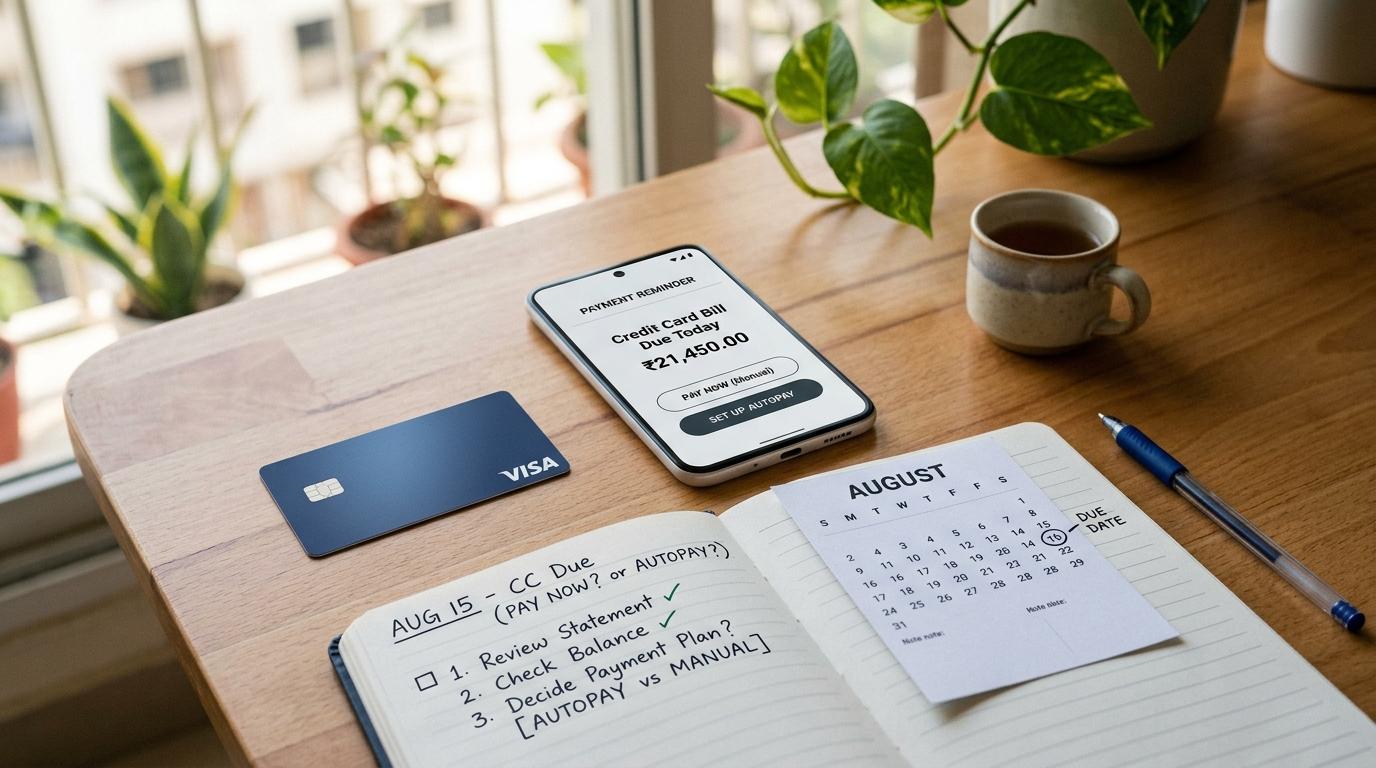
If your biggest problem is forgetting payment dates, credit card autopay is usually safer.
If your bigger worry is cash flow, wrong charges, or surprise debits from your bank account, manual credit card payment may feel safer.
But honestly, this does not have to be an either-or decision.
For many credit card users in India, the most practical setup is:
- Keep autopay active as a safety net.
- Review your credit card statement every month.
- Pay manually a few days before the due date if everything looks fine.
- Confirm that the payment has actually reached your credit card account.
That way, you are not depending only on memory. And you are not blindly trusting automation either.
General Education Disclaimer
#This article is for general information only. It is not financial advice.
Credit card rules, late fees, autopay timing, payment posting time, failed debit handling, fee waivers, dispute processes, and issuer policies can differ from one bank or card issuer to another.
Always check your own credit card statement, card issuer terms, bank alerts, and official RBI communications before making any decision.
Why This Choice Matters
#On paper, credit card payment looks very simple.
You spend.The bill is generated.You pay before the due date.
But real life is rarely that neat.
Maybe your salary comes one day late. Maybe UPI is down just when you are trying to pay. Maybe your bank app says “processing” and then gets stuck. Maybe you are travelling and completely forget the due date. Or maybe autopay tries to debit money from an account where you did not keep enough balance.
That is why the real question is not just:
“Is autopay better than manual payment?”
The better question is:
“Which method protects me from the mistake I am most likely to make?”
If you forget dates, autopay helps.If your bank balance is often tight, manual payment may help more.If you want a safer routine overall, using both carefully can work better than relying on just one.
Autopay vs Manual Payment: Quick Comparison
#What Is Credit Card Autopay?
#Credit card autopay, also called credit card auto debit, is a facility where your credit card bill is automatically paid from a linked bank account.
Depending on your issuer, you may be able to set autopay for:
- Total Amount Due
- Minimum Amount Due
- A fixed amount
- Any other option allowed by the issuer
For most people who want to avoid interest and revolving debt, setting autopay for the Total Amount Due is usually cleaner, if they can afford it.
Paying only the Minimum Amount Due may help avoid the account being treated as unpaid if paid on time. But the remaining unpaid amount can still attract finance charges as per your credit card terms.
Autopay is useful when your biggest risk is forgetting the due date. But it is not foolproof. It works only if the linked bank account has enough money and the mandate works properly.
What Is Manual Credit Card Payment?
#Manual credit card payment means you pay the credit card bill yourself every month.
You may pay through:
- Bank app
- Credit card issuer app
- Net banking
- UPI, where supported
- NEFT or IMPS
- Other issuer-approved payment channels
Manual payment gives you more control. You can check your statement, review every transaction, choose the bank account, and decide when to pay.
The downside is that you have to remember to do it.
If you wait until the last day, even a small issue can become stressful. The payment may fail, remain pending, or take longer than expected to reflect in your card account.
Which Is Safer Before the Due Date?
#There is no single perfect answer for everyone. It depends on your habits.
Autopay is safer if you often forget
#Autopay may be better if:
- You forget due dates.
- You have multiple credit cards.
- You travel often.
- You do not like tracking bills manually.
- You usually keep enough balance in your bank account.
- You want a backup in case you miss reminders.
The biggest advantage of autopay is simple: it reduces human error.
But do not treat autopay as a “set it and forget it forever” system. You still need to check whether the money was debited from your bank account and whether your credit card account was actually credited.
Manual payment is safer if you want control
#Manual credit card payment may be safer if:
- Your bank balance changes often.
- You want to inspect the statement before paying.
- You are uncomfortable with automatic debits.
- You track your monthly cash flow closely.
- You prefer paying after salary or business income comes in.
- You like keeping your own payment proof.
Manual payment is safer only when you pay early.
If you pay at 11 pm on the due date, that is not really safe. Even if you have the money, the payment channel may still fail or take time to update.
The practical method: autopay as backup, manual payment as routine
#For many Indian credit card users, this is the most sensible routine:
- Keep autopay active as a backup.
- Review the statement when it is generated.
- Pay manually a few days before the due date if everything looks correct.
- Check whether autopay will still run after manual payment, because issuer rules can vary.
- Save payment proof.
This gives you control, but also protects you if you forget.
RBI and E-Mandate Safety Points
#A little regulatory awareness helps here, especially because many people assume autopay means everything is automatically safe.
1. RBI e-mandate framework covers recurring payments
#The RBI e-mandate framework deals with recurring payments, customer consent, notifications, and processing rules for applicable recurring transactions.
If your credit card auto debit is handled through a mandate or recurring payment setup, these rules may be relevant.
The simple point is this: do not ignore mandate alerts, debit alerts, or pre-debit notifications. These messages can help you check whether the debit is expected and whether you have enough balance.
But remember one important thing.
A pre-debit alert does not mean your credit card bill has been paid. It only means a debit may happen. You still need to confirm successful payment later.
2. RBI credit card directions cover late payment and past-due treatment
#RBI credit card directions also cover how issuers deal with late payments, past-due status, charges, and reporting to credit information companies.
There are regulatory rules around late payment charges and credit bureau reporting. But that should not become a reason to delay payment.
The safest habit is still very simple:
Pay before the due date shown on your credit card statement and confirm that the payment has been posted.
Biggest Autopay Mistakes to Avoid
#1. Setting autopay to Minimum Amount Due only
#This is a common mistake.
The Minimum Amount Due may help avoid an unpaid status if it is paid on time. But it does not clear your full bill.
The remaining unpaid balance may attract finance charges as per your card terms.
If your goal is to avoid interest, setting autopay for the Total Amount Due is usually better, where available and affordable.
2. Keeping money in the wrong bank account
#Autopay pulls money from the linked account.
So if your salary comes into one account but autopay is linked to another, you can easily run into trouble.
Before the auto debit date, make sure the linked account has enough balance. Keep a buffer too, because other debits like SIPs, EMIs, subscriptions, insurance premiums, or utility payments may hit the same account.
3. Thinking autopay cannot fail
#Autopay can fail. It happens more often than people think.
Common reasons include:
- Insufficient balance
- Mandate issue
- Technical failure
- Bank account restriction
- Changed or expired bank details
- Processing delay
After the debit date, check both sides:
- Was the money debited from your bank account?
- Was it credited to your credit card account?
Do not assume one automatically means the other.
4. Ignoring the statement because autopay is active
#Autopay pays the bill. It does not check whether the bill is correct.
You still need to look for:
- Duplicate transactions
- Failed refunds
- Reversals
- Subscriptions
- Unfamiliar charges
- Wrong fees or charges
If you never open the statement, you may keep paying for things you did not notice.
5. Not saving payment proof
#Whether you pay manually or through auto debit, keep some proof until the bill is clearly settled.
This can include:
- Screenshot
- UTR number
- Transaction ID
- Bank reference number
- Debit SMS or email
- Issuer confirmation
Most months, you may not need it. But if one payment gets stuck, this proof becomes very useful.
Biggest Manual Payment Mistakes to Avoid
#1. Paying on the due date at night
#This is one of the easiest mistakes to avoid.
Even if your usual payment method is instant, delays can happen. Sometimes your bank shows the payment as successful, but the credit card app does not update immediately. Sometimes the transaction remains pending. Sometimes the app itself fails.
Try to pay 3 to 5 days before the due date, if possible.
2. Paying the wrong card or wrong amount
#If you have multiple credit cards, double-check the details before paying.
Look at:
- Last four digits of the card
- Issuer name
- Total Amount Due
- Minimum Amount Due
- Due date
- Payment account
- Payment confirmation
Paying the wrong card is frustrating. Fixing it close to the due date is even more stressful.
3. Assuming bank debit means card payment is complete
#Your bank may show that money has been debited. But that does not always mean the credit card account has been credited instantly.
The safer confirmation is from the credit card issuer side.
Check:
- Credit card app
- Payment receipt
- Updated outstanding amount
- Updated available credit limit
- Card statement or transaction history
4. Forgetting weekends and holidays
#Some payment channels post quickly. Others may take more time, especially around weekends, bank holidays, or system maintenance.
If the method is not clearly instant, pay earlier. Do not leave it for the last day and hope everything works perfectly.
5. Not checking failed or pending status
#If your payment is stuck, act quickly.
Do not quietly wait and assume it will sort itself out before the due date. Track the transaction, contact the bank or issuer if needed, and keep proof of your payment attempt.
Due-Date Checklist for Safer Credit Card Bill Payment
#Use this checklist every month, whether you prefer autopay or manual payment.
When the statement is generated
#- Check the statement date.
- Check the credit card due date.
- Review all transactions.
- Look for duplicate charges, refunds, subscriptions, and unknown spends.
- Check Total Amount Due and Minimum Amount Due.
- Decide whether you will pay manually or let autopay run.
4 to 5 days before the due date
#- If paying manually, pay now instead of waiting.
- If using autopay, check balance in the linked bank account.
- Look for any auto debit or mandate alerts.
- Keep extra balance for other debits from the same account.
- Save payment reference if you have already paid.
1 to 2 days before the due date
#- Confirm payment status in the credit card account.
- If manually paid, check whether the issuer has posted it.
- If autopay is scheduled, confirm the linked account still has funds.
- Do not rely only on SMS. Check the app or net banking too.
After payment
#- Save the transaction ID, UTR, or receipt.
- Check whether available credit limit has updated.
- Check whether outstanding amount has reduced.
- Keep proof until the next statement confirms payment.
- If something looks wrong, raise a query quickly.
What to Do If Autopay Failed
#An autopay failed message can be stressful, especially near the due date. But do not panic. Act quickly.
Step 1: Check the reason
#Look at your SMS, email, bank app alerts, and credit card app messages.
Common reasons include:
- Low balance
- Mandate failure
- Technical issue
- Account restriction
- Wrong or old bank account details
Step 2: Do not wait blindly for another attempt
#Some systems may retry the debit. But you should not depend on that unless your issuer clearly confirms it and there is enough time before the due date.
If the due date is close, waiting is risky.
Step 3: Pay manually as soon as possible
#Use an issuer-approved channel, such as:
- Credit card app
- Bank app
- Net banking
- UPI, where supported
- NEFT
- IMPS
If your goal is to clear the full bill, pay the Total Amount Due.
Step 4: Save proof
#Keep:
- Screenshot of successful payment
- UTR or transaction ID
- Date and time
- Amount paid
- Debit account details
- Issuer confirmation, if received
Step 5: Confirm card account credit
#Do not stop at “money debited”.
Check whether the credit card account actually reflects the payment.
Step 6: Contact customer support if the due date is close
#If autopay failed close to the credit card due date, contact your issuer and share payment proof if required.
Fee reversal, if any, depends on issuer policy and the facts of your case. Do not assume a waiver is guaranteed.
Step 7: Fix the autopay setup later
#Once the bill is safe, check the auto debit setup.
You may need to:
- Update bank account details
- Reset the mandate
- Change autopay amount type
- Keep a higher balance buffer
- Add calendar reminders too
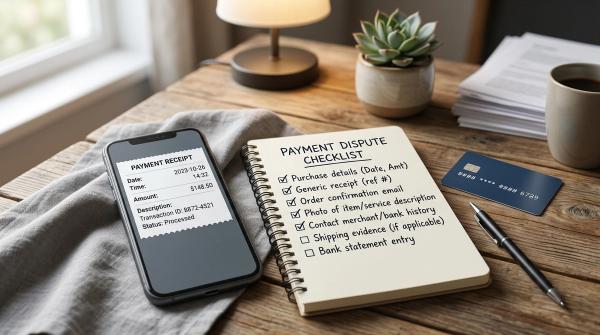
Payment Proof Checklist: What to Save
#For manual credit card payment, save:
- UPI reference number, if paid by UPI
- UTR number, if paid by NEFT or IMPS
- Bank transaction ID
- Screenshot of success page
- Date and time
- Amount paid
- Last four digits of the card or masked card number
For credit card auto debit, track or save:
- Debit SMS or email
- Bank account debit entry
- Credit card payment confirmation
- Card account posting date
- Updated outstanding amount
- Updated available credit limit
This may look like extra work, but it helps if money is debited from your bank account and not reflected on the credit card side.
So, Which One Should You Choose?
#Here is a simple way to decide.
Choose autopay if:
#- You forget due dates.
- You have a stable bank balance.
- You want protection from missed payments.
- You are comfortable tracking the linked account.
- You can set it to Total Amount Due.
Choose manual payment if:
#- You want to check the bill before paying.
- Your income date changes.
- Your cash flow is tight sometimes.
- You do not like automatic debits.
- You can reliably pay a few days before the due date.
Choose both if:
#- You want a practical safety net.
- You can review your statement every month.
- You want autopay only as a backup.
- You are willing to check how your issuer handles manual payment when autopay is active.
For many everyday users, using both is the most balanced option.
Manual payment gives control. Autopay protects you from forgetfulness.
Source-Aware Notes
#This guide uses the following basic regulatory framing:
- The RBI e-mandate framework covers recurring payments, including customer consent and notifications for applicable recurring transactions.
- The RBI credit card directions govern late-payment and past-due treatment, including how issuers handle late charges and reporting to credit information companies.
Issuer processes can vary a lot. Auto debit timing, manual payment posting, retry attempts, and duplicate debit handling may not be the same for every bank or card.
Always verify the exact process with your own card issuer.
Final Takeaway
#Autopay protects you from forgetting. Manual payment protects you from paying blindly.
For most Indian credit card users, the safest routine is not choosing one method forever. It is building a simple monthly system:
- Review the statement early.
- Keep autopay active as a backup.
- Pay manually a few days before the credit card due date if you want control.
- Keep enough balance if autopay may run.
- Save payment proof.
- Confirm that the card account is credited.
It is a small habit, but it can save you from missed bills, failed autopay stress, surprise debits, and payment-proof headaches.