Quick answer: The best food label scanner app is the one that works for the way you actually shop. If you mostly buy regular supermarket products, a barcode food scanner is usually the fastest. If you buy imported snacks, local brands, regional foods, or products that are not always in big databases, an OCR ingredient scanner can be more useful.
And if you have a serious allergy, please treat any app as a backup, not the final answer. Always read the package yourself.
Short Answer Box
Why a Food Label Scanner App Can Be Useful
#Food labels look simple until you are standing in a busy grocery aisle, holding a packet with tiny print, confusing additive names, and someone at home texting, “Is this vegan?”
Maybe one person in your family is vegan. Someone else avoids peanuts. Another person checks for Jain suitability, gelatin, egg, dairy, shellfish, artificial colors, or hidden animal-derived ingredients.
That is where a food label scanner app can genuinely help.
Depending on the app, it may let you:
- Scan a barcode.
- Read an ingredient list using your phone camera.
- Flag ingredients based on your diet.
- Warn you about allergens.
- Explain why a product may not fit your preferences.
But these apps are not magic. They can make mistakes.
A barcode result depends on the app’s product database. An OCR scan depends on lighting, label quality, and camera accuracy. A product entry may be outdated. A barcode may match the wrong item. The app may miss a “may contain” warning. And if you are dealing with allergies, one missed detail can matter a lot.
So the better question is not, “Which app is perfect?”
It is:
Which app helps me shop faster, and when should I still check the label myself?
Who This Guide Is For
#This guide is for anyone comparing an ingredient scanner app, vegetarian scanner app, vegan food scanner, allergy food scanner, barcode food scanner, or OCR ingredient scanner before downloading one.
It may be especially useful if:
- You buy packaged foods often.
- You want faster label checks.
- You follow a vegetarian, vegan, Jain, halal, kosher, or other dietary pattern.
- You are trying to avoid hidden animal-derived ingredients.
- You need to avoid specific allergens.
- You shop for imported, regional, or unfamiliar brands.
- You want a second opinion before buying snacks, sauces, sweets, instant foods, bakery products, dairy alternatives, or ready-to-eat meals.
If hidden non-vegetarian ingredients are your main concern, you may also want to read: vegetarian food labels abroad and hidden ingredients.
And if gelatin is one ingredient you worry about, this guide may help too: is gelatin vegetarian in India labels and sweets.
Who Should Think Twice Before Paying
#A paid food label checker app is not always necessary. Sometimes the free version is enough. Sometimes you may not need an app at all.
You may not need a paid app if:
- You mostly buy fruits, vegetables, grains, pulses, or unpackaged foods.
- You only track calories, protein, carbs, or fat.
- You buy the same trusted products again and again.
- You only need to check one ingredient occasionally.
- You are not sure the app works well in your country.
Be extra careful before paying if:
- You have a severe or life-threatening allergy.
- You need reliable cross-contamination information.
- You buy many local, small-brand, imported, or frequently changing products.
- The app does not show which ingredient caused the warning.
- The app only says “safe” or “not safe” without explaining why.
For serious allergies, no app should replace reading the actual package. Use the app as a helpful filter, not as the final decision.
Barcode Scanner vs OCR Ingredient Scanner vs Manual Label Check
#Before choosing a food label scanner app, it helps to understand the three main ways people check packaged foods.
1. Barcode Food Scanner
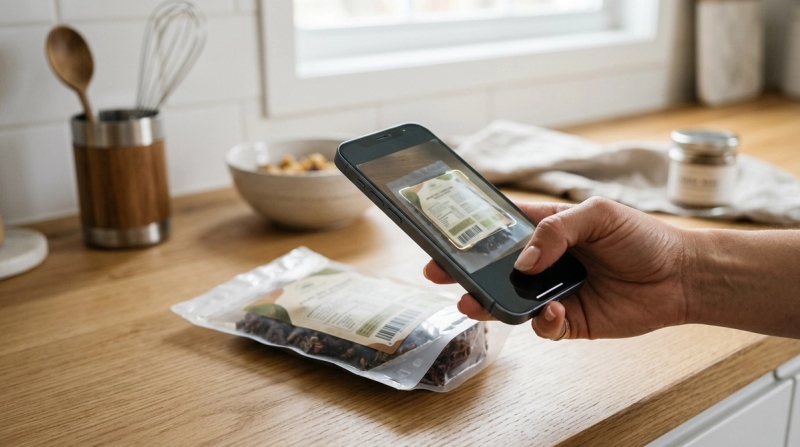
#A barcode food scanner reads the barcode on the product and matches it with a product database. If the item is listed, the app may show ingredients, allergens, nutrition details, dietary warnings, or a simple pass/fail result.
Best for:
- Fast supermarket shopping.
- Popular packaged foods.
- Big brands.
- Products you buy repeatedly.
- Quick “can I buy this?” checks.
Avoid if:
- You often buy imported, regional, niche, or small-brand products.
- The app has poor coverage in your country.
- You need to confirm the newest ingredient list.
- You want the app to read the actual package in your hand.
Main risk: The database may be incomplete, outdated, or inaccurate for your region.
Barcode scanning is convenient, but only when the product data behind it is reliable.
2. OCR Ingredient Scanner
#An OCR ingredient scanner uses your phone camera to read the ingredient list printed on the package. OCR stands for Optical Character Recognition.
This is helpful when the barcode scan fails or when the product is not in the app’s database.
Best for:
- Imported products.
- Regional brands.
- New launches.
- Products missing from barcode databases.
- Checking the ingredient list printed on the current package.
Avoid if:
- The store lighting is poor.
- The label is shiny, curved, crinkled, or very small.
- The ingredients are in a language the app does not handle well.
- You need extremely fast results in a crowded aisle.
Main risk: OCR can misread words. You still need to check whether the app captured the ingredient list correctly.
OCR can be very useful, but it is not perfect. A shiny packet, folded wrapper, tiny font, or bad lighting can easily confuse it.
3. Manual Label Check
#A manual label check means reading the ingredient list, allergen statement, dietary symbols, and warnings yourself.
It is slower, but when safety matters, it is still the most reliable habit.
Best for:
- Severe allergies.
- Strict vegan or vegetarian checks.
- Jain ingredient concerns.
- Products with unclear app results.
- “May contain” and manufacturing warnings.
- Final confirmation before buying or eating.
Avoid if:
- You are in a hurry.
- The print is extremely small.
- You do not know common hidden ingredient names.
- You are tired and likely to skim.
Main risk: Human error. Long ingredient lists are easy to miss, especially when you are shopping quickly.
For most people, the best routine is simple: use the app to narrow down your choices, then read the label yourself before deciding.
Quick Comparison
#- Barcode food scanner: Best for common packaged groceries. It is fast and convenient, but depends on database coverage.
- OCR ingredient scanner: Best for imported or unfamiliar products. It reads the actual label text, but can misread small or distorted print.
- Manual label check: Best for allergies, strict diets and final confirmation. It is the most direct method, but slower and requires ingredient knowledge.
- No app: Best for simple diets, fresh foods and repeat purchases. It is free and low effort, but hidden ingredients can be missed.
What to Check Before Choosing a Food Label Scanner App
#Do not choose an app only because the screenshots look polished or the rating is high. Test it with your food, your country, and your actual restrictions.
1. Barcode Database Coverage
#A barcode app is only as good as its product database.
Before paying, test it on:
- Your usual breakfast foods.
- Snacks you actually buy.
- Local supermarket private-label products.
- Imported foods.
- Smaller brands.
- Products with long ingredient lists.
If the app cannot identify your normal groceries at home, the paid version may not suddenly become useful in-store.
Look for whether the app shows:
- Full ingredient lists.
- Allergen information.
- Dietary compatibility.
- Ingredient explanations.
- The exact reason a product was flagged.
A simple green or red result may feel convenient, but it is not enough if you cannot see why the app gave that answer.
2. OCR Quality
#If you want an OCR ingredient scanner, test it in real shopping conditions, not just on a neat label at home.
Try scanning:
- A glossy packet.
- A curved bottle.
- A crinkled wrapper.
- A label with tiny print.
- A multilingual ingredient list.
- A product with a long ingredients panel.
A good OCR app should let you review the captured text before it gives a verdict.
This matters because one wrong word can change the result. If the app misreads ingredients like “casein,” “carmine,” “gelatin,” “egg,” “whey,” “shellfish,” “sesame,” or “peanut,” that is a serious problem.
3. Region Support
#A food label scanner app may work beautifully in one country and poorly in another.
Before subscribing, check whether users in your region mention:
- Missing products.
- Wrong barcode matches.
- Poor local brand coverage.
- Problems with imported items.
- Language support issues.
- Barcode scans returning no result.
This matters a lot. An app with strong coverage in one region may not perform equally well everywhere.
4. Diet and Lifestyle Profiles
#If you need a vegetarian scanner app or vegan food scanner, do not stop at the phrase “vegan friendly” in the app description. Check whether it supports your exact rules.
Useful profiles may include:
- Vegetarian.
- Vegan.
- Jain.
- Halal.
- Kosher.
- Dairy-free.
- Egg-free.
- Gluten-free.
- Peanut-free.
- Tree nut-free.
- Soy-free.
- Sesame-free.
- Additive avoidance.
- Hidden animal-derived ingredient alerts.
Also check whether the app supports more than one profile. This is useful for families. One person may need peanut alerts, another may need vegan checks, and someone else may want to avoid certain additives.
That kind of flexibility can make the app much more practical.
5. Allergy Support
#For an allergy food scanner, details matter more than a nice interface.
A useful allergy app should:
- Flag the exact ingredient that triggered the warning.
- Show allergen statements when available.
- Avoid vague “safe” claims without explanation.
- Let you create specific allergen profiles.
- Make it easy to review the original label information.
Still, be careful. Apps can miss product changes, outdated entries, and manufacturing warnings.
If you have a severe allergy, always read the physical label every time.
6. Privacy Habits
#Food preferences can reveal private information about your health, religion, lifestyle, and personal beliefs.
Before creating detailed profiles, check:
- What data the app collects.
- Whether health or dietary data is linked to your account.
- Whether your data is shared with third parties.
- Whether you can delete your account.
- Whether the app asks for location access.
- Whether camera access is only used for scanning.
You do not need to become a privacy expert. Just be cautious with apps that are vague about data use or ask for permissions that do not make sense.
Best For / Avoid If: Food Label Scanner App Types
#This is not a fixed ranking list. App features, pricing, free trials, and availability can change. Always check the current app store listing before subscribing.
Barcode-First Scanner Apps
#Best for:
- Shoppers who buy common supermarket products.
- Families who want quick first-pass checks.
- People comparing similar packaged foods quickly.
- Users who mainly need barcode product matches.
Avoid if:
- You often buy products missing from common databases.
- You need the app to read the exact ingredient list on the package.
- The app does not explain what caused a warning.
- Your region has poor barcode coverage.
OCR-First Ingredient Scanner Apps
#Best for:
- Imported snacks and sauces.
- Regional or small-brand products.
- Products with barcodes that do not scan correctly.
- Shoppers who want to review the printed ingredient list.
Avoid if:
- You need one-second results in a crowded aisle.
- You often scan shiny or curved labels.
- The app does not let you check the captured text.
- Your labels use languages the app handles poorly.
Additive and “Clean Label” Scanners
#Some apps focus less on allergens and more on additives, ultra-processed ingredients, sweeteners, colors, preservatives, and general food quality.
Best for:
- Shoppers who want to avoid certain additives.
- People comparing similar packaged foods.
- Users interested in ingredient transparency.
- Families trying to reduce specific processed-food ingredients.
Avoid if:
- Your top concern is a severe allergy.
- You need vegetarian, vegan, Jain, halal, or kosher checks.
- You need exact ingredient explanations, not broad food quality scores.
- You might confuse “less processed” with “safe for my allergy.”
These apps can be useful, but they are not always designed for strict dietary compliance.
General Nutrition Apps
#Nutrition apps are helpful, but they are not the same as food label scanner apps.
Best for:
- Calories.
- Protein.
- Carbs.
- Fat.
- Sugar tracking.
- Meal logging.
- Weight or fitness goals.
Avoid if:
- You need hidden ingredient detection.
- You are checking for gelatin, egg, dairy, shellfish, or animal-derived additives.
- You need allergen warnings.
- You need Jain, vegan, or vegetarian screening.
A nutrition app tells you the numbers. A food label checker app helps you understand the ingredients.
Should You Use an App or Not?
#Use a food label scanner app if it makes shopping less stressful and helps you catch ingredients you might miss.
But do not use one blindly.
A good app can help if:
- You regularly buy packaged foods.
- You check many labels every week.
- You follow more than one restriction.
- You shop in unfamiliar stores.
- You want faster first-pass screening.
You may be fine without an app if:
- You buy mostly whole foods.
- Your diet rules are simple.
- You rarely buy packaged foods.
- You already know your safe brands.
- You prefer reading every label yourself.
For many shoppers, the middle path works best: use the app for speed, then use your own eyes for final confirmation.
Common Mistakes to Avoid
#Mistake 1: Paying Before Testing Local Products
#Do not subscribe just because the screenshots look good. Test the app on products from your own kitchen first.
If it cannot identify your normal groceries, it may not be very helpful in a real store.
Mistake 2: Treating a Green Check as a Guarantee
#A green check is not a legal promise. Ingredients can change. Databases can lag. Labels can vary by country or region.
For allergies and strict diets, always read the package.
Mistake 3: Confusing Nutrition Tracking With Ingredient Checking
#A calorie app and an ingredient scanner app solve different problems.
If your question is, “How much protein is in this?” use a nutrition app.
If your question is, “Does this contain gelatin, dairy, egg, shellfish, peanut, or a questionable additive?” use a food label scanner app or read the ingredient list yourself.
Mistake 4: Ignoring “May Contain” and Manufacturing Warnings
#Ingredient lists are not the only thing that matters. Allergy statements and precautionary warnings can be important too.
Apps may not always capture these properly. Check them yourself.
Mistake 5: Not Setting Up Profiles Carefully
#If your profile is too broad, the app may flag almost everything. If it is too loose, it may miss things.
Spend a little time setting your exact restrictions before judging the app. It can make a big difference.
Step-by-Step Shopping Checklist
#Use this before paying for any food label scanner app.
- Write your actual rules. For example: vegan, no peanut, no egg, no gelatin, no dairy, no artificial color, Jain-friendly.
- Choose 2 or 3 apps to test. If possible, try at least one barcode food scanner and one OCR ingredient scanner.
- Test at home first. Scan 5 common pantry products and 2 less common or imported products.
- Check the results manually. Compare the app’s warning with the actual ingredient list.
- Look for explanations. The app should show what triggered the warning, not just a red or green result.
- Test in a real store. Try scanning products under normal shopping conditions, with real lighting and awkward packaging.
- Check region coverage. If many local products are missing, think carefully before paying.
- Review privacy settings. Check what data the app collects before adding health or allergy profiles.
- Only pay if it solves a real problem. Upgrade only if the paid features are useful for your actual shopping.
- Keep manual checking as the final step. This is especially important for allergies, strict vegan or vegetarian needs, and religious dietary concerns.
Final Takeaway
#A food label scanner app can make packaged food shopping faster and less stressful, especially if you are checking for vegetarian, vegan, Jain, allergy, additive, or hidden-ingredient concerns.
Choose a barcode food scanner if you mostly buy common supermarket products. Choose an OCR ingredient scanner if you often buy imported, regional, or unfamiliar foods. And for severe allergies, strict diets, or religious dietary concerns, always use manual label checks as the final step.
Start with the free version, test it on real products, check whether it works well in your region, and never let an app replace your own label reading when safety matters.