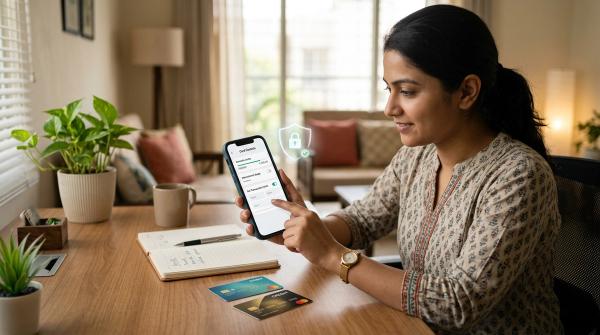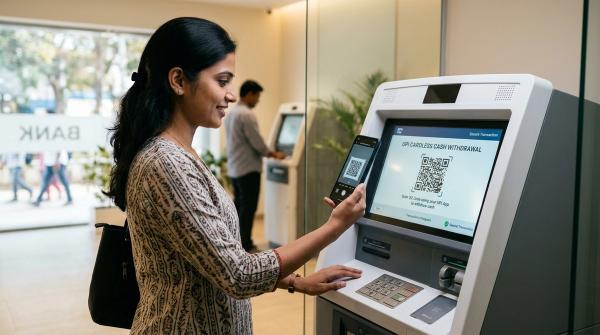
Deleting an app does not cancel the payment. To stop unwanted recurring payments, check where the payment permission lives: your card, UPI AutoPay, app store, wallet or bank mandate. Then cancel the service through the correct merchant or app-store path, revoke the mandate through official payment channels, and save proof before the next auto-debit.
Most subscriptions do not feel like a big decision when you start them. It may be one month of a streaming app, extra cloud storage, a discounted annual plan or a free trial you intended to cancel. The real problem is that small recurring payments can hide in different places.
One subscription may be linked to your credit card. Another may be inside UPI AutoPay. One may renew through Apple or Google. An older payment may still be active as a bank mandate. Sometimes the name on your statement does not look like the app or service you remember.
This guide is for general education only. It is not legal, financial, tax, banking or personalized advice. Subscription terms, cancellation rules and dispute processes vary by bank, payment provider and merchant. If you notice an unauthorized or disputed debit, contact your bank, card issuer, UPI app, wallet or service provider promptly.
Where recurring payments usually hide
#A quick warning: do not cancel important mandates casually. A forgotten entertainment subscription is different from a loan EMI, insurance premium, electricity bill, rent or housing maintenance payment. If you stop those without setting up another payment method, you could face failed payments, penalties, service interruption or other issues under your agreement.
The subscription cleanup checklist
#Give yourself 30 to 45 minutes. Keep your phone, email, bank app, card app, UPI apps and a notes app ready. The goal is simple: make one clear list of what is active, then cancel only what you no longer need.
1. Make one master list before you cancel anything
#Start with a note or spreadsheet. Add these columns:
- Merchant or service name
- Amount
- Payment method
- Renewal date or next debit date
- Mandate ID, UMRN or reference number
- Status: active, paused, cancelled or unclear
- Proof saved: yes or no
- Action needed
This may feel like extra work, but it saves confusion later. Without a list, it is easy to cancel something in one place and forget whether you also cancelled it somewhere else. It also helps if a payment still goes through and you need to raise a complaint or dispute.
2. Check UPI AutoPay in every UPI app you use
#Open every UPI app you have used, not just the one you use now. Many people approve a mandate in one UPI app, then switch to another app and forget the old one.
Look for sections named:
- AutoPay
- Mandates
- Recurring payments
- UPI mandates
- Approved payments
Open each active mandate and note the merchant name, amount, frequency, next debit date and mandate ID if shown. If you no longer want the service, first check whether the subscription also needs to be cancelled from the merchant’s app or website. Then revoke, pause or cancel the UPI AutoPay mandate from the UPI app, depending on the options available.
3. Check card autopay and e-mandates
#Next, open your credit card app, debit card app and net banking. Look for sections like:
- E-mandates
- Recurring transactions
- Standing instructions
- Subscriptions
- Auto debit
- Merchant mandates
Card autopay can be hidden. It may not appear clearly on your normal transaction screen until the money is actually charged. For each active card mandate, write down the merchant name, card used, amount if visible, next debit date and reference number or mandate ID.
Also check SMS and email for pre-debit alerts from the bank or card issuer. These messages may include instructions to manage or withdraw the mandate. Use official channels only. If a message looks suspicious, open your bank app or website directly instead of tapping the link.
4. Check Apple and Google Play subscriptions
#Some subscriptions are billed by the app store, not directly by the merchant. That means they may not show up neatly under your bank’s mandate list.
On Apple devices, check your Apple ID subscription settings. On Android, check the Google Play subscriptions section. Look for active subscriptions, expired subscriptions, free trials about to renew, annual plans you forgot about and in-app subscriptions you no longer use.
Cancel unwanted subscriptions from the app-store subscription page itself. Deleting the app is not enough. The subscription can continue even if the app is no longer on your phone.
Also check shared or family accounts. Sometimes one person pays while another person uses the service, and nobody remembers who started it.
5. Search your email for hidden renewals
#Your inbox is one of the best places to find forgotten subscriptions. Search for terms like:
- Subscription
- Renewal
- Auto-renew
- Payment successful
- Invoice
- Receipt
- Your trial ends
- E-mandate
- Mandate registered
- UPI AutoPay
- Standing instruction
- Pre-debit notification
Do not stop at your main inbox. Check Promotions, Updates, Spam, archived emails and old folders. When you find a service, add it to your master list. If it is already cancelled, mark it as cancelled and save the email as proof.
6. Review bank and card statements for repeated charges
#Review at least the last two or three months of bank and card statements. If possible, also check the last year for annual renewals.
Look for:
- The same amount charged every month
- The same merchant charging around the same date
- Small international or foreign currency charges
- Names you do not recognize
- Trial plans that quietly became paid
- Annual charges that may not appear every month
Some billing names are confusing. Your statement may show a parent company, payment processor or billing partner instead of the brand name you know. If you do not recognize a name, search that exact name in your email. You may find the original receipt or invoice.
Do not assume fraud immediately just because the name looks unfamiliar. First check whether it connects to an app, website, app-store charge or older subscription. If it still looks wrong, contact your bank or payment provider promptly.
7. Cancel with the merchant, then cancel the payment mandate
#If you only revoke the payment mandate, the merchant may still show your subscription as active until the next payment fails. For a small monthly app, that may not be a big deal. But for contracts, memberships, loans, insurance, utilities or important services, it can create problems.
A safer cancellation flow is:
- Log in to the merchant account.
- Cancel the subscription or turn off auto-renewal.
- Save the cancellation confirmation.
- Revoke, pause or withdraw the payment mandate through your bank, card issuer, UPI app, wallet or app store.
- Save proof again.
For Apple or Google subscriptions, cancellation through the app-store subscription page may be the official method. For card, UPI, wallet or bank mandates, you may need to cancel with the merchant and also withdraw the payment permission from the payment provider.
8. Keep checking until the next billing date passes
#After you cancel, do not mentally close the matter right away. Check again around the expected billing date.
Watch for:
- A new pre-debit notification
- A failed payment message
- A fresh invoice
- A renewal email
- A card or bank debit
- The merchant account still showing the plan as active
If the service still looks active after cancellation, contact the merchant. If money is debited after cancellation, contact your bank, card issuer, UPI app, wallet or payment provider quickly. Share your saved proof, including screenshots, mandate IDs, emails and statement entries.
RBI e-mandate protection, pre-debit notices and mandate withdrawal
#For recurring digital payments in India, the Reserve Bank of India’s e-mandate framework is important. In simple terms, for applicable recurring transactions, the framework requires a pre-debit notification before the debit happens. It also refers to a facility to withdraw the e-mandate, so customers have a way to stop the recurring payment permission.
That pre-debit message is not just another bank notification. Treat it like a warning bell. When you receive one, check the merchant name, amount, debit date, payment method and option to manage, pause or withdraw the mandate.
If you do not want the payment to go through, act quickly. Do not wait for the money to be debited. Use your bank, card issuer, UPI app or wallet’s official channel. Be careful with links in SMS or email. If anything feels off, open the official app or website yourself.
What proof to save before and after cancellation
#Proof is boring until you need it. Then it becomes very useful. Save everything in one folder, email label or notes app.
Keep:
- Screenshots of active mandates before cancellation: merchant name, amount, next debit date, payment method and mandate status.
- Screenshots after cancellation or revocation: the screen that shows cancelled, revoked, paused, stopped or auto-renewal off.
- Mandate IDs and UMRNs: mandate IDs, Unique Mandate Reference Numbers, UPI mandate IDs, e-mandate references or bank reference numbers.
- Merchant cancellation emails: confirmations showing cancellation, plan expiry, auto-renewal off, trial cancellation or account closure.
- Bank, card, UPI or wallet messages: mandate registration, pre-debit alerts, debit failures, revocation or cancellation.
- Chat transcripts or support ticket numbers: save the ticket ID, chat transcript and date of conversation.
- Statement entries: if you were charged, save the bank or card statement line showing merchant name, date and amount.
If there is a dispute, share proof only through official support channels. Do not publicly post full card numbers, UPI IDs, bank account details, OTPs or sensitive screenshots.
A simple monthly habit to avoid subscription clutter
#You do not need to do a full cleanup every week. Once a month, preferably a few days before salary day or bill payment day, quickly review:
- UPI AutoPay mandates
- Card e-mandates
- App-store subscriptions
- Wallet recurring payments
- Bank standing instructions
- Recent bank and card statements
- Pre-debit notifications
For each active payment, ask yourself: “Would I sign up for this again today?”
If the answer is no, cancel it properly and save proof. That one question can save you a lot of small, annoying debits over the year.
Final takeaway
#A good subscription cleanup is not about cancelling everything. It is about knowing what is active, what you still use, what you do not need and where the payment permission lives.
Check UPI AutoPay, card autopay, app-store subscriptions, wallets and bank mandates. Cancel with the merchant where needed. Then revoke or withdraw the payment mandate through the official channel.
And save proof: screenshots, mandate IDs, cancellation emails and bank messages. Do this once a month, and random “Why was I charged?” moments will become much rarer.