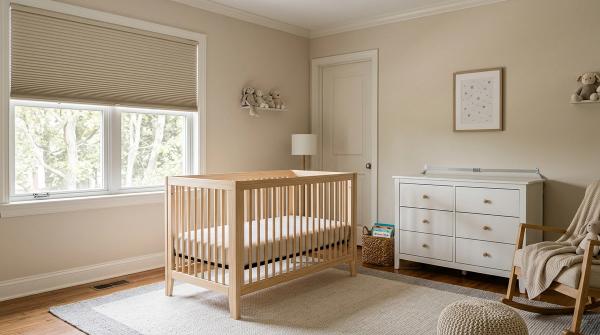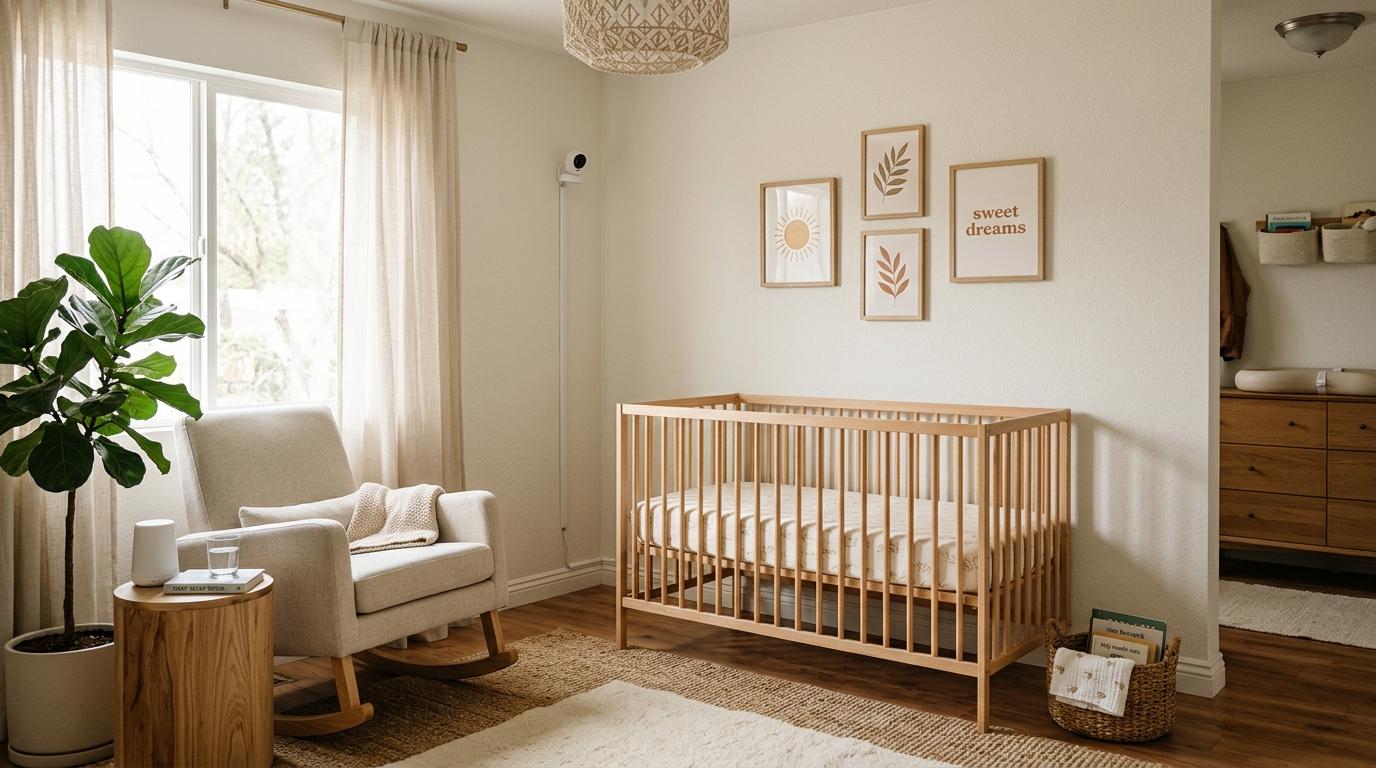
Place your baby monitor on a secure wall mount or a steady high shelf, ideally about 5 to 6 feet above the floor. Keep every cord at least 3 feet, or about 1 metre, away from the crib, bassinet, or play yard. Never attach the camera to the crib, and never leave loose cable near your baby’s sleep space. Keep the crib bare, follow safe sleep basics, and check your Wi-Fi settings before regular use.
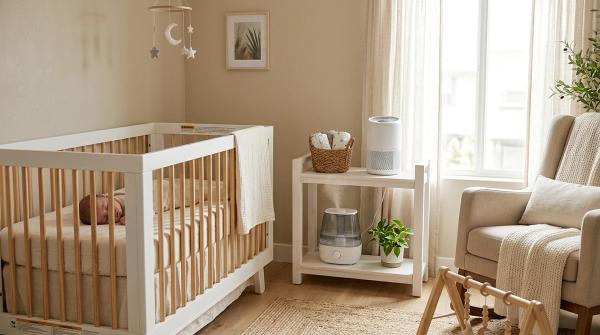
Setting up a nursery sounds simple until you’re standing in the room with a crib, a camera, one awkward plug point, and a baby who somehow needs everything ready immediately.
You want to see your baby clearly. That’s completely understandable. A good monitor view can make those early months feel a little less nerve-wracking.
But the safest baby monitor setup is not just about getting the perfect angle. It’s also about making sure the camera, cord, plug, adapter, and anything attached to them are completely out of your baby’s reach — not just today, but a few months from now when your baby suddenly starts rolling, grabbing, pulling, and exploring everything.
Baby monitors are useful. They can bring a lot of peace of mind. But where and how you place them really does matter.
Here’s a practical, parent-friendly checklist to help you set up your baby monitor safely.
Quick Baby Monitor Placement Checklist
#Before you mount, stick, clamp, or plug in anything, run through this list:
- Keep all baby monitor cords at least 3 feet, about 1 metre, away from the crib, bassinet, or play yard.
- Do not mount the camera on the crib, inside the crib, or on the crib rails.
- Use a secure wall mount or a stable high shelf.
- Choose a clear view without adding anything inside the crib.
- Keep the crib bare and follow AAP safe sleep basics.
- Cover or route cords properly so there are no loose loops.
- Keep adapters, extension boards, and power strips away from the crib area.
- Change the default password if your monitor uses Wi-Fi.
- Turn on two-factor authentication if the app offers it.
- Update the monitor app and firmware when updates are available.
- Recheck the setup as your baby grows and becomes more mobile.
Why Baby Monitor Placement Matters
#Most parents think about the camera view first.
Can I see the baby’s face?Is the room too dark?Is the crib rail blocking the view?Will I be able to tell if the baby rolls over?
Those are all normal questions.
But the bigger safety question is this:
Can my baby reach any part of this setup?
A newborn may barely move at first. Then one day they roll. Then they scoot. Then they start reaching through crib rails with surprising determination. A cord that looked “far enough” in the newborn stage may not be safe once your baby is older, taller, and more curious.
Good baby monitor placement means thinking ahead. You want a clear view, yes — but not at the cost of cord safety, crib safety, sleep safety, or privacy.
The CPSC 3-Foot Rule for Baby Monitor Cord Safety
#The U.S. Consumer Product Safety Commission, or CPSC, has warned parents about baby monitor cord hazards.
Their key rule is simple:
Keep all baby monitor cords at least 3 feet away from any part of the crib, bassinet, or play yard.
And this does not mean only the camera lens or the main cable. The entire setup matters.
Check the distance of:
- Camera power cords
- Charging cables
- Extension cords
- Power adapters
- Multi-plug boards or extension boards
- Extra cord tucked behind furniture
- Loose cable loops
- Any cord that could be pulled toward the crib
If any part of the cord setup can be reached from the crib or pulled into the crib area, it needs to be moved.
What 3 feet means in a real nursery
#Three feet is about 36 inches, or roughly 1 metre.
It’s better to measure than guess. Rooms can be deceiving, especially when furniture is close together.
Measure from the nearest edge of the crib to:
- The camera body
- The hanging cord
- The plug point
- The power adapter
- Any extension board
- Any extra cable or loose cord
If the shortest distance is less than 3 feet, adjust the setup. Move the monitor, move the crib, choose a different plug point, or reroute the cord.
Cord safety tips that actually help
#- Run cords straight down the wall, then away from the crib.
- Use cord covers or wall trunking so the wire is enclosed.
- Do not leave extra cable looped behind the crib.
- Do not run cords under the crib.
- Keep extension boards, plugs, and adapters well away from the crib.
- Recheck the cord path after cleaning, moving furniture, or lowering the crib mattress.
This is especially important in small rooms, shared bedrooms, and apartments where plug points are not always conveniently placed. Extension boards may be common in many homes, but they still need to stay outside the 3-foot safety zone.
AAP Safe Sleep Basics Still Come First
#A baby monitor does not make an unsafe sleep space safe.
The American Academy of Pediatrics, or AAP, recommends that babies sleep on their back, on a firm, flat sleep surface, with no soft objects or loose bedding in the sleep area.
For everyday sleep, that means:
- Place your baby on their back for sleep.
- Use a firm, flat mattress made for the crib, bassinet, or play yard.
- Keep the crib bare.
- Do not add pillows, loose blankets, bumpers, soft toys, or extra padding.
- Do not attach monitor accessories inside the crib.
It can be tempting to think, “It’s fine, I can see the baby on camera.”
But the monitor is only a viewing or listening tool. It does not replace a safe sleep setup.
Also, don’t rely on monitor alerts as medical supervision. Some monitors offer breathing, movement, temperature, sound, or sleep alerts. Those features may be helpful for some families, but safe sleep basics still come first.
Where to Place a Baby Monitor: Best Options Compared
#The best place for a baby monitor depends on your room layout, crib position, wall type, plug points, and whether you’re allowed to drill.
Here’s a simple comparison.
Best Height and Angle for a Nursery Camera
#A good starting height is usually 5 to 6 feet above the floor, with the camera angled down toward the crib.
This height often gives you a clear view without bringing the camera too close to your baby. Of course, every room is different, so treat this as a starting point rather than a strict rule.
When testing the angle, make sure you can see:
- The mattress surface
- Your baby’s general position
- The crib edges
- Enough of the room to understand what you’re looking at
Try not to chase a perfect close-up if it means placing the camera too near the crib. A slightly wider view from a safer distance is usually the better choice.
Step-by-Step Baby Monitor Setup
#Use this order before you permanently mount the camera.
1. Pair and test the monitor first
#Before putting anything on the wall, plug in the monitor and test it.
Check that:
- Video works
- Audio works
- Night vision works, if included
- App login works, if it is a Wi-Fi monitor
- Firmware or app updates are installed, if available
- The signal is strong in the room
This saves you from mounting the camera and then realizing the angle is wrong, the connection is weak, or the app is not working properly.
2. Choose two or three possible spots
#Don’t settle on the first place that seems okay. Pick a few possible locations, such as:
- A wall corner
- A high shelf across from the crib
- A side wall with a downward view
- A tall dresser away from the crib
Then compare each one for three things:
- View
- Cord safety
- Stability
The best spot is the one that balances all three.
3. Hold the camera in place and test the view
#If possible, ask another adult to hold the camera at the planned height while you check the screen.
Look for:
- A clear view of the mattress
- No major blockage from crib rails
- No glare from windows
- No reflection from mirrors or glossy furniture
- Good night vision without bright spots
Also test the view during the day if sunlight enters the room. A camera can look great at night and then become almost useless when pointed toward a bright window.
4. Measure the crib monitor distance
#Use a tape measure.
Confirm that the camera, cord, plug, adapter, extension board, and any extra cable are all at least 3 feet, about 1 metre, from the crib, bassinet, or play yard.
Do not only measure from the camera lens. Measure the entire setup.
If the cord dips, loops, or runs behind furniture near the crib, include that too.
5. Secure the camera
#Depending on your home, choose a safe mounting option:
- Manufacturer-approved wall mount
- Screws and anchors suited to your wall type
- Strong renter-friendly mounting strips, if suitable for the camera weight
- A stable high shelf that cannot be easily bumped
Always follow the monitor manufacturer’s instructions.
If you use adhesive strips, check the weight limit and wall surface first. Some strips do not hold well on dusty, textured, damp, uneven, or freshly painted walls. A camera that falls is not a safe setup, even if the angle was perfect.
6. Route and cover the cord
#Run the cord in a clean, controlled path. Ideally, it should go straight down the wall and then away from the crib.
You can use:
- Cord covers
- Wall trunking
- Cable clips, where suitable
- Cable ties to remove slack, placed away from the crib
Do not leave loose hanging cable, even if it is partly hidden behind furniture. Hidden does not always mean safe.
7. Check the setup from your baby’s point of view
#Get low and look around the room from crib height. It may feel a little silly, but it helps.
Ask yourself:
- Could my baby reach the cord through the crib rails?
- Could they pull the cable later as a toddler?
- Could the camera fall into the crib?
- Could a stand tip toward the crib?
- Is any extension board close enough to touch or pull?
- Is there any loose cable I stopped noticing because I see it every day?
This check becomes more important once your baby starts rolling, crawling, pulling up, and standing.
8. Recheck after room changes
#Recheck the monitor setup whenever you:
- Move the crib
- Lower the crib mattress
- Add or remove furniture
- Shift the monitor
- Move from bassinet to crib
- Notice your baby reaching, standing, or grabbing things
A safe setup is not a one-time task. Babies change quickly, and the room needs to change with them.
Baby Monitor Wi-Fi Safety and Privacy Checklist
#If your monitor connects to Wi-Fi or uses an app, take a few minutes to secure it.
You don’t need to be a tech expert. Just don’t leave everything on default.
Wi-Fi privacy checklist
#- Change default passwords on the monitor account and app.
- Use a unique password that you do not use anywhere else.
- Turn on two-factor authentication, if available.
- Update the app and firmware when updates are available.
- Check who has access to the app.
- Remove old phones, shared users, or unused logins.
- Secure your home Wi-Fi password.
- Do not leave your router password as the default.
- Disable remote viewing if you do not need it and your monitor allows this.
- Avoid sharing monitor login details casually in family chats.
- Review privacy settings after app updates.
Wi-Fi or non-Wi-Fi monitor?
#Both can work.
A Wi-Fi monitor can be useful if you want app access from another room, or if a trusted caregiver needs access.
A non-Wi-Fi monitor may feel simpler if you do not want app-based viewing or remote access.
Either way, the physical safety rules do not change. Cord safety and safe sleep still come first.
Small-Room and Rental-Friendly Placement Tips
#Not everyone has a big nursery with perfect plug points, empty walls, and plenty of space. Many babies sleep in a parent’s room, a shared bedroom, or a compact apartment. That is completely normal.
Try these practical ideas:
- Place the crib first, then plan the monitor around the 3-foot cord rule.
- Use a high shelf across the room if drilling is not allowed.
- Choose a side angle instead of forcing a perfect overhead shot.
- Use cord covers that suit your wall surface.
- Keep extension boards on the far side of the room.
- Do not balance the camera on narrow ledges, window grills, or unstable furniture.
- If using a floor stand, keep it outside the crib zone and check that it cannot tip inward.
- Recheck the setup after moving furniture, even slightly.
For renters, be careful with adhesive mounting. Check the surface and weight limit first. If the camera can fall, the setup is not safe enough.
Common Baby Monitor Placement Mistakes to Avoid
#Mistake 1: Mounting the camera on the crib
#A crib clamp may look easy and convenient, especially if you want a close view.
But it brings the camera, mount, or cord too close to your baby’s sleep space. Avoid crib rail mounts and anything that places the monitor inside the 3-foot safety zone.
Mistake 2: Hiding extra cord behind the crib
#If the cord is behind the crib but still reachable, it is still a hazard.
Route it away from the crib and cover it properly. Loose cable should not be tucked behind the crib as a shortcut.
Mistake 3: Using the monitor to justify extra bedding
#Do not add pillows, blankets, bumpers, toys, or padding just because you can “watch closely.”
The crib should stay bare whether there is a monitor or not.
Mistake 4: Forgetting the baby will grow
#A setup that works for a newborn may not work for a baby who rolls, crawls, stands, or reaches.
Recheck the monitor placement often, especially during big developmental changes.
Mistake 5: Leaving Wi-Fi settings as default
#If your monitor uses an app, don’t skip the basic security steps.
Change the password, update the software, and limit who has access. It only takes a few minutes, and it matters.
Final Baby Monitor Placement Checklist
#Use this before you call the setup done.
Crib and cord safety
#- Camera is not attached to the crib.
- Camera is not inside the crib.
- Camera is on a stable shelf or secure mount.
- All cords are at least 3 feet, about 1 metre, from the crib, bassinet, or play yard.
- Plug, adapter, and extension board are also outside the 3-foot zone.
- No loose cord loops hang near the crib.
- Cord is covered or routed safely.
- Camera cannot fall into the crib.
- The setup has been checked from crib height.
Safe sleep nursery
#- Baby’s sleep surface is firm and flat.
- Baby is placed on their back for sleep.
- Crib is bare.
- No pillows, bumpers, loose blankets, soft toys, or extra padding are in the sleep space.
- Monitor alerts are not being treated as medical supervision.
Wi-Fi and privacy
#- Default monitor password has been changed.
- Home Wi-Fi password is secure.
- Two-factor authentication is on, if available.
- App and firmware are updated.
- Only trusted users have access.
- Remote viewing is off if not needed and if the device allows it.
Final Note
#A good baby monitor setup is not about getting the prettiest camera angle. It is about getting a clear enough view while keeping cords, plugs, mounts, and accessories safely away from your baby’s sleep space.
Measure the distance. Secure the cord. Keep the crib bare. Then check everything again as your baby grows.
They are small steps, but they matter.
This guide is for general safety information and is not medical advice. Follow your baby monitor manufacturer’s instructions, CPSC cord safety guidance, and AAP safe sleep recommendations.