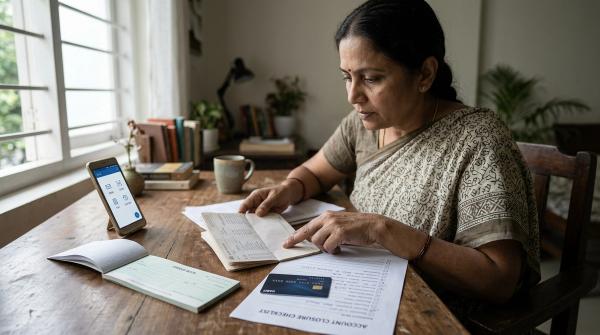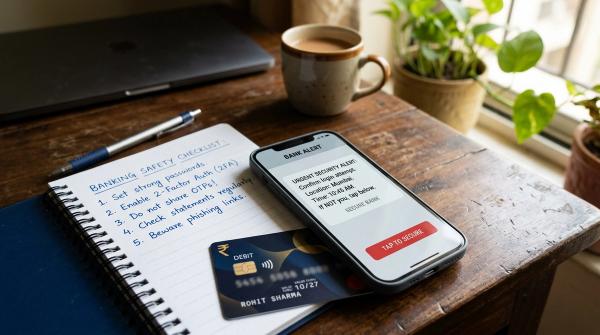
A credit card refund after statement generated can feel confusing. Your bill says one amount, the merchant says the refund has been processed, and your card app may show something else.
Direct answer: if the refund has actually been credited to your credit card account before the payment due date, it should generally be adjusted against your payment due. You usually pay only the remaining amount. If the refund has not appeared in your card account before the due date, pay the amount due shown by your issuer unless the issuer clearly confirms otherwise.
The important word is credited. A merchant saying “refund initiated” is not the same as the refund reaching your credit card account.
First, what does RBI guidance say?
#The key reference is the Reserve Bank of India’s Credit Card and Debit Card, Issuance and Conduct Directions, 2022, along with RBI’s related FAQ.
In simple terms, RBI guidance says that if a refund, failed transaction reversal, or similar credit is received by the card issuer before the payment due date, it should be adjusted against the cardholder’s payment due.
RBI’s FAQ also indicates that late payment charges should be applied only on the outstanding amount after adjusting eligible payments, refunds, and reversals.
That sounds straightforward, but there is a practical catch: the refund must have reached your card issuer and must be visible or posted in your credit card account. A refund confirmation from a merchant, airline, hotel, or shopping app does not automatically mean your credit card bill has already been adjusted.
Refund before due date vs after due date
#The answer depends mainly on when the refund is posted to your credit card account.
1. Refund credited before the payment due date
#Suppose your credit card statement is generated for ₹20,000.
After the statement is generated, you cancel an order and receive a refund of ₹5,000. The refund is credited to your credit card account before the payment due date.
In this case, the ₹5,000 refund should generally be adjusted against your payment due. So instead of paying ₹20,000, you would usually need to pay ₹15,000.
Before paying, check your card app, net banking, unbilled transactions, or current outstanding amount. Make sure the refund is actually visible in your account.
2. Refund not credited before the payment due date
#Now imagine the same bill. Your statement amount is ₹20,000. The merchant has approved a refund of ₹5,000, but the refund has not appeared in your credit card account by the due date.
In this situation, the safer option is to pay the amount due shown by your card issuer.
If you pay only ₹15,000 on your own and the refund comes later, the issuer may treat the remaining ₹5,000 as unpaid for that billing cycle. That can create late fee or interest issues.
Once the refund is finally credited, it will usually appear as a credit in your card account. It may then reduce your outstanding balance or get adjusted against future purchases.
3. Refund credited after you already paid the full bill
#This is common. You pay the full bill because you do not want to take a risk. A few days later, the refund arrives.
In that case, your card account may show a credit balance, or your outstanding amount may reduce. Usually, this credit gets adjusted against your next bill or future card spending.
If the amount is large and you are unsure how it will be treated, contact your card issuer through official customer support.
Total due vs minimum due: don’t mix them up
#The minimum amount due is not the same as the total amount due.
If your goal is to avoid interest and late payment problems, focus on clearing the adjusted total due, not just the minimum due.
Paying only the minimum due may keep the account from being marked as completely unpaid, but it can still lead to interest charges on the remaining balance.
What you should do step by step
#1. Check whether the refund is actually posted
#Open your credit card app, net banking, or account statement section. Look for the refund in recent transactions, unbilled transactions, account activity, the credit card ledger, or current outstanding details.
The refund may appear as a refund, reversal, credit, CR entry, failed transaction reversal, or merchant credit.
If you cannot see the refund anywhere, do not assume it has been adjusted.
2. Check the refund posting date
#The posting date matters a lot.
If the refund is posted before the payment due date, it should generally be adjusted against your payment due. If it is posted after the due date, do not assume it will save you from late charges for the earlier cycle.
The merchant refund date and the card posting date may not be the same. For bill payment purposes, what matters is when the refund is credited to your credit card account.
3. Compare your statement amount with current outstanding
#Your PDF statement may still show the original amount because it was generated before the refund came in.
For example, your statement may say ₹30,000, but after a refund, your current outstanding may show ₹23,000. This difference is normal. The statement is a snapshot from the billing date, while your card account keeps changing after payments, refunds, reversals, and new transactions are posted.
4. Pay the adjusted total due
#If the refund has been credited before the due date, pay the remaining amount.
For example:
- Statement total due: ₹30,000
- Refund credited before due date: ₹7,000
- Remaining amount to pay: ₹23,000
In this case, you would generally pay ₹23,000 by the due date. If your issuer’s app is unclear, contact customer support before reducing the payment.
5. If the app still shows the full bill, ask the issuer
#Sometimes the payment screen still shows the original statement amount even after a refund appears in the transactions.
Ask your card issuer a clear question through official support:
“A refund of ₹X was credited to my credit card account on DD/MM, before my payment due date. What amount should I pay to avoid late payment charges and interest?”
Save the response if it comes by email, chat, or ticket.
6. Don’t skip payment just because the refund is “in process”
#If the merchant says the refund is “initiated” or “in process,” but it has not reached your credit card account, do not automatically reduce your payment.
Until the refund is posted to your card account, your issuer may still consider the billed amount payable.
What proof should you keep?
#Keep records until the next statement is generated and the adjustment is clearly settled.
Save these:
- Original credit card statement showing the charged amount
- Merchant cancellation or refund confirmation
- Screenshot of the refund entry in your credit card account
- Refund posting date
- Payment receipt for the amount you paid
- Chat transcript, email, complaint ticket, or service request number from the issuer
- Any message from the issuer confirming the payable amount
This proof can help if your card issuer wrongly charges a late fee, interest, or does not adjust an eligible refund properly.
What if the issuer charges a late fee anyway?
#If the refund was credited to your credit card account before the due date, but the issuer still charges a late fee on that refunded amount, raise a complaint with the issuer first.
Mention clearly:
- Statement amount
- Refund amount
- Refund posting date
- Payment due date
- Amount you paid
- Late fee or interest charged
- That the refund was credited before the due date
You can refer to RBI’s credit card directions and FAQ regarding adjustment of refunds, reversals, and payments before calculating late payment charges.
If the issuer does not resolve the issue through its grievance process, consider escalating through RBI’s complaint mechanism, as applicable.
Do not withhold payment only because you are in a dispute with the merchant. Until the refund is actually posted to your credit card account, the issuer may still consider the billed amount payable.
Quick practical rule
#For a credit card refund after statement generated, use this simple rule:
- Refund credited before due date: pay the statement total minus the credited refund, after checking your card account.
- Refund not credited before due date: pay the amount due shown by your issuer, unless the issuer confirms a lower payable amount.
- Refund credited after you already paid: it should show as a credit or adjustment and usually gets adjusted against future dues.
When in doubt, don’t guess. Check the card app, contact the issuer, and save written proof. A five-minute confirmation is much better than fighting a late fee later.
Source note
#This guide is general education for Indian cardholders. It is based on RBI credit card directions and RBI FAQ language on refund/reversal adjustment and late-payment charge calculation. Always verify your current payable amount with your card issuer’s official app, statement, or support channel.