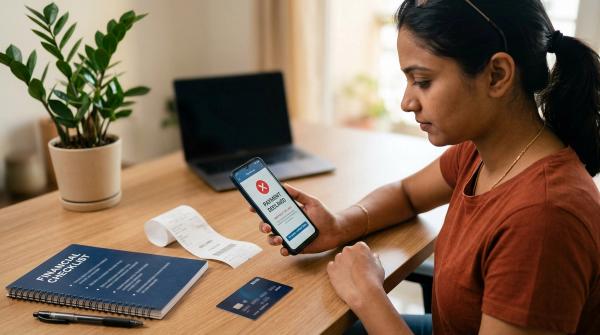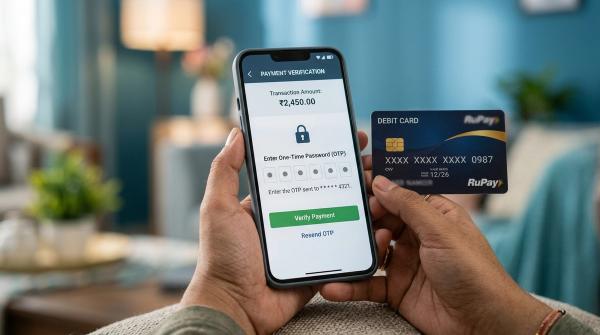
A bank can charge a credit card overlimit fee in India, but the overlimit facility should not be active unless you have clearly agreed to it. Under RBI’s credit card framework, using a card beyond its sanctioned credit limit requires prior explicit consent from the cardholder. If you have not opted in, a transaction that crosses your limit should generally be declined instead of being approved with a surprise overlimit charge.
What is a credit card overlimit fee?
#A credit card overlimit fee is a charge your card issuer may apply when it approves a transaction even though that transaction takes your outstanding balance above your sanctioned credit limit.
For example, say your credit card limit is ₹1,00,000. You have already used most of that limit. Then you make another purchase that pushes your card balance beyond ₹1,00,000.
If your bank allows that purchase under the overlimit facility, it may charge an overlimit fee as per your card terms.
This fee is not the same for every card. It can vary based on the bank, card variant, billing cycle, repayment status, and schedule of charges. Always check your own card’s MITC, schedule of charges, app, net banking portal, statement, and official card terms.
What RBI says about overlimit consent
#RBI’s credit card framework makes the consent requirement clear: a card issuer should not activate overlimit usage silently. If a cardholder is going to be allowed to spend beyond the sanctioned credit limit, the issuer should have the cardholder’s prior and explicit consent.
In plain language, this means:
- Your bank should not switch on overlimit usage without telling you.
- Spending beyond your sanctioned limit should require clear permission.
- The rule helps reduce fraud and gives cardholders better control.
- If you have not opted in, a transaction above your limit should normally be declined.
You may have given this consent through your credit card app, net banking, a customer-care verification, a digital confirmation, a physical or online form, or a card-control setting. Depending on the issuer, the setting may appear as “overlimit facility,” “allow overlimit transactions,” “credit limit exceed option,” or similar wording.
Declined transaction vs overlimit approval vs limit increase
#A credit limit increase is different from an overlimit approval. If one overlimit transaction goes through, it does not mean your credit limit has permanently increased.
How overlimit charges may appear in your statement
#If your overlimit facility is active and a transaction takes your card balance above the limit, the fee may appear as “overlimit fee,” “overlimit charges,” “credit limit exceeded fee,” “limit exceed charges,” or similar wording.
Before using or keeping this facility active, check:
- Your card’s MITC and schedule of charges.
- The fee section in your mobile app or card portal.
- SMS, email, or app alerts about overlimit activation.
- Whether the fee is charged once per billing cycle, per instance, or under another rule.
- Whether taxes apply on the fee.
Crossing your limit is also separate from paying your bill. If you do not pay dues by the due date, interest, late payment charges, and other fees may apply as per your card terms.
What if a refund or reversal comes later?
#Refunds can make overlimit situations confusing. Suppose your bank approves an overlimit transaction and the merchant later cancels the order and refunds the money. You may expect the overlimit fee to disappear too, but that may not always happen automatically.
Whether the overlimit fee is reversed can depend on your issuer’s terms, transaction date, refund date, billing cycle, and how the bank treats that type of reversal.
Even if a refund brings your balance back within the limit, check your next statement carefully. If the fee remains and you believe it should not apply, contact your card issuer through official support channels. Save the refund proof, merchant email, transaction receipt, and complaint number.
What to check in your credit card app
#Most cardholders can avoid confusion by checking card controls in their bank app or net banking account. The exact menu name will vary, but look for sections such as card controls, usage settings, credit limit settings, overlimit facility, transaction controls, domestic usage, international usage, and alerts.
The core question is simple: is the overlimit facility on or off?
If it is on and you do not want transactions approved beyond your credit limit, turn it off if your issuer provides that option. Save the confirmation. If it is already off, save proof of that too.
Checklist to avoid overlimit fees and interest
#Use this checklist before large purchases, travel bookings, festive shopping, school fee payments, medical expenses, annual insurance premiums, or any month where your card spending is higher than usual.
- Check your available limit before spending. Pending transactions, EMI conversions, fees, interest, and unpaid dues can reduce available credit.
- Review the overlimit facility setting. If you do not want overlimit approvals, make sure the facility is not active.
- Save proof of your consent status. Take a screenshot of the overlimit setting and save confirmation messages.
- Read the MITC fee section. Look for “overlimit fee,” “credit limit exceeded,” or similar terms.
- Turn on spending alerts. SMS, email, and app notifications can warn you when you are close to the limit.
- Track auto-debits and subscriptions. Renewals and autopayments can push your card over the limit when available credit is low.
- Check unbilled transactions. Your statement balance may look manageable while unbilled spends are already using the limit.
- Pay early if needed. If your issuer allows it, part-payment may free up available credit once credited.
- Wait for payment credit confirmation. Do not assume a card payment instantly restores available limit.
- Review your next statement carefully. Compare any overlimit fee with consent status, transaction date, available limit, and card terms.
What proof should you save?
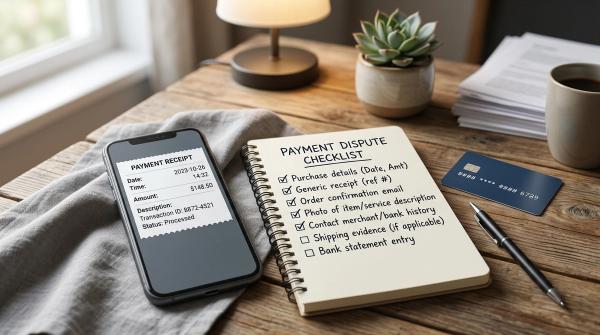
#If you want to avoid surprise overlimit costs, keep a small record of important details:
- Screenshot of the overlimit facility setting, whether on or off.
- Date and time of any setting change.
- SMS or email confirming activation or deactivation.
- Relevant app notification.
- MITC or fee schedule screenshot showing overlimit charges.
- Statement page where the overlimit fee appears.
- Transaction receipt, if the issue relates to a specific purchase.
- Merchant refund confirmation, if a reversal is involved.
- Complaint or service request number if you raise a dispute.
Do not edit screenshots. Avoid cropping out date or time if visible. If your app does not clearly show the setting, ask the issuer for written confirmation through official channels and save that reply.
What if you never gave consent but were charged?
#If you believe you never opted in to the overlimit facility but still got charged, gather the facts first.
Check whether the transaction was actually above your sanctioned credit limit, whether the overlimit facility was enabled, whether you received any earlier consent prompt, whether you accepted any setting change, whether a temporary or revised limit was confirmed, whether the fee is truly an overlimit fee, and whether a refund or reversal happened later.
Then raise the issue with your card issuer through official channels listed in your app, net banking account, statement, or issuer website. Share the transaction details, statement entry, and proof of your consent status. Ask the issuer to confirm when and how your overlimit consent was recorded.
What beginners often miss
#Many cardholders look only at the total credit limit shown in the app. At checkout, the more important number is usually your available credit limit.
Your available limit can be lower because of recent purchases, unbilled transactions, EMI blocks, cash withdrawals, fees, interest, pending settlements, previous statement dues, and auto-debits waiting to be posted.
A transaction can also fail for reasons unrelated to overlimit usage, such as merchant category rules, transaction risk checks, security blocks, international usage settings, or pending holds. Before a large payment, open your app and check the available limit, not just the sanctioned limit.
Bottom line
#A credit card overlimit fee in India should not come as a silent surprise. The key issue is consent.
RBI’s framework expects overlimit usage to happen only with prior explicit consent from the cardholder. Before you cross your limit, check your card app, read the MITC, turn on alerts, and save proof of your overlimit setting. If you do not want the risk of overlimit charges, keep the facility off and monitor your available limit before large transactions.
This article is for general educational information only. It is not financial, legal, tax, or product advice. Credit card fees and features vary by issuer, so always rely on your own card’s official terms and statement.