Few things are more annoying than this: you plug in your scooter at night, go to sleep thinking it will be ready by morning, and wake up to almost the same battery percentage.
If your electric scooter is not charging, it is tempting to start wiggling the plug, try some other charger, or search for a quick YouTube fix.
Don’t rush into that.
With electric scooters, charging problems can be simple, but they can also be serious. It could be a bad wall socket. It could be your EV scooter charger. It could be moisture inside the charging port after rain. Or it could be the battery BMS stopping the charge because it has detected something unsafe.
So yes, there are a few things you can safely check at home. But there are also some things you should absolutely not touch.
This guide keeps it practical, simple, and safe.
Quick answer: what to check first if your electric scooter is not charging
#If your electric scooter is plugged in but not charging, start with these safe checks:
- Stop immediately if something feels wrong. Unplug the charger if you notice heat, smoke, swelling, sparks, water, or a burning smell.
- Check the wall socket. Try another appliance in the same socket. If needed, try the charger in another proper, earthed socket.
- Use the original charger. Do not use a random charger just because the connector fits.
- Look at the charger light. If the charger light does not turn on, the socket or charger may be the problem. If the charger light stays green even when the scooter battery is low, the scooter may not be accepting charge.
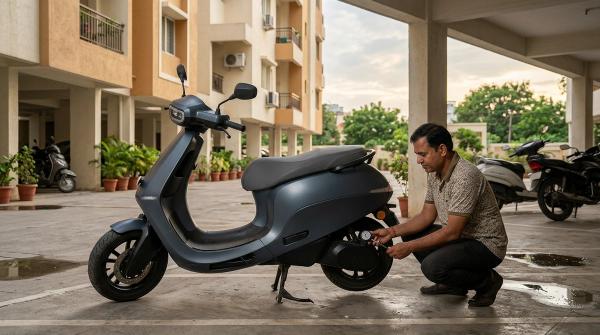
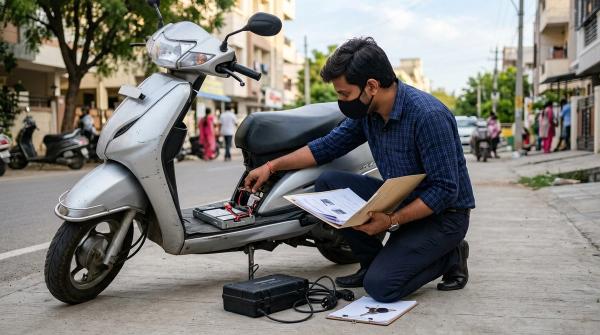
- Inspect the charging port from outside. Use a torch. Look for water, mud, bent pins, corrosion, black marks, or melted plastic.
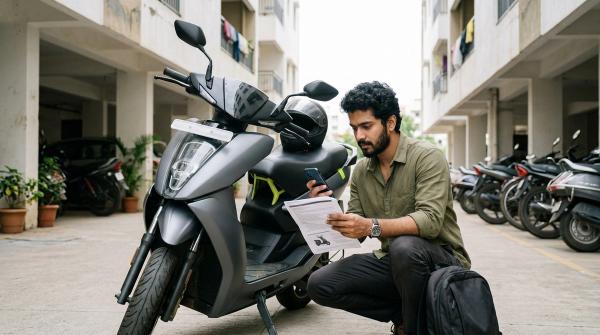
- Check the scooter dashboard or app. Error codes, earthing alerts, temperature warnings, and battery warnings can tell you a lot.
- If the scooter was unused for months, don’t force it. The battery may be deeply discharged, and the BMS may be blocking charging for safety.
If these checks don’t fix it, contact an authorized service center. Battery, charger, wiring, and BMS issues are not safe DIY jobs.
First, know when to stop
#Before you troubleshoot anything, make sure you know the warning signs.
Some symptoms are not “try again after five minutes” problems. They mean you should stop charging right away.
Unplug the scooter and do not continue charging if you notice:
- The charger, socket, plug, charging port, or battery area getting very hot
- Swelling, bulging, warping, or a lifted battery deck
- Smoke
- Sparks from the socket, plug, charger, or scooter port
- Water inside the port or around the battery area
- Burning smell, chemical smell, plastic smell, or any strange odour
- Melted plastic, black marks, or loose electrical fittings
- MCB tripping again and again when you plug in the charger
Lithium-ion battery safety guidance from organizations such as CPSC, NFPA, and UL is very clear: do not charge batteries that are damaged, swollen, wet, overheated, or behaving strangely. In India, EV safety awareness from NITI e-AMRIT and the safety context around AIS 138 also point toward manufacturer-approved handling for EV batteries and charging systems.
A simple rule helps here:
If it looks wrong, smells wrong, sounds wrong, or feels wrong, stop.
Do not open the battery pack.Do not repair the charger brick.Do not bypass the BMS.Do not rewire fuses.Do not replace battery cells yourself.Do not modify the charger, port, or connector.
It is much better to let trained service technicians handle it.
Step-by-step safe troubleshooting table
#The safest way to troubleshoot is to start from the power source and then move toward the scooter.
So begin with the wall socket, then the charger, then the charging port, then the dashboard or app.
Why the charger light stays green
#One of the most common complaints is:
“My charger is working, but the charger light stays green and the scooter is not charging.”
That green light can be confusing.
On many chargers, green usually means the charger is not sending current into the battery at that moment. That is perfectly normal if the battery is already full.
But if the scooter battery is low and the charger light still stays green, then something is stopping the charge.
Here are the usual reasons.
1. The scooter may already be fully charged
#Start with the simple possibility first.
Check the scooter display or app. If it shows 100% and the scooter runs normally, the green light is probably not a problem.
2. The battery may be too hot
#If you just returned from a long ride, a fast ride, or a hot afternoon commute, the battery may be too warm to charge.
In that case, the battery BMS can pause charging to protect the cells.
Park the scooter in a shaded, dry, ventilated place. Let it cool naturally for some time. Then try charging again with the original charger.
Do not pour water on the scooter to cool it.Do not charge it on a wet floor.Do not cover it while it is cooling.
Just let it settle.
3. The charging port may not be connecting properly
#Sometimes the charger is fine, but the scooter is not detecting it properly.
This can happen because of:
- A loose plug
- Dirt or dried mud inside the port area
- Moisture after rain or washing
- Corrosion
- Bent or damaged pins
- Melted or damaged plastic around the port
Use a torch and inspect the charging port from outside only.
You can wipe the outer area gently with a dry cloth. But do not push keys, wires, pins, screwdrivers, or any metal object into the port.
4. The BMS may be blocking charge
#The BMS is the battery’s protection system. Its job is to stop charging if something looks unsafe.
It may block charging because of:
- Deep discharge
- Abnormal voltage
- Temperature issues
- Battery imbalance
- Internal fault
- Water or impact-related concerns
This is not something to bypass.
If the BMS is refusing charge, treat it as a service issue.
5. There may be an internal fault
#Sometimes everything looks normal from outside. The socket works. The charger light comes on. The connector fits. But the scooter still does not charge.
In that case, the problem may be inside the scooter, between the charging port, wiring, controller, BMS, or battery pack.
Do not open panels or try to rewire anything. If the basic external checks are fine and the issue remains, book a service visit.
India-aware home charging safety
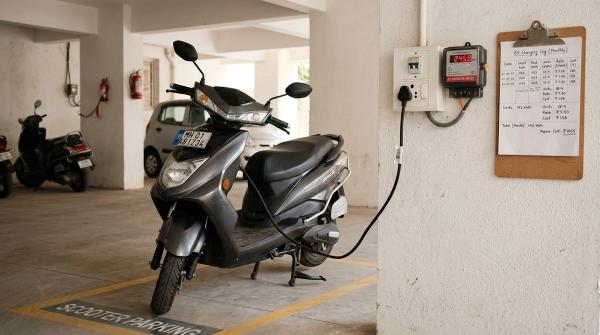
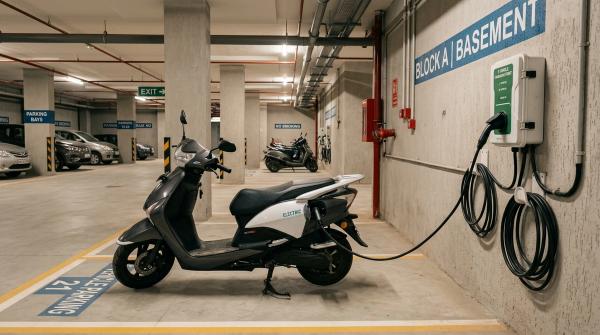
#In India, scooter charging often happens in very real-world conditions: apartment basements, shared parking areas, balcony plug points, old sockets, monsoon moisture, and extension boards stretched across awkward spaces.
Whether you ride an Ola, Ather, TVS, Bajaj, Hero, Ampere, Okinawa, Vida, or any other electric scooter, the safe approach is the same:
Use the correct charger, charge from a proper electrical point, keep things dry, and follow the owner manual.
Apartment sockets and shared parking
#Many apartment buildings were not designed with EV charging in mind.
Riders often use:
- Basement sockets
- Parking-area outlets
- Security-room plug points
- Balcony sockets
- Long extension cables
- Shared electrical points
Be careful with these setups.
If your scooter charges at the office, showroom, or a friend’s house, but refuses to charge at home, your home socket may be the problem.
Possible causes include:
- Poor earthing
- Loose wiring
- Old switches
- Overloaded lines
- Weak or unstable supply
- Damaged sockets
- Unsafe extension wiring
Ask a qualified electrician to check the socket, earthing, and load suitability. Do not depend on temporary wiring for daily charging.
Extension boards
#Cheap extension boards are one of the most common weak points in home charging.
A low-quality multi-plug board may work for a phone charger or laptop, but EV charging is a longer continuous load. Thin wires, loose plug fit, and poor-quality plastic can heat up over time.
If your scooter manufacturer says not to use an extension board, follow that advice.
If you really need a longer connection, get proper wiring checked by an electrician and stay within the manufacturer’s guidance.
Avoid running charging cables:
- Through wet areas
- Across drains
- Under gates
- Across staircases
- Where cars or bikes can crush them
- Through places where people can trip over them
If an extension board gets warm, smells burnt, or changes colour, stop using it.
Monsoon moisture
#Monsoon makes charging a little more complicated.
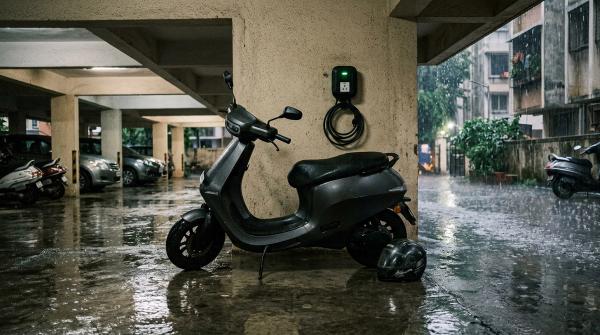
Even if your scooter can handle normal rain, charging should happen only when the charger, plug, socket, and charging port are dry.
Before plugging in after heavy rain:
- Check the charging port cap and surrounding area.
- Look for visible water, mud, or grit.
- Let the scooter stand in a dry, ventilated place.
- Do not charge if you think water entered the battery area.
- Do not use a wet socket.
- Do not keep the charger on a damp floor.
- Do not use a wet extension board.
Water and charging are not friends. Keep them apart.
Earthing problems
#Many modern electric scooters check the power supply before they accept charge.
If earthing is poor, missing, or unstable, charging may fail. The dashboard or app may also show an earthing or supply-related warning.
Do not override this.
Earthing is there to protect both people and equipment. If your scooter charges at one location but not another, get the problem socket checked by a qualified electrician.
Use only the original or approved charger
#Use the charger supplied by the scooter company, or a replacement recommended by the manufacturer.
A plug that fits does not mean the charger is safe.
The wrong charger may have:
- Wrong voltage
- Wrong current
- Wrong polarity
- Poor connector quality
- Missing safety communication
- Weak insulation
- Unsafe thermal protection
This can damage the battery and increase safety risk.
Brand support guidance from companies such as Ather, Ola, and TVS generally points riders toward approved chargers, proper sockets, dry charging conditions, and authorized service for faults.
That is the safest route.
What not to do when your scooter will not charge
#This part matters because unsafe “quick fixes” are everywhere online.
Do not do these things:
- Do not open the battery pack.
- Do not open or repair the charger brick.
- Do not bypass the battery BMS.
- Do not jump-start the battery with another battery.
- Do not rewire or replace fuses yourself.
- Do not replace individual battery cells.
- Do not modify the charger connector.
- Do not use another scooter’s charger unless your manufacturer clearly approves it.
- Do not keep plugging and unplugging if there are sparks, smell, heat, or error codes.
- Do not charge near curtains, bedding, cardboard, petrol, cleaning chemicals, or other flammable items.
- Do not charge in standing water or on a wet floor.
- Do not use damaged, crushed, or taped-up charging cables.
- Do not ignore repeated dashboard or app warnings.
A scooter that will not charge is frustrating. A damaged lithium-ion battery can be dangerous.
Treat the warning signs seriously.
When it may be a charger problem
#Your EV scooter charger may be the problem if:
- The charger light does not turn on in a known working socket.
- The charger cable is cut, crushed, loose, or damaged.
- The charger brick makes buzzing, clicking, or unusual sounds.
- The charger gets unusually hot.
- The plug has burn marks.
- The charger works only when the cable is bent a certain way.
- The charger smells burnt.
- The charger casing is cracked, swollen, or damaged.
- The charger light behaves differently from normal.
The safe fix is not opening the charger.
Replace it only with an original or manufacturer-recommended charger. If your scooter is under warranty, contact the brand before buying a replacement.
When it may be a charging port problem
#The charging port may be the issue if:
- The charger plug feels loose.
- You need to hold the plug at an angle.
- Charging starts and stops when the cable moves.
- The port cap is broken or missing.
- You see dirt, mud, moisture, corrosion, bent pins, black marks, or melted plastic.
- The scooter recently went through heavy rain, washing, or waterlogged roads.
- The charger connects physically but the scooter does not detect it.
- The port area smells burnt or looks discoloured.
Your safe action is limited here.
You can inspect the port from outside and wipe the outer area with a dry cloth. Do not scrape, bend, push, or clean inside the port with metal tools.
If the port looks damaged, stop charging and call service.
When it may be a battery BMS problem
#The battery BMS monitors and protects the battery pack.
It can stop charging if it detects something unsafe or outside the allowed range.
A BMS issue may be involved if:
- The scooter was unused for a long time and now will not wake up.
- The charger light stays green even when the battery is low.
- The dashboard shows a battery fault.
- The app says charging paused or battery error.
- The scooter stopped accepting charge after overheating.
- The scooter does not turn on even after being connected to the charger.
- Charging starts for a few seconds and then stops.
- The scooter repeatedly refuses to charge at different locations.
Do not try to bypass the BMS.
If the BMS is blocking charging, it is doing that for a reason. The battery needs proper diagnosis by trained service technicians.
Everyday home charging checklist
#Use this quick checklist for regular charging:
- Charge in a dry, ventilated place.
- Use the original or manufacturer-recommended charger.
- Plug into a proper earthed wall socket.
- Avoid cheap extension boards and loose multi-plugs.
- Keep the charger off wet floors.
- Keep the charging area away from flammable items.
- Let the scooter cool after a long or hot ride.
- Keep the charging port cap closed when not charging.
- Do not charge if the port is wet or dirty.
- Do not charge from damaged sockets.
- Do not stretch cables across areas where they can be crushed.
- Stop charging if you notice heat, smell, sparks, smoke, or swelling.
- Follow the owner manual and app warnings.
- Use an authorized service center for battery, BMS, charger, and wiring faults.
Small habits make a big difference. Most charging problems become easier to handle when you stay calm, check the basics, and avoid unsafe shortcuts.