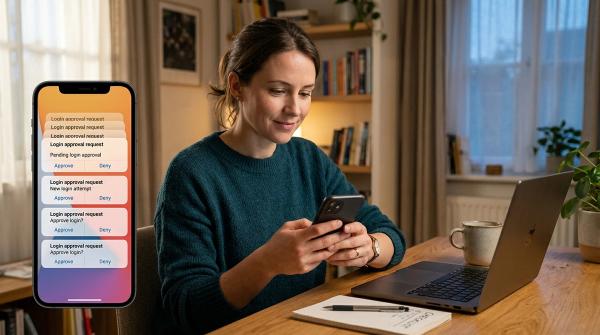
If you get a notice saying your email address was involved in a data breach, do not panic and do not use the links in that notice first. Verify it through the organisation’s official app or a web address you type yourself. Then find out what data was exposed. An email address alone needs more caution; an exposed password, payment detail, or identity document needs faster, more specific action.
The practical order is simple: secure the email account that can reset your other accounts, replace any exposed or reused password, turn on stronger sign-in protection, and watch for follow-up scams. A breach notice is not proof that someone is in your account. It is a reason to check calmly and close the obvious gaps.
Start with these three actions
#- Verify the notice independently. Open the company’s official app, use a bookmark, or type its address yourself. Look for a notice in your account or use the contact route you already trust.
- Find out exactly what was involved: email address, password, phone number, payment data, identity document, or something else. The right response depends on that detail.
- Protect your main email account and any account that used the same password as the breached service. Do this before spending time on low-risk accounts.
Do not reply to an unexpected email, text, call, or direct message offering breach help. A real breach can give criminals enough context to make a fake follow-up look convincing. They may know your name, the company you use, or an old password. None of that makes their link, phone number, or “support agent” trustworthy.
What a data breach alert does—and does not—mean
#A data breach means information held by an organisation may have been accessed, copied, exposed, or stolen by someone who should not have it. The information could be as limited as an email address, or it could include a password, purchase history, address, card details, or identity documents.
That is serious, but it does not automatically mean an attacker has logged in to your account, emptied a bank account, or stolen your identity. The most useful question is not “How bad is this?” in the abstract. It is: what was exposed, and what could someone do with it?
For example, a leaked email address may lead to more spam or a tailored phishing message. A leaked password becomes more urgent when it was reused anywhere else. A card number needs a financial-provider response. An identity document can create longer-term identity-fraud risk and may have local reporting or replacement steps.
Match your response to the data that was exposed
#| If the notice says this was exposed | Do this first | Why it matters |
|---|---|---|
| Email address or username | Expect targeted scam messages; review the password on the affected account | Someone can use basic details to make fake messages look relevant |
| Password or password hash | Change that account’s password now; change every other account with the same or similar password | Reused passwords can be tried against other services |
| Phone number | Be alert for calls, texts, account-reset attempts, and unexpected codes | A phone number can be used to make social-engineering attempts more believable |
| Payment-card or bank details | Contact the provider through the number on the card, official app, or trusted site; review transactions | The financial institution can explain its current protective and dispute options |
| Identity document or government identifier | Use the official consumer-protection or identity-theft route where you live; keep records of the notice and suspicious activity | The remedies and reporting rules vary by country |
| Messages, photos, health, or other sensitive content | Change account credentials, review who can access the account, and consider which contacts need a factual warning | Sensitive material can be misused for harassment, impersonation, or tailored scams |
This table is about priorities, not guarantees. If you see unfamiliar transactions, password-reset messages you did not request, changed recovery details, new devices, or messages sent from your account, treat it as a possible account compromise and move faster.
Verify the breach without handing a scammer more information
#The safest way to verify a notice is to leave the message alone for a moment. Open the company’s app from your device, use a saved bookmark, or type the company name into a search engine and use a result you can recognise as official. You can also use a customer-service number printed on a card or statement you already have.
Once you are on a trusted page, look for a security notice, account message, or support article. Ask the organisation what information was involved, when the incident occurred, and what action it recommends. Save a copy of a confirmed notice for your records, but do not send it around with personal information visible.
Be careful with breach-checking services too. Some are useful, but a message about a breach is not a reason to type a password into a new site or download a “security tool.” A legitimate service should never need your current password to tell you that an email address appeared in a breach.
Secure the account that can reset everything else
#For most people, that account is their primary email inbox. Email is where password-reset links, security alerts, receipts, and recovery messages arrive. If someone controls it, they may be able to reset other accounts one by one.
Start by changing the email password to a unique password that you have not used anywhere else. If you use a password manager, let it create and store a long unique password. Then review the account’s recovery email address, recovery phone number, active sessions, connected apps, and sign-in methods.
Also check for unexpected forwarding rules and filters. A criminal who gets into an inbox may set up forwarding so they keep receiving password-reset messages even after you change the password. Remove anything you do not recognise. Sign out of other sessions or devices when the service offers that option, then sign back in only on devices you trust.
Add two-factor authentication or a passkey where the service supports it. The best option is the one you can maintain safely: it should have a protected backup route so a lost phone does not become a lockout. Never give a one-time code, backup code, or approval prompt to anyone who contacts you.
Deal with password reuse in the right order
#Changing every password at random can be exhausting. A better approach is to trace reuse from the exposed account.
Ask yourself whether the breached password was used, even with a small variation, on your email, financial accounts, password manager, cloud storage, shopping accounts, work or school accounts, and social media. Start with email, money, and accounts that hold private documents. Then work through the rest.
If the breached service says passwords were not involved, you do not automatically need to change every password. Still, it is a good time to make sure the affected account has a unique password. The risk changes if you see unusual activity, receive reset requests, or learn later that credentials were included.
Avoid a common mistake: creating one new “strong” password and using it everywhere. Strength is not only about length. A unique password limits the damage if one site is breached. A password manager can make uniqueness much easier without asking you to memorise dozens of passwords.
Review signs that someone may already have access
#After securing your email and password, review the breached account and any linked high-value accounts. Look for unfamiliar devices, sessions, recovery details, connected apps, shipping addresses, payment methods, messages, orders, or profile changes.
If you find something unfamiliar, take a screenshot or note the date and details before you remove it, if that is safe to do. Then use the service’s official recovery or security process. For bank or card activity, contact the provider directly through a trusted route straight away. Do not rely on a phone number sent in a suspicious message.
If you cannot log in, use the account’s official recovery path. It may ask for information that only the real owner should know or may take time to review. That delay can be frustrating, but it is safer than using a stranger’s “recovery” service. Do not pay someone who claims they can bypass account recovery, and do not install remote-access software because an unsolicited caller tells you to.
Expect a second wave of phishing
#After a breach, scam messages often try to create urgency: “confirm your account,” “claim compensation,” “download this security update,” or “your payment is blocked.” They may copy a real company’s logo, mention an order, or use details that sound personal.
Slow down when a message asks for a password, a one-time code, a card number, identity documents, a download, or a payment. Do not use the message’s link or phone number to check it. Go to the service yourself through a trusted route.
A useful household rule is that no genuine support agent needs a code you received to prove you are the account owner. Those codes are often the very thing an attacker needs to sign in or reset a password.
A short example of the safe route
#Imagine that a clothing store emails to say an old customer database was exposed. The email includes your name and tells you to “secure your account” through a button. The safe response is not to press the button, even if the message later turns out to be genuine. Open the retailer’s app or type its known address yourself. If the official account area confirms the notice and says passwords were affected, change that store password and then look for anywhere else you reused it.
If you used a unique password for the store and the notice only mentions names and email addresses, there is no reason to reset your bank password just because of that notice. Instead, be more sceptical of future messages that mention the store or offer a refund. This is the point of triage: put your energy where the exposed data creates a real path into another account or a financial loss.
If financial or identity data was involved
#The response is more local when financial or identity data is exposed. Contact the bank, card issuer, payment provider, or relevant government identity service using a contact method you already trust. Explain what type of data was exposed and ask what protective actions are appropriate in your jurisdiction.
Review recent statements and account activity. Keep a short record of the confirmed breach notice, the date you contacted providers, and any reference numbers they give you. That record helps if you later need to dispute a transaction or make a report.
Do not assume a breach service’s offer is the only action available, or that it applies everywhere. Credit-file freezes, fraud alerts, document replacement, and reporting systems differ by country. Use your local official consumer-protection, financial-regulator, or identity-theft resources for decisions that affect your legal identity or credit record.
A calm first-pass checklist
#You do not need to fix your whole digital life in one sitting. In the first 30 minutes, aim to complete the highest-value actions:
- Verify the notice through an independent official route.
- Identify the exposed data and save the confirmed notice privately.
- Change the affected password if credentials were exposed or reused.
- Secure your primary email account, including recovery details, sessions, filters, and forwarding.
- Turn on two-factor authentication or a passkey for important accounts where available.
- Check financial accounts for activity you do not recognise and contact providers through trusted channels if needed.
- Warn close contacts only if your account sent suspicious messages or someone may be impersonating you.
Later, replace reused passwords, remove old devices and unused connected apps, and make sure your recovery methods are current. The long-term goal is not perfect control over every breach. It is reducing what one exposed account can unlock.
The bottom line
#An email address in a data breach is a prompt to check, not a reason to panic. Verify the notice independently, learn what was exposed, protect your email and any reused credentials, and treat follow-up messages with extra caution. If payment or identity data is involved, use your provider and local official routes promptly. A calm sequence is safer than clicking the first urgent-looking message.