When you purchase a modern smartphone, you expect it to track your location, sync your contacts, and run background services. You are prompted to review permission dialogs, toggle location switches, and decide which apps can access your microphone. 
When you get behind the wheel of a modern car, however, you step inside a computer that collects vastly more data than your smartphone, with almost none of the transparent consent controls. 
In recent years, the automotive industry has undergone a quiet transformation. Vehicles are no longer purely mechanical machines with engines, brakes, and transmissions. They are cellular-connected data harvesting platforms packed with dozens of microprocessors, continuous GPS receivers, internal and external cameras, ultrasonic sensors, and cellular modems that broadcast telemetry back to automakers 24 hours a day.
In an exhaustive investigation of 25 major automotive manufacturers conducted by the Mozilla Foundation, every single car brand evaluated failed to meet baseline consumer privacy and data security standards, earning the modern automobile the distinction of being the most invasive consumer product category ever reviewed.
Worse, this surveillance is not staying confined to vehicle engineering departments. Automakers have built direct pipelines to sell granular driving telemetry to insurance risk brokers like LexisNexis and Verisk, resulting in unprompted premium spikes for millions of unsuspecting motorists.
Understanding what your car records, who buys that information, and how to audit your vehicle's privacy settings is essential for protecting both your personal liberty and your household budget.
The Living Room on Wheels: How Cars Became Surveillance Hubs
#Two decades ago, a vehicle only generated digital data if you plugged a specialized diagnostic scanner into the physical On-Board Diagnostics (OBD-II) port under the dashboard. That data remained stored locally on isolated chips.
Today, nearly every new vehicle rolling off assembly lines comes standard with an embedded cellular telematics control unit (TCU). The car contains its own built-in SIM card connected to commercial 4G and 5G cellular networks, operating independently of your personal smartphone.
Automakers have strong financial incentives to harvest this data. Vehicle profit margins on traditional manufacturing have tightened, prompting executives to pitch connected services, automated subscriptions, and data monetization as multi-billion-dollar recurring revenue streams. 
Your car tracks your habits not as a technical byproduct, but as a deliberate corporate business model.
The Four Layers of Automotive Data Collection
#Automotive data collection operates across four distinct technical layers, capturing everything from mechanical telemetry to intimate personal interactions:
1. Driving Dynamics and Telematics
#Every time you tap the accelerator, turn the steering wheel, or press the brake pedal, onboard sensors record the physical event down to the millisecond:
- Speed and acceleration velocity: How rapidly you pull away from intersections.
- Braking intensity: Every "hard braking" event, typically defined as decelerating faster than 7 to 9 miles per hour per second.
- Steering wheel angle and cornering G-force: Measuring aggressive lane changes or fast turns.
- Odometer and trip timing: The exact start and stop times of every journey, including late-night driving between midnight and 4:00 AM, which algorithms classify as high-risk behavior.
- Seatbelt usage and seat sensor weights: Whether the driver and passengers are buckled and approximate physical weight profiles.
2. Precise Geolocation and Route Tracking
#Embedded GPS receivers log your vehicle's geographic coordinates continuously:
- Real-time location and speed limits: Comparing your vehicle's actual speed against local posted speed limits on specific street segments.
- Waypoints and trip history: Exact routes taken, commute paths, and habitual stops.
- Sensitive destination profiling: Algorithms can easily infer your workplace, children's schools, places of worship, medical clinics, addiction treatment centers, and romantic relationships simply by analyzing where the car parks overnight or mid-afternoon.
3. Cabin Sensors, Cameras and Biometrics
#High-end and modern safety-equipped vehicles point multiple sensors inward:
- Driver-monitoring infrared cameras: Tracking pupil dilation, eye gaze, blinking rates, and head position to detect drowsiness or distraction.
- Cabin microphones: Recording voice commands processed by onboard voice assistants.
- Touchscreen inputs: Logging keyboard inputs entered into navigation search bars.
4. Paired Smartphone and Infotainment Data
#The moment you connect your smartphone to your vehicle via Bluetooth or a USB cable to use Apple CarPlay or Android Auto, the car's head unit requests access to your mobile operating system:
- Contact address books: Complete lists of phone numbers, names, and email addresses.
- Call history and SMS metadata: Timestamps of outgoing and incoming calls.
- Stored garage door opener codes and home Wi-Fi credentials: Saved in dashboard memory modules.
| Data Category | Specific Information Harvested | Primary Commercial Use | Privacy & Financial Risk |
|---|---|---|---|
| Vehicle Telematics | Speed, hard braking, acceleration, trip duration, late-night driving | Sold to LexisNexis/Verisk for insurance risk scoring | Unprompted 20% to 50% insurance premium hikes |
| GPS Geolocation | Exact route history, parking locations, sensitive destinations | Targeted marketing, commercial fleet tracking, government subpoenas | Detailed behavioral profiling; stalking vulnerabilities |
| Infotainment Sync | Paired phone contacts, call logs, text metadata, garage codes | Automaker software ecosystem lock-in; ad targeting | Data exposure when selling, trading in, or renting a vehicle |
| Biometrics & Cabin | Eye gaze, facial geometry, voice commands, seat weight | Driver fatigue monitoring; behavioral profiling | Unregulated storage and commercialization of biometric identifiers |
The Broker Pipeline: How Your Driving Habits Reach Insurance Companies
#The most direct financial harm consumers face from connected vehicle surveillance occurs in the auto insurance market.
For years, auto insurance companies offered voluntary "Usage-Based Insurance" (UBI) programs. A customer agreed to plug an insurer-provided dongle into their OBD-II port or install an app on their phone in exchange for a promised 10% discount if they drove safely. Because it was voluntary, consumers had a clear choice.
In recent years, automakers bypassed this voluntary model by enrolling drivers in default or quietly bundled "smart driving" features inside their smartphone companion apps (such as GM OnStar Smart Driver, Kia Connect, or HondaLink). 
When drivers clicked "Accept" on multi-page end-user license agreements during vehicle setup—often believing they were simply enabling remote engine start or navigation updates—they inadvertently granted permission for the automaker to package their driving data and transmit it to third-party data brokers.
The primary destination for this data is LexisNexis Risk Solutions and Verisk Analytics. These multinational consumer reporting agencies maintain massive proprietary databases called the LexisNexis Telematics Exchange. 
The broker takes thousands of raw trip logs from your car—every instance you pressed the brakes firmly to avoid a distracted pedestrian or drove home late from work—and computes a commercial "driving risk score."
When your auto insurance policy comes up for renewal, your insurance provider queries LexisNexis. If the telematics score flags "aggressive driving" habits, your insurer raises your premium, often by hundreds or thousands of dollars a year, without ever disclosing that your own car handed over the evidence.
How to Pull Your Free LexisNexis and Verisk Telematics Reports
#Under the federal Fair Credit Reporting Act (FCRA), LexisNexis Risk Solutions and Verisk are legally classified as nationwide specialty consumer reporting agencies. This means you have the legal right to inspect your file for free once every 12 months.
Pulling your report allows you to see exactly what your vehicle has logged and whether your driving records have been accessed by insurance companies.
Follow these steps to request your file:
- Request your LexisNexis Consumer Disclosure Report: Visit the LexisNexis Risk Solutions Consumer Access portal online or call their toll-free consumer line. Select "Request a Consumer Disclosure Report."
- Provide verification details: You will need to provide your full legal name, date of birth, Social Security number, current address, and driver's license number to verify identity.
- Request your Verisk Consumer Report: Visit the Verisk Consumer Portal and submit an FCRA report request under their personal auto reporting division.
- Review your telematics section: When your report arrives (typically via secure mail or encrypted digital download within 7 to 14 business days), examine the "Telematics" section. It will list every individual trip recorded by your vehicle, including exact trip start and end times, miles traveled, speed calculations, and every logged hard acceleration or braking event.
- Dispute inaccurate records: If your report contains driving data from a car you no longer own, or records generated when someone else was driving your vehicle, file a formal FCRA dispute directly with the bureau.
The 5-Step Connected Car Privacy Audit
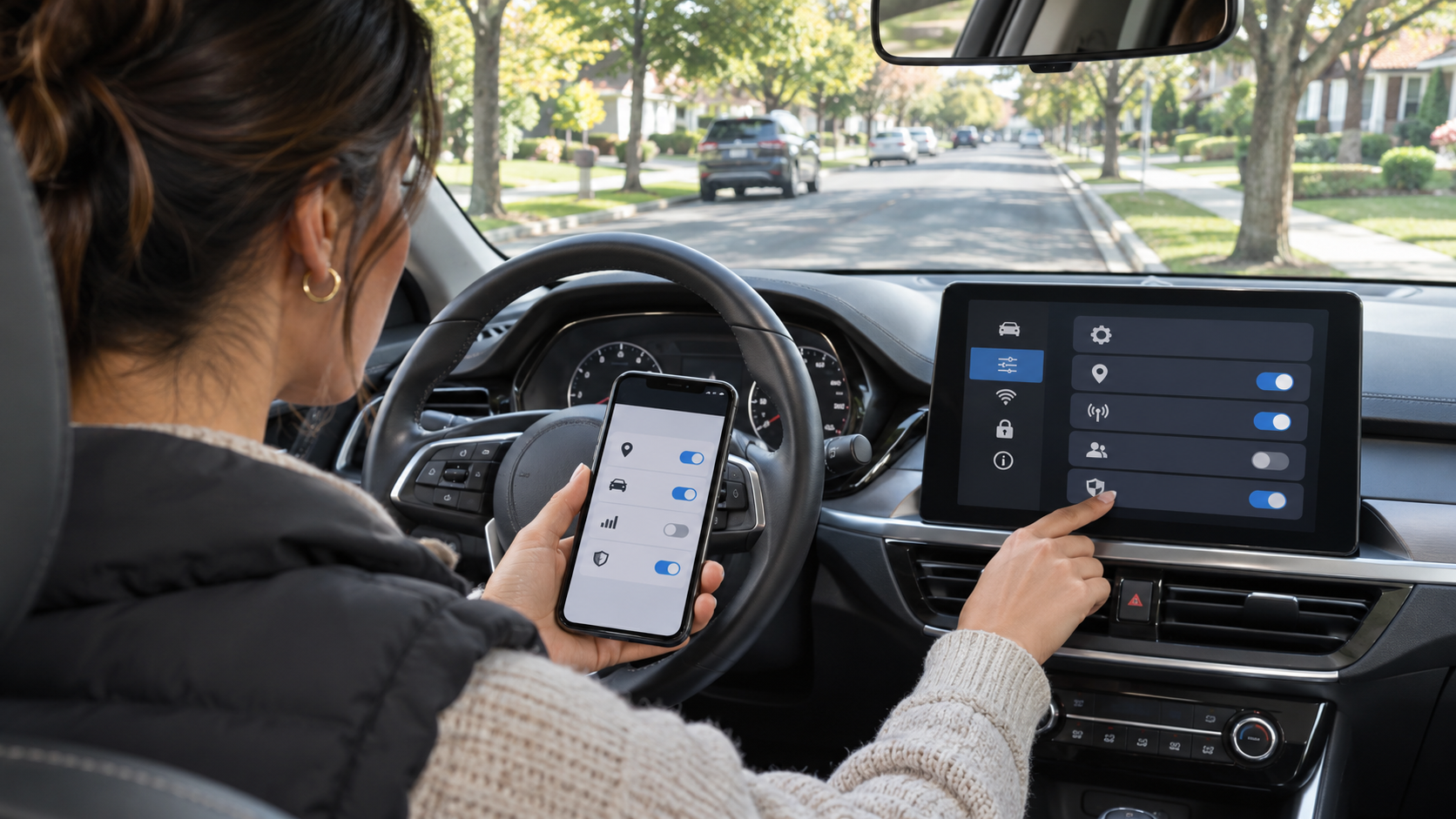
#You do not have to accept unconstrained surveillance from your vehicle. While modern cars cannot be turned into completely analog machines without disabling core functions, you can sever the most predatory tracking pipelines by completing this 5-step privacy audit:
Step 1: Audit Companion Smartphone Apps
#The primary gateway automakers use to solicit data-sharing consent is their official mobile companion app (e.g., MySubaru, FordPass, myChevrolet).
- Open your automaker's app on your smartphone and navigate to "Account" or "Settings."
- Look for sections labeled "Smart Driver," "Driver Insights," "Connected Care," or "Usage-Based Insurance."
- Explicitly toggle off data sharing. Confirm that you are opting out of third-party commercial data sharing and insurance score programs.
Step 2: Configure Onboard Dashboard Privacy Settings
#Modern vehicle touchscreens contain local privacy and data transmission menus:
- Turn on your vehicle and open the main touchscreen display.
- Navigate to "Settings" > "System" > "Data & Privacy" (or "Connectivity").
- Look for options labeled "Vehicle Data Collection," "Location Sharing," or "Connected Services."
- Set location sharing and analytics reporting to the most restrictive tier permitted. Some automakers offer a dedicated "Privacy Mode" that restricts cellular transmissions strictly to required safety communications.
Step 3: Revoke Paired Smartphone Permissions
#When connecting your phone via Bluetooth, your phone asks what data to share:
- Open your smartphone's Bluetooth settings and locate your car's paired connection.
- Click the information icon next to your car's name.
- Disable "Sync Contacts" and "Share Phone Favorites." Your phone will still handle phone calls and stream music over Bluetooth, but the car will no longer download and retain your private contact database.
Step 4: Use Apple CarPlay or Android Auto Rather Than Native Systems
#Vehicle manufacturer navigation systems and built-in web browsers have notoriously weak privacy standards. 
When you use Apple CarPlay or Android Auto, the car's touchscreen acts primarily as an external monitor for your phone. Apple and Google do not hand your driving coordinates or destination queries over to the automaker's telematics systems. Using smartphone projection interfaces keeps your navigation searches within your mobile operating system's privacy sandbox rather than logging them into the automaker's proprietary cloud servers.
Step 5: Perform an Infotainment Factory Reset Before Disposing of a Vehicle
#Whenever you sell, trade in, or return a leased vehicle, treat your dashboard like an old computer:
- Navigate to "Settings" > "General" > "Master Reset" (or "Restore Factory Settings").
- Confirm the reset, which deletes all saved radio presets, Bluetooth device pairings, home navigation addresses, and stored garage door radio frequencies.
- Log into your mobile automaker account from your computer and officially disassociate the Vehicle Identification Number (VIN) from your profile.
What You Lose vs What You Keep: Realistic Privacy Trade-Offs
#Locking down vehicle privacy requires understanding technical trade-offs:
- What you keep when disabling telematics sharing: Your vehicle drives identically. Engine performance, steering, antilock brakes, cruise control, air conditioning, physical key fob entry, Bluetooth audio, and CarPlay/Android Auto projection operate without disruption.
- What you lose: Disabling cellular connectivity or opting out of connected services disables remote smartphone features, such as unlocking doors from an app or pre-heating your cabin from your bedroom. In some models, opting out may disable live traffic overlays on built-in factory maps (though CarPlay and Google Maps remain fully functional).
For the vast majority of drivers, trading remote app conveniences in exchange for preventing automated insurance rate hikes and continuous location tracking is an obvious financial and personal victory.
The Bottom Line
#Modern automobiles are extraordinary feats of engineering, but their transformation into corporate surveillance devices represents a fundamental erosion of consumer privacy. 
Take control of your vehicle's digital footprint. Request your LexisNexis file, audit your companion mobile apps, disable predatory telematics sharing, and ensure that your daily commute remains your private business.