






How to Redact a PDF Safely Before You Share It
A black box can leave private text inside a PDF. Learn how to apply real redactions, check scans and hidden data, and verify the exact copy before sharing.
Sara Fernandes
••15 min readSimple digital safety and privacy guides for everyday users, covering password managers, passkeys, phishing, scam checks, app permissions, account recovery, family online safety, and safer phone habits.
72
1.0K
Nov 5
26%

What actually happens when you delete a cloud account? Learn how soft deletes, database tombstones, immutable backups, and crypto-shredding handle your data.

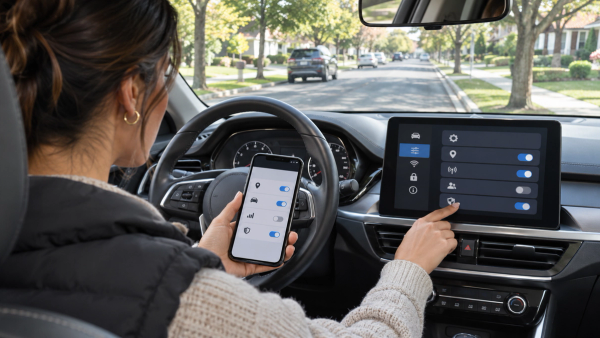
A practical privacy audit for connected car owners: what vehicle telematics track, how data reaches LexisNexis to raise insurance rates, and how to opt out.

Choose safer AirDrop and Quick Share visibility, confirm the receiving device, check photos and documents, and close sharing after a transfer.
A black box can leave private text inside a PDF. Learn how to apply real redactions, check scans and hidden data, and verify the exact copy before sharing.

A hotel Wi-Fi portal asking you to install an update or sign in to an unrelated account is a reason to pause. Learn the red flags and what to do next.

End the remote session, protect money and important accounts from another device, then check or rebuild the computer. Follow this calm recovery order after a fake support call.

Learn what to do when your email, password, payment details, or identity data may be exposed in a breach—without panic or risky follow-up scams.

A calm WhatsApp recovery guide for code alerts, linked devices, account takeover, lost SIM access and contact warnings.

Check suspicious phone behavior without panic: compare signs, review Android or iPhone controls, and secure affected accounts.
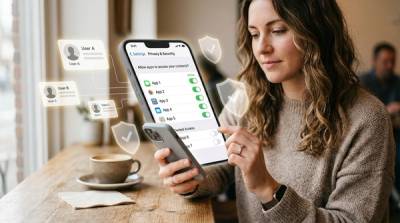
Learn when to allow, limit or deny contacts access on iPhone and Android so apps get only the address-book access they truly need.

Got a password leak alert? Learn what it means, how to verify it safely, change compromised passwords, enable MFA, and avoid fake breach emails.

Learn the difference between WhatsApp Chat Lock and app lock, what each hides, what they do not protect, and the safer setup for shared phones.
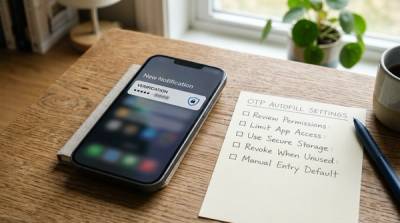
Learn when SMS OTP autofill is safe, which Android SMS permissions to deny, how iPhone verification code autofill works, and how to avoid OTP scams.

Got an unexpected package with a QR code? Don’t scan it first. Use this practical checklist to spot quishing and brushing scams, verify safely, and protect your accounts.

Learn how to hide and lock sensitive apps on iPhone and Android using built-in privacy tools, plus what these settings can and cannot protect.
Categories on AllBlogs are constantly growing with new content. Subscribe to stay updated on all the latest articles.
Everyday Digital Safety & Privacy on AllBlogs helps readers protect their phones, accounts, payments, personal data, and family devices without needing technical jargon. The category focuses on practical questions people search when something feels risky, confusing, or urgent online.
This is a global-friendly category with India-aware examples where useful. Topics may cover WhatsApp scams, QR code safety, password managers, passkeys, phishing, privacy settings, app permissions, data removal, identity theft basics, and safer habits for families, travelers, students, creators, and small business owners.
Find clear guides on password managers, passkeys, two-factor authentication, backup codes, security keys, recovery options, and what to set up before a lost phone or forgotten password becomes a crisis.
Learn how to spot phishing links, fake QR codes, suspicious emails, scam calls, fake support messages, marketplace scams, romance scams, and warning signs before sharing money or personal details.
Read practical checklists for Android and iPhone privacy settings, location access, camera and microphone permissions, screenshot privacy, photo app risks, browser safety, and data cleanup.
This category also covers child online safety, parental control apps, public Wi-Fi habits, hotel and airport digital safety, shared-device privacy, and simple routines that reduce everyday risk.
AllBlogs digital safety articles are general education. They do not replace official support from banks, platforms, law enforcement, cybercrime portals, legal professionals, or security specialists. If money, identity documents, accounts, or personal safety are at risk, readers should use official reporting and support channels immediately.
Discover curated content across diverse topics, with deep dives into Travel & Adventure, Food & Recipes and Health & Wellness.