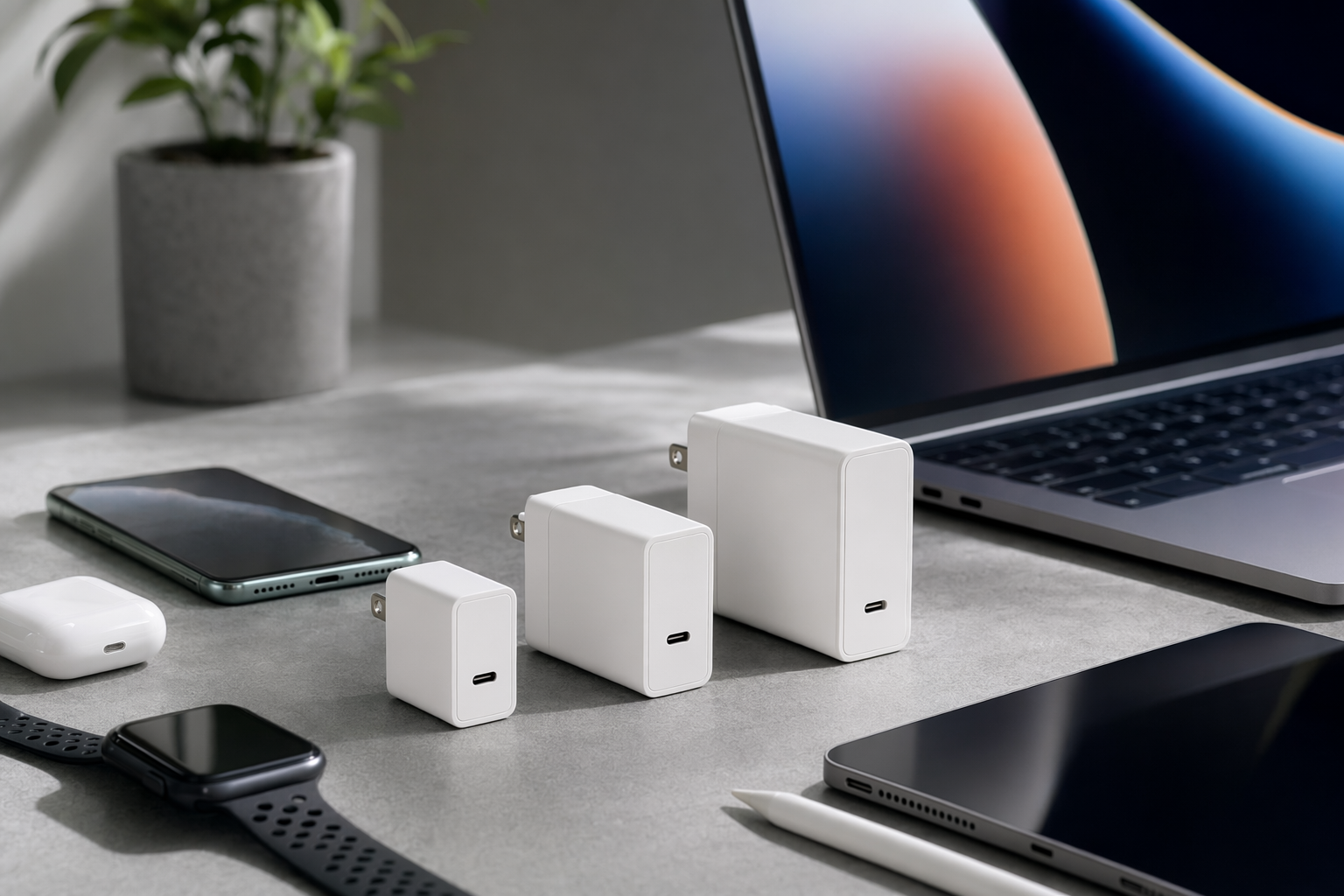
The tiny charger rabbit hole I fell into, and why I’m not leaving
#I didn’t plan to become the person who has opinions about wall chargers. Like, nobody wakes up and says “today I shall compare thermal behavior of compact USB-C bricks.” But here we are. A few years ago I had this chunky laptop adapter in my bag, a phone charger, earbuds cable, watch puck, and one of those old USB-A bricks that probably came with a phone I don’t even own anymore. My backpack had basically become a cable jungle. Then I bought my first GaN charger, a 65W one, and I swear it felt like cheating. Smaller brick, more power, less mess. Not magic exactly, but close enough that I kept showing it to people who absolutely did not ask.
GaN stands for gallium nitride, and the short version is that GaN chargers can switch power more efficiently than older silicon-based chargers. That usually means smaller size for the same wattage, less wasted energy, and chargers that can push serious USB-C Power Delivery without being the size of a paperback book. Notice I said usually. Not every GaN charger is amazing. Some are badly designed, some run hot, some have weird port sharing rules, and some marketing pages are written like they were designed to confuse you into spending more. So yeah, 30W vs 65W vs 100W sounds simple. It isn’t always.
First, wattage is not speed in the way people think it is
#This is probably the most common mistake I see, and I made it too. A 100W charger does not force 100W into your phone. Your device asks for what it can take, the charger offers what it can supply, and USB-C Power Delivery negotiates a safe power level. So if your phone maxes out around 25W or 30W, plugging it into a 100W brick won’t magically make it charge at laptop speed. It might charge exactly the same as with a good 30W charger. Maybe a little better depending on the charging curve, temperature, cable, and whether the phone supports the right fast-charging profile, but don’t expect miracles.
Also, charging speed changes over time. Your device may pull high wattage when the battery is low, then slow down as it fills up. That’s normal battery protection stuff. This is why you’ll sometimes see your phone jump from 10% to 50% quickly and then crawl near the end. The charger didn’t suddenly become lazy. The device is managing heat and battery health. Honestly, once I understood this, I stopped obsessing over peak wattage and started caring more about the whole setup.
The cable is part of the charger, whether we like it or not
#I learned this in the most annoying way possible. I bought a 100W charger, plugged in my laptop, and it kept showing “slow charger” or whatever passive-aggressive warning Windows decided to throw at me that day. I blamed the charger. Then the laptop. Then the universe. Turned out the USB-C cable was the weak link. For 60W charging, many basic USB-C cables are fine if they support 3A. For 100W, you generally need a 5A cable with an e-marker chip. Some newer cables even support higher power under USB PD 3.1, but your charger and device also need to support it, so don’t just buy random shiny cables and hope.
If you’re buying a 65W or 100W GaN charger, please don’t cheap out on the cable. It’s boring advice, I know, but it matters for speed and safety. I wrote down more of my cable-buying notes in this USB-C Cable Buying Guide India: Fast Charging, Data Speed and Safety Checks, because the cable rabbit hole is somehow even deeper than the charger one. Which is unfair, frankly.
30W GaN chargers: the pocket rocket for phones, tablets, and light people
#A 30W GaN charger is the one I recommend to most people who mainly charge a phone, earbuds, smartwatch, maybe an iPad or small tablet. It’s tiny, it doesn’t take over your wall socket, and it usually costs less than the higher wattage bricks. For travel, 30W is so easy to love. I’ve carried one in jeans pocket before, not because I’m normal, but because I forgot my bag and had to go straight from a cafe to a meeting. It handled my phone and wireless earbuds fine.
For iPhone users, many models fast charge nicely with a 20W or higher USB-C PD charger, so 30W gives you a bit of headroom. For Android, it depends. Some phones use USB PD or PPS for fast charging, while others have brand-specific charging systems that only hit top speed with their own charger. Samsung users, for example, should look for PPS support if they want the better fast-charging behavior on compatible Galaxy phones. This is where product listings get sneaky. They’ll say “30W fast charging” in giant letters, but the exact profiles supported are buried somewhere under “specifications” in tiny text.
- Buy 30W if your main device is a phone and you want the smallest good charger possible.
- Buy 30W if you travel light and don’t want a brick hanging out of loose airport sockets.
- Don’t buy 30W if you expect to properly charge most USB-C laptops while using them.
65W GaN chargers: the sweet spot, and I will die on this hill maybe
#If someone asks me “which GaN charger should I buy?” and gives me no other details, I usually say 65W. It’s just the most useful middle ground. A good 65W USB-C PD charger can charge most phones, tablets, handheld gaming devices, and many thin-and-light laptops. It’s powerful enough for a MacBook Air, many ultrabooks, Chromebooks, iPads, and even some smaller Windows laptops. It may not be enough for big gaming laptops under load, but honestly those machines often have barrel chargers or massive USB-C requirements anyway.
My everyday charger is a 65W dual-port GaN brick. One USB-C port, one USB-A port. Not fancy. Not even the prettiest. But it has survived hotel rooms, train stations, coworking desks, and one unfortunate fall behind my bed where it collected dust for, uh, longer than I want to admit. The reason I like 65W is simple: it handles one laptop or two smaller devices without making me think too hard. And I hate thinking about charging. I love tech, but I don’t want to do power math before coffee.
There is a catch though, and it’s a big one. Multi-port chargers split power. A charger sold as “65W” might deliver 65W only when one USB-C port is used. Plug in a phone on the second port and the laptop may drop to 45W, 40W, or even 30W depending on the design. This is not necessarily bad. But you need to check the port distribution chart. If the listing doesn’t show how power is split between ports, I get suspicious. Maybe unfairly. But still.
Desk setups make 65W more complicated than it looks
#If you use a USB-C hub, monitor, Ethernet adapter, SSD, webcam, and all that desk stuff, your power needs can change fast. A hub or docking station may reserve some wattage for itself and pass the rest to your laptop. So a 65W charger going into a hub might not actually give your laptop the full 65W. I’ve had a laptop complain even though the charger was technically enough, because the dock was taking its cut. If you’re building a desk setup, this USB-C Hub vs Docking Station: Which One Should You Actually Buy? is a useful thing to read before you blame the charger for everything, like I did.
100W GaN chargers: powerful, cool, and sometimes overkill
#A 100W GaN charger is where things start feeling properly nerdy. This is the category for people charging larger laptops, multiple devices at once, or anyone who just wants one charger to rule the bag. A good 100W brick can power a 14-inch laptop, charge a tablet, and top up a phone, though again the exact split depends on the ports. I like 100W chargers for travel days when I’m carrying a laptop and I know I’ll be working from random places with questionable plug access. One wall socket, three devices, done. Beautiful.
But 100W is not automatically better for everyone. These chargers are usually bigger, heavier, and more expensive than 65W ones. They can also run warm, especially when pushing high wattage for a long time. Warm is normal. Too hot to touch is not. And the cheap no-name 100W models scare me a bit, I’ll be honest. High power charging is not the place where I want mystery electronics. I don’t need luxury branding, but I do want proper certifications, clear specs, and some trust that the thing won’t cook itself under my desk.
Another funny thing: lots of people buy 100W chargers and then use them mostly for phones. Which is fine, I guess. Future-proofing is a valid emotional purchase, and I do it constantly. But if you never charge a laptop, never charge two or three devices together, and never need high power, 100W is like buying hiking boots to walk to the fridge. Technically works. Slightly dramatic.
| Charger wattage | Best for | What I’d watch out for |
|---|---|---|
| 30W | Phones, earbuds, small tablets, minimal travel | Not enough for most laptops, check PPS if your phone needs it |
| 65W | Thin laptops, tablets, phones, one-bag daily carry | Multi-port power splitting can reduce laptop wattage |
| 100W | Bigger laptops, multiple devices, travel work setups | Needs proper 5A cable for full power, can be bulkier and pricier |
The hidden spec that matters: USB PD, PPS, and port behavior
#When I first started shopping for GaN chargers, I only looked at wattage. Big mistake. You want to look for USB-C Power Delivery, usually written as USB PD. This is the standard that lets chargers and devices negotiate voltage and current. For many modern devices, PD support is the baseline. PPS, or Programmable Power Supply, is also worth checking if you have devices that benefit from it, especially certain Samsung Galaxy phones and some other Android models. PPS allows more flexible voltage changes, which can help compatible phones fast charge more efficiently.
Then there’s the port layout. A charger might have two USB-C ports and one USB-A port, but they are not equal. Sometimes only one USB-C port can do the full 100W. Sometimes the second USB-C tops out at 30W. Sometimes using USB-A causes all USB-C ports to renegotiate and your laptop briefly stops charging. That little disconnect-reconnect moment drives me mad. It’s not always a dealbreaker, but if you’re using the charger for calls or presentations, you don’t want your laptop power flickering because you plugged in earbuds.
A very real example from my bag
#My current travel setup is a 65W charger for light trips and a 100W charger when I’m taking the laptop plus tablet. The 65W one is less annoying. It fits everywhere, doesn’t sag out of loose sockets as much, and charges my laptop overnight with zero drama. The 100W one is better when I’m working in cafes and need laptop plus phone plus power bank. But I don’t carry it every day because it’s just a bit more chunky. Not huge. Just enough that I notice it.
And yeah, travel organization matters more than I expected. Once you own one charger and three cables and a Type-C to Type-A adapter and maybe a travel plug, everything starts tangling itself like it has a personal grudge. If you fly often, especially in India where I feel like every airport bag check becomes a small archeology dig, have a look at this Travel Electronics Organizer Buying Guide for Indian Flyers. I used to laugh at organizer pouches. Now I own two. Personal growth, I suppose.
How I’d choose: the no-nonsense version
#Okay, if you just want the answer and don’t care about my charger feelings, here’s how I’d break it down. Get 30W if your life is basically phone-first. It’s perfect for bedside charging, office drawer charging, and travel when you aren’t carrying a laptop. It’s also nice as a second charger. I keep one near the sofa because apparently my phone only dies when I’m comfortable.
Get 65W if you have a USB-C laptop that isn’t a giant power-hungry machine. This is the sensible choice for most students, office workers, writers, developers with ultrabooks, tablet users, and normal people who don’t want five chargers. If you’re buying your first GaN charger and want it to last across phone plus laptop upgrades, 65W is where I’d spend my money. Look for at least two ports if you charge multiple devices, but make sure the charger still gives enough power to the laptop when both ports are used.
Get 100W if you know why you need it. That sounds rude, but I mean it kindly. If your laptop came with a 90W or 96W adapter, or you often charge two USB-C devices at once, 100W makes sense. If you use a dock, work while charging, travel with multiple devices, or hate waiting, it’s great. But don’t buy 100W just because the number is bigger. Bigger number shopping is how I ended up with a router that looked like an alien crab and covered exactly the same rooms as my old one.
Safety, heat, and the cheap charger temptation
#This is the boring parent section, sorry. GaN chargers can still get warm. Smaller size does not mean no heat. The better ones manage heat with good internal design, proper components, and protections like over-current, over-voltage, short-circuit, and temperature protection. You want those protections. You also want a charger from a brand with actual specs and some accountability. I’m not saying you need the most expensive one. I’m saying don’t buy the sketchiest 100W brick from a listing with six photoshopped laptops and no real certification details.
Also pay attention to plug design. In India, a heavy charger on a loose wall socket can sag or disconnect. Some compact chargers are wide and block nearby switches. Some international models have folding pins that are great for travel but not always ideal for local sockets unless the plug type is right. I know, it feels silly to talk about physical shape when we’re discussing advanced power electronics, but the best charger in the world is still annoying if it won’t stay in the wall.
Stuff I check before buying now
#- Clear USB PD wattage per port, not just a big total wattage number on the box.
- PPS support if I’m buying mainly for Samsung or compatible Android fast charging.
- Power split chart for two-port or three-port use, because marketing loves hiding this bit.
- A cable plan. If it’s 100W, I want a proper 5A e-marker USB-C cable.
- Size and plug orientation, because wall sockets in real life are not product render images.
My slightly opinionated recommendations by person type
#For the phone-only person: buy a good 30W GaN charger and stop there. Seriously. You’ll be happy. It’ll be small, quick, and easy to carry. If your phone supports a special fast charging standard, check compatibility before buying, but otherwise don’t overthink it. The best charger is the one you actually carry.
For the laptop-and-phone person: buy 65W. Preferably two USB-C ports if your phone is USB-C, or one USB-C plus USB-A if you still have older cables. This is my default recommendation because it covers so many normal setups. If you use the laptop while charging, check your laptop’s original adapter wattage. If it came with 45W or 65W, you’re probably in the right zone. If it came with 100W or more, don’t assume 65W will feel the same under load.
For the creator, developer, consultant, or travel-work goblin like me: consider 100W. Especially if you have a laptop, tablet, phone, earbuds, and power bank all rotating through the same outlet. A 100W multi-port GaN charger can simplify your bag a lot. Just read the port distribution carefully, and don’t forget the cable. I keep repeating the cable thing because it’s the mistake that keeps coming back to bite people, including me, twice, because apparently I learn slowly.
The final verdict, after way too much charger drama
#If I had to reduce this whole thing to one sentence: 30W is for phones, 65W is the best all-rounder, and 100W is for serious laptop or multi-device charging. That’s it. But the messy human truth is that your best charger depends on your devices, cable, travel habits, desk setup, and tolerance for carrying one slightly larger brick instead of three smaller ones. I personally think 65W is the sweet spot for most people. It’s the charger I’d gift someone without asking too many questions. 100W is my “I’m going to be out all day and working properly” charger. 30W is my tiny backup hero.
GaN chargers are one of those upgrades that seem boring until you use a good one. Then suddenly your old charger feels ancient. Not useless, just... bulky and tired. If you’re buying today, don’t just chase wattage. Check USB PD, PPS if needed, cable support, port sharing, heat, size, and brand trust. Do that and you’ll probably end up with a charger that makes your bag lighter and your daily tech life weirdly calmer. And honestly, I love that. Tiny power brick, big quality-of-life upgrade. If you’re into this kind of practical tech stuff, I’ve been finding more fun rabbit holes over at AllBlogs.in too, so maybe go poke around there when your devices are finally charged.