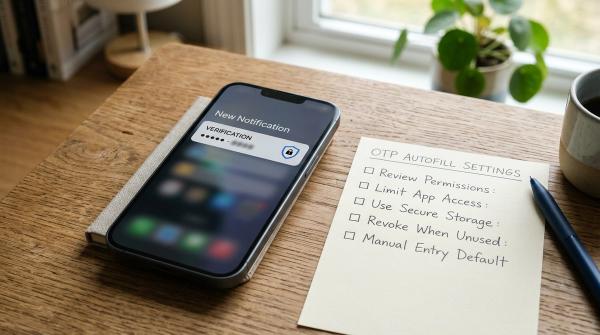
If someone else is using your WhatsApp account, the key recovery step is to register your phone number in the official WhatsApp app again with the six-digit code sent to that number. WhatsApp says re-registration signs other devices out. If you are still signed in, first review linked devices and remove any you do not recognize. Warn close contacts through a separate trusted channel if unusual messages went out, then tighten account security after you regain control.
That answer changes if you no longer control the phone number. WhatsApp's official recovery guidance says you need access to the SIM or number associated with the account; an email address by itself is not a replacement for that verification. Work with your mobile carrier to restore the number before relying on account recovery. Do not give a code to anyone offering to “help” you get it back.
Work out which problem you have
#An unexpected six-digit code does not prove that someone has entered your account. It may mean somebody typed your number by mistake or is attempting registration. Do not share the code. A friend asking why you sent a payment request, a linked device you cannot explain, or an unexpected logout is stronger evidence that you need to act.
There are several possible situations:
| What happened | Likely next action |
|---|---|
| You received a code but still control WhatsApp | Do not share it; review linked devices and security settings |
| An unfamiliar linked device appears | Log it out and review the account and phone |
| You were logged out or someone registered your number | Re-register in the official app using the code sent to your number |
| You cannot receive codes because the SIM or number is lost | Contact the mobile carrier first to restore number access |
| Contacts received strange messages from you | Warn them through a channel you still control |
Do not assume these cases have the same cure. Removing a linked device is useful if you still have the main account. If another person has registered your phone number, WhatsApp's current guidance says re-registration with the six-digit code is the way to remove them. A generic password change is not a substitute.
If you are still signed in
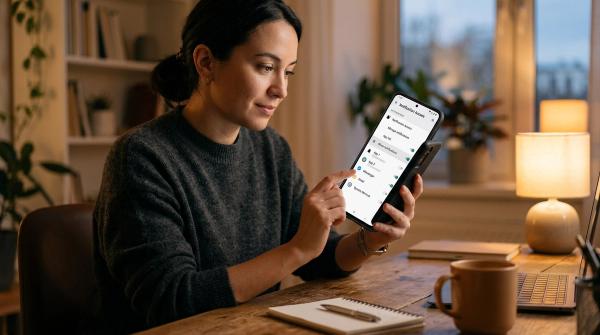
#Open WhatsApp and review Linked Devices from the app's settings or menu. Examine each device and its recent activity. A laptop you used last week may be legitimate; an unfamiliar browser or computer deserves attention. Log out devices you do not recognize. If several devices are uncertain, compare them with your own computers and browser sessions before keeping one.
Next, check whether the phone itself is under your control. Has someone recently handled it while unlocked? Have you installed an unfamiliar app or granted screen-sharing access to a stranger? A linked-device problem, a stolen verification code and a phone-security problem require overlapping but different responses. Allblogs' linked-devices privacy checklist covers the routine review in more depth; this article focuses on suspected account compromise and recovery.
Turn on or review WhatsApp two-step verification, and add a recovery email if the official app offers it for your account. Keep that email secure. WhatsApp's current help notes that email verification works only under its stated conditions and does not replace access to the active phone number or SIM. Never send your two-step PIN, registration code or recovery email code to a caller or chat contact.
If the strange activity came from another service, check that service too. A scammer can impersonate you using a copied photo or a different number without controlling your WhatsApp account. Ask the affected contact what number sent the message. Avoid announcing “my account was hacked” as a fact until you have checked the evidence, but warn contacts about a suspicious message immediately when that would prevent harm.
If you were logged out or lost control
#Use the official WhatsApp app installed on your phone. Follow its “Log back in” flow, enter the full international phone number if asked, and use the six-digit verification code delivered by SMS or phone call. WhatsApp states that entering the code to re-register logs out other devices that were using the account. Keep the code private even if someone claims to be support, a family member or the person who “found” your account.
If WhatsApp then asks for a two-step verification PIN that you did not set or cannot remember, follow the app's official process. WhatsApp's recovery article says that in rare cases another user may have enabled the PIN; without it you may need to wait seven days and try again. It also says the other user is logged out once you enter the SMS code, even if you do not know the PIN. Do not pay a stranger who promises to bypass the wait. Recovery timing and options can change, so follow the prompts in the current official app.
If the code does not arrive, check whether your number can receive ordinary calls or texts and whether the SIM is active. Confirm the country code and number you entered. Contact your carrier if you lost the SIM or service. WhatsApp says an account cannot be recovered without the SIM associated with the number. A sudden loss of mobile service can also be a carrier issue that needs urgent investigation; use the carrier's trusted support route rather than repeatedly requesting WhatsApp codes.
Do not report your own account as a shortcut to lock out the other user before attempting recovery. WhatsApp warns that reporting a compromised account you are trying to recover could lead to a ban or loss of access to data. Follow the official recovery sequence first. If the app shows a different specific support option, use only the one inside the official product or its help center.
Warn contacts without creating another scam opening
#When a compromised account sends messages, the most immediate harm may be to the people who trust that number. Tell close contacts through a phone call, another account you control, or a trusted person that unusual requests from your WhatsApp may be fraudulent. Ask them not to send money, share codes or follow unexpected payment links. Keep the message factual: “I may have lost control of my WhatsApp account. Please ignore unusual requests from my number while I recover it.”
If you still control the account, you can also use a status or group message, but remember that the other person may be able to see what you post until access is removed. A separate channel is more reliable during recovery. A small business or community administrator should tell the people who rely on that number through another established channel they already know. Do not introduce a new unknown “support” number in the warning.
Ask one trusted contact to preserve a screenshot of the suspicious message if a payment request or impersonation is involved, while avoiding wider sharing of private chats. If someone has sent money, they should contact their bank or payment provider promptly under the process in their country. You cannot recover a payment just by regaining the WhatsApp account.
What happens to your old chats?
#WhatsApp says a person registering your number on a new device cannot simply read past conversations stored on your original device because messages are stored on devices and protected by end-to-end encryption. That statement should not be stretched into “nothing was exposed.” A linked device, an unlocked original phone, shared backups or messages delivered while another person controlled the account raise different questions. Review what actually happened instead of assuming every chat was copied or none were seen.
Your ability to restore chat history depends on the backup you had and the conditions for that backup. WhatsApp notes that a Google Account or iCloud backup may allow restoration. Check the official restore flow before deleting or resetting the old phone. Do not hand a backup password or encryption key to an online recovery service.
Once back in, look at recent chats and settings for changes you did not make. If a scammer added contacts, changed details or sent requests, warn the people involved. WhatsApp says it cannot tell you who accessed the account or the time and location of access, so do not promise a precise attacker identity from its app screens.
If you use WhatsApp for a group or business
#Tell another trusted group administrator that the account may have sent unsafe requests. Ask them to pause any payment collection or sensitive instructions attributed to you until they confirm by voice or another established channel. When access returns, review group administrator roles and recent posts. Avoid asking members to send codes, screenshots or payment details to a replacement number; that would resemble the very scam you are trying to stop.
If a business uses the number for customer support, put a short notice on a channel customers already know, such as its existing website or another established account. State what to ignore and when you will update them. Keep private customer details out of the notice. Recovery of the account does not undo messages already delivered, so the contact warning has a separate purpose from the technical fix.
Secure the account after recovery
#Review Linked Devices again and sign out anything unfamiliar. Turn on two-step verification and store its PIN securely. Add and verify a recovery email if the current app allows it and if you can keep that inbox protected. Review your phone's screen lock and software updates. If someone had physical access, change the device passcode and consider what else they may have seen.
Review the email and mobile number attached to other important accounts. A WhatsApp takeover sometimes begins with a shared code or carrier problem; it may not be limited to WhatsApp. If your phone also shows unexplained apps or settings, use a separate device-security review. The established Allblogs app permissions audit is a useful starting point for checking what unfamiliar apps can access.
Be careful with new messages claiming to be WhatsApp support, a recovery expert or a friend helping with verification. A real code sent to your phone can still be stolen if you read it aloud or forward a screenshot. The safest habit is simple: enter codes only in the official app flow you started yourself.
When it may be impersonation rather than takeover
#A scammer can create a new account with a different number, copy your profile image and write to your contacts. Your own account may remain intact. Compare the sending number, ask the recipient for details, and report the impostor through WhatsApp's available in-app controls. Warn contacts about the fake number. Re-registering your real account will not remove someone else's separate account.
Likewise, an unexpected code request alone may be an attempt that failed. Keep the code private, review security settings, and watch for stronger evidence. Do not make a public claim that a specific person attacked you based only on a code notification. If you repeatedly receive codes or lose cellular service, take that pattern seriously and involve the carrier or official support.
The order to remember
#Protect your number, use WhatsApp's official re-registration when you lose access, warn contacts about unusual messages, then check linked devices and two-step verification. If you cannot receive the code, solve the number or SIM problem with your carrier. No outside service can safely replace those steps, and no one helping you should need your six-digit code.