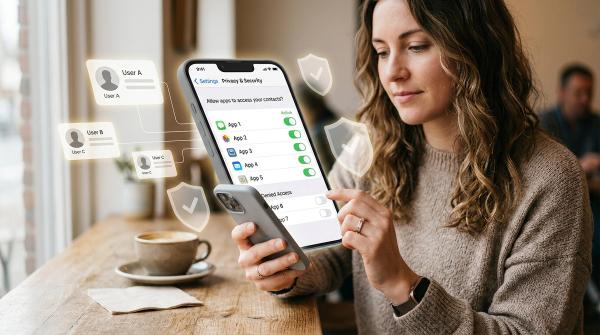
AI note takers are useful, but they are not just taking notes. Before you record, transcribe or summarize a meeting, make sure people know, check who can access the transcript, limit automatic sharing and skip AI notes for sensitive conversations. The safest default is: record less, share less and keep less.
AI note takers can catch details you missed, turn a long call into a clear summary and help you stay present instead of typing the whole time. But they may also record voices, create searchable transcripts, store files in the cloud and share summaries with people who were not meant to see them.
Use this checklist before turning on AI notes in Zoom, Google Meet, Microsoft Teams or a third-party AI note-taking app.
The quick AI note taker privacy checklist
#Before you turn on an AI note taker, ask:
- Does everyone know the meeting will be recorded, transcribed or summarized?
- Is this the right kind of meeting to record?
- Are you using a built-in feature or a third-party bot?
- Who can see the transcript?
- Who receives the summary?
- Where are the notes stored?
- How long will the notes stay there?
- Can you pause or stop the AI note taker?
- Are screen shares being captured?
- Have you checked the tool’s privacy settings?
1. Does everyone know you are using it?
#Do not assume people noticed a small recording icon, calendar note or pop-up banner.
Say it clearly at the start of the meeting, or put it in the chat:
“I’d like to use an AI note taker for this meeting so I can focus on the conversation. Is everyone okay with that?”
Good meeting recording consent is not just about rules. It is about trust. People deserve to know when their words may become a transcript or summary.
2. Is this the kind of meeting that should be recorded?
#Some conversations should not become searchable files.
Skip AI notes for meetings involving:
- Medical or health information
- Family issues or personal emergencies
- HR topics, salary, discipline or performance reviews
- Legal advice or legal strategy
- Passwords, recovery codes or security details
- Banking or financial credentials
- Sensitive client information
- Private conflict, venting or emotional conversations
A useful gut check is: if you would not want this searched, forwarded or quoted later, you probably should not record it.
3. Are you using a built-in feature or a third-party bot?
#There is a difference between using a built-in meeting feature and inviting a separate AI note-taking bot into the call.
Built-in tools in Zoom, Google Meet and Microsoft Teams are usually tied to the platform’s own controls, such as host permissions, admin policies, recording notices, access settings and organization rules.
Third-party note takers may work differently. They often join as another meeting participant, process audio through their own systems and store the transcript or summary inside their own app.
That does not automatically make them unsafe, but it does mean you should check their privacy settings carefully before using them.
4. Who can see the transcript?
#A transcript can be more sensitive than a summary because it may include exact wording, names, side comments, mistakes, disagreements and details that were only mentioned briefly.
Before turning on transcription, check:
- Who can view the transcript
- Whether it is shared automatically
- Whether people outside the meeting can access it
- Whether it can be downloaded
- Whether it appears in a shared folder, channel or workspace
- Whether anyone with a link can open it
For better AI transcription privacy, only give transcript access to people who truly need it.
5. Who receives the summary?
#Summaries feel safer because they are shorter, but they can still reveal decisions, deadlines, client issues, personal context and internal plans.
Check whether the summary goes to only the host, all attendees, everyone on the calendar invite, a team channel, a shared workspace or anyone with a link.
If the meeting includes client details, personal information or internal decisions, review the summary before sharing it.
6. Where are the notes stored?
#After one meeting, you might have an audio recording, video recording, transcript, summary, action-item list, chat export and shared links.
Those files may live in the meeting platform, a cloud drive, a team workspace, the AI note-taking app or someone’s personal account.
For freelancers, students and small teams, scattered storage is a common privacy problem. If client calls are spread across several apps and cloud drives, it becomes harder to know who has access or what should be deleted later.
7. How long will the notes stay there?
#Do not keep meeting data forever just because the tool makes it easy.
Ask:
- Is there a retention setting?
- Can recordings be deleted?
- Can transcripts be deleted?
- Who is allowed to delete them?
- Does your workplace, school or client have a policy?
- Do old summaries remain searchable?
If the notes have served their purpose, consider deleting them.
8. Can you pause or stop the AI note taker?
#Some meetings start out routine and then suddenly become sensitive.
Before the call begins, know how to stop recording, stop transcription, pause the AI note taker, remove a third-party note-taking bot or continue the meeting without AI notes.
If someone says, “Can we go off the record?” respect that.
9. Are screen shares being captured?
#Meeting privacy is not only about what people say. Recordings may also capture email inboxes, client documents, student records, dashboards, personal messages, password managers and private browser tabs.
Before sharing your screen, close anything you do not want saved.
10. Have you checked the tool’s privacy settings?
#Before using any AI note-taking app, look for settings related to recording consent, transcript sharing, summary sharing, cloud storage, downloads, link sharing, data retention, admin controls, integrations and data use for product improvement or AI training.
If the privacy controls are hard to find, vague or written in a way no normal person would understand, slow down before using the tool in a real meeting.
Consent and recording rules, in plain English
#This is general digital-safety guidance, not legal advice. Recording and consent rules vary by country, state, workplace, school, client contract and meeting type.
The privacy-first habit is simple: tell people before you record, transcribe or summarize them with AI.
For a normal meeting, say:
“Before we begin, I want to let everyone know I’m using an AI note taker to create a transcript and summary. If anyone is not comfortable with that, please say so and I’ll turn it off.”
For a sensitive meeting, it may be better to say:
“This conversation may include personal or confidential information, so I’m not going to record it or use AI notes.”
Built-in meeting tools: what to check
#Transcripts vs summaries: why the difference matters
#A transcript is a detailed text record of what was said. It can include exact words, names, questions, disagreements, side comments and unfinished thoughts.
A summary is shorter, but it can still expose decisions, responsibilities, client problems and private context.
Both need access controls. A short summary can still be risky if it is automatically emailed or posted into a shared workspace.
What to check after the meeting
#Privacy does not end when the call ends. After the meeting, check:
- Was a transcript saved?
- Was a summary emailed?
- Was a share link created?
- Can anyone with the link open it?
- Was it posted into a team chat or channel?
- Can it be downloaded?
- Can it be deleted?
- Who owns the file?
If the notes contain sensitive information, restrict access, move the file somewhere safer or delete it if it is no longer needed.
What not to record or upload to an AI note taker
#Avoid recording or uploading these types of conversations unless you have a clear, approved reason:
- HR, salary and performance conversations
- Medical or health-related details
- Legal advice or legal strategy
- Passwords, security procedures and financial credentials
- Highly sensitive client work
- Personal conflict or emotional conversations
Some information should never appear in a transcript.
A safer default setup for AI meeting notes
#If you want a more privacy-friendly setup:
- Use one approved note-taking tool instead of several.
- Turn off automatic sharing when possible.
- Review summaries before sending them.
- Limit transcript access to attendees or people with a clear need.
- Delete recordings and transcripts that are no longer useful.
- Avoid AI notes for sensitive meetings.
- Announce the AI note taker at the start of every call.
- Recheck your settings after app updates or workspace changes.
Quick decision guide: should you use an AI note taker?
#Use AI notes if the topic is routine, everyone is informed, nobody objects, the meeting does not include sensitive personal information, you know where the notes will be stored, you know who receives the summary and you can delete or restrict the files later.
Skip AI notes if the meeting involves HR, legal, medical, financial or security details; a client has not approved it; someone asks not to be recorded; you do not know where the transcript goes; or the conversation is personal, emotional or off the record.