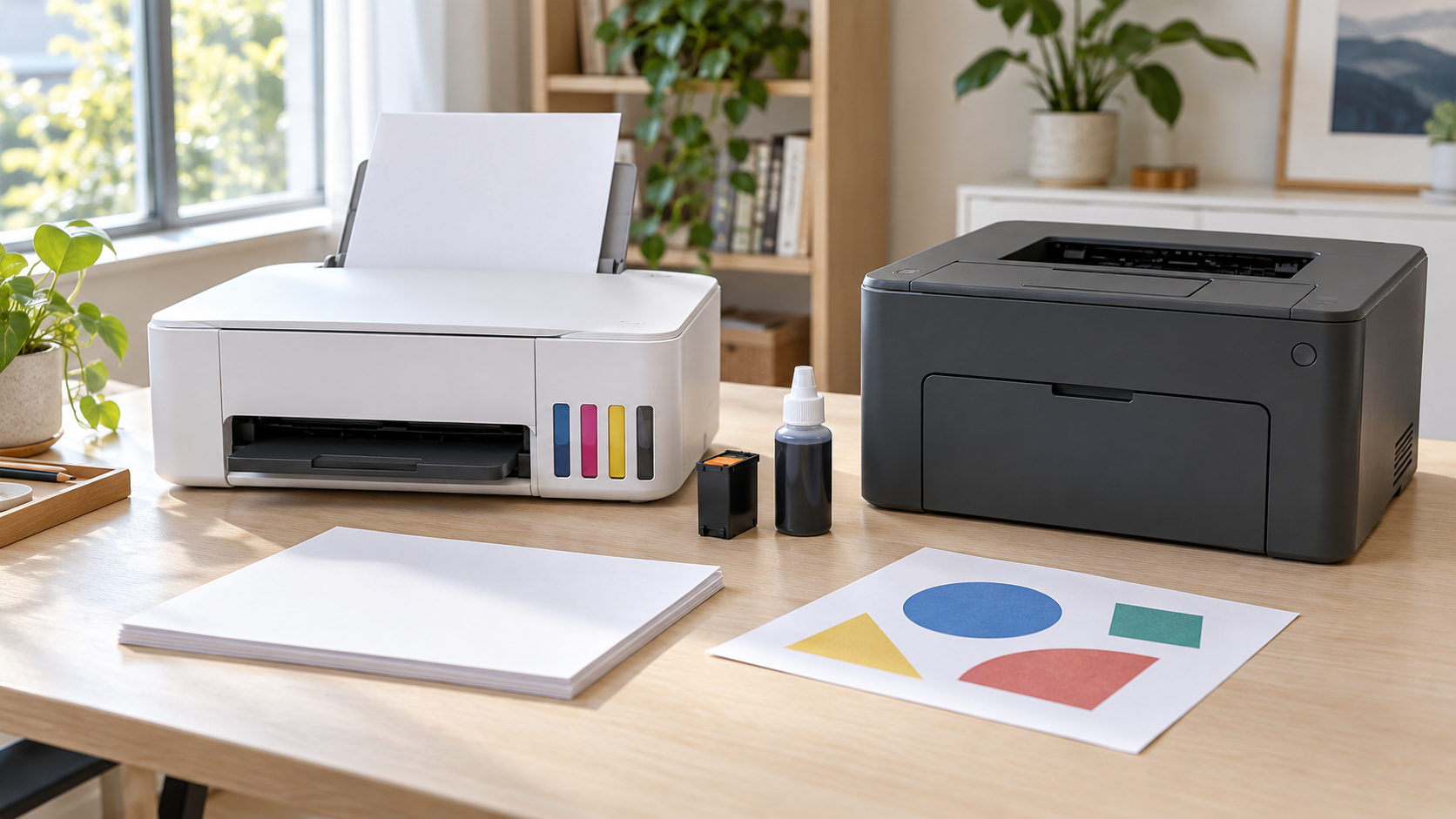
Choose a monochrome laser printer if you mainly print black text and may leave the machine unused for weeks. Shortlist an ink tank printer if you print colour regularly and expect to use enough ink to justify its purchase price. A cartridge inkjet can still make sense when you need colour, have a small buying budget, and have checked what replacement cartridges will cost.
The useful comparison is not simply “ink tank vs laser printer.” It is the cost and effort of printing the pages you actually need, on the schedule you actually follow. A bargain machine can become expensive to feed. An economical high-capacity printer can also be poor value if most of its capacity sits unused.
This guide compares the systems and gives you a worksheet for comparing local offers. It does not rank specific models or claim hands-on testing.
What are you actually comparing?
#An ink tank printer is a type of inkjet. Both tank and cartridge inkjets put liquid ink onto paper through small nozzles; the main difference in this buying comparison is how ink is supplied. Tank models have refillable reservoirs. Cartridge models use replaceable ink containers.
A laser printer uses powdered toner and a heated fixing process. A monochrome model prints in black; a colour model adds colour capability. Do not compare the price of a black-only laser against a colour inkjet and assume the features are equivalent.
These categories help narrow the search, but they are not quality grades. A basic tank printer can lack useful office features. A cartridge inkjet can have excellent photo capability. Two laser printers can have very different size, supply costs and scanning functions.
| Printer type | Good starting point for | Main ownership check |
|---|---|---|
| Cartridge inkjet | Lower initial spending with colour available | Price and yield of the replacement ink you will use |
| Refillable ink tank | Regular colour documents and repeated printing | Purchase premium, maintenance needs and included ink |
| Monochrome laser | Text documents, including intermittent use | Toner cost, starter yield and separate drum if fitted |
| Colour laser | Repeated colour reports and office graphics | Full supply set, footprint and model-specific costs |
Read this table as a shortlist, not a promise that one technology always costs less.
Start with a print diary, not a monthly guess
#Look at your last few printing jobs. Record how many printed sides they involved, whether colour mattered, whether they were urgent, and how much time passed between jobs. If you already use a print shop, its receipts can help reconstruct your pattern.
Two households can both average 50 pages a month and need different machines. One prints worksheets every few days. The other prints 150 pages once every three months. Their average volume matches; their idle periods do not.
Separate your pages into ordinary black text, colour documents and photographs. A tiny coloured logo does not automatically justify owning a colour printer if a black copy is acceptable. A colour-coded diagram may be different: removing its colour could make it harder to understand.
Also count printed sides consistently. A ten-sheet document printed on both sides contains 20 printed pages for a per-page calculation. Double-sided printing can reduce paper consumption without halving ink or toner use for the same content.
Choose a realistic ownership period for your comparison. Three years is a useful example, not a guarantee of printer life. Use a shorter period if your studies, job or living arrangements are likely to change soon.
When a monochrome laser is the sensible first shortlist
#A black-only laser is worth considering when most jobs are forms, return labels, reading material or text-heavy paperwork. You avoid buying colour capability that contributes little to your routine.
Its dry toner also removes the liquid-ink nozzle issue from the decision. That is useful when long idle gaps are normal. It does not make the printer maintenance-free or guarantee that every old cartridge will work perfectly after storage. Paper handling, storage conditions, parts and device support still matter.
For short urgent jobs, compare first-page time and the actual wake-up behaviour rather than looking only at pages per minute. A headline batch speed says little about how annoying it is to print one form from your phone. Ask for a demonstration of that job where possible.
A monochrome laser can be paired with occasional outside colour printing. Work out the inconvenience as well as the price: distance, opening hours, file transfer and whether you are comfortable sending that document to a shop. If colour is needed every week or at unpredictable deadlines, outsourcing may be the wrong compromise.
Do not buy a colour laser simply because you liked the economics of a monochrome one. Rebuild the cost comparison with its own supplies and the kind of colour pages you expect to produce.
When an ink tank printer can earn back its higher price
#Tank printers deserve a close look when colour is a regular part of schoolwork, household projects or home-office documents. Refillable bottles can make repeated printing attractive, but the purchase premium needs enough useful pages to pay for itself.
Start with two actual local offers. Check whether both include the scanner, automatic double-sided printing and other functions you need. If one lacks a necessary feature, it is not a comparable cheaper alternative.
Then read the ink-yield footnotes. Epson, for example, distinguishes included ink from replacement-bottle yields because some initial ink is used during setup. A large number on the box is not an unconditional number of your own pages.
Liquid ink also brings a maintenance obligation. Long disuse can contribute to printhead problems, and cleaning consumes ink. Follow the specific manual for storage, shutdown and maintenance; there is no single printing interval that should be prescribed for every inkjet.
Before paying more for a tank, ask whether someone will actually use and maintain it during holidays or long absences. If your diary shows regular colour printing, that may fit naturally. If you are buying thousands of pages of theoretical capacity for a handful of annual forms, the low advertised running cost is less persuasive.
When a cartridge inkjet is still a reasonable choice
#A cartridge inkjet can suit a buyer who needs colour but cannot comfortably fund a higher initial purchase. The right question is whether the replacement supplies remain affordable at the expected volume.
Find the exact cartridge codes and price a full replacement purchase before ordering the machine. Check standard and high-yield options where supported. Do not assume that the cheapest cartridge has the lowest cost per page, or that the largest cartridge will be used before your circumstances change.
Look at the colour arrangement. If the machine uses a combined colour cartridge, ask what happens when one colour runs out. For separate cartridges, find out whether all colours must remain available for the printing you want to do. These are model-specific questions, including when a document looks black-only.
Also distinguish buying a printer outright from any optional supply subscription or account-based offer. Read the actual requirements, ongoing charges and cancellation terms for the exact offer. A promotional checkout price does not tell you the full ownership commitment.
The tradeoff can be sensible when it is deliberate: you accept a higher estimated page cost in exchange for manageable initial spending. It becomes a problem when replacement ink was never part of the buying decision.
Work out cost per page without treating yield as a guarantee
#For a simple black-only comparison, divide the replacement supply price by its declared page yield. For example, an imaginary toner costing 60 currency units with a declared yield of 1,500 pages gives a nominal toner cost of 0.04 units per printed page.
That is a planning figure. HP describes declared yield as a comparison starting point, not a minimum or an exact prediction. Page content, job patterns and operating conditions affect what you actually get.
Keep these comparisons fair:
- Compare black document yields with black document yields, not photo yields.
- Read whether the figure covers included supplies or replacement supplies.
- Keep black and colour costs separate when your usage differs.
- Add any separately replaceable supplies relevant to the period you are comparing.
Do not add three colour-cartridge page yields together to claim three times as many full-colour pages. The colours contribute to the same printed pages. Use the manufacturer's explanation of the complete colour system and its measurement method.
Photo printing needs its own budget. Paper, size, coverage and print settings differ from an ordinary text page. A cheap document cost per page does not establish the cost of a borderless family photograph.
A worked break-even example
#Here is a simplified example using imaginary prices and running costs. The units can represent any one local currency; these are not current product quotes. Assume two colour printers have equally suitable features and the same usable included-ink allowance. Exclude that common allowance from the pages below.
Printer A costs 100 units and its estimated consumables cost is 0.10 units per additional comparable page. Printer B costs 250 units and its estimated cost is 0.02 units per additional comparable page.
The extra purchase cost is 150 units. The estimated saving is 0.08 units per page. Dividing 150 by 0.08 gives 1,875 additional pages to recover the higher initial price in this simplified model.
| Additional pages after the common included allowance | Printer A: purchase plus estimated consumed supplies | Printer B: purchase plus estimated consumed supplies |
|---|---|---|
| 600 pages | 160 units | 262 units |
| 1,875 pages | 287.50 units | 287.50 units |
| 3,600 pages | 460 units | 322 units |
At 50 additional pages each month, that break-even point is about 37.5 months away. At 200, it is about 9.4 months away. Neither is a forecast for your home; the examples show why frequency changes the decision.
The table estimates the value of consumables used. Your cash spending can be higher because cartridges and bottles are bought in whole packs, leaving some unused capacity at the end of the comparison. For a tight budget, list the likely replacement purchases by month as well as the average page cost.
Real offers rarely include equal supplies. Adjust for what you can actually use, then add relevant maintenance, different paper costs, subscriptions and outside printing. Do not count included ink twice by charging every page at replacement rates and also adding the full first refill purchase.
If the higher-priced machine does not recover its premium within your plausible ownership period, it may still be worth buying for a needed feature. Just name that reason honestly instead of calling it a guaranteed saving.
Check the ownership costs that the supply advert leaves out
#The replacement ink or toner is only part of the budget. Read the manual's consumables and maintenance sections before choosing a machine.
Some laser printers have a separately replaceable drum. Brother documents this arrangement on supported models; buying toner does not replace that separate component. Find out which parts your shortlisted printer uses and what replacement involves. Do not add an arbitrary drum purchase if your expected use would not require one.
For inkjets, check waste-ink handling. Epson distinguishes internal ink pads requiring service from user-replaceable maintenance boxes on relevant models. Ask which arrangement applies and whether the part or service is available locally. A refillable tank is not a promise that all maintenance is user-serviceable.
Make a short ownership list: required supplies, supported maintenance parts, local service, warranty process, and any ongoing paid features you plan to use. A slightly cheaper machine is less appealing if its essential replacement supply is difficult to obtain where you live.
Match the printer to the job before paying
#Colour documents and photographs are different jobs. For photographs, compare a sample on the intended paper, supported sizes, borderless options and the exact ink system. Do not assume every tank is a specialist photo printer or that a colour laser substitutes for one.
Check paper compatibility. Confirm A4 or Letter, envelopes, labels and any heavier media you need in the exact manual. Use media approved for the printer's process. Inkjet-only photo paper should not be put through a laser printer's heated path.
Separate printing from scanning features. Automatic double-sided printing does not tell you whether the scanner can capture both sides automatically. An automatic document feeder also needs its own feature check. For a stack of two-sided documents, ask to see that complete workflow rather than relying on “all-in-one.”
Test your real connection. List the phone and computer operating systems involved, then check current manufacturer support and the precise wired or wireless method. Wi-Fi on the specification sheet is not enough information about setup, account requirements or your preferred workflow.
Measure usable space. Include open trays, the scanner lid, cable access and room for refilling or replacing supplies. A printer that fits with everything folded shut may be awkward in daily use.
Bring a representative document to a shop demonstration if available. Check small text, a colour chart if relevant, both-sided output and a phone print. You are checking whether the shortlisted model meets your needs, not proving a universal winner between technologies.
Choose for the routine you have
#For occasional black paperwork, begin with a monochrome laser and compare its complete ownership cost with outside printing. For regular colour pages, compare suitable tank printers with cartridge alternatives using the same volume and output assumptions. For a low initial budget, a cartridge inkjet remains an option when its replacement costs and maintenance fit your routine.
If you only print a few non-urgent pages a year, check whether a nearby service is simpler than owning any printer. Include travel, privacy and availability in that choice. Convenience can justify a purchase even when it is not the cheapest route.
Before ordering, keep one page with your print pattern, two or three suitable models, included supplies, replacement codes, estimated spending and the features you have verified. That gives you a reasoned purchase decision you can use when a sale banner tries to change your mind.