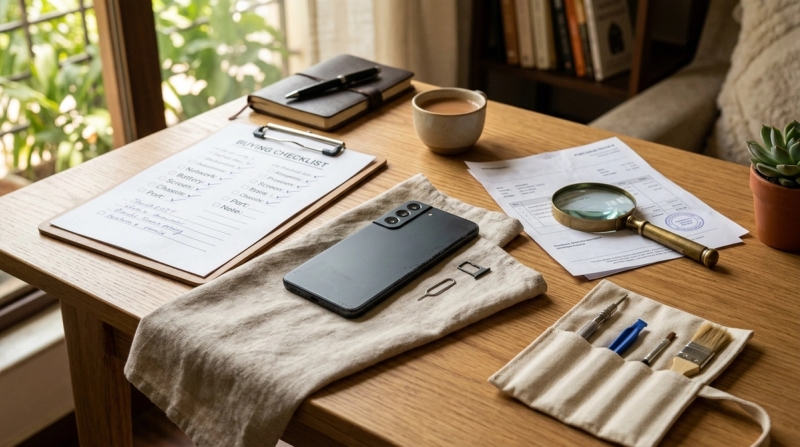
Buying a second-hand phone in India can be a smart way to get a better device for less money, but only if you check it properly before paying. Match the IMEI with the bill or box, test battery health, screen, cameras, SIM, charging and account locks, and avoid rushed deals with no proof of purchase.
Short Answer: 60-Second Used Phone Checklist
#If you are about to buy a used or refurbished phone, check these things first:
- IMEI match: Dial
*#06#and match the IMEI with the bill and box. - Bill or proof of purchase: No bill means higher risk, especially with unknown sellers.
- Battery health: For iPhones, try to get 80% or higher. Below that, you may need a battery replacement soon.
- Screen and body: Check for cracks, green lines, screen lift, dents, poor touch response, and uneven gaps.
- Account locks: The phone should be reset in front of you and should not ask for the old owner’s Apple ID or Google account.
- Warranty and return: If buying refurbished, ask for written warranty and return details.
- Walk away if: The seller refuses checks, avoids sharing the bill, rushes you to pay, or the price feels too good to be true.
Note: This is a practical buying-safety guide, not legal advice. If a deal looks suspicious or the ownership trail is unclear, do not buy the phone.
Who This Guide Is For
#This guide is for anyone in India planning to buy a used or refurbished smartphone from:
- OLX or other classifieds
- A local mobile shop
- A friend, colleague, or relative
- A marketplace listing
- A refurbished phone website
- A small reseller in a mobile market
- Instagram, WhatsApp, or Facebook sellers
It applies whether you are buying a used iPhone, Samsung Galaxy, OnePlus, Vivo, Oppo, Redmi, Realme, Motorola, Nothing Phone, or any other Android phone.
The goal is simple: save money, but don’t end up with a stolen, locked, badly repaired, or dying phone.
Best For / Avoid If
#Best for
#Buying a second-hand or refurbished phone makes sense if:
- You want a premium phone at a lower price.
- You need a secondary phone.
- You are buying a first phone for a student or family member.
- You are comfortable checking the phone before payment.
- You don’t mind small scratches if everything works properly.
- The seller allows proper inspection and gives proof of purchase.
Avoid if
#Skip the used phone route if:
- You want a completely fresh, scratch-free, brand-new experience.
- You don’t want to inspect the phone yourself.
- The seller refuses to share the bill, IMEI, or warranty details.
- You are buying from a random Instagram or WhatsApp page with no return policy.
- You cannot confirm whether the phone is unlocked and usable.
- The price is so low that it feels suspicious.
Used phones can be great value, but they are not something you should buy blindly.
Quick Comparison: Where Should You Buy a Used Phone?
#Different buying sources suit different risk levels. Use this quick comparison before deciding:
- Friend or relative
- Classifieds seller
- Local mobile shop
- Refurbished website
Prices, warranty terms and device condition can change quickly, so compare similar listings and written policies before deciding.
The Complete Second-Hand Phone Buying Checklist India
#A phone can look clean from the outside and still have serious problems. The battery may be worn out. The screen may be duplicate. The camera may have focusing issues. The phone may be locked to the previous owner’s account.
Here is what you should check before paying.
1. IMEI Check: Make Sure the Phone Is Legit
#The IMEI is one of the most important things to check when buying a used phone. It is a unique identification number for the device.
How to check IMEI before buying a used phone
#Open the dialer on the phone and type:
*#06#
The IMEI number will appear on the screen.
Now compare it with:
- The IMEI printed on the original bill
- The IMEI printed on the box, if available
- The IMEI on the invoice from a refurbished seller, if applicable
The numbers should match exactly. Don’t ignore even a small mismatch. You can also use official India mobile-verification services such as Sanchar Saathi, CEIR or KYM where available, and should follow the latest official instructions shown there.
Why the IMEI matters
#A mismatched IMEI is a major red flag. It can mean:
- The bill belongs to another phone.
- The box is not original to the device.
- The seller is hiding the phone’s real history.
- The phone may have a doubtful ownership trail.
Sometimes genuine owners do lose bills and boxes. That happens. But as a buyer, especially when dealing with an unknown person, you need some proof that the phone is clean.
If there is no bill, no box, no invoice, and the seller is vague about the phone’s history, be careful.
2. Bill Check: Don’t Treat It Like a Small Thing
#The bill is not just a formality. It helps prove where the phone came from and whether the seller has a believable ownership record.
Ask for:
- Original retail bill, if available
- Online invoice copy, if bought from Amazon, Flipkart, Croma, Reliance Digital, etc.
- Refurbished seller invoice, if bought from a reseller
- Warranty card or service record, if available
Check these details carefully:
- Buyer name, if visible
- Phone model
- Storage variant
- IMEI number
- Date of purchase
- Seller or platform name
For example, if the bill says iPhone 13 128GB but the phone is iPhone 13 256GB, stop and ask questions. If the IMEI does not match, don’t buy it.
A genuine seller should not get angry just because you are asking for basic proof.
3. Battery Check: A Cheap Phone With a Bad Battery Is Not Really Cheap
#Battery condition matters a lot. A phone can look perfect but still drain quickly, heat up, or shut down unexpectedly.
For iPhones
#Go to:
Settings > Battery > Battery Health & Charging
Check the maximum capacity.
A simple way to judge it:
- 90% and above: Very good
- 85% to 89%: Usually fine, depending on the price
- 80% to 84%: Usable, but negotiate
- Below 80%: Battery replacement may be needed soon
If the battery health is below 80%, it doesn’t always mean the phone is useless. But you should reduce your offer because battery replacement is an added cost.
For Android phones
#Android phones do not always show battery health clearly in settings. So you need to check practical signs.
Watch for these issues:
- Does the phone heat up quickly during normal use?
- Does the battery percentage drop suddenly?
- Does it shut down even when battery is left?
- Does it charge properly?
- Is the charging port loose?
- Does fast charging work, if supported?
Use the phone for at least 10 to 15 minutes before deciding. Open the camera, browse the internet, play a video, connect Wi-Fi, and see how the phone behaves.
Don’t just accept “battery ekdum mast hai” from the seller. Check it yourself.
5. Camera, Speaker, Mic and Button Checks
#Don’t just check if the phone switches on. Test the things you will actually use every day.
Camera
#Open the camera and test:
- Main camera
- Ultra-wide camera, if available
- Telephoto camera, if available
- Front camera
- Portrait mode
- Video recording
- Flash
- Focus
Tap to focus on nearby and far objects. If the camera struggles to focus, looks blurry, shakes too much, or makes strange noises, be cautious.
Also check for dust inside the camera lens. Sometimes a repaired phone may have dust trapped inside.
Speaker and microphone
#Test:
- Loudspeaker
- Earpiece speaker
- Microphone during a call
- Voice recording
- Video recording audio
A quick trick: record a short video while speaking, then play it back. This helps you catch mic and speaker problems quickly.
Buttons and vibration
#Check:
- Power button
- Volume buttons
- Alert slider, if available
- Fingerprint sensor
- Face unlock
- Vibration motor
A loose or sticky button may not look like a big issue during purchase, but it can become irritating later.
6. SIM, Network, Wi-Fi and Bluetooth Checks
#If possible, insert your own SIM card before paying.
Check:
- Network signal
- Incoming calls
- Outgoing calls
- Mobile data
- SMS
- Wi-Fi connection
- Bluetooth pairing
- Hotspot
- GPS or maps location
Some phones look completely fine until you realise the SIM slot, modem, Wi-Fi, or Bluetooth has a problem.
If the seller says, “Network yahan nahi aata,” test your SIM in another phone nearby. Don’t just assume the area is the issue.
7. Account Locks: Never Buy a Locked Phone
#This is one of the most important second-hand mobile safety checks.
A phone can be physically perfect and still be useless if it is locked to the previous owner’s account.
For iPhone
#Make sure the seller signs out of:
- Apple ID
- iCloud
- Find My iPhone
Then ask the seller to factory reset the phone in front of you.
After reset, start the setup process. If the phone asks for the previous owner’s Apple ID, do not buy it. That is Activation Lock, and you may not be able to use the phone.
For Android
#Android phones can have Factory Reset Protection, also called FRP.
If the phone was reset without removing the old Google account, it may ask for the previous owner’s Google login during setup.
Ask the seller to:
- Remove the Google account
- Remove the screen lock
- Factory reset the phone
- Start setup again in front of you
The phone should reach the home screen without asking for the old owner’s password.
Never accept excuses like:
- “Password ghar pe hai.”
- “Brother ka account hai.”
- “Baad mein unlock ho jayega.”
- “Shop wale kar denge.”
If it cannot be unlocked in front of you, don’t buy it.
8. Warranty and Return Checks for Refurbished Phones
#A refurbished phone is not exactly the same as a normal second-hand phone.
A second-hand phone is usually sold directly by an individual, often as-is. A refurbished phone is usually checked, cleaned, repaired if needed, graded, and then sold by a shop or company.
If you are buying refurbished, ask for:
- Warranty period
- Return window
- Replacement terms
- Battery coverage
- Display coverage
- Invoice
- Condition grade
- Details of any repaired or replaced parts
Some larger marketplaces and dedicated refurbishers offer clearer warranty and return policies than random sellers. Still, read the terms carefully.
Don’t assume every refurbished phone has the same protection. “Refurbished” can mean different things depending on the seller.
If a commercial seller cannot give warranty or return details in writing, avoid it.
9. Price Check: Don’t Fall for Unreal Deals
#A low price is tempting. That is exactly why scams work.
Be careful if:
- The phone is much cheaper than similar listings.
- The seller says they need urgent money.
- The seller refuses to meet in a public place.
- The seller wants advance payment.
- The seller avoids video calls or live photos.
- The seller claims the phone is “unused” but has no bill.
- The deal is through a random Instagram or WhatsApp page.
If someone is selling a recent flagship for a shockingly low price, assume there is a catch unless everything checks out.
Good deals exist. Unreal deals usually come with a story.
10. Payment Safety: Pay Only After the Phone Passes Checks
#For local deals, inspect first and pay later. Avoid advance payment to unknown sellers, even if they say they will “hold” the phone for you.
Safer habits:
- Meet in a public place during the day.
- Prefer a location where you can sit and inspect calmly.
- Keep screenshots of listing details and seller chats.
- If paying by UPI, confirm the seller name before sending money.
- Save bill, invoice, warranty note and payment proof.
- Do not share OTPs, card details, UPI PINs or remote-access app permissions.
If a payment fails or shows pending, do not immediately pay again without checking your bank or UPI app status. For more general payment caution, see AllBlogs’ guide on UPI payment failed but money debited.
11. Where You Buy Matters
#The risk level changes depending on where you buy the phone from.
Buying from a friend or relative
#This can be safer if you trust the person, but still check:
- IMEI
- Bill
- Battery
- Account logout
- Network
- Display
- Charging
Don’t skip checks just because you know the seller. If the phone has problems later, it can become awkward for both sides.
Buying from classifieds
#Be extra careful with OLX and similar platforms.
Meet in a public place during the day. Inspect the phone properly. Do not pay before reset and setup. Avoid advance transfers.
If the seller refuses to meet, keeps changing locations, or pressures you to send money first, walk away.
If you are comparing local resale platforms, AllBlogs also has a guide to OLX alternatives in Gujarat and a closer look at Zutilo for local buy-and-sell deals.
Buying from a local mobile shop
#Ask for a proper shop bill. Also ask about warranty in writing.
Verbal promises like “kuch problem hua toh le aana” are not enough. Later, the shop may deny it or say that the issue is not covered.
Buying refurbished online
#Read the return policy, warranty terms, condition grade, and seller reviews.
Don’t buy only because the title says “like new.” Check what “like new” actually means on that platform.
Used iPhone and Android Checklist: Quick On-Spot Test
#Use this checklist when you are physically holding the phone.
Basic checks
#- Dial
*#06#and match the IMEI. - Check the bill or invoice.
- Check the storage variant.
- Check the model number.
- Check SIM detection.
- Check network and mobile data.
- Check Wi-Fi and Bluetooth.
Hardware checks
#- Test front and rear cameras.
- Record and play a video.
- Test speaker and mic.
- Test charging port.
- Test all buttons.
- Test fingerprint or face unlock.
- Check touch response across the whole screen.
- Check for display lines or patches.
- Check vibration.
Software checks
#- Make sure iCloud or Google account is removed.
- Factory reset the phone in front of you.
- Set up the phone again.
- Confirm it reaches the home screen.
- Check for unusual heating or lag.
Deal checks
#- Ask for warranty if buying from a shop or refurbished seller.
- Do not pay in advance to unknown sellers.
- Avoid rushed deals.
- Walk away if anything feels off.
Common Mistakes to Avoid
#1. Paying before reset
#Never pay fully before the phone is reset and set up again in front of you. This is especially important for iPhones and Android phones with account locks.
2. Ignoring the bill
#A clean-looking phone without proof of purchase can still be risky. Always ask for the original bill or a credible invoice.
3. Checking only the camera and screen
#Many buyers open the camera, swipe the screen a few times, and feel satisfied. That is not enough.
Also check SIM, mic, speaker, charging, Wi-Fi, Bluetooth, buttons, vibration, and battery behaviour.
4. Buying in poor lighting
#Do not inspect the phone at night, inside a car, or in a dim shop. Scratches, screen lift, dents, and display patches are very easy to miss.
5. Trusting battery claims without checking
#Sellers often say the battery is excellent. Check it yourself, especially on iPhones where battery health is visible.
6. Accepting locked phones
#If the phone asks for the old owner’s Apple ID or Google account after reset, do not buy it. No discount is worth that risk.
7. Falling for pressure tactics
#If the seller says, “Many buyers are waiting,” “Pay now,” or “No time for checking,” stay calm.
A genuine seller should allow basic inspection.
Red Flags That Mean You Should Walk Away
#Walk away immediately if:
- IMEI does not match the bill.
- Seller refuses to show the IMEI.
- Seller has no bill and gives vague answers.
- Phone is still locked to an Apple ID or Google account.
- Seller refuses factory reset.
- Display is lifting or has lines.
- Battery health is poor and the price is not adjusted.
- Seller asks for advance payment before meeting.
- Seller avoids meeting in a public place.
- Shop refuses written warranty on a refurbished phone.
- The price is far below normal market value.
A missed deal is always better than a bad phone sitting useless in your drawer.
Final Takeaway
#Buying a second-hand or refurbished smartphone in India can save you a lot of money, but only if you check the phone properly before paying.
Match the IMEI with the bill. Inspect the battery and screen. Test the camera, speakers, mic, network, charging, Wi-Fi, and buttons. Make sure all old Apple ID or Google accounts are removed. If you are buying refurbished, get the warranty and return terms in writing.
Most importantly, don’t let the seller rush you.
If the phone passes the checks and the price is fair, it can be a great buy. But if the seller avoids questions, refuses reset, cannot show proof, or keeps pushing you to pay quickly, keep your money safe and walk away.