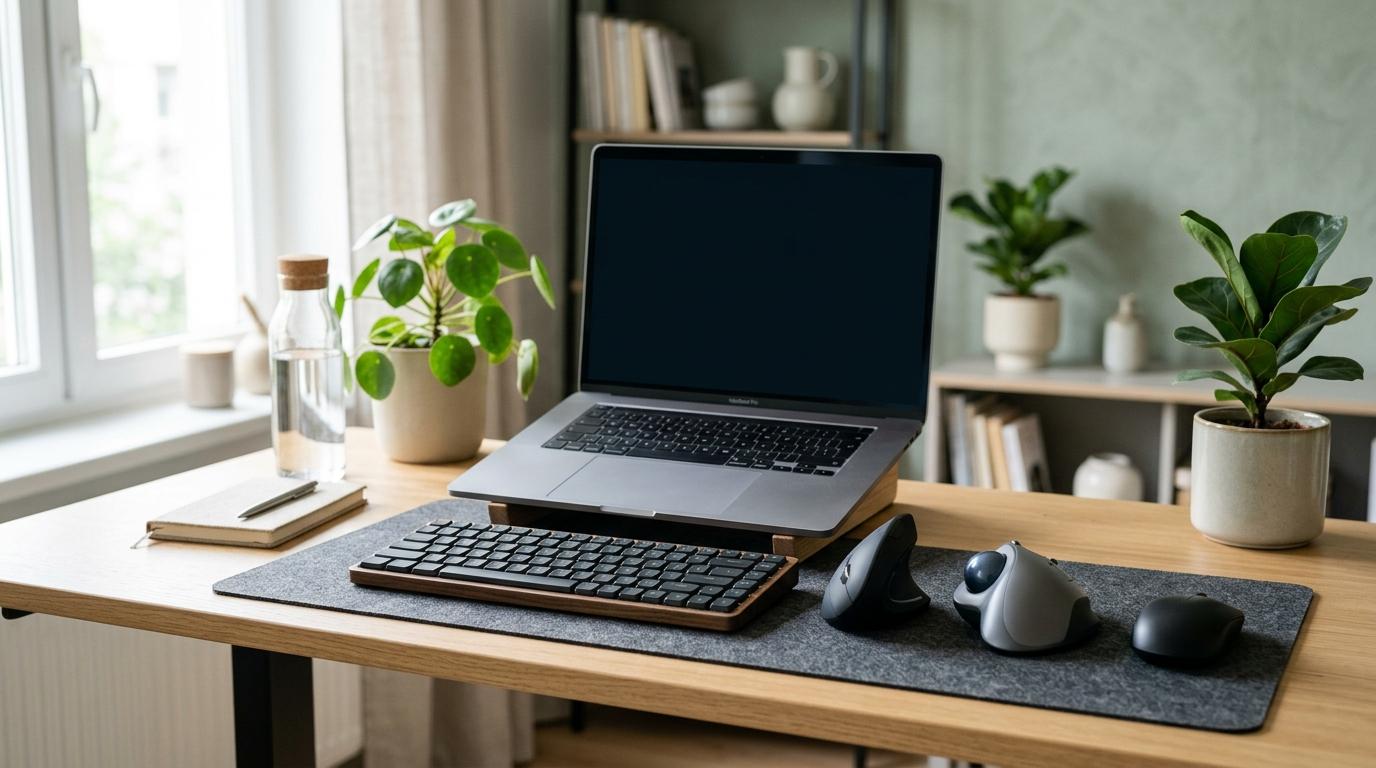
If you’re choosing between a vertical mouse vs trackball mouse, here’s the honest short version: most people should probably try a vertical mouse first.
Why? Because it still feels like a regular mouse. You move it around the desk, click normally, scroll normally, and your brain doesn’t have to learn a completely new way to control the cursor. The main difference is that your hand sits at a more relaxed angle instead of lying flat.
A trackball mouse is a better fit if your desk is cramped, your shoulder gets tired from moving a mouse all day, or you simply like the idea of keeping the mouse in one fixed spot.
But neither one is a miracle cure. A new mouse can make your setup more comfortable, but it won’t magically fix wrist pain, shoulder tension, or poor posture. The right choice depends on your hand size, desk setup, work habits, and where the discomfort is actually coming from.
Short Answer Box
#Choose a vertical mouse if:
- You want an ergonomic mouse that still feels familiar.
- Your wrist or forearm feels uncomfortable when your palm is flat.
- You mostly do office work, writing, browsing, studying, or light creative work.
- You want a short learning curve.
- You have enough desk space to move a mouse around.
Choose a trackball mouse if:
- Your desk is small or crowded.
- Moving your arm around all day feels tiring.
- You use large monitors or multiple screens.
- You do fixed-position work like spreadsheets, editing timelines, data entry, or dashboards.
- You don’t mind learning a different control style.
Consider a sculpted ergonomic mouse if:
- You want something more comfortable than a regular mouse, but not too unusual.
- Your discomfort is mild.
- You don’t want to relearn how to use a mouse.
Fix your setup first if:
- Your desk is too high.
- Your wrist bends upward while using the mouse.
- Your shoulder feels raised or tense.
- Your mouse sits too far away from your body.
A quick ergonomic disclaimer
#This guide is for general buying help, not medical advice.
Wrist, hand, elbow, shoulder, and neck pain can come from many different causes. If you have sharp pain, numbness, tingling, swelling, weakness, diagnosed RSI, or pain that keeps coming back, it’s worth speaking with a qualified healthcare professional.
A better mouse may improve comfort, but it can’t diagnose or treat an injury.
Why mouse shape matters
#A regular mouse usually keeps your palm facing down. That flat-hand position rotates your forearm. For some people, that’s completely fine. For others, especially during long workdays, it can start to feel uncomfortable.
A vertical mouse and a trackball mouse solve different problems.
A vertical mouse changes your hand angle. Your hand sits more like it would during a handshake, so your forearm isn’t forced into such a flat position. You still move the whole mouse around, though.
A trackball mouse changes how the cursor moves. The mouse body stays still, and you move the pointer by rolling a ball with your thumb or fingers.
That’s the core difference in the vertical mouse vs trackball mouse debate:
- A vertical mouse mainly changes wrist and forearm position.
- A trackball mainly reduces arm movement.
Vertical mouse: best for a familiar ergonomic upgrade
#A vertical mouse tilts your hand sideways into a more neutral position. You still slide it, click it, scroll it, and lift it like a normal mouse, so it doesn’t feel completely unfamiliar.
For many people, this is the easiest first step into ergonomic gear. You get a better hand angle without having to relearn the entire way you use your computer.
Who should buy a vertical mouse?
#A vertical mouse is a good fit if:
- You’re buying your first ergonomic mouse.
- You want something easy to adjust to.
- Your discomfort seems linked to keeping your palm flat.
- You do documents, email, browsing, studying, or general office work.
- You want something that still feels like a mouse.
- Other people may need to use the same mouse occasionally.
Who should avoid a vertical mouse?
#A vertical mouse may not be ideal if:
- Your main issue is shoulder movement from reaching or sweeping the mouse.
- You have very little desk space.
- You dislike palm-grip mice.
- You need quick flicks for competitive gaming.
- Your desk setup forces your arm into an awkward position anyway.
A vertical mouse can reduce forearm twisting, but it doesn’t remove arm movement. If your shoulder or elbow gets tired from moving the mouse across the desk, a vertical mouse may only solve part of the problem.
Trackball mouse: best when you want the mouse to stay still
#A trackball mouse stays in one place. Instead of pushing the whole mouse around, you roll a ball to move the cursor.
Some trackballs are controlled with the thumb. Others are controlled with the index and middle fingers. This matters more than people often realize.
A thumb trackball can feel compact and convenient, but if your thumb already gets sore from phone use, gaming controllers, or scrolling, it might irritate things further. A finger-operated trackball spreads the work differently, though it can feel strange at first.
Who should buy a trackball mouse?
#A trackball mouse is a good fit if:
- You have limited desk space.
- You work on a small table, crowded desk, or compact home setup.
- You hate lifting and repositioning your mouse.
- Your shoulder or elbow gets tired from mouse movement.
- You use large screens or multiple monitors.
- You do spreadsheet work, timeline editing, data entry, or repetitive fixed-position tasks.
- You’re patient enough to get through the adjustment period.
Who should avoid a trackball mouse?
#A trackball may not be ideal if:
- You want something that feels normal on day one.
- You play fast, reflex-heavy games.
- You already have thumb pain and are considering a thumb trackball.
- You don’t want to clean small parts.
- You need very fine pointer control immediately.
Trackballs can be extremely comfortable for the right person, but they’re not automatically better. They shift the work away from your arm and into your thumb or fingers. That tradeoff can be great, or it can create a new problem if the style doesn’t suit you.
Sculpted ergonomic mouse: the middle option
#A sculpted ergonomic mouse looks closer to a regular mouse, but usually has a more supportive shape, a thumb rest, and a slight tilt. It’s less dramatic than a vertical mouse and much more familiar than a trackball.
This can be a smart choice if your discomfort is mild or if you simply want a more supportive mouse for long desk sessions.
Who should buy a sculpted ergonomic mouse?
#Consider one if:
- You want better comfort without a big design change.
- You don’t like the tall shape of vertical mice.
- You want a regular-mouse feel with more hand support.
- You use a mix of office work, browsing, and creative apps.
Who should avoid it?
#Skip it if:
- You already know palm-down mousing bothers you.
- You need to reduce arm movement a lot.
- You want a major ergonomic change.
A sculpted mouse can be a nice upgrade, but it may not be enough if your discomfort is clearly tied to wrist angle or repeated arm movement.
Regular mouse: still fine for some users
#A regular mouse is not automatically bad. Plenty of people use one with no issues, especially for short sessions or casual computer use.
The problem is usually duration and fit. If you spend long days at a desk, use your mouse heavily, or already feel discomfort, a flat regular mouse may not be the best choice. It also gives you fewer ways to change your hand position.
Who should keep using a regular mouse?
#You may be fine with a regular mouse if:
- You use your computer for short sessions.
- You have no discomfort.
- Your desk setup already feels comfortable.
- You prefer simple, familiar gear.
Who should consider changing?
#Look at ergonomic options if:
- Your wrist, forearm, elbow, or shoulder feels tired after work.
- You grip the mouse too tightly.
- You often bend your wrist upward or sideways.
- You work long hours at a laptop or desktop.
Vertical mouse vs trackball mouse: practical comparison
#There isn’t one perfect mouse for everyone. Here’s how the two options compare in real life.
1. Learning curve
#Vertical mouse: Easier. You still move the mouse across the desk, so the basic habit stays the same. Most people only need a short adjustment period.
Trackball mouse: Harder. You have to learn how much ball movement equals cursor movement. Clicking, dragging, selecting text, and moving across large screens can feel clumsy at first.
Best choice for quick adjustment: Vertical mouse.
2. Wrist and forearm position
#Vertical mouse: Strong advantage. It changes your hand angle from flat to more upright, which may feel more natural if you dislike forearm twisting.
Trackball mouse: Depends on the design. Some trackballs are flat, while others are tilted. The main benefit is usually less mouse movement, not always a better hand angle.
Best choice for reducing palm-down posture: Vertical mouse.
3. Arm and shoulder movement
#Vertical mouse: You still move your hand and arm around the desk.
Trackball mouse: The device stays still. Cursor movement comes from the ball, so your arm can remain more stationary.
Best choice for reducing arm sweeping: Trackball mouse.
4. Desk space
#Vertical mouse: Needs about the same movement space as a regular mouse.
Trackball mouse: Needs very little space because it doesn’t travel across the desk.
Best choice for cramped desks: Trackball mouse.
5. Precision work
#Vertical mouse: Feels familiar for pointing, selecting, and dragging. Good for general work.
Trackball mouse: Can be precise after you adapt, especially for fixed-position tasks, but the first week can feel awkward.
Best choice for immediate precision: Vertical mouse.Best choice after practice in a fixed workspace: Trackball mouse.
6. Gaming
#Vertical mouse: Fine for casual gaming, slower games, and general use. Less ideal for fast competitive games where weight, grip, and quick lifting matter.
Trackball mouse: Usually not the first choice for fast reflex games. It can work for slower, turn-based, or casual games if you enjoy the control style.
Best choice for casual gaming: Vertical mouse.Best choice for competitive gaming: Usually a gaming-focused regular mouse.
7. Cleaning and maintenance
#Vertical mouse: Usually simple. Keep the surface and sensor area clean.
Trackball mouse: Needs more attention. Dust, skin oils, and tiny debris can build up around the ball and sensor area. You may need to remove and clean the ball regularly.
Best choice for low maintenance: Vertical mouse.
8. Portability
#Vertical mouse: Some are bulky, but they still work like normal mice. You’ll need a surface with enough room to move them.
Trackball mouse: Useful in tight spaces because it stays still, but some models are large and not great for travel.
Best choice for small work surfaces: Trackball mouse.Best choice for a laptop bag: Depends on the model size.
Trackball vs regular mouse: what actually changes?
#A regular mouse moves across the desk. Your hand, wrist, and arm guide the whole device.
A trackball mouse stays parked. Your thumb or fingers move the ball while your arm stays mostly still.
That’s why the trackball vs regular mouse decision is not just about comfort. It also affects desk layout, speed, cleaning, and habits.
If you’re used to fast swipes and lifting the mouse, a trackball will probably feel strange at first. If your desk is tiny or your shoulder gets tired, the change might be worth it.
What to check before buying
#Before adding anything to your cart, use this vertical mouse buying checklist and trackball checklist.
1. Where is the discomfort?
#Don’t just ask, “What is the best mouse for wrist comfort?” Ask where the discomfort actually starts.
- Wrist or forearm feels twisted: consider a vertical mouse.
- Shoulder or elbow feels tired from movement: consider a trackball.
- Thumb already feels sore: be careful with thumb-operated trackballs.
- Fingers feel strained: avoid shapes that force too much finger effort.
- Neck or shoulder feels raised: fix desk and chair height first.
Pain location is not a diagnosis, but it can help you understand which problem you’re trying to solve.
2. How much desk space do you have?
#If your mouse area is narrow, crowded, or blocked by notebooks, cables, speakers, or a laptop stand, a trackball makes sense.
If you have a normal mousepad area and don’t mind moving the mouse, a vertical mouse will probably feel more natural.
3. What grip style do you use?
#Most vertical mice encourage a palm grip. Your hand rests on the mouse, and you guide it with the whole hand.
If you prefer fingertip control or a light claw grip, some vertical mice may feel too bulky. In that case, a sculpted ergonomic mouse or finger-operated trackball may be worth considering.
4. Is the mouse the right size for your hand?
#Hand size matters more than people think.
A mouse that’s too small can make your fingers curl awkwardly. A mouse that’s too large can force your hand to stretch. With vertical mice, poor sizing can also make your pinky drag or leave part of your hand unsupported.
Before buying, check whether the product comes in different sizes or whether the shape is meant for small, medium, or large hands.
5. Thumb trackball or finger trackball?
#If you choose a trackball, pay close attention to ball placement.
A thumb trackball is controlled by the thumb. It can feel compact and easy for some users, but it may not suit people who already feel thumb fatigue.
A finger trackball is controlled by the index and middle fingers. It can reduce thumb workload, though it usually takes more time to learn.
6. Wired or wireless?
#Both can work well. Choose based on your setup.
- Wired is simple and avoids battery concerns.
- Wireless keeps the desk cleaner and is convenient for laptops.
- If using wireless, check the connection type and device compatibility.
Don’t buy based only on wireless convenience. Shape and comfort matter more.
7. Button layout and scroll wheel
#Extra buttons can be useful, but only if they’re easy to reach without twisting your hand.
Check:
- Are the side buttons reachable?
- Does the scroll wheel feel natural?
- Can you click without gripping too hard?
- Are the buttons placed well for your hand size?
A comfortable shell with awkward buttons is still an awkward mouse.
8. Return policy
#Ergonomic devices are personal. A mouse can look perfect online and still feel wrong after two days of real work.
If possible, buy from a seller with a reasonable return window. Try the mouse during your normal workday, not just for five minutes.
Best choice by user type
#For everyday office workers
#Choose a vertical mouse first if your main goal is a comfortable, familiar upgrade. It works well for email, documents, browser work, video calls, and light spreadsheet use.
Choose a trackball if your desk is tight or you dislike moving your arm all day.
For students
#A sculpted ergonomic mouse or vertical mouse is usually easier to adapt to. If you work from small desks, shared tables, libraries, or laptop stands, a trackball can also be practical.
For creators and editors
#If you use timelines, panels, and multiple monitors, a trackball may be useful after the learning period because it stays in one place.
If you switch between many apps and want quick familiarity, a vertical mouse is the safer choice.
For spreadsheet and data-heavy workers
#Both can work. A vertical mouse is easier if you do general spreadsheet work. A trackball may suit repetitive, fixed-position tasks once you learn the control.
For remote workers
#Look at your whole mouse wrist pain setup, not just the mouse. A vertical mouse is a strong first upgrade for many home desks. A trackball is better if your workspace is small or your arm movement feels excessive.
For gamers
#For casual games, a vertical mouse can be fine. A trackball can work for slower games if you enjoy it. For fast competitive games, neither may be the best first choice.
Setup changes that may matter more than the mouse
#A new mouse cannot fully compensate for a poor desk setup.
Before blaming the mouse, check:
- Your mouse is close to your body.
- Your shoulders are relaxed, not raised.
- Your wrist is not bent upward while using the mouse.
- Your forearm has support or rests comfortably.
- Your chair height and desk height are not forcing awkward angles.
- Your keyboard and mouse are at similar heights.
- You are not reaching forward all day.
If your desk is too high, even the best mouse for wrist comfort may feel bad. If your mouse is too far away, your shoulder may stay tense. If your laptop is your only screen, you may be hunching even if your mouse is excellent.
Ergonomics is not one product. It’s the whole setup, which is annoying but true.
Mistakes to avoid
#Mistake 1: Buying a trackball without thinking about thumb strain
#Thumb-operated trackballs are popular, but they are not right for everyone. If your thumb already gets tired from phone use, scrolling, or gaming controllers, be careful. You may prefer a finger-operated trackball or a vertical mouse.
Mistake 2: Choosing the most extreme shape first
#A very tall vertical mouse or unusual trackball can help some users, but it can also feel too strange. If you’re unsure, start with a design you can realistically imagine using all day.
Mistake 3: Ignoring hand size
#A small hand on a large mouse can feel stretched. A large hand on a small mouse can feel cramped. Comfort depends on fit, not just the product category.
Mistake 4: Expecting instant comfort
#A vertical mouse may feel natural quickly, but it still changes your posture. A trackball often takes longer. Give yourself time, but don’t force through pain.
Mistake 5: Keeping the same bad setup
#If your desk height, chair height, and reach distance are wrong, a new mouse may not solve the issue. Fix the setup along with the mouse.
Mistake 6: Buying only because someone called it “the best”
#There is no single best ergonomic mouse for every wrist. Your work, hand size, grip, desk space, and discomfort pattern matter more than a random recommendation online.
Simple buying decision
#If you’re still unsure, use this quick decision path.
Choose a vertical mouse if you want the easiest ergonomic switch and your main issue is the flat-hand position of a regular mouse.
Choose a trackball mouse if your desk is tight, your shoulder or elbow gets tired from mouse movement, or you want the mouse to stay fixed in place.
Choose a sculpted ergonomic mouse if your discomfort is mild and you want better support without changing your habits too much.
Keep a regular mouse if you use your computer lightly and have no discomfort.
Fix your desk setup first if your wrist bends, your shoulder lifts, or your mouse sits too far away.
Final recommendation
#For most buyers comparing vertical mouse vs trackball mouse, a vertical mouse is the safer first choice. It keeps normal cursor control while putting your hand in a more relaxed position.
Choose a trackball if your main goal is to stop moving the mouse around the desk. It’s especially useful for cramped workspaces, large screens, and fixed-position tasks, as long as you’re willing to adapt.
And before you buy anything, check your desk height, chair position, wrist angle, and reach distance. The most comfortable mouse is the one that fits both your hand and your setup.