Updated: June 16, 2026
In most Indian homes, a basic extension board is fine only for low-power items like phone chargers, lamps and small speakers. For TVs, laptops, monitors, consoles and routers, a properly rated surge protector is usually the safer buy. For router backup during power cuts, choose a mini UPS. For ACs, refrigerators, microwaves, irons and geysers, use the correct wall socket instead of a multi-socket board.
Quick answer
#If you are comparing spike guard vs surge protector vs extension board, use this simple rule:
- Need more sockets for low-power devices? Buy a good ISI-marked extension board.
- Need protection for a smart TV, laptop, PC, monitor or console? Buy a properly rated surge protector.
- Need your Wi-Fi router to stay on during power cuts? Buy a mini UPS or router UPS.
- Need to run a fridge, AC, microwave, iron, geyser or heater? Use the correct wall socket, not a regular extension board.
- Seeing sparks, loose plugs, burnt marks or no earthing? Fix the wiring first. No power strip can make unsafe wiring safe.
Who this guide is for
#This guide is for Indian apartment and home users who are setting up a TV unit, work-from-home desk, router corner, study table or bedroom charging station. It is especially useful if your area gets power cuts, voltage fluctuation, monsoon outages or sudden inverter switchovers.
It is not a replacement for an electrician. If your plug point heats up, sparks, smells burnt or feels loose, stop using it and get it checked.
Extension board vs spike guard vs surge protector: the simple difference
#Basic extension board
#A basic extension board mainly gives you extra plug points. It may have multiple sockets, a switch, a fuse, a longer cable or USB ports. That does not automatically mean it protects your electronics.
Use it for:
- Phone chargers
- Table lamps
- Small speakers
- Low-power desk items
- Bedside charging
Avoid it for:
- Expensive TV and gaming setups
- Heavy appliances
- Old loose wall sockets
- Areas with frequent voltage fluctuation
Spike guard
#A spike guard is supposed to handle short voltage spikes, but the term is used loosely in India. Some products sold as spike guards are basically extension boards with a fuse. Some are closer to proper surge protectors.
Before buying a spike guard, check whether it clearly mentions:
- Surge protection
- Joule rating or protection rating
- Maximum load
- Overload protection
- Proper 3-pin plug
- Reliable safety certification or ISI marking where applicable
If the listing only says “spike guard” but gives no useful specs, do not assume it will protect an expensive TV, PC or console.
Surge protector
#A surge protector is the better choice for valuable electronics. It is designed to absorb or divert excess voltage before it reaches your devices, provided the product is properly rated and your socket has proper earthing.
Use a surge protector for:
- Smart TVs
- Desktop PCs
- Laptops and monitors
- Gaming consoles
- Soundbars and home theatre systems
- Routers, if you need protection but not backup
- Work-from-home desk setups
Remember: a surge protector is not a UPS. It may help with surge protection, but it will not keep devices running when electricity goes off.
UPS or mini UPS
#A UPS gives backup power. A mini UPS is usually used for routers, fiber ONTs and small networking devices.
Buy a mini UPS if your main issue is:
- Wi-Fi going off during power cuts
- Router restarting when the inverter switches over
- Work calls dropping during short outages
- Internet taking several minutes to come back after every flicker
Do not expect a small router UPS to power a TV, desktop or laptop setup.
Direct wall socket
#Some appliances should not be connected through a regular extension board at all.
Use the correct wall socket for:
- Air conditioner
- Refrigerator
- Microwave
- Washing machine
- Geyser
- Iron
- Room heater
- Hair dryer
- Toaster
These appliances can draw heavy current or use heating/compressor loads. They need the right plug rating, wiring and earthing.
Comparison matrix: what to buy for each use case
#For low-power charging
#- Typical devices: phones, smartwatch, earbuds, small lamp.
- Better buy: good ISI-marked extension board.
- Avoid: cheap loose multi-plug cubes and damaged boards.
- Check first: socket grip, cable quality, plug type and maximum load.
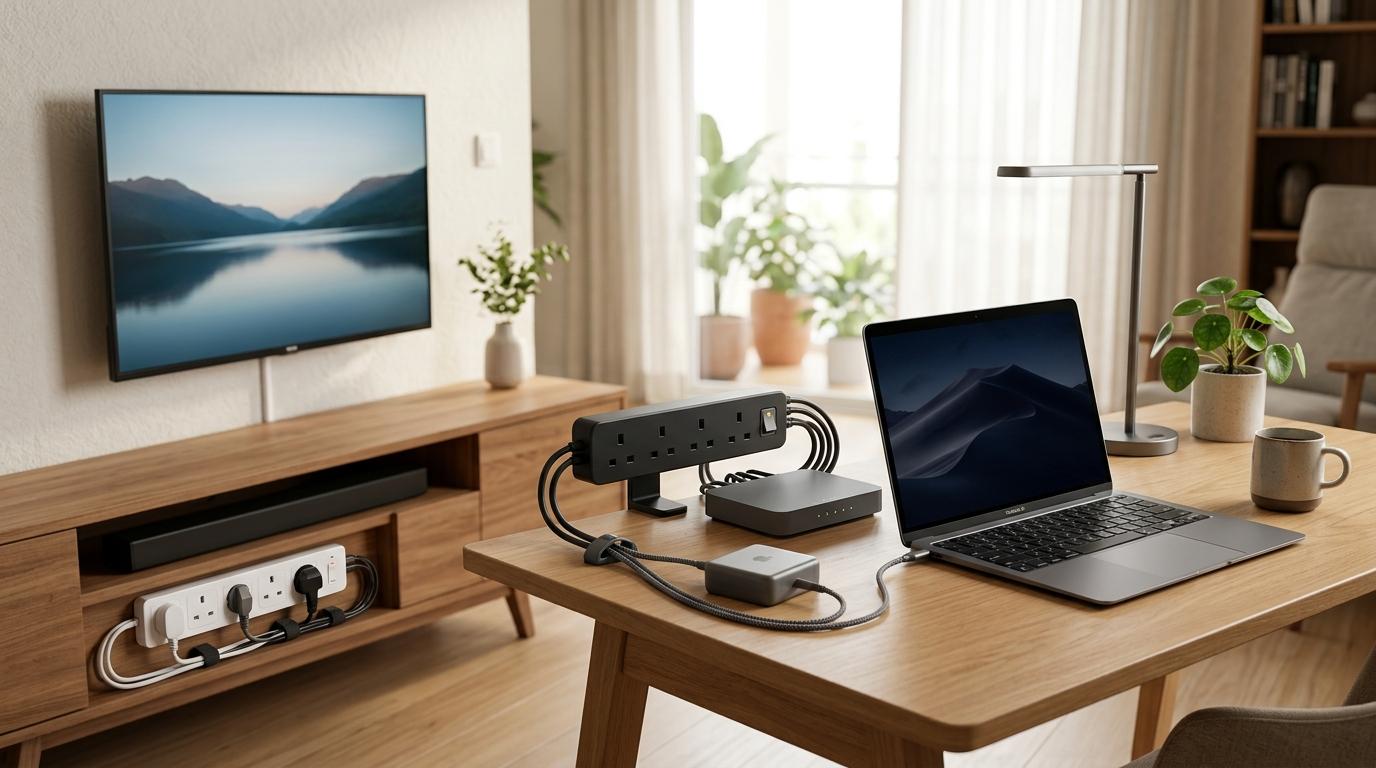
For a smart TV setup
#- Typical devices: TV, set-top box, streaming stick, soundbar, console.
- Better buy: surge protector with clear protection and load specs.
- Avoid: basic extension board hidden behind a closed TV cabinet.
- Check first: earthing, Joule rating, socket spacing and overload protection.
For a work-from-home desk
#- Typical devices: laptop, monitor, phone charger, router, speakers.
- Better buy: surge protector for the desk and mini UPS for the router if power cuts are common.
- Avoid: daisy chaining two boards to reach one wall socket.
- Check first: total load, cable routing, socket grip and ventilation.
For router backup
#- Typical devices: Wi-Fi router and fiber ONT.
- Better buy: mini UPS or router UPS with matching voltage/current output.
- Avoid: assuming a surge protector will provide backup.
- Check first: router adapter rating, connector size and backup duration claims.
For heavy appliances
#- Typical devices: fridge, microwave, AC, iron, geyser, heater.
- Better buy: correct wall socket and electrician-checked wiring.
- Avoid: regular extension boards, loose adapters and cheap converters.
- Check first: plug rating, earthing, dedicated line needs and heat marks.
What to check before buying
#1. Maximum load rating
#Do not buy only by counting sockets. A six-socket board is not automatically safe for six devices. What matters is the total load of everything connected to it.
2. Build quality and certification
#Avoid nameless boards with flimsy plastic, thin cable, loose sockets or rough finishing. Safety certification, wire quality and socket grip matter more than LED lights or fancy colours.
3. Proper earthing
#A surge protector needs proper earthing to work safely and effectively. If your home has old two-pin sockets, loose adapters or doubtful wiring, fix that first.
4. Joule rating for surge protectors
#A real surge protector should mention meaningful protection specs, often including Joule rating. A higher rating is generally better for valuable electronics, but also check load rating, warranty terms, plug type and build quality.
5. Overload protection
#Overload protection helps when too much current is being drawn. Surge protection helps against sudden voltage events. They are related, but not the same.
7. Socket grip
#If plugs wiggle, spark or slip out easily, stop using the board. A safe board should hold plugs firmly without forcing them.
8. Cable length and routing
#Long cables are useful, but cable quality matters. Do not run power strips under carpets, under heavy furniture or inside closed spaces where heat cannot escape.
9. USB and USB-C ports
#Built-in USB ports are convenient, but they should not distract you from basic electrical safety. For USB-C, check the stated output instead of assuming it will fast-charge every device.
Best for / avoid if
#Basic extension board
#Best for: low-power everyday charging and light desk use.
Avoid if: you are protecting expensive electronics or plugging in heavy appliances.
Spike guard
#Best for: low to medium value electronics when the product has clear safety specs.
Avoid if: the listing gives no protection rating or uses vague words only.
Surge protector
#Best for: TVs, laptops, monitors, gaming consoles and work desks.
Avoid if: your wall socket has no proper earthing or you need battery backup.
Mini UPS
#Best for: keeping router and ONT online during short power cuts.
Avoid if: you want backup for a TV, laptop, desktop or full room setup.
Direct wall socket
#Best for: high-load and heat-producing appliances.
Avoid if: the socket is loose, burnt, sparking or not correctly rated.
Common mistakes to avoid
#Daisy chaining boards
#Do not plug one extension board into another. It may look convenient, but it increases the risk of overload and overheating.
Plugging heavy appliances into regular boards
#Irons, heaters, microwaves, refrigerators, geysers and ACs should not run through regular multi-socket boards.
Buying only by number of sockets
#More sockets do not mean more safety. Load rating, socket grip, cable quality and protection specs matter more.
Trusting the word “spike” blindly
#“Spike guard” is not always a guarantee of strong protection. Read the specifications.
Ignoring old wiring
#If the wall socket is unsafe, even an expensive power strip is not enough. Fix the source problem first.
Using damaged boards
#Replace a board if you see burning smell, melt marks, crackling sound, flickering power, warm cable, sparks or loose sockets.
More AllBlogs guides that may help
#- Mini UPS vs Power Bank for Wi-Fi Router: What Indian Homes Should Buy During Power Cuts
- Best Emergency Light for Power Cuts in India: LED Lantern, Rechargeable Bulb or Torch?
- Monsoon Power Cut Checklist for Indian Apartments
- USB-C Cable Buying Guide India: Fast Charging, Data Speed and Safety Checks
Final takeaway
#There is no single product that is right for everything. Use extension boards for convenience, surge protectors for valuable electronics, mini UPS units for router backup and proper wall sockets for heavy appliances. That is the safest way to think about spike guard vs surge protector vs extension board for Indian homes.