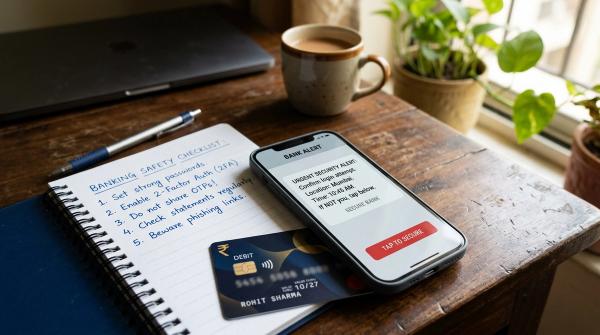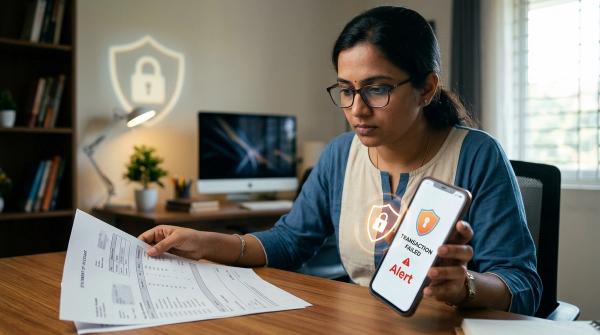
You receive a message that says your bank KYC is expiring today. Your account will be blocked. Click this link now.
It feels urgent. It looks official. And that is exactly why this scam works.
If you ever get an SMS, WhatsApp message, email, or call about an urgent KYC update, do not rush. Do not click the link just because the message sounds serious. Open your bank app yourself, type the bank’s website manually, call the official customer care number, or visit your branch.
Most importantly, never share your OTP, PIN, UPI PIN, CVV, card number, internet banking password, or KYC document photos with a caller or through a link you have not verified.
KYC is real. Banks do ask customers to update it from time to time. But scammers use that real process to create fear and pressure. A typical fake message may say:
“Dear customer, your KYC is pending. Your account will be blocked today. Click here to update.”
Many people panic and act quickly. They click the link, enter bank details, install an app, or read out an OTP. That is what the fraudster is waiting for.
This guide explains how fake KYC scams work, how to spot warning signs, how to update KYC safely, and what to do if you have already clicked a suspicious link or shared information.
What Is a Fake KYC Update SMS Scam?
#A fake KYC update scam is a phishing fraud where someone pretends to be from your bank, wallet app, card company, payment app, or “KYC department.”
They tell you that your KYC is incomplete, expired, blocked, or needs urgent verification. The message may come through:
- SMS
- Phone call
- Social media message
- A link shown in an ad or search result
The aim is usually to steal sensitive information or gain access to your phone.
Scammers may ask for:
- Internet banking username and password
- Debit or credit card number
- CVV
- ATM PIN
- UPI PIN
- OTP
- Aadhaar or PAN details
- Photos of KYC documents
- Access through a screen-sharing or remote-control app
Once they get enough information, they may try to transfer money, take over your account, or misuse your identity details later.
Why Fake KYC Messages Look So Convincing
#Not every scam message looks badly written. Some are polished. Some use the bank’s name, logo, or similar colours. Some may even appear in the same SMS thread as your genuine bank alerts because sender names can be manipulated.
Scammers usually rely on three tricks.
1. Urgency
#They say your account, card, wallet, or UPI will be blocked “today,” “within 2 hours,” or “within 24 hours.”
3. Convenience
#They give you a quick link, a “support app,” or a caller who says they will help you complete the process immediately.
This combination makes people act before they think. But with banking, it is always better to pause first and verify from an official source.
Red Flags in KYC SMS, Calls, WhatsApp Messages, and Links
#Use this checklist whenever you receive a KYC update message.
1. SMS Red Flags
#Be careful if the SMS:
- Says your account will be blocked immediately
- Gives a very short deadline like “today” or “within 2 hours”
- Includes a link to update KYC
- Uses a shortened link, such as a bit.ly-style URL
- Has a misspelled bank name
- Uses a strange or unknown website address
- Asks for card details, PIN, OTP, or banking password
- Uses words like “urgent,” “final warning,” “last chance,” or “account suspended”
- Sounds threatening, dramatic, or poorly written
Also remember: a familiar sender name does not prove the SMS is real. A fake message can appear to come from a bank. Always look at what the message is asking you to do.
2. Phone Call Red Flags
#Be alert if the caller:
- Says they are from your bank and asks for OTP, PIN, CVV, or password
- Asks you to read out an SMS you just received
- Says your account will be frozen unless you cooperate immediately
- Tells you not to disconnect the call
- Guides you to click a link or download an app
- Asks you to “verify” your card, UPI PIN, or net banking details
- Claims they are calling from RBI to update your KYC
A genuine bank representative should not ask you to reveal your OTP, PIN, password, CVV, or full card details over a call. If someone asks for these, treat it as a serious warning sign.
3. WhatsApp Red Flags
#Treat a WhatsApp KYC message as suspicious if it:
- Comes from an unknown number
- Uses a bank logo as the profile picture
- Sends a link and asks you to update KYC
- Sends an APK file or app installation file
- Asks for Aadhaar, PAN, card, or account details in chat
- Pressures you to complete the process immediately
- Claims to be “official bank KYC support” but does not direct you to the official app, website, or branch
Do not send KYC document photos on WhatsApp to an unknown person claiming to be from the bank. It is simply not worth the risk.
4. Link Red Flags
#Before tapping any KYC link, look carefully for:
- Misspelled bank names
- Extra words added to the bank name
- Random numbers or strange characters in the URL
- Shortened URLs that hide the real website
- Pages asking for OTP, PIN, CVV, card details, or banking password
- Pages that look like a bank site but opened from SMS or WhatsApp
- Links that immediately ask you to download an app
A fake page can look almost identical to a real bank page. So the safest habit is simple: do not use the link. Open the official app or type the official website yourself.
RBI’s KYC Fraud Warning: What Customers Should Remember
#The Reserve Bank of India has warned customers about KYC-related frauds. In these scams, fraudsters pretend to be banks or official support staff and trick people into sharing sensitive information.
The main safety advice is clear:
- Do not share login details
- Do not share card details
- Do not share PIN
- Do not share OTP
- Do not upload KYC documents through unverified links
- Do not install unknown apps for KYC
- Do not trust callers who pressure you to act immediately
- Contact your bank only through official channels
If a message says “RBI has blocked your account” or “RBI needs your KYC,” be extra careful. RBI does not call individual customers to collect banking passwords, OTPs, card details, or KYC documents.
Safe Ways to Check or Update Your Bank KYC
#If you are unsure whether your KYC is really due, do not reply to the message. Check it safely.
1. Open the Official Banking App Yourself
#Open the bank app already installed on your phone. Do not open it through a link sent by SMS or WhatsApp.
If your bank needs a KYC update, you may see a notice after you log in. Follow only the instructions shown inside the official app.
Also make sure your banking app was downloaded from the Google Play Store or Apple App Store.
2. Type the Bank Website Manually
#If you prefer using a browser, type your bank’s official website address directly into the address bar.
Avoid links from SMS, WhatsApp forwards, emails, or random search ads. Fake banking pages can look very convincing.
3. Visit Your Bank Branch
#If you are confused, visiting the branch is often the easiest and safest option.
Carry the required documents and speak to the bank staff directly. If the message was fake, they can confirm that too.
4. Use Digital KYC Carefully
#Some banks offer digital KYC or video KYC. Use these services only when you start the process from the bank’s official app or website, or after confirming directly with the bank.
Do not begin video KYC from a random link sent by an unknown number.
5. Call Only Official Bank Numbers
#If you need help, call the number printed on your debit card, passbook, bank statement, or the bank’s official website.
Do not call back a number mentioned in a suspicious SMS.
What You Should Never Do During a KYC Update
#To stay safe, avoid these completely:
- Do not click KYC links from unknown SMS messages
- Do not enter card details on a link sent by SMS or WhatsApp
- Do not share OTP with anyone, even if they claim to be from the bank
- Do not share UPI PIN, ATM PIN, CVV, or net banking password
- Do not install APK files sent on WhatsApp
- Do not install screen-sharing or remote-control apps on a caller’s instruction
- Do not upload Aadhaar, PAN, or bank documents through an unverified link
- Do not stay on a call while doing banking actions under pressure
If someone is rushing you, threatening you, or telling you to keep the call secret, stop immediately.
If You Only Clicked the Link, What Should You Do?
#Clicking a suspicious link is risky, but the next steps matter.
If you clicked the link but did not enter any details, did not install an app, and did not share an OTP:
- Close the page immediately.
- Do not enter any information.
- Close the browser tab.
- Do not download anything from that page.
- Run a security scan if your phone supports it.
- Watch your bank SMS alerts and app notifications.
- Contact your bank through official channels if you are still worried.
If the page asks you to log in, enter card details, upload documents, or share OTP, do not continue.
If You Entered Details or Shared OTP, Act Quickly
#If you entered banking details, card details, UPI PIN, OTP, password, or installed an app sent by a scammer, take action immediately.
Step 1: Disconnect From the Scammer
#Hang up the call. Stop replying on WhatsApp or SMS. Do not argue. Do not explain. Just disconnect.
Step 2: Secure Your Bank Account
#Use your bank’s official app, website, customer care, or branch support to:
- Block your debit or credit card
- Disable UPI if needed
- Change your banking password
- Remove unknown devices or sessions, if your bank allows it
- Check recent transactions
- Report suspicious activity to the bank
If you installed a suspicious app, especially a remote-access or screen-sharing app, uninstall it. If you are not sure what was installed, ask someone you trust for help or visit a service centre.
Step 3: Call 1930 for Financial Cyber Fraud
#For financial cyber fraud in India, call 1930, the National Cyber Crime Helpline, as soon as possible.
Keep these details ready:
- Your name and mobile number
- Bank name
- Transaction amount, if money was debited
- Time of transaction
- UPI ID, account number, wallet, or card details involved, as relevant
- Screenshots of SMS messages, WhatsApp chats, links, or caller numbers
Do not delay because you feel embarrassed. These scams happen to many ordinary people every day.
Step 4: File a Complaint on the Cybercrime Portal
#File a complaint on the National Cyber Crime Reporting Portal by typing the official cybercrime.gov.in address manually in your browser.
Save the complaint acknowledgment number and any reference details.
Step 5: Inform Your Bank Officially
#Report the incident to your bank through official customer care, the bank app, an email listed on the official website, or by visiting a branch.
Ask the bank to record your complaint and guide you on blocking cards, securing accounts, and disputing unauthorized transactions if any occurred.
Do not rely only on a phone conversation. Keep complaint numbers, emails, screenshots, and transaction messages safely.
If You Shared KYC Documents but No Money Was Debited
#Even if no money has gone out, sharing Aadhaar, PAN, bank details, or document photos through a fake link is still serious.
Take these steps:
- Inform your bank through official channels.
- Change passwords for banking and email accounts if you used them on the fake page.
- Watch for unusual bank alerts, loan messages, SIM-related alerts, or account activity.
- Keep screenshots of the fake message and link.
- File a complaint on the official cybercrime portal if you suspect misuse.
- Be careful of follow-up calls claiming they can “recover,” “delete,” or “secure” your details for a fee.
Scammers may contact you again after the first attempt. They may pretend to be police, bank recovery staff, cyber support, or legal officers. Trust only official channels, not random callers.
Common Fake KYC Message Examples
#Scammers may use wording like this:
“Your bank KYC is expired. Account will be blocked today. Click link to update.”
“Dear customer, your debit card will be suspended due to incomplete KYC. Update now.”
“Your wallet KYC is pending. Complete verification within 24 hours.”
“RBI KYC verification required. Share OTP to avoid account freeze.”
“Install this secure KYC app to reactivate net banking.”
A real bank may remind you about KYC. But a genuine KYC message should not pressure you to share secret banking details, read out OTPs, or install unknown apps.
A Simple Rule Before You Click
#Before acting on any KYC message, ask yourself:
- Was I expecting this message?
- Is it asking me to click a link?
- Is it threatening immediate blocking?
- Is it asking for OTP, PIN, password, card details, or KYC documents?
- Can I verify this by opening the official app, calling official customer care, or visiting a branch?
If the message creates panic, pause. Verification is safer than speed.
Quick Safety Checklist
#Before responding to any KYC message:
- Pause for a minute.
- Do not click the link.
- Do not call the number in the message.
- Open the official bank app yourself.
- Type the official website yourself.
- Visit the branch if you are unsure.
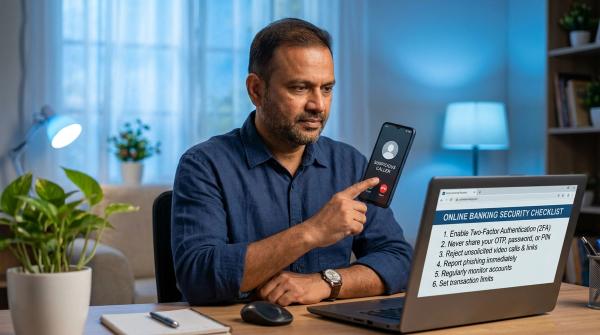
- Never share OTP, PIN, password, CVV, or UPI PIN.
- Never install apps from SMS or WhatsApp links.
- Call 1930 if money has been lost or fraud is in progress.
- File a complaint at the official cybercrime portal for cyber fraud reporting.
Final Word
#A KYC update can be normal. A threatening KYC message with a link should not be trusted blindly.
When in doubt, do not click. Open the official app, type the bank website yourself, call the official number, or visit the branch.
And if you have already clicked, shared details, installed an app, or lost money, act fast. Contact your bank, call 1930, and report the fraud on the official cybercrime portal.