If your eyes feel tired after a long day on screens, it is tempting to blame blue light and buy the first pair of blue light glasses you see online.
But before you spend money, start with the boring-but-effective fixes: lower your screen brightness, reduce glare, improve the lighting around your desk, take real eye breaks, blink more often, and get an eye exam if the problem keeps coming back.
Blue light from screens is not considered a proven cause of eye damage. For most people, digital eye strain has more to do with dry eyes, glare, poor lighting, staring too long, bad posture, or a screen that is much brighter than the room around it.
So, are blue light glasses useless? Not necessarily. They can make sense for late-night screen use, especially if you are trying to reduce blue-light exposure before bed. But for everyday daytime eye strain, they usually should not be your first purchase.
Quick Answer: What to Buy, What to Try, and What to Skip
#Best first step: Use your device’s built-in screen settings for eye strain, such as Night Light, Night Shift, True Tone, Eye Comfort Shield, or f.lux. Also adjust your brightness manually so your screen matches the room you are in.
Best low-cost buy: A matte screen filter if your screen reflects windows, ceiling lights, or lamps.
Best comfort habit: Use the 20-20-20 rule, blink more often, and take short breaks. It sounds basic because it is. It also helps.
Best for dry, gritty eyes: Lubricating eye drops, preferably preservative-free artificial tears if you use them often. Avoid relying on redness-relief drops every day.
Best medical check: Book an eye exam if headaches, blurry vision, dryness, or eye discomfort keeps returning.
Usually skip: Expensive non-prescription blue light glasses if your only goal is daytime screen comfort.
Consider buying: Blue light glasses if you use screens late at night and want to reduce blue-light exposure before sleep.
Who This Guide Is For
#This guide is for anyone who spends a lot of time looking at screens and is tired of guessing what actually helps.
That includes students, remote workers, gamers, creators, office workers, home-office people, and anyone who ends the day with dry, heavy, tired, burning, or unfocused eyes.
If you have seen ads for blue light glasses for eye strain and wondered whether they are worth buying, this is for you.
The goal is simple: spend money only where it is likely to help. Some fixes are free. Some are cheap. And some products only make sense in specific situations.
First: What Is Actually Causing Your Screen Eye Strain?
#Your discomfort is real. But it may not be caused by blue light in the way many ads suggest.
The American Academy of Ophthalmology has said that blue light from computer screens does not damage your eyes. Most digital eye strain is usually connected to everyday problems like:
- Blinking less while staring at screens
- Dry or irritated eyes
- Glare and reflections
- A screen that is too bright or too dim for the room
- Focusing at the same distance for too long
- Poor monitor height or distance
- Bad posture
- An outdated prescription
- Mild astigmatism or another uncorrected vision issue
That is why buying blue light glasses first can miss the real problem.
A better order is:
- Fix the screen.
- Fix the room.
- Fix your habits.
- Then think about buying products.
What to Check Before Buying Anything
#Before you add blue light glasses, filters, lamps, or eye drops to your cart, take five minutes to check your setup.
1. Is your screen brightness wrong?
#Your screen should not look like a glowing billboard in a dark room. It also should not look so dim that you are squinting in daylight.
Try matching your screen brightness to your room. If the room is dim, lower the brightness. If the room is bright, raise it enough that you can read comfortably without straining.
This one change can make a screen feel much less harsh.
2. Is glare hitting your screen?
#Turn your screen off, or open a dark page, and look at the surface.
Do you see a window, lamp, ceiling light, or your own reflection?
If yes, glare may be doing more damage to your comfort than blue light. Try moving the screen, changing the angle, closing curtains, repositioning a lamp, or using a matte screen filter.
3. Are you staring without breaks?
#A lot of people blink less when they use screens. Less blinking means your tears evaporate faster, which can leave your eyes dry, gritty, tired, or burning.
Try the 20-20-20 rule: every 20 minutes, look at something about 20 feet away for 20 seconds.
It is easy advice to ignore. It is also one of the easiest things to test for free.
4. Is your screen at a comfortable distance?
#A good starting point is to keep your monitor about an arm’s length away, with the top of the screen at or slightly below eye level.
If you are leaning forward, squinting, craning your neck, or hunching over your laptop, your eyes are probably not the only thing getting tired.
5. When was your last eye exam?
#If your screen discomfort comes with headaches, blurry vision, double vision, eye pain, or symptoms that do not improve after setup changes, stop guessing.
Book an eye exam.
Sometimes “digital eye strain” is really an old prescription, a focusing issue, or a need for lenses designed for computer distance.
Blue Light Glasses vs Screen Settings vs Filters and Other Fixes
#1. Screen Settings: The Free First Step
#If you are deciding between blue light glasses vs screen settings, start with screen settings.
Most phones, tablets, laptops, and monitors already include tools that can make screens feel easier on your eyes.
Common options include:
- Windows Night Light
- macOS Night Shift
- Apple True Tone
- Android Night Light
- Samsung Eye Comfort Shield
- f.lux
- Monitor brightness controls
- Monitor color temperature settings
How screen settings help
#Screen settings can warm the color of your display, reduce harsh cool tones, and lower brightness. They can also make evening screen use feel less intense.
They are not magic, but they are free and easy to test.
Pros
#- Free
- Already built into most devices
- Easy to adjust
- Useful on phones, tablets, laptops, and monitors
- Good first step before buying anything
Cons
#- Warm settings can distort colors
- Not ideal for photo editing, video grading, or design work
- Do not fix glare
- Do not fix dry eyes
- Do not fix poor screen distance or posture
Best for
#Remote workers, students, writers, coders, casual users, and anyone who wants a no-cost first fix.
Verdict
#Screen settings for eye strain are the best place to start. They cost nothing, they are adjustable, and they are often enough to make a screen feel less sharp or harsh.
Just remember: if the real issue is glare, dryness, or your vision prescription, screen settings will only help so much.
2. Blue Light Glasses: Useful for Some People, Overhyped for Others
#Blue light glasses, sometimes sold as computer glasses, are everywhere.
They can be useful. But they are not the universal eye-strain cure they are often made out to be.
How blue light glasses work
#Blue light glasses filter some blue-violet light from screens and other light sources. Some lenses look almost clear. Others have a yellow or amber tint.
The stronger the tint, the more noticeable the color change usually is.
Pros
#- May help people who use screens late at night
- Can reduce blue-light exposure before bed
- Work across all devices without changing settings
- Available with or without prescription
- Easy to use if you dislike adjusting every screen manually
Cons
#- Usually not the best fix for daytime digital eye strain
- Do not remove glare
- Do not make you blink more
- Do not fix dry eyes
- Do not correct an outdated prescription
- Can change how colors look
- Marketing claims can be stronger than the evidence
Best for
#Late-night gamers, night-shift workers, people who use screens close to bedtime, or anyone who prefers wearing glasses over changing settings on every device.
Verdict
#If your main problem is tired eyes during normal daytime work, blue light glasses probably should not be your first purchase.
Try brightness adjustments, glare control, better lighting, breaks, and dry-eye support first.
If your main concern is evening screen use and sleep timing, blue light glasses may be worth considering.
3. Matte Screen Filter: The Underrated Glare Fix
#A matte screen filter is not exciting, but it can be one of the most useful purchases for screen comfort.
Glossy screens look crisp and bright, but they also reflect everything: windows, lamps, ceiling lights, and sometimes your own face. Your eyes then have to look through those reflections while trying to read or focus.
That gets tiring.
How a matte screen filter works
#A matte filter attaches to your laptop or monitor and softens reflections. Instead of sharp glare, you get a more diffused, less mirror-like surface.
Pros
#- Directly reduces reflections
- Helpful near windows or bright lights
- Can make reading text more comfortable
- Often more useful than blue light glasses in bright rooms
Cons
#- Can make the screen look slightly grainy
- May reduce sharpness or vibrancy
- Needs the right size and fit
- Not ideal for color-sensitive creative work
Best for
#Office workers, students, home-office users, and anyone using a glossy laptop in a bright room.
Verdict
#If glare is your problem, a matte screen filter is usually a better buy than blue light glasses. It solves a visible problem instead of guessing.
4. Lighting: Fix the Room, Not Just the Screen
#Your screen does not exist in a vacuum. The room around it matters.
A bright monitor in a dark room can feel harsh. A dim screen in a bright room can make you squint. A lamp pointed at your display can create glare. A window behind you can turn your screen into a mirror.
None of that feels good after hours at a desk.
What to try
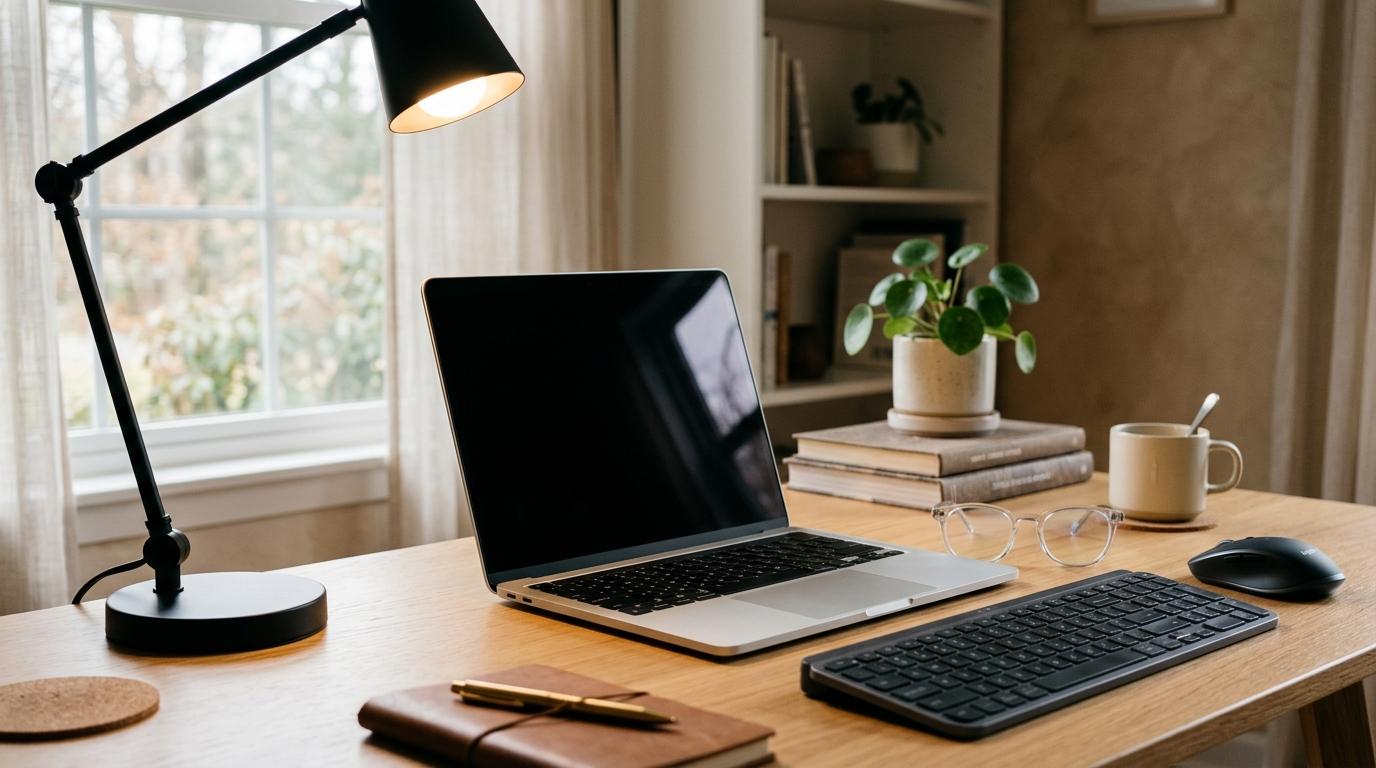
#- Use a desk lamp that does not shine directly onto the screen.
- Avoid working in a completely dark room with a bright monitor.
- Add soft background light behind or around your screen.
- Try bias lighting behind your monitor.
- Position your screen so windows are beside it, not directly in front of or behind it.
- Lower screen brightness at night.
Pros
#- Improves the whole workspace
- Reduces harsh contrast
- Can make long sessions more comfortable
- Helps home offices and gaming setups feel easier on the eyes
Cons
#- Takes some trial and error
- Poorly placed lights can make glare worse
- Extra lamps or light bars cost money
Best for
#Remote workers, gamers, video callers, night workers, and anyone who uses a monitor for long stretches.
Verdict
#Lighting is not just a nice extra. It is part of screen comfort.
If your eyes feel worse at night, fix the room lighting before assuming you need special glasses.
5. Lubricating Eye Drops: For Dry, Burning, Gritty Eyes
#If your eyes feel dry, gritty, scratchy, or burning after screen use, blue light may not be the issue at all.
It may be dryness.
Screen users often blink less. Some people also do incomplete blinks, where the eyelids do not fully close. That can make the tear film evaporate faster and leave your eyes irritated.
How eye drops help
#Lubricating eye drops, also called artificial tears, help support the tear film and relieve dryness.
They do not fix your screen setup, but they can make a big difference if dryness is part of the problem.
Pros
#- Can provide quick comfort
- Easy to keep at your desk
- Useful during long work or study sessions
- Preservative-free options are widely available
Cons
#- You have to remember to use them
- Some drops may irritate if overused
- Redness-relief drops are not the same as lubricating tears
- Persistent dryness should be checked by an eye-care professional
Best for
#People whose main symptoms are dryness, burning, grittiness, scratchiness, or tired-feeling eyes.
Verdict
#For dry-eye symptoms, lubricating drops often make more sense than blue light glasses.
Choose preservative-free artificial tears if you use drops regularly, and do not make redness-relief drops your daily solution.
6. Eye Exam: The Fix People Put Off Too Long
#Sometimes the problem is not your screen. It is your eyes trying to compensate all day.
A small prescription issue may not bother you much during casual use. But after eight hours of spreadsheets, reading, coding, editing, or studying, it can become very noticeable.
What an eye exam can catch
#An optometrist or ophthalmologist can check whether you need:
- Updated prescription glasses or contacts
- Reading support
- Computer-distance glasses
- Help with focusing issues
- Treatment for dry eye
- Evaluation for other eye-health concerns
Computer distance is not always the same as reading distance or driving distance. That surprises a lot of people.
Pros
#- Checks both vision and eye health
- Can identify prescription issues
- Useful if headaches or blur keep coming back
- May save you from wasting money on the wrong accessories
Cons
#- Costs time and money
- Access depends on location and insurance
- Less convenient than ordering something online
Best for
#Anyone with recurring headaches, blurry vision, double vision, eye pain, persistent dryness, or symptoms that do not improve after basic setup changes.
Verdict
#If you have tried screen settings, glare control, lighting changes, breaks, and eye drops but still feel uncomfortable, stop shopping and book the exam.
Quick Buying Guide: What Should You Buy First?
#If your eyes feel tired during daytime work
#Try first:
- Adjust screen brightness.
- Use the 20-20-20 rule.
- Improve room lighting.
- Add a matte screen filter if glare is visible.
- Use lubricating eye drops if your eyes feel dry.
Only consider blue light glasses after you have fixed the basics.
If your eyes feel worse at night
#Try first:
- Turn on warm screen settings.
- Lower brightness.
- Add soft room lighting or bias lighting.
- Avoid using a bright screen in a pitch-black room.
Consider blue light glasses if you use screens close to bedtime and prefer wearing glasses instead of adjusting every device.
If you work near a window
#Buy or try:
- A matte screen filter
- Curtains or blinds
- A better monitor angle
- A new desk position if possible
Skip blue light glasses as the first fix. They will not remove reflections.
If you are a creator, designer, or editor
#Be careful with:
- Night Shift
- Night Light
- True Tone
- f.lux
- Tinted blue light glasses
- Matte filters that reduce sharpness or contrast
Better options:
- Neutral, controlled lighting
- Regular breaks
- Eye drops if needed
- An eye exam if symptoms continue
If your work depends on accurate color, anything that changes color temperature can affect your workflow.
If you have headaches or blurry vision
#Do not keep guessing.
Book an eye exam, especially if symptoms are frequent, getting worse, or not going away.
Who Should Buy What?
#Daytime office worker
#Buy or try:
- Screen brightness adjustments
- Slightly warmer display settings
- Matte screen filter if there is glare
- Preservative-free lubricating eye drops
- 20-20-20 breaks
Avoid as your first purchase:
- Expensive non-prescription blue light glasses
For normal daytime office work, your money usually goes further on glare control, lighting, and comfort habits.
Student
#Buy or try:
- Free device settings
- Better desk lighting
- Eye drops if your eyes feel dry
- Break reminders
- Better posture and screen height
Avoid:
- Buying blue light glasses before fixing brightness, glare, and study setup
Students often jump between laptops, tablets, and phones, so built-in settings are practical. Also, they are free, which helps when everything else already costs too much.
Late-night gamer or night owl
#Buy or try:
- Warm screen settings
- Lower brightness
- Bias lighting
- Blue light glasses if you use screens close to bed
Avoid:
- Maximum brightness in a dark room
- Assuming glasses will fix dryness or glare
Blue light glasses make more sense here than they do for standard daytime office work.
Remote worker with a home office
#Buy or try:
- Matte screen filter if needed
- Adjustable lamp
- Soft background lighting
- Better monitor placement
- Lubricating eye drops
- Eye exam if symptoms persist
Avoid:
- Buying stylish computer glasses while ignoring bad lighting and glare
Home offices often have awkward windows, strange lighting, and desks that were never meant to be full-time workstations. Fix the setup first.
Creative professional
#Buy or try:
- Neutral room lighting
- Controlled monitor brightness
- Regular breaks
- Eye drops if needed
- Eye exam if discomfort continues
Use carefully:
- Warm display modes
- Tinted blue light glasses
- Matte screen filters
If color accuracy matters, be cautious with anything that changes how your screen looks.
Mistakes to Avoid
#1. Treating blue light glasses like the main cure
#Blue light glasses are marketed as the obvious solution, but digital eye strain usually has several causes. Dryness, glare, brightness mismatch, focusing fatigue, posture, and prescription issues are often bigger factors.
2. Ignoring glare
#If you can see a window or ceiling light reflected in your screen, fix that first.
Move the monitor, change the angle, adjust the lamp, close the curtains, or use a matte screen filter.
3. Working in a dark room with a bright screen
#This is common with late-night work and gaming. It can make your screen feel much harsher than it needs to.
Use soft room lighting or bias lighting, and lower the screen brightness.
4. Forgetting to take breaks
#No accessory replaces rest.
Every 20 minutes, look at something about 20 feet away for 20 seconds. Set a reminder if you need one. Most people do.
5. Using redness-relief drops every day
#Redness-relief drops are not the same as lubricating artificial tears.
If your eyes feel dry or gritty, look for lubricating eye drops. If you use them often, preservative-free options are usually the better choice.
6. Buying more accessories instead of getting your eyes checked
#If symptoms keep returning, especially headaches or blurry vision, an eye exam is more useful than another screen gadget.
Final Verdict: Blue Light Glasses vs Screen Settings
#For most people, screen settings beat blue light glasses as the first step.
They are free, adjustable, and already built into your devices. They are the easiest thing to test before spending money.
But the best fix for digital eye strain is rarely one product. It is usually a mix of:
- Comfortable screen brightness
- Less glare
- Better room lighting
- Regular breaks
- More blinking
- Lubricating drops if your eyes are dry
- Better posture and monitor distance
- An eye exam if symptoms continue
Buy blue light glasses if your main concern is late-night screen exposure and sleep timing.
For daytime eye strain, start with your screen, your room, and your habits before buying glasses.