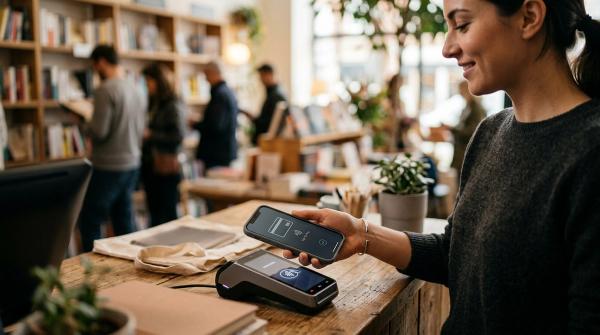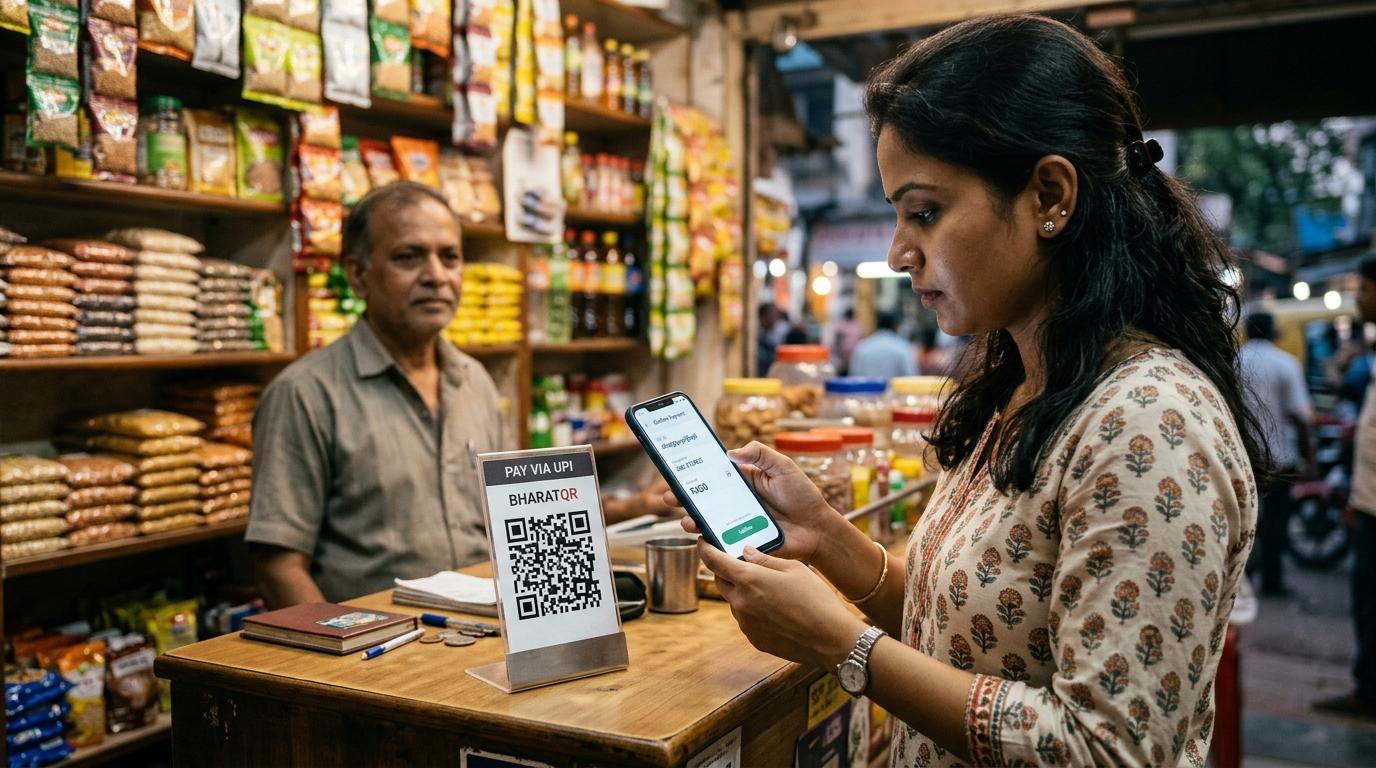
Before you scan any UPI QR code and enter your PIN, pause for a few seconds. Check the recipient’s name, amount, and why you are paying. If you are paying at a shop, ask the shopkeeper to confirm the name on your screen. You never need to enter your UPI PIN to receive money.
UPI has made paying for things almost effortless. We scan QR codes at grocery stores, tea stalls, petrol pumps, cafés, parking lots, temples, delivery points, railway stations, roadside shops, and just about everywhere else.
Most of the time, it works smoothly. But because it is so quick and familiar, it is also easy to get careless. That is exactly what scammers count on.
If the QR code looks pasted over, the recipient name seems wrong, or someone is rushing you, stop. It is better to look a little slow than lose money in a hurry.
The basic UPI rule: paying vs receiving
#If you remember only one thing, remember this: you do not need to enter your UPI PIN to receive money.
When a UPI app asks for your PIN, it usually means you are approving a debit from your bank account. In plain English, you are allowing money to leave your account.
Be careful if someone says:
- “Scan this QR code to receive money.”
- “Enter your UPI PIN to get the refund.”
- “Approve this request to unlock cashback.”
- “Your payment is stuck, enter PIN to release it.”
- “I am sending advance payment, just scan this code.”
- “Enter PIN to accept the money.”
These are common scam lines. If someone genuinely wants to send you money, they can send it to your UPI ID or mobile number linked with UPI. You do not have to scan a QR code and enter your PIN to receive it.
How fake QR code scams usually happen
#Most UPI QR scams are not complicated hacks. They usually rely on one small mistake.
Maybe you are standing at a busy counter. The bill is small. People are waiting behind you. The QR code is right there. You scan, enter the amount, type your PIN, and move on.
A common physical QR scam works like this:
- A fraudster pastes their own QR sticker over the real merchant QR code.
- You scan the fake QR code.
- Your UPI app shows a recipient name, but you do not check it carefully.
- You enter the amount and your UPI PIN.
- The money goes to the fraudster instead of the shopkeeper.
By the time the merchant says, “Payment nahi aaya,” the transaction may already be successful.
This can happen anywhere, especially in crowded or less supervised places such as parking lots, donation boxes, event counters, small shops, food trucks, temporary stalls, roadside vendors, and busy billing counters.
The QR code itself is not the problem. The problem is paying without checking who is actually receiving the money.
UPI QR code safety checklist before you pay
#1. Look at the QR code before scanning
#Before opening your UPI app, take a quick look at the QR code physically.
Watch out for:
- A sticker pasted over another sticker
- Peeling corners or rough edges
- A QR code that looks newer than the standee or board
- A business name that does not match the shop
- A loose QR printout kept randomly near the counter
- A QR code received through a suspicious WhatsApp, SMS, email, or social media message
If something feels off, ask the merchant: “Is this your correct QR code?”
There is nothing embarrassing about checking. It is your money.
2. Check the recipient name on your UPI screen
#After you scan a QR code, your UPI app shows the payee or recipient name before you enter your PIN. Read it properly.
Ask yourself:
- Does this name match the shop, person, or business I want to pay?
- Is the name completely different from the shop name?
- Is it a random personal name when I expected a business name?
- Has the merchant confirmed this exact name?
- Does anything feel odd?
A simple trick is to say the name aloud: “Is the name showing as Ramesh Stores?”
Sometimes small shops use the owner’s personal UPI account, so a personal name does not always mean fraud. But the merchant should be able to confirm it confidently.
3. Check the amount before entering your PIN
#Always check the amount on the final screen before typing your UPI PIN.
There are usually two types of QR payments:
- Static QR code: You scan the code and enter the amount yourself.
- Dynamic QR code: The amount is already filled in, often at larger stores, restaurants, billing counters, or delivery systems.
In both cases, check the amount carefully. Watch out for extra zeroes, decimal mistakes, a pre-filled amount that does not match the bill, or someone asking you to pay again too quickly.
Do not rely only on sound boxes or verbal confirmation. Check your own UPI app.
If your app says the transaction is pending, wait for a little while or check your transaction history before paying again.
4. Do not approve collect requests casually
#A UPI collect request is a “request money” feature. It can be useful in genuine situations, but scammers misuse it often.
A scammer may send a collect request with messages like:
- “Approve to receive ₹2,000”
- “Cashback pending, enter PIN”
- “Refund request from support”
- “KYC reward”
- “Payment release pending”
If you approve a collect request and enter your UPI PIN, you may be sending money from your account to the requester.
RBI awareness material has warned users about fake collect requests, phishing, remote access apps, and fake support numbers. If you receive a collect request from someone you do not clearly know or trust, treat it as unsafe.
5. Never enter your UPI PIN for refunds, cashback, prizes, or receiving money
#You do not need your UPI PIN to receive refunds, cashback, salary, rent, sale proceeds, gift money, prize money, security deposit returns, money from a buyer, or any kind of advance payment.
If someone says, “I have sent the money, just enter your PIN to accept it,” treat it as a scam warning.
Your UPI PIN is not a receiving password. It is a payment approval PIN.
6. Be careful with QR codes sent on WhatsApp, SMS, email, or social media
#A QR code sent online may not be a simple UPI payment QR. It may open a link, take you to a fake page, ask you to download an app, or push you toward a fake customer support website.
Before scanning a QR code received in a message, ask:
- Do I know the sender?
- Was I expecting this QR code or payment link?
- Is the message creating fear or urgency?
- Is it asking for my PIN, OTP, card details, or net banking login?
- Is it claiming to be from a bank, UPI app, police, courier company, or customer support?
Be extra careful with messages that say “urgent,” “account blocked,” “refund expires today,” “final warning,” “KYC update required,” or “payment stuck.”
Do not scan in panic. Open the official app or website directly instead.
Common UPI QR scam situations to watch for
#Online selling scams
#If you are selling a phone, bike, furniture, appliance, or any used item online, be careful when a buyer says they will send advance payment through a QR code.
A common scam goes like this:
- The buyer seems unusually eager.
- They send you a QR code.
- They say scanning it will help you receive money.
- They ask you to enter your UPI PIN.
- Money leaves your account.
Never scan a QR code to receive payment from a buyer. If they want to pay you, share your UPI ID or mobile number linked with UPI. Then check your own UPI app or bank account to confirm that the money has actually been credited.
Do not trust screenshots alone. Screenshots can be edited.
Fake customer support scams
#If a UPI payment fails or money gets debited, many people quickly search online for a customer care number. This can be risky.
Fake support numbers often appear on search results, social media pages, and random websites. Fraudsters may pretend to be bank staff, UPI app support, courier support, refund officers, police, government officials, or company customer care agents.
They may ask you to share OTPs, share your UPI PIN, install remote access apps, scan a QR code for a refund, fill a form with banking details, forward SMS messages, or share your screen.
Do not do these things. Real support staff do not need your UPI PIN, OTP, card PIN, or password.
Use only official support options such as the support section inside your UPI app, your bank’s official mobile app, your bank’s official website, or numbers printed on official bank documents or cards.
Merchant QR replacement scams
#Small merchants need to be alert too. If someone pastes a fake QR code over the real one, both the customer and the merchant can suffer.
Good habits for merchants:
- Check QR stickers at opening and closing time.
- Keep the QR stand where staff can see it.
- Match payment notifications with the customer’s transaction screen.
- Do not rely only on screenshots.
- Check what recipient name customers are seeing.
- If a customer pays the wrong account, note the transaction details and guide them to report it through their UPI app and bank.
What to do after a suspicious UPI payment
#If you think you paid the wrong person or approved a scam request, act quickly.
Recovery is not guaranteed, especially if you entered your UPI PIN. But quick reporting can help banks and authorities review the case faster.
Step 1: Take screenshots immediately
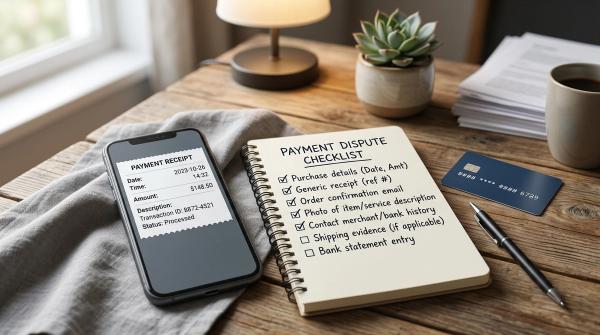
#Save the transaction screen before closing the app. Capture the transaction ID or UTR number, date and time, amount, recipient name, UPI ID or VPA if shown, transaction status, collect request message, and any chat messages, SMS, or call details connected to the scam.
Do not delete messages, screenshots, call logs, or WhatsApp chats.
Step 2: Report it inside your UPI app
#Open your UPI app’s transaction history. Select the suspicious payment and look for options such as report issue, raise dispute, get help, contact support, or dispute transaction.
Use the in-app option because it is linked to the exact transaction.
Step 3: Inform your bank through official channels
#Contact your bank as soon as possible, but use official channels only. Do not search randomly for phone numbers on Google or social media.
Use your bank’s official mobile app, official website typed directly into your browser, number printed on your debit card or bank documents, or bank branch if needed.
Tell them the transaction was suspicious or fraudulent. Ask what steps are needed to file a formal complaint. Keep the complaint or ticket number safely.
Step 4: Report cyber fraud
#You can report cyber fraud through the National Cyber Crime Reporting Portal at cybercrime.gov.in. You can also call the cybercrime helpline 1930.
Share the correct details. If you entered your UPI PIN, mention that honestly. Banks and authorities need the real facts to understand the case.
Step 5: Use RBI complaint routes if the regulated entity does not resolve it
#If your bank or regulated payment service provider does not resolve your complaint through its normal grievance process, RBI provides a Complaint Management System route for complaints against regulated entities.
This does not mean recovery is guaranteed. It is a formal complaint route if you are unhappy with the response, delay, or lack of action from a regulated entity.
Evidence to save for a bank, app, or police complaint
#Keep all evidence in one folder. Useful evidence includes:
- UPI transaction ID or UTR
- Screenshot of the payment confirmation
- Screenshot of the recipient name and UPI ID
- Bank debit SMS
- UPI app transaction history screenshot
- Chat messages with the scammer
- Phone numbers used by the scammer
- Call logs
- Voice notes, if any
- QR code image or photo of the physical QR stand
- Shop location, if it happened at a physical place
- Complaint number from the UPI app, bank, cybercrime portal, or police
If a fake QR code was pasted over a real merchant QR code, take a clear photo if it is safe to do so. Do not get into a fight or confrontation.
Unsafe recovery steps to avoid
#After a scam, people naturally become anxious and desperate to recover their money. Fraudsters know this. Some may even target victims again with fake “recovery” offers.
Avoid these mistakes:
- Do not search online and call random “customer care” numbers.
- Do not install remote access apps because someone told you to.
- Do not share your UPI PIN, OTP, card PIN, CVV, or net banking password.
- Do not scan another QR code to “reverse” the payment.
- Do not pay a “recovery fee” to someone promising a refund.
- Do not trust screenshots claiming your refund is ready.
- Do not give screen-sharing access to anyone claiming to be bank staff.
- Do not forward SMS messages on someone’s instruction.
A genuine bank or UPI app support process will not need your UPI PIN.
Source-aware caveats
#UPI features and app screens may differ across banks and payment apps. NPCI operates the UPI framework, and UPI supports scan-and-pay transactions. Your UPI PIN is used as the authorization step for bank debits.
RBI awareness material warns users about common digital fraud patterns, including fake collect requests, phishing, remote access apps, and fake customer support numbers.
RBI also provides complaint routes for issues involving regulated entities, including the Complaint Management System. However, filing a complaint does not guarantee recovery. Each case depends on the facts, how quickly it is reported, the role of the user, and the response from banks and authorities.
This article is for general awareness only. It is not legal, tax, investment, loan, or personalised banking advice.
Quick family rule for safer UPI payments
#If you are teaching parents, children, staff, or someone using UPI for the first time, keep it simple:
Scan only when you are paying. Check the name. Check the amount. Enter your PIN only when you want money to leave your account. Never enter your PIN to receive money.
This one habit can prevent many common QR and collect-request scams.