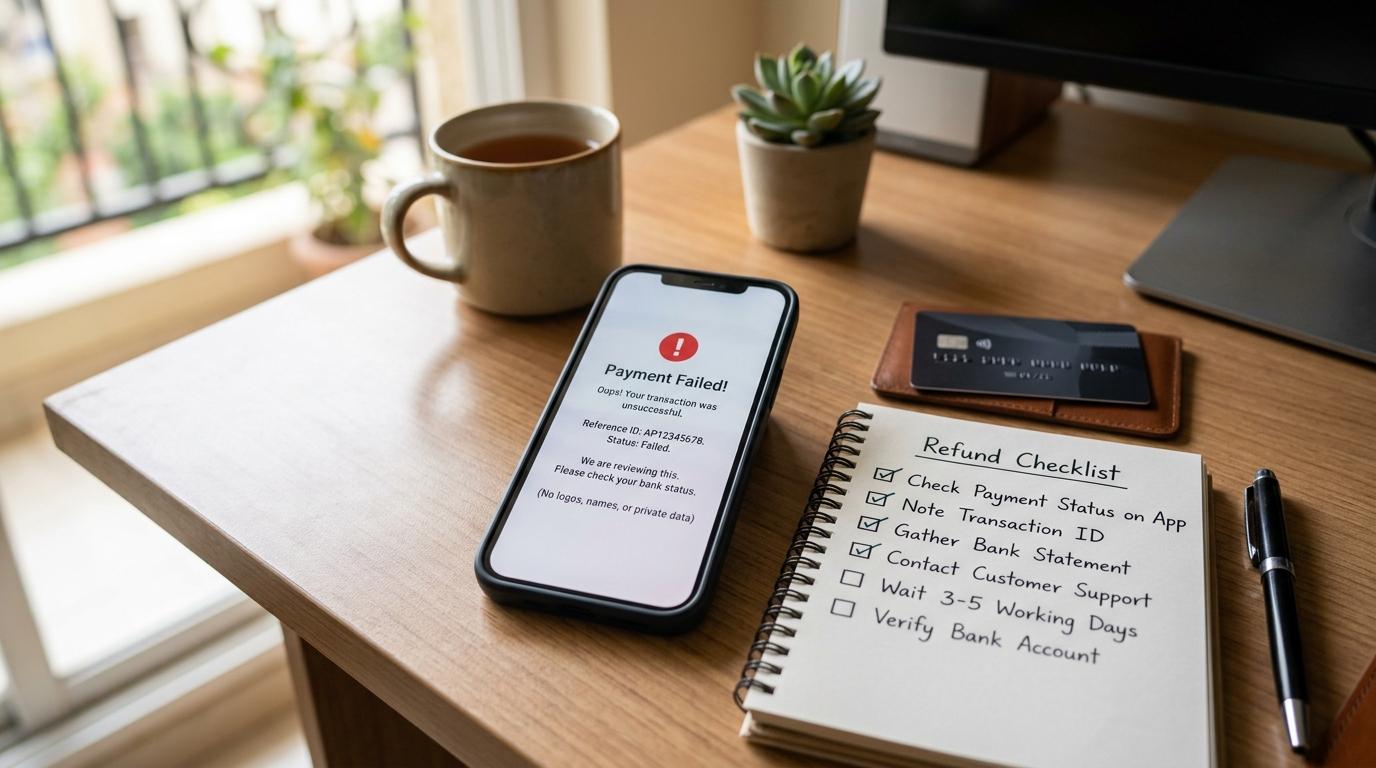
Quick answer: If an online payment failed but money was debited, save the debit proof, transaction ID, order or bill ID, and failed-payment screenshot. Check whether the status is failed, pending, successful, or refunded. Contact the merchant if the order or bill did not update; contact your bank/payment provider if money left your account and has not reversed. Use only official channels and never enter a UPI PIN to receive a refund.
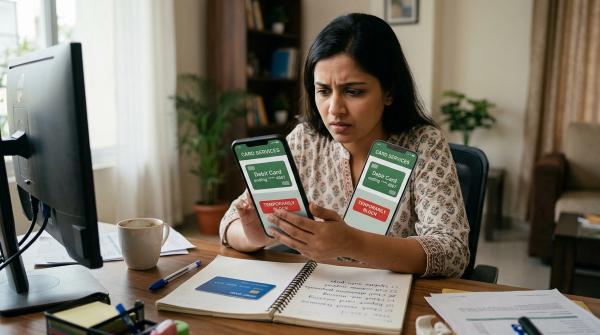
Your payment failed but money got debited. The bank SMS has arrived. The amount is gone. But the shopping site, biller, booking app, or payment page says “failed”.
The good news: in many cases, this kind of failed online payment is reversed automatically. The not-so-good news: the refund time can vary depending on whether you paid through UPI, debit card, credit card, net banking, wallet, bill payment platform, or a payment gateway.
So before you panic, pay again, or call the first “refund helpline” you find online, pause for a minute.
Save your proof. Check the transaction status. Use only official support channels. And most importantly, never enter your UPI PIN to receive a refund. Your UPI PIN is used to send money, not receive it.
This checklist will help you understand what may have happened, what details to save, who to contact first, how long to wait, and how to escalate if your refund does not come back.
First, Take a Breath: This Happens More Often Than You Think
#Online payments look simple from the outside. You click “Pay”, approve the payment, and expect the order or bill to be confirmed instantly.
But in the background, several systems are talking to each other:
- Your bank
- Your UPI app, card network, wallet, or net banking system
- The payment gateway
- The merchant website or app
- Sometimes the biller, booking platform, or merchant’s bank
If one part of this chain responds late or times out, the transaction can look failed on one side and debited on another.
For example:
- Your bank debited the money, but the merchant did not receive confirmation.
- The payment gateway did not send the final status in time.
- The merchant website timed out after you paid.
- The biller’s system did not update immediately.
- A network or server issue interrupted the payment flow.
So yes, your bank account can show a debit while the merchant page says “payment failed”. It feels wrong, but it is a known issue in online payments.
The key is to keep the right proof and follow the right complaint path.
What Does the Payment Status Mean?
#Before raising a complaint, check the transaction status carefully. You may see it in your bank app, UPI app, wallet, merchant account, email, SMS, or payment gateway page.
This difference matters.
A failed payment with money debited is usually a bank, payment provider, or gateway issue.
A successful payment but no order confirmation is usually a merchant or biller issue.
Bank, Merchant, Payment Gateway: Who Is Responsible for What?
#When a payment gateway failed money debited situation happens, most people are unsure whom to contact. Should you call the bank? The merchant? The gateway? The UPI app?
Here’s the simple breakdown.
1. Your Bank or Payment App
#This is where the money was debited from.
It could be:
- Your savings account used for UPI
- Your debit card issuing bank
- Your credit card issuing bank
- Your net banking bank
- Your wallet or prepaid payment provider
Your bank or payment provider can usually check whether the transaction is successful, failed, pending, reversed, or eligible for dispute or chargeback.
If money has left your account and has not come back, your bank or payment provider is often the first place to raise a formal complaint.
2. The Payment Gateway
#A payment gateway is the company that helps process the payment between you, your bank, and the merchant.
You may see gateway names on payment pages, bank statements, emails, or SMS messages. For example, people often search for terms like BillDesk payment failed or CCAvenue payment failed when these names appear during the transaction.
A payment gateway may help you check the transaction using:
- Transaction ID
- Payment ID
- Order ID
- Gateway reference number
- UTR or RRN
- Merchant reference number
Some gateways have official transaction status pages or grievance forms. Use only their official website or the support link provided in the payment confirmation or failure message.
3. The Merchant or Biller
#The merchant is the business or platform you were trying to pay.
Examples include shopping websites, electricity boards, mobile recharge apps, travel booking sites, insurance companies, school fee portals, government payment portals, or local shops using payment links.
The merchant can confirm whether they actually received the payment and whether an order, bill receipt, ticket, booking, or service was created.
If the payment is marked failed, the merchant may not have received the money at all. In that case, they may not be able to refund directly.
But if the payment is successful and your order or service failed, then the merchant becomes important for a merchant refund or order resolution.
What You Should Do in the First 10 Minutes
#When money is debited and the payment fails, your first instinct may be to pay again immediately. Don’t rush.
1. Check the debit message
#Look at your bank SMS, email, or app notification.
Confirm:
- Amount
- Date
- Time
- Account or card used
- Merchant or payment description
- Reference number, if shown
2. Check the merchant screen
#What exactly did the page say?
- Failed?
- Pending?
- Processing?
- Successful?
- Timed out?
- Order not created?
Take a screenshot if the page is still open.
3. Check your payment app or bank history
#Open your UPI app, bank app, card statement, wallet, or net banking account.
Sometimes the merchant page fails, but your payment app shows a clearer status.
4. Check whether an order ID was created
#This is important.
Sometimes payment fails before an order is created. Sometimes the order is created, but payment confirmation does not reach the merchant.
Save the order ID, cart ID, bill number, booking ID, or application number if available.
5. Do not call random refund numbers
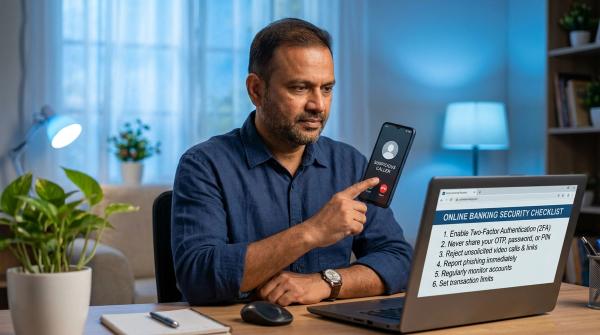
#Avoid “customer care” numbers from random Google results, social media comments, WhatsApp forwards, forum replies, search ads, and unverified refund websites.
Use only official support channels from your bank app, payment app, merchant website, payment gateway website, card statement, or official emails.
6. Do not enter your UPI PIN for a refund
#A genuine refund does not require your UPI PIN.
If someone says, “Enter your UPI PIN to receive the refund,” stop immediately. That is a red flag.
Proof Checklist: Save These Before You Raise a Complaint
#The better your proof, the easier your follow-up becomes.
Save as many of these as possible:
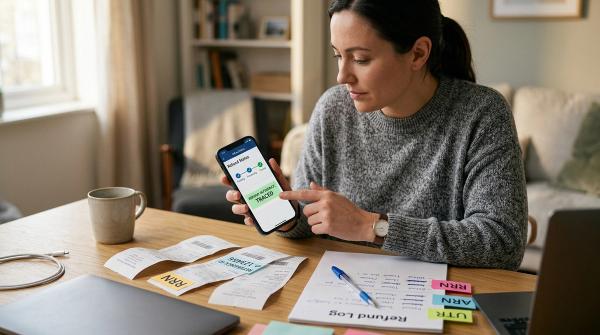
- Order ID, booking ID, bill number, cart ID, or application number
- Transaction ID, UTR, RRN, payment ID, gateway ID, or reference number
- Screenshot of the failed, pending, or successful payment screen
- Bank debit SMS or email showing amount, date, and time
- Bank statement entry once it appears
- Merchant invoice or receipt, if generated
- Payment gateway email or SMS, if received
- Refund status screenshot, if available
- Complaint ticket number from bank, merchant, app, or gateway
- Date and time of every complaint and reply
If you chat with customer support, save the chat transcript or screenshots.
Do not share:
- OTP
- CVV
- Full card number
- ATM PIN
- UPI PIN
- Net banking password
- Full bank account details
- Screen-sharing access
No genuine support agent needs these to process a refund.
Step-by-Step Refund Checklist
#Follow these steps in order. It keeps things cleaner and avoids confusion later.
Step 1: Confirm the Payment Status
#Open the same app, website, or payment page where you made the payment.
Check whether the transaction says failed, pending, processing, successful, refunded, or reversed.
Also check your bank or payment app. Sometimes one side updates faster than the other.
If the merchant says failed but the bank says debited, note both statuses and save screenshots.
Step 2: Wait for the Normal Auto-Reversal Window
#Many failed transactions are reversed automatically after reconciliation. This means the systems compare records and send back money for transactions that did not complete properly.
The online payment failed refund time depends on payment method, bank or payment provider, gateway, merchant or biller system, type of failure, and applicable regulatory timelines.
RBI’s September 20, 2019 circular on Harmonisation of Turn Around Time (TAT) and customer compensation for failed transactions using authorised Payment Systems sets turnaround expectations for different failed transaction categories.
Still, the exact timeline can vary by payment type and failure reason. Always confirm the applicable refund timeline with your bank, payment app, wallet, payment gateway, or merchant.
Step 3: Don’t Pay Again Too Quickly
#If the payment is still pending or processing, avoid making the same payment again immediately.
This is especially important for electricity bills, water bills, mobile recharges, school or college fees, insurance premiums, train or flight bookings, hotel bookings, government payments, and shopping orders with limited stock.
If the deadline is urgent and you must pay again, keep proof of both payments. You may later need to claim a refund for the duplicate or failed transaction.
Step 4: Contact the Merchant if the Order, Bill, or Booking Is Affected
#Contact the merchant or biller when:
- Payment shows successful, but order was not placed.
- Bill was not marked as paid.
- Ticket or booking was not confirmed.
- Receipt was not generated.
- Order ID exists, but payment status shows failed.
- Money was debited and the merchant account shows no update.
Share only necessary details: order ID or bill number, transaction ID or UTR, amount, date and time, payment mode, screenshot of debit, and screenshot of payment status.
Ask the merchant clearly:
Please confirm whether you have received this payment. If received, please update the order/bill status or initiate the refund.
If the merchant received the money but the service failed, ask for the merchant refund timeline in writing.
Step 5: Contact Your Bank or Payment Provider if Money Was Debited
#If your payment failed and the money has not returned within the expected time, raise a complaint with the source of funds.
Depending on how you paid, contact:
- Your bank for debit card, credit card, net banking, or account debit
- Your UPI app or bank for UPI payments
- Your wallet provider for wallet payments
- Your card issuer for card transactions
Use the official app or website.
Look for options like raise dispute, report transaction, failed transaction complaint, payment debited but failed, amount debited but service not received, charge not reversed, or transaction status issue.
Once you raise the complaint, save the ticket number. You will need it if you have to escalate.
Step 6: Check the Payment Gateway Status, If Available
#If the payment happened through a gateway, you may be able to check the status directly on the gateway’s official website.
This is useful if you see names like BillDesk, CCAvenue, Razorpay, PayU, Cashfree, or other gateway names on the payment page or bank narration.
Use only the official gateway website or the link given in the official payment email/SMS.
Do not trust phone numbers from comments, ads, WhatsApp messages, or random websites.
Step 7: Follow Up in Writing
#If the refund has not come back, follow up in writing. Keep your message short, polite, and factual.
You can write:
My online payment failed but money was debited from my account. Please check the transaction and reverse the amount as per the applicable failed transaction TAT. Details: amount, date, time, transaction ID, order ID, payment mode, and complaint ticket number.
Attach screenshots only through official complaint channels.
Avoid angry or emotional messages. A clear written record helps more during escalation.
Step 8: Escalate to the Grievance or Nodal Officer
#If regular support does not solve the issue, use the official escalation route.
Look on the website or app for grievance officer, nodal officer, principal nodal officer, escalation matrix, or complaint redressal policy.
This applies to banks, payment apps, wallets, payment gateways, and many merchants.
When escalating, include the original complaint ticket number, complaint date, transaction details, screenshots, support replies, and what resolution you want.
Step 9: Use RBI CMS or Ombudsman Route Where Eligible
#If your complaint is against an RBI-regulated entity, and you have already complained to that entity, you may be able to escalate through RBI’s Complaint Management System (CMS).
Under the Reserve Bank - Integrated Ombudsman Scheme, 2021 (RB-IOS 2021), you generally need to first complain to the regulated entity.
You may consider escalating through RBI CMS if:
- You do not receive a reply within 30 days, or
- You are not satisfied with the reply, and
- Your complaint is eligible under the scheme
Use only the official RBI CMS portal.
Do not trust unofficial “RBI complaint” phone numbers, social media accounts, or agents claiming they can get your refund faster.
RBI Failed Transaction TAT and Compensation: What You Should Know
#RBI’s September 20, 2019 circular, DPSS.CO.PD No.629/02.01.014/2019-20, deals with turnaround time and customer compensation for failed transactions using authorised payment systems.
In simple words, failed transactions should not remain unresolved forever. The circular sets timelines for different payment categories and provides compensation in applicable cases if reversal is delayed beyond the prescribed timeline.
Important points:
- TAT depends on the payment type and failure category.
- UPI, cards, wallets, IMPS, and other payment systems may have different timelines.
- Compensation is commonly referred to as ₹100 per day for delays beyond the applicable TAT in relevant failed transaction categories.
- The exact treatment depends on your transaction type and the applicable rules.
- Ask your bank or payment provider to confirm the TAT and compensation for your case.
You can mention this in your complaint:
Please review this failed transaction under RBI’s September 20, 2019 TAT framework for failed transactions using authorised payment systems, and confirm the reversal status and any applicable compensation.
Keep the tone firm, but polite.
Who Should You Contact First?
#Use this quick guide.
Safety Rules You Should Not Ignore
#When people are worried about stuck money, scammers take advantage. Be careful.
Do Not Call Unofficial Refund Helplines
#Avoid customer care numbers found in random Google results, social media comments, WhatsApp forwards, Telegram groups, forum replies, unverified ads, or “instant refund” websites.
Use official support only.
Never Share OTP, CVV, PIN, or Passwords
#No genuine refund requires OTP, UPI PIN, ATM PIN, card CVV, net banking password, full card number, or remote access to your phone.
If someone asks for these, it is unsafe.
Do Not Enter UPI PIN to Receive Money
#You do not need to enter your UPI PIN to receive a refund.
If someone sends a collect request or asks you to approve something by entering your UPI PIN, read it carefully. You may actually be authorising a debit.
Do Not Post Full Transaction Details Publicly
#If you complain on social media, do not publicly post your mobile number, full transaction ID, bank account number, card details, screenshots with personal information, address, or email ID.
If you tag a company, keep it general. Continue only through verified handles or official complaint forms.
Do Not Download Screen-Sharing Apps for Refunds
#Scammers may ask you to install remote access apps so they can “help process the refund”.
Do not do it.
They may see your OTPs, banking apps, passwords, messages, and personal data.
Sample Complaint Format
#Subject: Payment failed but money debited, refund not received
Hello,
My online payment failed, but the amount was debited from my account. Please check the transaction status and process the reversal as per the applicable failed transaction TAT.
Details:
- Name:
- Registered mobile number or email:
- Payment mode: UPI / card / net banking / wallet
- Amount:
- Date and time:
- Merchant or biller name:
- Order ID / bill number / booking ID:
- Transaction ID / UTR / RRN / payment reference:
- Bank debit reference:
- Screenshot attached: Yes / No
Please share the refund status, expected reversal date, and complaint ticket number.
Thank you.
Related AllBlogs Guides
#- UPI Payment Failed but Money Debited? Refund Steps & Timeline
- ATM Transaction Failed but Money Debited? India Refund Checklist
- Chargeback vs Refund vs Merchant Dispute: What Should You Try First?
Final Checklist Before You Move On
#If your payment failed but money was debited, make sure you have done this:
- Saved debit SMS/email
- Saved failed or pending payment screenshot
- Noted transaction ID, UTR, RRN, or reference number
- Checked merchant/order/bill status
- Checked bank, UPI app, card, wallet, or net banking history
- Waited for the normal auto-reversal window
- Raised complaint through official channels
- Saved complaint ticket number
- Escalated if refund is delayed
- Avoided sharing OTP, CVV, PIN, passwords, or screen access
Most failed payments do get resolved. The important thing is to stay calm, keep records, and deal only with official support channels.
Disclaimer: This article is for general information only. It is not legal, financial, or professional advice. Payment timelines, grievance processes, and regulatory rules can change. Always verify the latest refund status, TAT, and complaint process with your bank, payment provider, payment gateway, merchant, or the Reserve Bank of India’s official channels.