The Smart TV OS Landscape: Why Software Matters More Than Hardware
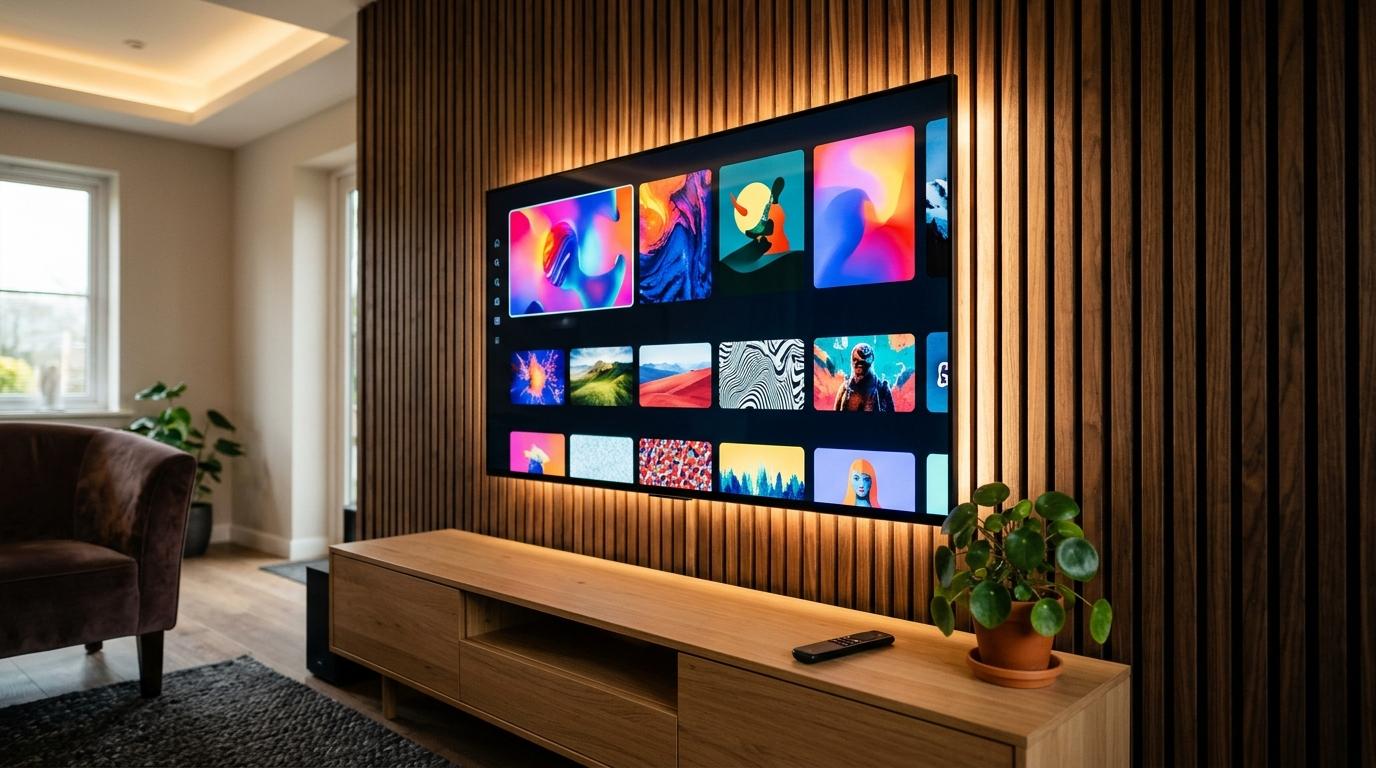
#When shopping for a new television, most buyers focus exclusively on hardware specifications: panel size, refresh rate, contrast ratios, and bezel thickness. While display quality matters, the operating system (OS) powering that screen dictates your daily experience for the next five to seven years.
Every time you turn on your TV, you interact with its software interface. The operating system controls how fast apps open, how easily you discover movies across subscriptions, whether the home screen bombards you with video advertisements, and whether your smart home speakers can pause the sound.
Today, three major platforms dominate consumer televisions and streaming media players:
- Google TV: Built on top of Android TV OS, focusing on cross-service content aggregation, personalized algorithmic recommendations, and deep Google ecosystem integration.
- Amazon Fire TV: Built on Amazon's customized Android fork (Fire OS), tightly integrated with Prime Video, Amazon digital rentals, and Alexa voice commands.
- Roku OS: A lightweight, proprietary Linux-based operating system built around an egalitarian app-grid philosophy with minimal hardware overhead.
Choosing the wrong operating system leads to daily frustration: sluggish menu navigation, remote button lag, invasive video ads auto-playing on your home screen, and sudden app obsolescence when a budget processor cannot handle software updates.
Interface and User Experience: Content Discovery vs Grid Simplicity
#The fundamental philosophical divide between these three platforms lies in how they present content to you when you turn on the screen.
Google TV: The Aggregator Approach
#Google TV takes a content-first approach. Instead of presenting you with a row of isolated app icons, its primary "For You" home screen breaks down app silos. 
If you are watching a television drama on Netflix, a sports documentary on Disney+, and a movie on Prime Video, Google TV pulls all three into a single "Continue Watching" rail right at the top. Below that, its machine-learning engine generates unified recommendation carousels based on your watch history across all linked subscriptions. You do not have to guess which app holds a specific movie; you search for the title once, and Google tells you where it is streaming for free or for rent.
Google TV also features a universal Watchlist. You can add movies to your watchlist from Google Search on your smartphone or laptop during your workday, and they appear instantly on your TV screen when you sit down in the evening.
Amazon Fire TV: The Commercial Billboard
#Amazon Fire TV also uses a content-first interface, but with a distinctly commercial bias. 
The top third of the Fire TV interface is dominated by a massive "Featured Carousel" that frequently auto-plays high-definition video previews accompanied by audio. Amazon aggressively promotes its own services: Prime Video Originals, Freevee ad-supported movies, MGM+ add-on channels, and digital movies available to buy or rent on Amazon.
While you can access third-party apps like Netflix or YouTube, they are pushed lower down the page beneath sponsored banners. For Prime subscribers who do most of their viewing on Amazon's platform, the interface feels integrated. For viewers who prefer other services, navigating past Amazon's promotional walls feels like walking through a digital department store.
Roku OS: The Clean App Grid
#Roku takes the opposite approach: app-first minimalism. 
When you boot up a Roku device, you are greeted by a simple, customizable three-by-three grid of large app tiles against a clean background. There are no auto-playing movie trailers, no algorithmic carousels trying to predict your mood, and no complex menus. You click the Netflix tile to open Netflix, or the YouTube tile to open YouTube.
This simplicity makes Roku the undisputed favorite for non-technical users, elderly family members, and children. It behaves like an iPad for your television. However, the trade-off is a complete lack of universal content aggregation; you must open each app individually to see what is new.
The Ad Problem: How Fire TV, Google TV, and Roku Monetize Your Living Room
#Hardware manufacturers sell televisions and streaming sticks at razor-thin profit margins. A 4K streaming stick selling for thirty or forty dollars barely covers assembly and shipping costs. 
To turn a profit, platforms monetize the home screen through advertising and data telemetry. However, the invasiveness of this advertising varies significantly across the three systems:
- Amazon Fire TV: Highest ad load. Displays fullscreen video ads with audio that trigger when you linger on the home screen, persistent sponsored banner carousels, and sponsored product links embedded directly into universal search results.
- Google TV: Moderate ad load. Features a prominent top sponsored banner that highlights movies or streaming apps. However, Google provides an official "Apps Only Mode" in settings that removes all recommendation carousels, algorithmic feeds, and ads, leaving only clean app icons.
- Roku OS: Low to moderate ad load. Roku preserves its clean grid by confining advertisements to a single static display billboard on the right side of the screen. It does not play intrusive fullscreen video ads over your app tiles, though promotional screensavers are enabled by default.
If you despise visual clutter and unprompted marketing in your living room, Google TV in Apps Only Mode or a standard Roku setup offers a far calmer experience than Fire TV.
App Ecosystem and Sideloading: Play Store Freedom vs Appstore Lock-In
#The availability of streaming apps and your ability to install third-party software outside official channels is a decisive factor for power users and cord-cutters.
| Feature or Capability | Google TV | Amazon Fire TV | Roku OS |
|---|---|---|---|
| Official App Store | Google Play Store | Amazon Appstore | Roku Channel Store |
| Total App Library Depth | 10,000+ apps and games | Approx 5,000 apps | Approx 4,000+ channels |
| Third-Party Sideloading | Full open APK support via developer mode | Supported, but increasingly restricted | Zero sideloading; proprietary BrightScript |
| Custom Launcher Support | Yes; third-party launchers fully supported | Blocked by recent Amazon firmware updates | No; locked to standard Roku grid |
| Web Browsing Capability | Full Chrome and browser sideloading | Amazon Silk browser built-in | No functional web browser |
| Regional Service Availability | Universal across global markets | Strong in US, EU, and India | Strong in US, UK, and Americas; limited in Asia |
Google TV is the undisputed champion of software freedom. Because it runs on standard Android TV OS, you have access to the full Google Play Store. If an app is not officially listed, you can enable developer options, install a file manager, and sideload any standard Android APK package. You can run custom open-source media players, retro gaming emulators, and local network utilities without restriction.
Fire TV is also based on Android, but Amazon has systematically tightened its grip on the operating system. In recent firmware updates, Amazon has disabled key hooks used by third-party custom launchers and made sideloaded apps harder to find on the home screen. Amazon has also signaled a long-term transition toward a proprietary Linux-based platform (codenamed Vega OS), which will permanently sever compatibility with Android APKs.
Roku uses a completely closed, proprietary operating system called BrightScript. There is no Android under the hood, no APK compatibility, and zero ability to sideload third-party apps. While all mainstream global streaming apps (Netflix, Disney+, Prime, Max, Apple TV+, YouTube) are available in the Roku Channel Store, niche utilities, custom IPTV players, and browser tools cannot exist on the platform.
Hardware Performance: Why 1GB of RAM Ruined Budget Smart TVs
#One of the dirtiest secrets in the television industry is the hardware inside entry-level smart TVs. 
When you purchase a budget 32-inch or 43-inch television, manufacturers routinely cut costs by installing the cheapest available quad-core processors paired with a meager 1 gigabyte (GB) of RAM and 8GB of internal flash storage.
This hardware is a recipe for instant obsolescence:
- The RAM Wall: Android TV and Fire OS require roughly 800 megabytes (MB) of RAM just to keep the base operating system, background network daemons, and graphical user interface active in memory.
- Aggressive Process Killing: When you open a modern, graphically demanding app like Disney+ or YouTube on a 1GB television, the system runs out of physical memory. To prevent a system crash, the OS aggressively kills background processes. As a result, switching between apps takes ten to fifteen seconds, and navigating menus results in stuttering, dropped frames, and audio desynchronization.
- The 8GB Storage Trap: Out of 8GB of advertised internal storage, the operating system files occupy 4.5GB to 5GB. Once you install four or five major streaming apps, the remaining 1GB to 2GB fills up with application cache data within six months. The TV begins displaying persistent "Low Storage" warnings and refuses to update apps.
To ensure your smart TV remains snappy and responsive for years, never purchase a television or streaming stick with less than 2GB of RAM and 16GB of internal storage.
Roku OS is the only platform that functions passably on 1GB of RAM. Because its interface consists of simple 2D static sprites rather than complex Android background processes, Roku requires significantly less computing overhead to navigate smoothly on budget hardware.
Audio and Video Standards: Dolby Vision, HDR10 Plus, and Passthrough
#If you own a modern 4K panel or a surround-sound audio system, your smart TV software must support current high-dynamic-range (HDR) video standards and audio passthrough protocols.
Both Google TV and Fire TV offer comprehensive support for:
- Dolby Vision: The premium dynamic HDR standard used by Netflix, Apple TV+, and Disney+. It adjusts brightness, color saturation, and contrast on a scene-by-scene basis.
- HDR10 and HDR10+: The baseline open HDR standard (HDR10) and the dynamic metadata format championed by Samsung and Amazon Prime Video (HDR10+).
- Dolby Atmos: Object-based 3D spatial surround sound. Both platforms support compressed Dolby Digital Plus with Atmos over HDMI ARC, and uncompressed TrueHD with Atmos via eARC passthrough on higher-end streaming boxes.
Roku supports these standards on its 4K hardware models (such as the Roku Streaming Stick 4K and Roku Ultra), but entry-level Roku Express devices are restricted to standard 1080p SDR.
A critical advantage of Google TV is its automatic frame-rate matching (AFR). When properly enabled in settings, Google TV can seamlessly switch the TV panel's refresh rate to match the native frame rate of the movie (typically 24 frames per second), eliminating motion judder without introducing the artificial soap-opera effect.
Smart Home Integration: Google Assistant vs Alexa vs Apple HomeKit
#Your choice of smart TV operating system should directly reflect the smart speakers and home automation devices already present in your living room:
- Google TV integrates natively with Google Assistant. You can speak into the remote control to control smart lights, view live Nest security camera feeds on the big screen, or broadcast announcements to Google Home speakers across your house. It also features Chromecast built-in, enabling flawless one-tap video and audio casting from Android phones and Chrome browser tabs on laptops.
- Fire TV is powered by Amazon Alexa. If your home is equipped with Amazon Echo speakers, Fire TV provides peerless voice control. You can say "Alexa, show the front door camera" or "Alexa, play action movies," and the TV responds instantly. Fire TV can also pair wirelessly with Amazon Echo speakers to form an inexpensive surround-sound home theater setup. However, casting from mobile devices requires a third-party app or screen mirroring.
- Roku OS takes a neutral, Switzerland-style approach. Roku devices support Google Assistant, Amazon Alexa, and Apple HomeKit simultaneously. Apple users can use native Apple AirPlay 2 to beam 4K video directly from an iPhone or Mac without configuring third-party bridge software.
Display Sizing Guide: 32-Inch 720p/1080p vs 43-Inch 4K Value Equation
#Consumers shopping budget festive sales frequently agonize over screen size: Should you save money and buy a 32-inch model, or stretch your budget to a 43-inch television?
Understanding the display engineering reality makes this decision clear:
| Specification Parameter | Typical 32-Inch Budget Smart TV | Typical 43-Inch Modern Smart TV |
|---|---|---|
| Native Panel Resolution | 1366x768 (HD Ready) or 1920x1080 (FHD) | 3840x2160 (True 4K UHD) |
| Total Pixel Density | Approx 1 million to 2 million pixels | Over 8.2 million pixels (4x to 8x sharper) |
| System RAM Allocation | Almost universally 1GB (high lag) | Standard 2GB on modern models (fluid UI) |
| HDR Capabilities | None, or software-simulated HDR | True HDR10, HLG, and frequently Dolby Vision |
| Audio Speaker Output | Weak 10W to 16W downward-firing drivers | 20W to 24W with virtual spatial audio |
| HDMI Input Standards | HDMI 1.4 or basic HDMI 2.0 (no eARC) | HDMI 2.0 / 2.1 with eARC audio passthrough |
| Price Premium | Baseline budget price | Roughly 25% to 35% higher than 32-inch |
A 32-inch television should be reserved strictly for compact, utilitarian spaces: small kitchen counters, guest bedrooms, children's study desks, or secondary security monitor setups. Because 32-inch models are built to hit the absolute lowest retail price points, manufacturers compromise on processing power, panel brightness, and viewing angles.
A 43-inch 4K television is the true sweet spot for bedroom and modest living room entertainment. At 43 inches, 4K resolution provides pristine text clarity, sharp details in streaming video, superior backlighting uniformity, and enough processing headroom to run modern streaming operating systems without daily freezes.
Built-In Smart TV vs Standalone Streaming Stick: The Longevity Verdict
#When buying a new television, consumers often treat the built-in smart TV software as permanent. In reality, a television consists of two distinct components: a display panel that lasts eight to ten years, and an onboard computing processor that becomes obsolete in three.
TV manufacturers—even premium brands like Sony, Samsung, and LG—rarely push operating system version updates to budget and mid-range televisions past the second or third year of ownership. As streaming apps update their codebases to support newer codecs and security standards, the TV's internal processor struggles to keep up.
The smartest consumer strategy is the Modular Living Room approach:
- Buy the television for its display panel: Prioritize panel uniformity, color accuracy, brightness, and HDMI ports over the built-in operating system.
- Bypass the built-in software after two years: When the internal smart TV interface begins lagging, plug a dedicated thirty-dollar 4K streaming stick (such as a Chromecast with Google TV or a Fire TV Stick 4K) into an HDMI port.
- Upgrade on your own terms: A standalone streaming stick receives frequent software updates directly from Google or Amazon. Replacing a streaming stick every four years keeps your living room entertainment lightning-fast for a fraction of the cost of buying a new television.
Frequently Asked Questions
#Is Google TV better than Fire TV for streaming?
#Yes, for the majority of viewers. Google TV aggregates content across Netflix, Disney+, Prime Video, Apple TV+, and YouTube into a unified "For You" feed and universal watchlist, meaning you do not have to open individual apps to browse. Amazon Fire TV heavily prioritizes Amazon-owned services, rental stores, and sponsored banner ads across the top half of its interface. Furthermore, Google TV allows open Android APK sideloading and native Chromecast casting, whereas Amazon has made sideloading and third-party launchers increasingly difficult.
Can you block or turn off ads on Google TV, Fire TV, and Roku?
#You cannot completely eliminate ads on any standard smart TV OS because ad revenue subsidizes low hardware prices. However, Google TV offers an "Apps Only Mode" in Accounts Settings that hides recommendations and sponsored banners, leaving only a clean row of your installed apps. On Fire TV, you can disable auto-playing video and audio ads under Preferences > Featured Content. On Roku, you can limit ad tracking and hide movie store shortcuts from the home screen, though a static banner ad will always remain on the right side of the main grid.
Should you buy a 32-inch or 43-inch smart TV for a bedroom or living room?
#In almost all cases, a 43-inch 4K TV offers drastically superior value over a 32-inch model. Nearly all 32-inch televisions are restricted to low 720p or 1080p resolution, equipped with slow 1GB RAM processors, and use sluggish entry-level chipsets that lag within a year. A 43-inch TV introduces full 4K UHD resolution (3840x2160), HDR10 or Dolby Vision support, 2GB of system RAM for snappy UI navigation, and modern HDMI 2.1 ports, typically for only a small price premium.
Is it better to buy a TV with built-in smart OS or use a standalone streaming stick?
#Using a standalone streaming stick (such as a Chromecast with Google TV, Fire TV Stick 4K Max, or Roku Streaming Stick 4K) is far superior for long-term ownership. TV manufacturers rarely update their built-in software past 2 to 3 years, leaving internal smart TV apps slow, vulnerable, and unsupported. A dedicated streaming stick costs a fraction of a new TV, receives continuous operating system updates, has better wireless antennas, and can be replaced every four years without replacing a perfectly functional 4K display panel.