Quick answer: If your Instagram account has been hacked, use only Instagram or Meta’s official recovery tools. If you’re still logged in, change your password, remove unknown login sessions, check your email and phone number, turn on two-factor authentication, and disconnect suspicious apps. If you’re locked out, use Instagram’s login help flow and check official security emails from Instagram.
Important safety note: This guide is for general digital safety education. It is not official Meta support. Recover your account only through Instagram or Meta’s official app, website, help pages, and security emails. Never pay a “recovery expert,” “ethical hacker,” or random person in DMs to get your account back.
Getting hacked on Instagram can feel horrible. Maybe the account has years of family photos. Maybe it’s how you talk to friends. Maybe it’s connected to creator work, a small business, customers, or school life. So yes, it’s normal to feel panicked.
But before you do anything, take a breath. Most people make the situation worse when they rush. They click the first recovery link they find, reply to a fake Meta support account, or pay someone who claims they can recover the account in minutes.
That’s exactly what scammers are waiting for. The safest path is simple: stay inside official Instagram recovery tools, secure anything you still control, warn people if your account is sending scam messages, and lock everything down after you get back in.
Signs Your Instagram Account May Be Hacked
#A hacked Instagram account doesn’t always start with a full lockout. Sometimes the first signs are small and easy to miss.
Your account may be compromised if:
- Your email, phone number, password, name, or birthday changed and you didn’t do it.
- Friends ask why you sent them a strange link, giveaway, investment message, or “vote for me” request.
- Your account suddenly follows people you don’t know.
- Posts, stories, reels, comments, ads, or DMs appear that you never created.
- You receive a real security email from Instagram or Meta saying your login details changed.
- You’re logged out and your usual password no longer works.
The next step depends on one important question: Are you still logged in, or are you locked out?
The Instagram Account Recovery Checklist
#If you’re stressed and don’t know where to start, use this short checklist first.
Scenario A: You Are Still Logged In
#If you can still access the account, move quickly but calmly. Your goal is to remove the attacker’s access before they remove yours.
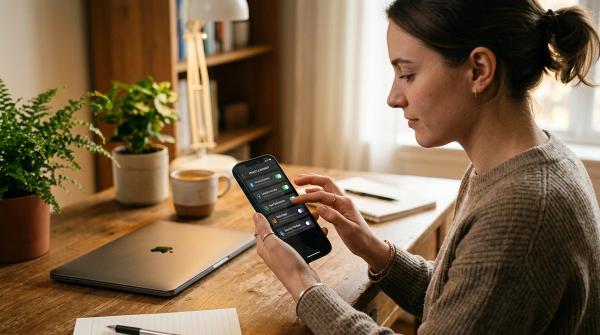
Change your Instagram password
#Use Instagram settings and Accounts Center to change your password. Choose a password you don’t use anywhere else.
Don’t reuse your email password, Facebook password, banking password, school portal password, or an old Instagram password. If one of those passwords has already leaked somewhere, attackers may try it on Instagram too.
If you use a password manager, let it create a strong password for you.
Log out unknown sessions
#Next, check where your account is currently logged in. Look for devices, locations, or login times you don’t recognize. If something looks suspicious, log it out.
Location information is not always exact. Instagram may show a nearby city instead of your real location. Don’t panic over that alone. Focus on devices, countries, cities, or times that clearly don’t make sense.
Check your email address and phone number
#Hackers often add their own email address or phone number so they can get back in later. Check every email address and phone number listed in your account details. Remove anything that isn’t yours.
If your email or phone number was changed without your permission, check your inbox for official Instagram security messages. Instagram may give you an option to reverse certain changes.
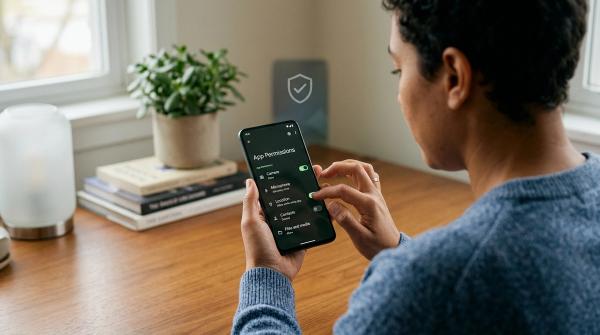
Remove suspicious third-party apps
#Some Instagram takeovers start with connected apps. These could be fake follower tools, giveaway tools, editing apps, analytics dashboards, or services that asked for Instagram access.
Remove anything you don’t recognize or no longer use. Be especially careful with tools that promise followers, likes, growth, verification, automation, or guaranteed engagement.
Turn on Instagram two-factor authentication
#Turn on two-factor authentication for Instagram. If possible, use an authenticator app. SMS is still better than having no two-factor authentication, but an authenticator app is usually the stronger option.
After you turn it on, save your Instagram backup codes somewhere safe. Backup codes can help you get back in if you lose your phone or can’t access your authentication app. Store them in a password manager or write them down and keep them somewhere private.
Do not keep backup codes in a public note, a shared chat, or a screenshot folder that syncs everywhere.
Scenario B: You Are Locked Out
#If the hacker changed your password or contact details and you can’t log in, don’t start searching random recovery websites.
Don’t pay anyone. Don’t send your username, password, login codes, backup codes, ID, or recovery emails to someone in DMs.
Use Instagram’s official recovery process only.
Check official security emails from Instagram
#Search your inbox and spam folder for official security emails from Instagram. If someone changed your email address, Instagram may send a message to your original email with an option to secure your account or reverse the change.
Be careful here. Scammers often send fake emails that look official. Watch out for lookalike addresses, spelling tricks, and messages that push you to WhatsApp, Telegram, crypto payment, or a separate support agent.
Use the Instagram login help flow
#Open the Instagram app and go to the login screen. Use the forgot-password or login-help option and follow the prompts. If you see a “Need more help?” option, continue through Instagram’s official recovery steps.
Instagram may ask for your username, email, phone number, or another secure email address where they can contact you.
Verify your identity if Instagram asks
#If the attacker changed your details or turned on their own two-factor authentication, Instagram may ask you to verify your identity.
Depending on your account, this may involve a video selfie or identity information. Only follow instructions inside the Instagram app or official Meta recovery flow.
Do not send a video selfie, ID photo, password reset code, backup code, or security link to anyone claiming to be a recovery helper.
Secure your email account too
#Your Instagram account may not be the only problem. If someone has access to your email, they may be able to keep resetting your Instagram password.
Secure the email address connected to Instagram:
- Change your email password.
- Turn on two-factor authentication for your email.
- Check for forwarding rules or filters you didn’t create.
- Log out unknown email sessions, if your email provider allows it.
- Review recovery phone numbers and backup email addresses.
This step matters a lot. Your email account is often the master key to your Instagram account.
Warn Followers Without Making It a Bigger Mess
#If your account is sending scam links, fake investment messages, strange DMs, or suspicious stories, warn people as soon as you can.
If you still control the account, post a simple story or feed update: “My Instagram account may have been compromised. Please don’t click any links or respond to unusual DMs from me while I secure it.”
If you’re locked out, ask a trusted friend, family member, coworker, page admin, or business partner to post a warning from their account.
For a small-business page, also warn customers through other official channels you control, such as your website, email list, WhatsApp Business number, or another social profile.
Keep the message short and clear. Don’t share private recovery details.
Warning: Instagram Recovery Scams Are Everywhere
#When someone searches for hacked Instagram help, scammers know that person is probably scared and in a hurry. That’s when they show up.
They may promise fast recovery, claim to know someone at Meta, or say they can bypass the hacker. In reality, they’re usually trying to steal your money, your login codes, or even more of your accounts.
Fake Meta support
#Scammers may pretend to be Meta Support, Instagram Support, Meta Security Team, Account Recovery Department, Verification Team, Copyright Support, or Business Help Center.
They may contact you through DMs, WhatsApp, Telegram, email, comments, or even from another hacked account. Real recovery happens through Instagram’s official app, website, help flows, and official security emails.
A stranger in your DMs is not Meta support.
Recovery experts and ethical hackers
#A very common scam sounds like: “Message this hacker. He recovered my account in 10 minutes.”
These are Instagram recovery scams. They don’t have secret access to Meta systems. Many will take your money, ask for more fees, or use your information to steal other accounts.
Anyone asking for your codes
#Never share password reset codes, two-factor authentication codes, Instagram backup codes, email login codes, security links, or screenshots of recovery emails.
A scammer may trigger a real Instagram reset code and then message you pretending they need that code to verify you. If you give them the code, you may be giving them your account.
Crypto, gift cards, wire transfers, or urgent payment
#Official hacked Instagram account recovery is not something you buy from a stranger. Treat payment requests, crypto, gift cards, refundable deposits, and urgent unlock fees as scam signals.
Do not pay. Block and report.
Urgent DMs and emotional pressure
#Scammers want you to rush. They may say your account is being permanently deleted, a code is about to expire, or you must keep the recovery secret.
Slow down. Official recovery does not require you to trust a stranger with your codes or your money.
After You Get the Account Back
#Getting back in is a huge relief, but you’re not quite finished yet.
Check your email address, phone number, name, username, bio, website link, birthday, connected Facebook account, and business or creator settings if applicable. Remove anything the attacker added or changed.
Delete scam posts, suspicious stories, fake giveaways, crypto promotions, or messages the hacker sent. If the attacker messaged your followers, post a short follow-up: “I’ve recovered my account. If you received any strange links or messages from me, please delete them and don’t click.”
Review devices again and log out anything suspicious. Review connected apps again and remove unfamiliar services or anything you no longer use.
If you turned on Instagram two-factor authentication, generate and store your Instagram backup codes privately.
How to Prevent Future Instagram Lockouts
#You can’t remove every risk, but you can make your account much harder to steal.
Use a unique password
#Your Instagram password should not be used anywhere else. If another website has a data breach and you reused the same password there, attackers may try it on Instagram.
Protect your email first
#Your email is often the master key to your online accounts. Use a strong password and two-factor authentication on your email account.
Be careful with links in DMs
#Many Instagram hacks start with messages like “Is this you in this video?”, “Vote for me,” “You won a giveaway,” “Your account will be disabled,” “Copyright warning,” “Brand deal form,” or “Verification request.”
If a message feels urgent, strange, or too good to be true, pause before tapping.
Do not share codes, even with friends
#If a friend asks for a code, their account may already be hacked. Never share Instagram codes, email codes, or backup codes.
Review logged-in devices regularly
#Every so often, check where you’re logged in and log out devices you no longer use or don’t recognize.
Avoid shady growth tools
#Don’t connect tools that promise free followers, mass likes, password-based automation, or guaranteed verification. These services can put your account at risk.
Quick Summary
#If your Instagram account is hacked, don’t pay a recovery service and don’t trust strangers in DMs.
If you’re still logged in, change your password, remove unknown sessions, check contact details, remove suspicious apps, and enable two-factor authentication.
If you’re locked out, start from the official Instagram app login screen and check for official Instagram security emails.
The best next action is simple: Use Instagram’s official recovery tools, not a third-party recovery site.
Final Safety Reminder
#A hacked account is upsetting, but rushing can make things worse.
Stay inside official Instagram and Meta recovery channels. Secure your email. Warn followers if your account sent suspicious messages. Ignore anyone promising secret recovery access for money.