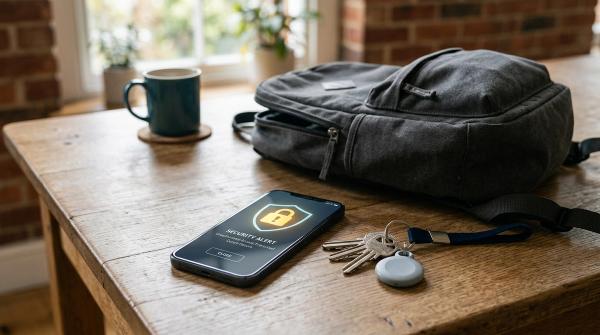
The WhatsApp screen-sharing scam is simple, which is exactly why it works.
Someone calls you on WhatsApp, usually on video, and sounds serious. They may say they are from your bank, electricity board, mobile company, delivery service, payment app, or customer support team. Then they ask you to tap Share Screen so they can “help you” or “guide you step by step.”
The moment you share your screen, they can see what you see.
That includes OTPs, SMS alerts, bank apps, UPI screens, emails, WhatsApp chats, photos, documents, and notifications. They do not need to hack your phone if they can convince you to show them everything yourself.
So here is the safest rule:
If an unknown caller asks you to share your WhatsApp screen, cut the call.
WhatsApp screen sharing is not unsafe by itself. It is a useful feature when you are talking to someone you know and trust. The danger starts when a stranger, or someone pretending to be official, pressures you to use it.
Most of these scams do not begin with advanced hacking. They begin with a story:
- “Your electricity will be disconnected tonight.”
- “Your bank KYC is incomplete.”
- “Your parcel is stuck.”
- “Your UPI account is blocked.”
- “Your refund will expire today.”
- “Your card will be suspended.”
Then comes the trap: “Please share your screen so I can help.”
How the WhatsApp screen-sharing scam works
#The scammer’s goal is not just to talk to you. Their goal is to make you open sensitive apps while they are watching.
A typical scam usually goes like this:
- You receive an urgent call or message — It may be about your bank account, credit card, electricity bill, mobile number, delivery, tax refund, job application, payment app, or account verification.
- The caller sounds official — They may use a company logo as their profile picture. They may speak politely. They may even know your name, phone number, or some basic detail about you.
- They create panic — You may hear things like, “Your account will be blocked,” “Your power will be cut tonight,” “This is your last chance,” or “You must complete this immediately.”
- They move you to a WhatsApp video call — Once you are on the call, they ask you to tap the screen-sharing button so they can “guide you.”
- They watch your screen live — If you open SMS, email, WhatsApp, banking apps, UPI apps, card apps, payment wallets, or password managers, they may see whatever appears.
- They use what they see — They may read OTPs from notifications, watch your login process, collect account details, guide you into approving a payment, or pressure you into entering a PIN.
In India, many such scams use familiar pressure points: electricity disconnection, fake KYC updates, small “verification” payments, fake UPI issues, courier problems, and fake customer support.
The script changes. The pattern stays the same: panic first, screen share next.
Why this scam feels believable
#Screen sharing feels harmless to many people. It sounds like a normal phone feature, not a security risk.
That is exactly why scammers like it.
They may say things like:
- “I cannot see the error unless you share your screen.”
- “Please show me the payment page.”
- “I will guide you, don’t worry.”
- “Do not disconnect or the process will fail.”
- “This is only a small verification amount.”
- “You are speaking to official support.”
- “This is a secure process.”
If you did not contact them through an official channel, do not trust the call.
Actually, don’t just “be careful.” End the call.
If the issue is real, you can check it later through the official app, website, bank branch, bill portal, or customer care number printed on your card, bill, or statement.
A genuine problem will still be there after you verify it safely. A scammer, however, needs you to act right now.
Red flags and safer actions
#Use this checklist whenever a WhatsApp caller asks you to share your screen, install an app, make a payment, or open your bank account.
What can scammers see during screen sharing?
#If screen sharing is active, the other person may see anything that appears on your screen.
That can include:
- OTPs in SMS or notification previews
- Banking app screens
- UPI app screens
- Wallet app screens
- Email inboxes
- WhatsApp chats
- Photos and documents you open
- Password reset links
- Card details, if displayed
- Personal details on forms
- Private messages and contacts
They do not need you to say an OTP out loud if it pops up on your screen.
This is why WhatsApp’s screen-sharing warnings matter. Meta’s in-app safety messaging reminds users to be careful about exposing sensitive information such as passwords, payment details, and verification codes during screen sharing.
Take that warning seriously, especially if the caller is not someone you personally know and trust.
Is WhatsApp screen sharing unsafe?
#No, not by itself.
WhatsApp screen sharing is a real feature. It can be helpful for work, online classes, family tech help, presentations, or simple troubleshooting.
The risk depends on two things:
- Who is watching
- What you open while they are watching
A simple rule is enough for most situations:
Only share your screen with people you know and trust. Never open banking, payment, password, OTP, or private-message screens while sharing.
Even with family or coworkers, stop sharing before opening anything sensitive.
Common scam stories to watch for
#Scammers keep changing their scripts, but many of them use the same basic themes.
1. Electricity or utility disconnection
#You may get a message saying your electricity bill is pending and your power will be disconnected tonight. The caller may ask you to make a small payment or update your details while sharing your screen.
Safer move: Check your bill only through the official electricity provider app, website, office, or verified bill payment channel.
2. Bank KYC or card block warning
#The caller says your bank account, credit card, debit card, or wallet will be frozen unless you verify immediately.
Safer move: Disconnect and contact your bank through the official number on your card, bank app, statement, or website.
3. Fake customer support
#You search online for a helpline and call a number from search results, ads, social media posts, or comments. The person on the other side asks for screen sharing to “solve” your issue.
Safer move: Use only official support links from the company’s app or verified website. Be careful with numbers found in ads, comments, unofficial listings, or forwarded messages.
4. Delivery, refund, or job verification
#The caller says you need to confirm your identity, receive a refund, pay a small fee, or complete onboarding for a job.
Safer move: Verify inside the official app or directly with the company. Do not open payment apps during a call with an unknown person.
5. Tech support or phone problem
#The caller claims your phone, SIM card, account, or app has a security issue. They ask you to share your screen or install a remote support app.
Safer move: Do not install apps because a caller tells you to. Visit official support or a trusted service center if you need help.
What to do if you already shared your screen
#If you think you shared your screen with a scammer, act quickly. Try not to panic. The next few minutes matter.
1. End the call
#Disconnect the WhatsApp call immediately. This stops the live screen-sharing session.
2. Turn off internet access
#Turn on Airplane Mode, or switch off mobile data and Wi-Fi.
This is especially important if the caller made you install any remote-access or “support” app.
3. Do not continue on the same call
#If the caller calls back, do not answer.
Scammers often keep calling because they want you stressed and distracted. They do not want you to think clearly or speak to someone you trust.
4. Contact your bank or payment provider from a safe device
#Use a trusted phone, a family member’s phone, or a computer. Contact your bank, card provider, UPI app, or wallet only through official support channels.
Ask them to help you:
- Block or freeze affected cards or accounts, if needed
- Review recent transactions
- Report suspected fraud
- Secure your account access
- Disable suspicious sessions or devices, if applicable
Do not search randomly for “fraud recovery” numbers. Use official bank apps, websites, statements, cards, or branch contacts.
5. Change important passwords and PINs
#After you disconnect and secure your bank or payment accounts, change passwords or PINs for sensitive accounts that may have been visible.
Prioritize banking apps, UPI and wallet apps, email accounts, WhatsApp two-step verification PIN, cloud storage accounts, shopping accounts with saved cards, and any account you opened during screen sharing.
Use only official apps and websites.
6. Remove apps the caller asked you to install
#If the caller made you install a remote-access, support, or unknown app, uninstall it.
This may include remote support tools, screen control apps, or unfamiliar APK files.
If you are not sure what was installed, ask a trusted family member, official service center, or legitimate device support channel to help you check your phone.
7. Report the fraud
#For active financial fraud, contact your bank first because timing can matter.
In India, you can also report cyber fraud through the National Cyber Crime Helpline at 1930 or the official National Cyber Crime Portal.
If you are outside India, contact your bank and your local cybercrime, consumer protection, or financial fraud authority.
8. Warn close contacts if needed
#If your private chats, contacts, or family groups were visible, stay alert. Scammers may use personal details to target you again, or they may target someone close to you.
You can send a short message like:
“Please ignore any urgent money, OTP, or payment request that appears to come from me. I may have been targeted by a scam call.”
No need to over-explain. Just warn people quickly.
What not to do after a scam
#After a scam, people often search for quick recovery help. Scammers know this too.
Avoid:
- “Hacker recovery” accounts on social media
- People claiming they can reverse fraud by hacking the scammer
- Unofficial WhatsApp or Telegram groups offering refund help
- Random websites asking for bank details to recover money
- Anyone asking for more OTPs, IDs, card details, or remote access
- Paying an advance fee to “recover” stolen money
No private “ethical hacker,” random support person, or recovery account can guarantee that stolen money will be returned.
For active fraud, work with your bank, payment provider, platform support, and official cybercrime channels.
How to protect family members, seniors, students, and workers
#A few simple rules are easier to remember than a long lecture.
Share these with your family, housing society, office group, or student group:
- Never share your screen with unknown callers.
- Never open banking, UPI, wallet, email, or SMS while screen sharing.
- Never share OTPs, PINs, passwords, or card details.
- Never install an app because a caller says so.
- Always verify urgent claims through official channels.
- If confused, hang up and call a trusted person.
For seniors or less confident phone users, make it even simpler:
“If someone asks you to share your screen, cut the call and call family.”
That one rule can prevent a lot of damage.
A quick phone safety check
#You can reduce risk with a few everyday habits:
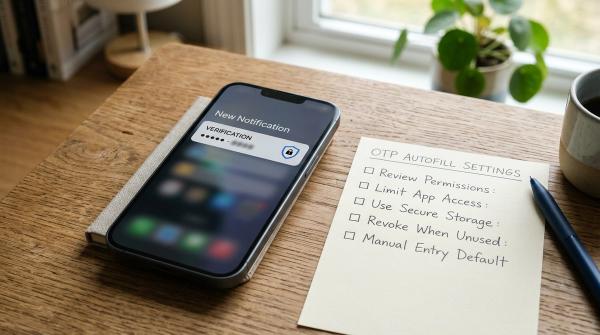
- Hide sensitive notification previews on the lock screen, especially SMS OTPs
- Use a strong phone screen lock
- Turn on two-step verification for WhatsApp
- Keep WhatsApp and your phone software updated
- Remove apps you do not recognize
- Save official bank and utility numbers from trusted sources
- Teach family members how to end a WhatsApp call quickly
- Avoid doing payments while talking to unknown callers
- Do not keep unnecessary screenshots of cards, IDs, or passwords
- Review app permissions from time to time
These steps do not make you scam-proof. Nothing really does. But they reduce the chances of one rushed phone call turning into a financial loss.
Source-aware note on 2026 scam trends
#Screen-sharing fraud has gained attention in cybersecurity explainers and mainstream technology coverage because it uses a trusted communication feature in a deceptive way. Reputable coverage from Meta, Google’s 2026 scam advisory, Malwarebytes, WeLiveSecurity, TechCrunch, and Indian technology news coverage all point to the same practical lesson: verify urgent support, payment, delivery, banking, and account requests through official channels before acting.
Meta’s safety messaging around screen sharing warns users to be careful about exposing sensitive information during a share session, including passwords, payment details, and verification codes.