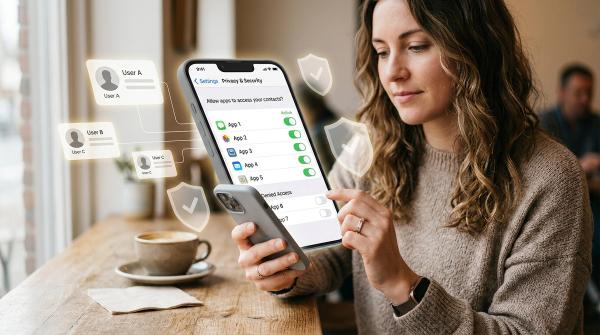
Before you start using an AI companion app, check how it handles your conversations, whether your data can be deleted, and whether chats may be used to train AI systems. Use a nickname, limit permissions, turn off training where possible, avoid sensitive details, and assume anything you type could be stored, reviewed, or exposed later.
This article is for general privacy and safety education. It is not legal, technical, medical, or mental health advice. AI companion apps are not emergency services or licensed mental health care. If you or someone else may be in immediate danger, or is experiencing a serious mental health crisis, contact local emergency services or a qualified crisis helpline in your area.
Why AI Companion App Privacy Needs Extra Attention
#A search engine query is usually quick and specific. An AI companion chat can become much more personal.
People may tell these apps about breakups, loneliness, family arguments, school stress, money worries, identity questions, private fantasies, health concerns, and emotions they have not shared with anyone else. Some companion apps are designed to encourage long, intimate conversations. That does not automatically make them bad, but it does mean the privacy stakes are higher.
The question is not just, “What did I type?” It is also:
- Where are my chats stored?
- Who can access them?
- Are my conversations used to train AI models?
- Can I delete my data later?
- Is my account connected to my real identity?
- What happens if the company changes its privacy policy?
- What happens if the company is hacked or sold?
Privacy researchers and regulators are paying closer attention to these questions. The FTC has warned companies that make privacy or confidentiality promises about AI tools that they must actually keep those promises. The FTC has also opened an inquiry into AI companion chatbots, focusing on children, teens, and safety practices. Mozilla’s privacy guidance encourages users to read chatbot privacy policies carefully, especially around data sharing, deletion, and training. Stanford HAI has also encouraged people to be cautious about what they tell AI chatbots.
The simple version: if a chatbot feels private, do not automatically assume it is private.
AI App Privacy Checklist Before You Sign Up
#Use this checklist before downloading an AI companion app, creating an account, or starting a personal conversation.
If an app makes these answers hard to find, that is useful information by itself. A trustworthy app should not make privacy feel like a scavenger hunt.
What Not to Share With an AI Friend
#The best way to protect your privacy is to avoid giving an AI companion information you would regret losing control over.
Even if an app has decent privacy settings, no app can promise perfect safety forever. Companies can be hacked. Policies can change. Accounts can be compromised. Data can be reviewed, misunderstood, or stored longer than you expected.
Your full identity
#Do not share your full name, home address, phone number, school, workplace, government ID numbers, or exact daily routine. A chatbot does not need to know where you live, when you are home alone, or where you go every day.
Financial information
#Never share bank details, card numbers, payment screenshots, account passwords, crypto wallet details, tax documents, or income records. If an AI companion asks for this kind of information, treat it as a serious warning sign.
Passwords and security codes
#Do not paste passwords, one-time passcodes, recovery codes, API keys, private links, login details, or backup codes into a companion app. This still applies if the bot says it is helping you “organize,” “remember,” or “keep track” of them.
Private photos, voice samples, or intimate content
#Some AI friend apps encourage photos, voice notes, avatars, romantic roleplay, or intimate conversations. Be careful. Images, voice recordings, and intimate content can reveal your face, room, location clues, background objects, or other people nearby.
Other people’s personal information
#Do not share private details about friends, classmates, children, clients, patients, coworkers, or family members. They did not agree to be part of your chatbot conversation.
Workplace, school, or client secrets
#Avoid sharing confidential documents, internal messages, unpublished creative work, contracts, client data, student records, private company plans, or anything covered by a workplace or school policy.
A good rule: if you would not post it in a public forum, do not paste it into an AI companion app.
Serious mental health details as a substitute for real help
#You can use technology for reflection, journaling, or general support. But an AI companion is not a licensed therapist, doctor, or crisis responder. If you are dealing with serious distress, thoughts of self-harm, abuse, or immediate danger, reach out to a qualified person, emergency service, or crisis resource in your area.
AI Chatbot Settings to Check Right Away
#If you decide to use an AI companion app, do not stop at the download screen. Open the settings before you start sharing personal thoughts.
Turn off AI training where possible
#Look through the app settings for phrases like:
- Use my data to improve AI
- Train models on my conversations
- Improve responses
- Product improvement
- Data sharing
- Personalization
- Model training
If there is an opt-out, use it. If there is no clear opt-out, assume your chats may be used in the ways described by the privacy policy. If the policy is vague, consider choosing another app or keeping your conversations very casual.
Clear chat history regularly
#Some AI companions depend on memory to feel personal. That can be useful, but it also means the app may build a long record of your thoughts, moods, relationships, habits, and routines.
If the app lets you delete old chats, use that feature regularly. Before you rely on it, check what “delete” actually means. It could mean hiding the chat from your screen, removing it from your account, deleting it from company servers, removing it from training systems, or removing it from backups. Those are not always the same thing.
Delete your account before uninstalling the app
#Uninstalling an app usually removes it from your phone. It does not always delete your account, profile, chat history, uploaded files, payment data, or saved preferences.
If you want to stop using an AI companion app:
- Open the app settings.
- Clear your chat history if possible.
- Look for “Delete account,” “Delete my data,” or a similar option.
- Follow all confirmation steps.
- Save confirmation emails or screenshots if you receive them.
- Then uninstall the app.
If there is no in-app deletion option, check the privacy policy for a contact email or data request process.
Limit app permissions
#Go into your phone settings and review what the app can access. For many AI companion apps, you may not need to allow precise location, contacts, photos, camera, microphone, Bluetooth, or background activity.
If you use voice chat, the microphone may be needed while you are using that feature. That does not mean the app needs broad access all the time.
Turn off unnecessary notifications
#Companion apps may send emotional prompts such as “I miss you,” “Are you okay?” or “Come talk to me.” Some people find this fun. Others find it intrusive, distracting, or stressful. If the app sends too many emotional nudges, reduce notifications or turn them off completely.
Check memory controls
#Some apps have memory features so the AI can remember your name, preferences, past conversations, or personal details. If the app offers memory controls, review what it has saved. Delete anything too personal. Turn memory off if you do not need it.
Warning Signs Before You Chat
#Not every risk is buried in a privacy policy. Some warning signs show up in the way the app behaves.
Be cautious if an AI companion app:
- Pushes you to share secrets early
- Claims chats are “100% private” without explaining how
- Has no clear privacy policy
- Has no obvious data deletion option
- Makes it hard to opt out of training or data sharing
- Requests location, contacts, camera, or microphone without a clear reason
- Encourages emotional dependence
- Discourages you from talking to real people
- Uses intense romantic, sexual, or manipulative pressure
- Has weak age checks but appears to attract young users
- Makes cancellation or account deletion confusing
- Changes terms without clear notice
One warning sign does not always mean an app is dangerous. Several together should make you pause.
Teen and Family Safety
#For families, AI companion safety is not only about screen time. It is about privacy, emotional boundaries, and whether a teen understands what the app really is.
A teen may experience an AI companion as a friend, romantic partner, therapist, diary, or always-available listener. That can make the app feel safe even when its data practices are unclear.
The FTC’s inquiry into AI companion chatbots, with a focus on children, teens, and safety practices, shows that regulators are taking these concerns seriously. Parents and caregivers do not need to panic, but they should pay attention.
Talk before installing
#Instead of starting with “You cannot use this,” try asking:
- What app are you interested in?
- What do you want to use it for?
- Does it store conversations?
- Can chats be deleted?
- What would you avoid telling it?
- What would you do if it made you uncomfortable?
This keeps the conversation practical instead of turning it into a fight.
Review privacy settings together
#For younger teens, sit together and check account name, email used to sign up, age settings, chat history controls, AI training opt-out, memory settings, app permissions, notification settings, in-app purchases, and blocking or reporting tools.
This is also a good moment to explain something important: a chatbot can sound caring without truly understanding, protecting, or being responsible for them.
Set simple sharing limits
#Create clear family rules, such as:
- Do not share your full name, school, address, phone number, or location.
- Do not upload private photos.
- Do not share family problems in detail.
- Do not treat the bot as your only source of emotional support.
- Tell a trusted adult if the app becomes sexual, threatening, manipulative, or upsetting.
Specific rules work better than vague warnings like “be careful.”
Watch for emotional overreliance
#AI companions can be sticky because they are always available, always responsive, and rarely reject the user.
Check in if a teen stops talking to friends or family, becomes secretive about the app, seems upset when they cannot access it, says the bot is the only one who understands them, receives frequent romantic notifications, uses the app late at night, or shares increasingly private information.
The goal is not to shame them. The goal is to keep real human support at the center of their life.
Data Deletion and Opt-Out Settings: What to Know
#Data deletion can be confusing because apps often use similar words for very different actions.
“Clear chat” may not mean “delete data”
#Some apps let you clear a conversation from your screen. That may not delete the data from company servers, backups, analytics logs, or training systems.
Look for stronger wording, such as delete my account, delete my personal data, delete conversation history from servers, remove my data from training, or submit a data deletion request.
If the app does not explain what deletion means, treat that as a privacy weakness.
Opting out may not erase old data
#Turning off AI training today may only affect future conversations. It may not automatically remove past chats from earlier processing, backups, or systems.
Check whether the app explains when the opt-out takes effect, whether it applies to old chats, whether it applies to uploaded images or voice data, whether it applies to third-party processors, and whether deleted chats are removed from training datasets.
If the answers are missing, keep future chats less personal.
Free apps can still cost you in data
#A free AI companion app may collect data for product improvement, analytics, personalization, advertising, or other business purposes listed in its privacy policy. That does not mean every free app is unsafe. It means you should understand the tradeoff before sharing anything sensitive.
A Simple “Safe Enough?” Test
#Before you use an AI companion app for personal conversations, ask yourself these five questions:
- Can I understand the privacy policy without guessing?
- Can I opt out of AI training or unnecessary data sharing?
- Can I delete my chat history and account?
- Can I use the app without my real name, location, contacts, or private photos?
- Would I still be comfortable if a human reviewer, breach, or policy change exposed this conversation?
If you answer “no” to several of these, the app may not be safe enough for personal conversations. You can still use it casually. Just keep the topics light.
Better Privacy Habits for AI Companion Apps
#You do not have to be perfect. A few small habits can lower your risk a lot.
- Use a nickname instead of your real name.
- Sign up with a separate email address.
- Keep conversations general.
- Deny unnecessary permissions.
- Turn off model training if possible.
- Clear chat history regularly.
- Avoid uploading images, documents, or voice samples.
- Do not use the app as your only emotional support.
- Review settings after app updates.
- Delete your account before uninstalling.
Think of the app like a friendly stranger with a very good memory.