
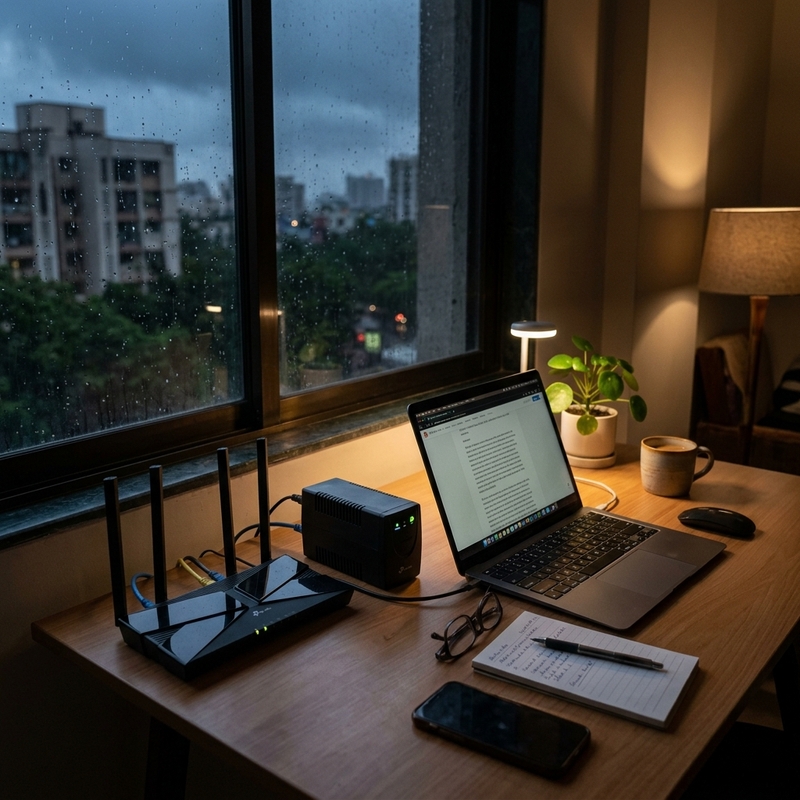
For most Indian homes, a mini UPS for a Wi-Fi router is the most sensible choice during power cuts. It stays connected, switches to battery automatically, and usually prevents your router from restarting when the electricity goes off.
A power bank with a DC cable can also run a router, but it is better as an emergency workaround. A full-size UPS makes sense only if you also want backup for a desktop computer, monitor, or larger home-office setup.
Quick Answer
#Best choice by need:
- Stable Wi-Fi for office calls, online classes, and streaming: Choose a mini router UPS because it is compact, automatic, and made for routers or modems.
- Cheapest emergency option if you already have a power bank: Use a power bank + DC step-up cable, but treat it as a temporary workaround because switching is usually manual.
- Router plus desktop PC, monitor, or larger work desk setup: Choose a full-size UPS because it can power AC devices, though it is bulky for router-only backup.
- Long daily power cuts: Consider a home inverter or larger backup system because small router batteries are not built for repeated long outages.
If your main problem is that the router restarts every time the power flickers, buy a compatible mini UPS. Just check your router adapter’s voltage, current, and pin size before ordering.
Power cuts in Indian homes never seem to happen at a convenient time. It is usually during a Zoom call, an online class, a payment, a cricket match, or when everyone at home is already irritated because the fan has stopped.
The good news is that your Wi-Fi router does not need a huge backup system. A router uses very little power compared to a fridge, geyser, mixer, desktop PC, or AC. So the right solution is not always the biggest battery. It is the one that matches your router properly and works without drama.
This guide compares three common options for Wi-Fi router power backup in India:
- Mini UPS
- Power bank with DC cable
- Full-size UPS
No random product hype. No fake pricing. Just practical advice for Indian homes.
Also useful: If you are preparing for outage season, read our Monsoon Power Cut Checklist for Indian Apartments. If you also use power banks for travel gadgets, see AllBlogs’ guide on portable fans, power banks, and flight electronics.
Mini UPS vs Power Bank vs Full UPS: What Is the Difference?
#1. Mini UPS for Wi-Fi Router
#A mini UPS is a small battery backup made for low-power DC devices like Wi-Fi routers, fiber ONT boxes, modems, and sometimes CCTV cameras.
It usually sits between your router’s power adapter and the router.
How it works:
- Your router adapter plugs into the mini UPS.
- The mini UPS output connects to the router.
- When power is available, it runs the router and charges its internal battery.
- When power cuts, it automatically switches to battery backup.
For most Indian homes, this is the cleanest and easiest form of Wi-Fi router power backup.
Good for:
- Work-from-home calls
- Online classes
- Families using one home Wi-Fi connection
- Frequent short power cuts
- Apartments where power goes and comes back within seconds
- People who do not want to touch cables every time power fails
Limitations:
- It must match your router’s voltage.
- It cannot run a laptop charger or regular 230V AC plug.
- If you have both an ONT and a router, one output may not be enough.
- Backup time depends on battery capacity and the number of devices connected.
A mini UPS is not exciting tech. And honestly, that is the best thing about it. You set it up once, keep it near the router, and forget about it.
2. Power Bank + DC Step-Up Cable
#A normal mobile power bank gives USB power, usually meant for phones and small USB devices. But many routers need 9V or 12V DC through a round barrel connector.
So, to run a router from a power bank, you need a USB-to-DC step-up cable. This cable converts the power bank’s USB output into the voltage your router needs.
This is the common jugaad option.
How it usually works:
- Power goes out.
- You unplug the router adapter.
- You connect the power bank to the step-up cable.
- You connect the DC pin to the router.
- The router restarts and comes back online.
Some people keep this setup ready and neat, but for most homes it is still a manual backup.
Good for:
- Students in hostels or PGs
- Rare power cuts
- Temporary backup
- Travel use
- People who already own a decent power bank
- Very tight budgets
Limitations:
- Internet usually drops while you switch cables.
- The wrong cable voltage can damage the router.
- Many power banks are not made for safe 24/7 pass-through use.
- Some power banks may shut off if the router load is too low.
- Cable quality matters a lot.
A power bank can be useful, but it is not as dependable as a dedicated router UPS for daily home use.
3. Full-Size UPS
#A full-size UPS is the heavier backup unit people usually use for desktop computers. It gives regular AC output, so you can plug your router adapter into it just like you would plug it into a wall socket.
How it works:
- The UPS stores power in its battery.
- During a power cut, it converts battery power into 230V AC.
- Your router adapter then converts that AC back into low-voltage DC for the router.
This double conversion is why a full UPS is often wasteful if you only want to run a router.
Good for:
- Desktop PC and monitor backup
- Home-office setups with multiple devices
- Short backup for saving work and shutting down safely
- Cases where you already own a UPS and want to connect the router too
Limitations:
- Bulky
- Can be noisy in some cases
- Less efficient for tiny loads
- Battery replacement can cost more
- Overkill if you only need Wi-Fi backup
If you are buying something only for your router, a full-size UPS is usually not the smartest first choice.
Comparison: Router UPS vs Power Bank vs Full UPS
#Mini UPS:
- Best use: Router, modem, and ONT backup.
- Automatic switching: Usually yes.
- Router reboot risk: Usually avoided if setup is correct.
- Size: Small.
- Efficiency for router only: Good.
- Setup difficulty: Low.
- Laptop charger support: No.
- Daily use: Good if compatible.
- Main risk: Wrong voltage or pin.
Power bank + DC cable:
- Best use: Emergency router backup.
- Automatic switching: Usually no.
- Router reboot risk: Usually happens during manual switching.
- Size: Very small.
- Efficiency for router only: Depends on the cable and power bank.
- Setup difficulty: Medium.
- Laptop charger support: No.
- Daily use: Not ideal for 24/7 pass-through unless the manufacturer clearly supports it.
- Main risk: Wrong cable, unsafe pass-through, or manual errors.
Full-size UPS:
- Best use: Desktop plus router backup.
- Automatic switching: Yes.
- Router reboot risk: Usually avoided.
- Size: Large and heavy.
- Efficiency for router only: Poor to moderate.
- Setup difficulty: Low.
- Laptop charger support: Yes, if within UPS capacity.
- Daily use: Works, but is usually inefficient for only a router.
- Main risk: Overbuying and battery upkeep.
Compatibility Checklist: Check This Before Buying
#This is the part people often skip, and it is also the part that saves you from buying the wrong product.
Do not buy a mini UPS just because the listing says “Wi-Fi router compatible.” Your router’s adapter decides what you need.
Turn your router around and check the sticker. Then check the power adapter. You are looking for three things:
- Voltage
- Current
- Connector pin size
1. Check the Voltage
#Look for something like this on the adapter:
- Output: 12V
- Output: 9V
Many routers in India use 12V. Some older or basic models may use 9V.
Your backup device must match this voltage.
If your router needs 12V, use a 12V output.If your router needs 9V, use a 9V output.
Do not connect a 12V backup output to a 9V router. That can damage the router.
Some mini UPS models support multiple voltage outputs, such as 9V and 12V. If you buy one of those, make sure the switch is set correctly before connecting the router.
2. Check the Current
#Look for the amp rating on the router adapter. It may say:
- 12V, 1A
- 12V, 1.5A
- 12V, 2A
- 9V, 1A
Your mini UPS should provide at least the current your router needs.
Example of a good match:
- Router adapter: 12V, 1.5A
- Mini UPS output: 12V, 2A
This is usually fine because the router draws only what it needs.
Example of a bad match:
- Router adapter: 12V, 2A
- Mini UPS output: 12V, 1A
This may fail, shut down, heat up, or behave unpredictably.
Simple rule: voltage must match exactly, and current should be equal or higher.
3. Check Whether You Have One Box or Two Boxes
#Many Indian fiber broadband setups have more than one powered device.
You may have:
- Only one Wi-Fi router, or
- One fiber ONT/modem plus a separate Wi-Fi router
If you have two boxes, both need power during a cut.
This is common with fiber connections. A small ONT box brings the fiber line into your home, and a separate router spreads Wi-Fi around the house.
For a two-box setup, check:
- Voltage of the ONT
- Current of the ONT
- Voltage of the router
- Current of the router
- Whether both use the same DC pin size
- Whether the mini UPS has dual output or splitter support
- Whether the total current requirement is within the UPS rating
Do not assume one tiny UPS can run both devices. Some can. Some cannot.
4. Check the DC Pin Size
#Most routers use a round DC barrel connector, but the exact size can vary.
Before buying, check whether the mini UPS includes multiple connector tips or whether the seller clearly mentions compatibility with common router pin sizes.
Be extra careful with ISP-supplied devices. Some use less common connectors.
If the pin is loose, the router may restart randomly. If it does not fit, do not force it.
5. Check Placement and Cable Length
#This sounds minor until you actually try to install the backup.
Before ordering, check:
- Is there space near the router?
- Is the router inside a closed cabinet?
- Will the mini UPS cable reach comfortably?
- Can the device sit flat without hanging from the wall socket?
- Is there enough ventilation?
A router backup should make your life easier, not turn your TV unit into a hot cable mess.
Who Should Buy a Mini UPS?
#Buy a mini UPS if:
- You work from home and need stable calls.
- Your child attends online classes.
- Your apartment has frequent short power cuts.
- Your router restarts often during power blinks.
- You want automatic backup without touching cables.
- You have a simple 9V or 12V router setup.
- You want something compact that can sit near the router.
For most Indian flats, this is the best balance of convenience, cost, and practicality.
Who Should Avoid a Mini UPS?
#Avoid it, or at least pause before buying, if:
- Your area has very long daily power cuts.
- Your internet provider’s street box also loses power often.
- Your router or ONT has unusual voltage requirements.
- You need to power a laptop, monitor, desktop, or printer.
- You cannot confirm voltage and current ratings.
- Your router is kept in a cramped, hot cabinet with no airflow.
A mini UPS keeps your home equipment alive. It cannot fix every internet problem outside your home.
Who Should Use a Power Bank Instead?
#A power bank plus DC cable makes sense if:
- You rarely face power cuts.
- You already own a power bank.
- You only need emergency backup once in a while.
- You are a student or renter trying to spend as little as possible.
- You are comfortable checking voltage and cable compatibility.
- You do not mind the router restarting when you switch power.
It is a useful backup trick. It is just not the most polished daily solution.
Who Should Buy a Full UPS?
#Buy a full-size UPS only if your backup need is bigger than Wi-Fi.
It makes sense if you want to power:
- Desktop PC
- Monitor
- Wi-Fi router
- External hard drive
- Small networking equipment
If you only plug in a router, the UPS may still work, but it is not the most efficient or compact choice. A router is a tiny load. A full UPS is built for larger AC devices.
Mistakes to Avoid
#Mistake 1: Buying Without Checking the Adapter
#This is the most common mistake.
People see “router UPS” and order quickly. Then they realise their router needs a different voltage, current, or pin.
Always check the adapter first.
Mistake 2: Assuming All Routers Are 12V
#Many routers are 12V, but not all.
Some routers and older devices may use 9V. A 12V router UPS connected to a 9V router can damage the router.
Mistake 3: Forgetting the Fiber ONT
#If your Wi-Fi router stays on but the ONT loses power, your internet still goes off.
In a two-device fiber setup, both boxes need backup.
Mistake 4: Leaving a Normal Power Bank in 24/7 Pass-Through Use
#Many power banks are not meant to sit permanently between the wall and the router.
Some may heat up. Some may degrade faster. Some may not support proper pass-through operation. Unless the manufacturer clearly supports that use, avoid treating a phone power bank like a router UPS.
Mistake 5: Using Random Fast Chargers
#Do not casually replace the router’s original adapter with a random high-wattage phone charger.
Use the router’s original adapter with the mini UPS unless the mini UPS manufacturer specifically says another adapter is suitable.
Mistake 6: Keeping Everything in a Closed Cabinet
#Routers already run warm. Batteries also hate heat.
Do not stack the router directly on top of the mini UPS. Do not bury both inside a closed TV cabinet with no airflow, especially during summer or monsoon humidity.
Keep some breathing space.
Mistake 7: Ignoring Voltage Spikes
#A mini UPS sits after the power adapter. If your wall power has serious spikes, the adapter can still be affected.
If your area has frequent voltage fluctuations, use a good-quality surge protector or suitable protection on the wall side. Do not assume the mini UPS protects everything upstream.
Safety Cautions Before Setup
#Keep these simple rules in mind:
- Match the voltage exactly.
- Use equal or higher current capacity.
- Do not force a DC pin into the router.
- Do not use damaged cables.
- Do not cover the mini UPS with cloth, books, or papers.
- Keep it away from water, windows, and damp walls.
- Stop using it if the unit swells, smells burnt, overheats, or shuts down repeatedly.
- Avoid cheap, unclear listings that do not mention output voltage and current properly.
If the product page hides basic electrical details, skip it.
A Simple Buying Checklist for Indian Homes
#Before you buy a 12V router UPS or any router backup device, note these details.
Router details
#- Brand and model
- Adapter output voltage
- Adapter output current
- DC pin size, if mentioned
- Whether it is router only or ONT plus router
Backup device details
#- Output voltage options
- Maximum output current
- Number of output ports
- Connector tips included
- Whether it supports your device type
- Battery capacity
- Charging method
- Ventilation and size
- Warranty and support information
Setup details
#- Where it will sit
- Whether cables can reach safely
- Whether both ONT and router can be powered
- Whether your ISP equipment also stays online during cuts
This five-minute check can save you from buying the wrong device.
Final Takeaway
#For most Indian apartments, the best power cut internet backup is a compatible mini UPS. It is small, automatic, and made for the low-power devices that keep home Wi-Fi running.
Use a power bank and DC cable only as a temporary or budget workaround. Choose a full-size UPS when your backup needs include a desktop or monitor, not just the router.
Before buying anything, check the adapter label. Match the voltage exactly, choose enough current, confirm the pin, and remember the fiber ONT if you have one.
That one small check is the difference between stable home Wi-Fi during a power cut and another gadget sitting unused in a drawer.