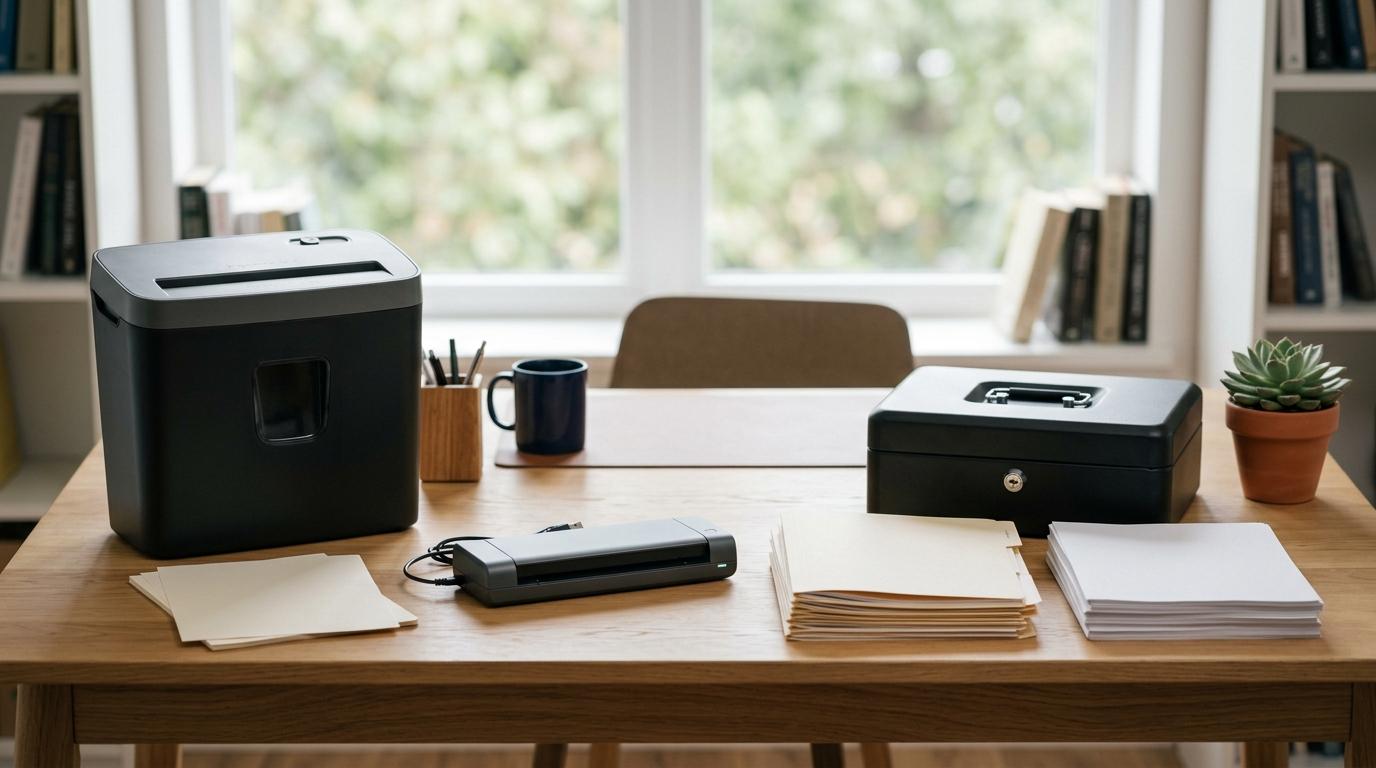
If you’re trying to choose between a paper shredder, document scanner, and lock box, the simplest answer is this:
- Use a shredder for sensitive papers you’re ready to destroy.
- Use a scanner for records you want to keep, search, or back up.
- Use a lock box for original documents that would be difficult, slow, or expensive to replace.
For most homes, the best setup is not one single item. It’s a small system: lock away the important originals, scan the records you may need later, and shred the sensitive leftovers.
That’s really the whole strategy.
Quick Answer
#Paper shredder
- Best for: Destroying old bills, bank statements, medical papers, expired IDs, credit offers, and tax papers you no longer need.
- Skip it if: You barely receive sensitive paper mail or already use a trusted shredding service.
Document scanner
- Best for: Creating searchable copies of receipts, contracts, household records, medical files, and tax documents.
- Skip it if: You only scan a few pages a month and your phone app is enough.
Lock box
- Best for: Storing passports, birth certificates, marriage certificates, property papers, wills, and other important originals.
- Skip it if: You want a place to dump everyday bills and receipts.
The best home paperwork privacy setup is simple:
Lock the originals. Scan the useful records. Shred the rest.
Who This Guide Is For
#This guide is for anyone with normal household paperwork: bills, receipts, tax forms, insurance papers, medical records, school documents, contracts, IDs, or home-office files.
You don’t need to run a business to care about paper privacy. A random stack of mail can include account numbers, addresses, signatures, health information, tax details, and identity documents.
Before buying anything, it helps to sort your paperwork into three categories.
1. What Needs to Stay as a Physical Original?
#Some documents are hard to replace. Some may also be required in original form, not just as a scan.
These usually belong in a locked document box for home use:
- Passports
- Birth certificates
- Marriage certificates
- Property deeds
- Signed wills
- Court documents
- Immigration or citizenship papers
- Other official records
If losing the original would create a serious headache, don’t leave it loose in a drawer.
A lock box with some fire and water resistance is ideal, though it’s important to understand the limits. More on that later.
2. What Can Be Stored Digitally?
#A lot of household paperwork is useful, but doesn’t need to live on paper forever.
That might include:
- Utility bills
- Receipts
- Bank or card statements
- Warranties
- Insurance documents
- Medical paperwork
- Tax-related records
- Home maintenance records
Scanning these can make life much easier. Instead of digging through folders, you can search for a name, date, amount, or reference number.
Just don’t assume every scan is legally or officially acceptable. Rules vary depending on the document, country, state, institution, or situation. For anything involving taxes, property, legal claims, immigration, business records, or insurance, check the requirements before shredding the original.
3. What Should Be Destroyed?
#Some paperwork should not go into the trash whole.
Shred anything that contains sensitive personal, financial, medical, or account information and no longer needs to be kept.
That can include:
- Old bank statements
- Medical bills
- Tax documents past their retention period
- Expired IDs
- Pre-approved credit offers
- Old account letters
- Duplicate financial documents
- Insurance papers you no longer need
For this job, a shredder is usually more useful than a scanner or lock box.
Paper Shredder vs Document Scanner vs Lock Box: The Practical Difference
#These three tools solve different problems.
A scanner helps you keep information.
A shredder helps you destroy information.
A lock box helps you protect originals.
The mistake is expecting one of them to do all three jobs.
Paper shredder
- Main purpose: Secure disposal.
- Best use: Old sensitive papers.
- Clutter benefit: Reduces clutter once papers are shredded.
- Privacy benefit: Protects against snooping after shredding.
- Fire or water protection: None.
- Biggest risk: Buying a weak strip-cut model for sensitive documents.
Document scanner
- Main purpose: Digital archiving.
- Best use: Records you want to search or back up.
- Clutter benefit: Reduces paper clutter once files are organized.
- Privacy benefit: Only helpful if scanned files are secured.
- Fire or water protection: Only if files are backed up safely.
- Biggest risk: Scanning files and storing them carelessly.
Lock box
- Main purpose: Physical protection.
- Best use: Important original documents.
- Clutter benefit: Limited, unless used only for vital originals.
- Privacy benefit: Helps prevent casual access if locked.
- Fire or water protection: Some models offer limited rated protection.
- Biggest risk: Using it like a junk drawer.
Option 1: Paper Shredder, Best for Safe Disposal
#A paper shredder is the most direct way to reduce paper privacy risk at home.
If a document has your account number, medical details, signature, national ID details, tax information, or identity details, it should not go into the trash in one piece.
For privacy, avoid basic strip-cut shredders. They slice paper into long strips, which is better than nothing, but not ideal. Cross-cut and micro-cut shredders chop documents into much smaller pieces, making them much harder to reconstruct.
For sensitive household paperwork, a micro-cut shredder is often the better choice. It’s especially useful if you regularly dispose of financial papers, medical records, tax documents, or identity-related mail.
Who Should Buy a Paper Shredder?
#Buy a shredder if you:
- Receive bank statements, bills, insurance papers, or medical mail
- Get pre-approved credit offers
- Need to dispose of old tax records or financial paperwork
- Have expired IDs or identity-related documents
- Work from home and handle client, employer, or business papers
- Want a simple weekly habit for clearing sensitive mail safely
Who Can Skip a Paper Shredder?
#You may not need one if you:
- Receive almost no paper mail
- Only handle a few sensitive documents a year
- Already use a secure shredding drop-off or pickup service
- Don’t have space for another device at home
A shredder is not for storage. It is for papers you are actually ready to destroy.
Option 2: Document Scanner, Best for Digital Records
#A document scanner helps turn paper into organized digital files.
That’s useful when you want less clutter, but still need access to the information.
A scanner is especially helpful for:
- Receipts
- Statements
- Contracts
- Warranties
- Insurance papers
- Medical records
- Household documents
- Tax paperwork
- Home-office files
If the scanner or app supports OCR, which stands for Optical Character Recognition, the text inside the scan can become searchable. That means you can search for a company name, date, amount, policy number, or keyword later.
That one feature can save a lot of time.
If you are deciding between a dedicated scanner and your phone, read this guide: document scanner vs scanner app buying guide.
Who Should Buy a Document Scanner?
#Buy a scanner if you:
- Have a backlog of paper files to digitize
- Want searchable PDFs instead of folders full of paper
- Need to organize tax, medical, insurance, or household records
- Run a home office and deal with regular paperwork
- Want more consistent results than a phone scanning app
Who Can Skip a Document Scanner?
#You may not need one if you:
- Only scan a few pages per month
- Already use a phone scanning app and like it
- Don’t want to manage digital files
- Mostly need to destroy paper, not archive it
A scanner only helps if you have a sensible place to put the files. Scanning everything into one messy folder just creates digital clutter instead of paper clutter. And, honestly, that is very easy to do.
Option 3: Lock Box, Best for Original Documents
#A lock box is for documents that should stay physical, private, and protected.
It is not meant to hold every bill, receipt, and old statement you’ve ever received.
A good locked document box for home use can protect important papers from casual access by guests, children, housemates, contractors, or anyone else who shouldn’t be looking through them.
Some lock boxes also offer limited fire or water resistance, depending on the model and rating.
Just be careful with the word “fireproof.” No home lock box is magically fireproof in every situation. Many are rated for specific temperatures and time periods. That protection is useful, but it is not a guarantee.
Who Should Buy a Lock Box?
#Buy a lock box if you keep originals such as:
- Passports
- Birth certificates
- Marriage certificates
- Property documents
- Wills
- Legal papers
- Court documents
- Tax identity documents, where applicable
- Important certificates
- Backup drives with sensitive files
Who Can Skip a Lock Box?
#You probably don’t need a lock box for:
- Everyday utility bills
- Receipts you can scan
- Old statements ready for shredding
- General paper clutter
- Documents you rarely need and can easily replace
If you fill a lock box with routine paperwork, you may not have room for the documents that truly need protection.
The Best Way to Store Sensitive Documents at Home
#For most people, the best approach is a simple hybrid system.
Don’t think of it as buying three separate gadgets. Think of it as giving every document a proper destination.
Use This Simple Rule
#- Original and hard to replace? Put it in the lock box.
- Useful, but not needed on paper? Scan it and store it securely.
- Sensitive and no longer needed? Shred it.
That’s the easiest way to build better home office paper security without turning your life into an archive project.
A Practical Home Setup
#A good home paperwork privacy setup can be as simple as:
- Lock box for vital originals
- Scanner or scanner app for useful records
- Cross-cut or micro-cut shredder for sensitive disposal
- Secure digital storage for scanned files
Once documents are scanned, the next challenge is making them useful. If you work with long PDFs or complicated files, you may also find this helpful: AI PDF summarizer vs manual notes.
Step-by-Step Home Paperwork Privacy Checklist
#If your paperwork is already out of control, don’t try to fix everything in one night.
Start with sorting. Then build a small weekly habit.
Step 1: Make Three Piles
#Create three piles:
- Keep physical
- Scan, then decide
- Shred or dispose
Don’t overthink every page at first. The goal is to reduce the chaos.
Step 2: Move Vital Originals First
#Put passports, certificates, wills, property papers, and other irreplaceable documents into your lock box.
This gives you an immediate privacy win before you deal with the rest of the pile.
Step 3: Scan Useful Records in Batches
#Scan documents you may need later, such as:
- Bills
- Receipts
- Contracts
- Medical papers
- Tax records
- Warranties
- Insurance documents
- Statements
Use clear file names, such as:
2026_03_WaterBill2026_Tax_DocumentsHomeInsurance_PolicyMedicalReceipt_2026_ClinicName
A boring file name is better than a clever one. You want to find the document quickly later, not admire the naming system.
Step 4: Check the Scan Before Shredding
#Don’t shred a document immediately after scanning it without checking the file first.
Make sure:
- Every page is included
- The text is readable
- The file saved in the right place
- The file name makes sense
- Any needed backup is complete
Only shred the paper once you are sure the digital copy is usable and you no longer need the original.
Step 5: Secure Your Digital Files
#Scanned documents can be just as sensitive as paper ones.
A scanned tax return sitting on an unlocked laptop is still a privacy risk. So is a folder full of IDs, medical records, and contracts saved casually on your desktop.
Use sensible protections, such as:
- Password-protected storage
- Encrypted storage
- A secure cloud account
- Strong passwords
- Two-factor authentication where available
- Regular backups
Choose a system you understand and will actually maintain. A complicated setup that you abandon after a week is not much help.
Step 6: Shred What Should Not Be Kept
#Shred sensitive papers you no longer need.
This includes:
- Old statements
- Duplicate copies
- Expired paperwork
- Account letters
- Credit offers
- Documents past their retention period
Empty the shredder bin regularly and follow the device instructions to avoid jams. No one wants to spend Sunday night pulling half-shredded bank statements out of a machine.
Step 7: Set a Weekly Paper Habit
#Once a week, deal with new mail and paperwork.
Ask the same three questions:
- Do I need the original?
- Do I need a digital copy?
- Can this be shredded?
This is where the system starts working. Paper never gets the chance to become a mountain again.
Common Mistakes to Avoid
#1. Buying a Strip-Cut Shredder for Sensitive Papers
#Strip-cut shredders are usually cheaper, but they are not the best choice for privacy.
If you’re shredding bank papers, medical documents, tax records, or identity-related mail, choose cross-cut or micro-cut instead.
2. Scanning Documents, Then Leaving Them Unsecured
#Digital files still need protection.
A scanned tax file on an unlocked laptop is not much better than a paper tax file sitting on the kitchen counter. Digital convenience should not mean weaker security.
3. Shredding Important Documents Too Soon
#Do not shred tax, legal, property, medical, immigration, or business documents just because you scanned them.
Check the retention rules that apply to your country, region, employer, institution, or adviser before destroying originals.
4. Using the Lock Box as a Junk Drawer
#A lock box should hold vital originals, not every receipt and old bill.
If it becomes too full, the important documents are harder to find when you actually need them.
5. Keeping Paper “Just in Case” Forever
#It’s understandable to keep documents because you’re worried you might need them someday.
But keeping everything forever creates clutter and privacy risk. A better habit is to confirm what must be kept, scan what is useful, and securely destroy what no longer has a reason to stay.
So, Which Should You Buy First?
#If you can only buy one item right now, choose based on your biggest problem.
Buy a Paper Shredder First If
#You have sensitive papers waiting to be thrown away.
For many homes, this is the quickest privacy improvement.
Buy a Document Scanner First If
#Your main issue is clutter, but you still need access to the information.
A scanner is better for organizing records than destroying them.
Buy a Lock Box First If
#You have passports, certificates, legal papers, property documents, or other important originals sitting in drawers, bags, or open folders.
Buy Two Items If
#Most homes can start with a lock box and a shredder.
That covers two high-risk categories: important originals and sensitive papers ready for disposal.
Add a scanner when you have enough paperwork to justify a better digital workflow.