That awful moment when your phone becomes a tawa
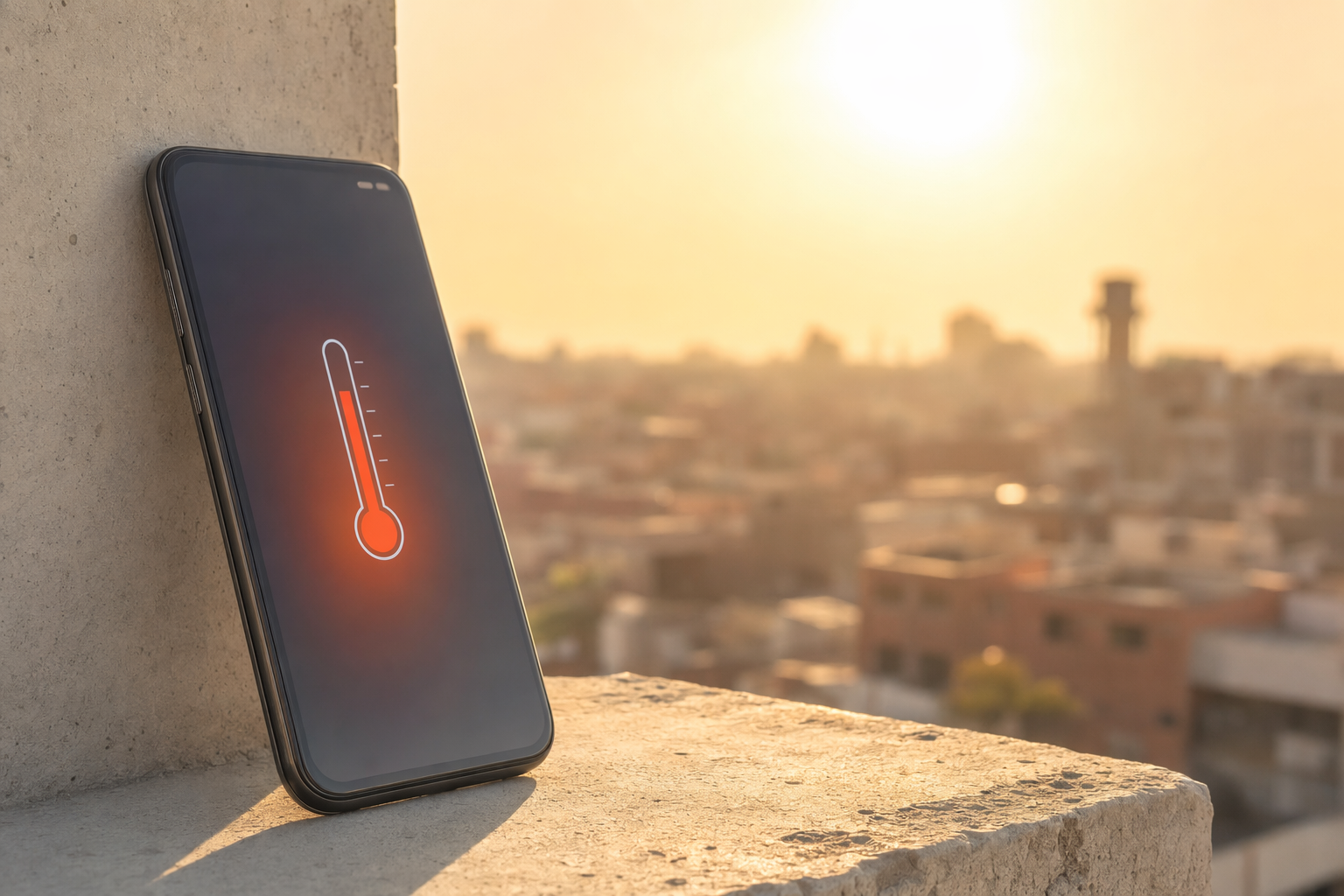
#If you live anywhere in India where summer arrives like it has personal beef with you, you already know this feeling. You pick up your phone after a 15 minute auto ride, or after it sat on the scooter seat for literally two minutes, and suddenly it feels like someone was making rotis on it. I’m not exaggerating much. My old phone once got so hot during a Delhi afternoon that Face Unlock stopped working properly, the camera refused to record video, and the battery percentage fell like it was scared of the weather too.
Phone overheating in Indian summer is one of those problems that sounds simple, but it’s actually this messy mix of physics, battery chemistry, software, charging habits, network signal, and yeah, our own bad habits. Me included. I have charged my phone under a pillow. I have used Google Maps on a bike with the phone clipped in direct sun. I have played BGMI while charging on a cheap cable during a power cut. Not proud, but honest.
The good news is, overheating usually doesn’t mean your phone is dying. Modern phones are pretty smart. They throttle performance, dim the screen, stop charging, shut down apps, or even show a temperature warning before things get dangerous. Apple’s own guidance for iPhones says they are designed to operate in ambient temperatures from 0°C to 35°C, and many Android brands give similar advice. Now think about a May afternoon in Nagpur, Jaipur, Delhi, Chennai, Hyderabad, Ahmedabad, Lucknow, wherever. The air itself can be 40°C plus, and surfaces in direct sun get much hotter. So yeah, your phone is basically being asked to run a marathon inside an oven.
First, figure out what kind of heat you’re dealing with
#Not all phone heat is equal. A slightly warm phone while charging or gaming is normal. A hot phone that makes your palm uncomfortable, drains battery fast, lags badly, or pops up a warning is different. And a phone that smells weird, has a swollen back panel, has a screen lifting from the body, or turns off again and again is not “just summer”. That’s a stop-using-it-and-get-it-checked situation.
The part people miss is that overheating isn’t always caused by outside heat alone. Sometimes it’s the phone working too hard. Sometimes the network is bad and your phone is shouting at the tower with extra power. Sometimes your charger is poor quality. Sometimes one app has gone mad in the background. And sometimes, honestly, the phone is old and the battery has aged, so heat becomes more common.
| Symptom | Likely reason | What I’d do first |
|---|---|---|
| Warm during normal use | Normal processor and screen activity | Remove case if needed, don’t panic |
| Hot while charging | Fast charging plus high room temperature | Unplug for a bit, move to shade, use original charger |
| Hot during Maps or camera | GPS, display, camera and data all working hard | Lower brightness, take breaks, avoid direct sun |
| Heating with battery drain overnight | Background app, bad signal, software bug | Check battery usage, restart, update apps |
| Back panel bulging or smell | Possible battery damage | Stop using and visit service center |
The “do this right now” cooling routine
#Okay, let’s say your phone is hot right now. Not warm. Hot. Here’s my boring but reliable routine. First, stop whatever heavy thing you’re doing. Close the camera, game, hotspot, navigation, video call, whatever. Then remove the case. I know cases are cute and some are expensive, but a thick case in Indian summer is like making your phone wear a sweater in June.
- Move it to shade immediately. Not a freezer, not near ice, just shade or an air-conditioned room if available.
- Turn on airplane mode for 5 to 10 minutes if you don’t need calls. This stops the phone from fighting poor signal.
- Unplug the charger. Charging creates heat, fast charging even more.
- Reduce brightness or turn the screen off completely. The display is a big heat source, especially outdoors.
- Let it cool slowly. Boring, yes, but safer for the battery and internal seals.
Please don’t put your phone in the fridge. I know someone will say “I’ve done it many times bro, nothing happened”. Fine, but condensation is sneaky. A phone going from hot air to cold fridge air can collect moisture inside or around ports, especially if it has tiny gaps, old seals, or a cracked back glass. Same logic for putting it directly on ice or wrapping it in a wet towel. You may cool the outside fast while the inside is still stressed. Slow cooling is less dramatic, but it doesn’t come with that little heart attack of “why is my charging port not working now?”
Why Indian summer is extra brutal on phones
#Indian summer is not just “hot”. It’s bright sun, dusty air, traffic heat, long commutes, power cuts, high humidity in many cities, and phones doing more than ever. We’re using UPI, WhatsApp, Maps, Reels, work calls, Hotstar, camera, delivery apps, cabs, 5G data, hotspot for laptops, everything. The phone has become wallet, office, entertainment, ID proof, travel guide, and emotional support gadget. So it runs hot because we ask too much from it, and the weather is like, sure, let me make it worse.
Direct sunlight is a monster here. A black phone on a car dashboard can heat up frighteningly fast. A phone mount on a bike, right under afternoon sun, with Maps, GPS, mobile data and full brightness running, is probably the most common summer overheating setup I see. I’ve done Bengaluru to Mysuru rides with the phone on a handlebar mount, and after 30 minutes the display dimmed so much I had to guess turns like it was 2008 again.
Cars are another trap. A parked car in summer becomes a heat box, and phone makers specifically warn against leaving devices in parked vehicles because temperatures can exceed safe ranges. Don’t leave phones on dashboards, seats, or charging in the car after you step out. Actually this goes beyond phones. If you travel with kids, pets, gadgets, bottles, anything, heat management becomes serious. I liked this practical checklist on Baby Car Seat Heat Checklist: Sunshades, Fans and Safe Cooling because it talks about the same car-heat problem from a safety angle, not just gadget damage.
Charging in summer: where most of us mess up
#Charging is where summer heat and bad habits team up. Fast charging is amazing, I love it, and I am not going to pretend I want to go back to 5W chargers. But fast charging pushes more power into the battery, and batteries generate heat while charging. If the room is already 38°C and the phone is under a pillow or inside a thick case, you’re basically making a tiny pressure cooker.
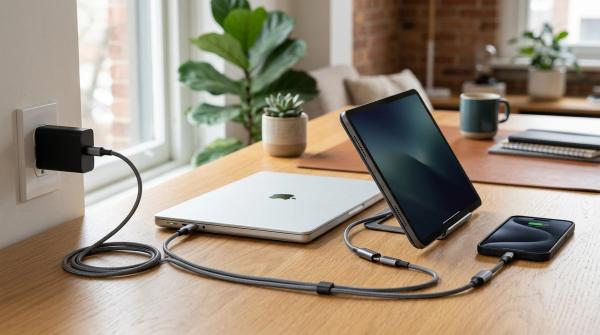
Use the charger and cable from a trusted brand. Original is best, but a good certified charger is usually fine. The problem is those random market chargers that claim “120W SUPER VOOC TURBO ULTRA” for ₹199 and weigh less than a biscuit packet. I know budgets matter. Still, a bad charger can create unstable heat, slow charging, or worse. Also avoid charging on beds, sofa cushions, under newspapers, inside bags, or on top of routers. Hard flat surfaces are boring, but they help heat escape.
During power cuts, people do all kinds of jugaad charging. Inverter socket, power bank, laptop USB, car charger, generator line, neighbour’s extension board running across the balcony. I get it. But heat plus unstable power plus cheap chargers is not a combo I trust. If your area has regular summer power cuts and you’re planning backup for phones, Wi-Fi and laptops, this comparison on Portable Power Station vs Inverter vs UPS: What Should Indian Apartments Use During Power Cuts? is worth reading before buying random stuff.
Should you disable fast charging?
#Sometimes, yes. Many Android phones let you disable fast charging or super fast charging in battery settings. If your phone heats badly during afternoon charging, try normal charging during the hottest hours and fast charge only in the morning or night. On iPhone, you don’t get the same toggle everywhere, but Optimized Battery Charging and newer battery protection features help manage charging patterns. Some phones also pause charging or show a message when temperature is too high. Don’t fight that warning. The phone is literally trying to save itself.
The sneaky settings that actually help
#I used to think cooling a phone means buying some accessory, like those clip-on gaming fans. They can help in specific cases, sure. But honestly, settings make a huge difference. The first one is brightness. Outdoor brightness looks nice, but it creates heat and drains battery. Auto brightness usually pushes the screen to maximum in sunlight. If you can live with slightly lower brightness, do it.
- Switch to 4G temporarily if 5G is heating your phone in weak coverage areas. 5G is great, but patchy signal makes phones work harder.
- Turn off hotspot when not needed. Hotspot plus charging plus summer is a classic heating recipe.
- Use Wi-Fi where stable, because poor mobile signal can make the modem run hotter.
- Close camera apps after use. Camera processing, HDR, 4K video and stabilization heat phones quickly.
- Update the OS and apps, but don’t install a huge update when the phone is already hot.
Also check battery usage. On Android, go to Battery settings and see if some app is sitting at the top for no reason. On iPhone, Settings > Battery does the same basic job. I once had a shopping app draining battery in the background because some notification service got stuck. The phone was warm in my pocket for hours and I blamed the weather, the charger, 5G, everything except the actual app. A restart fixed it. Humbling.
Gaming, camera, and navigation: the summer trouble trio
#Gaming phones have better cooling than normal phones, but even they are not magic. In Indian summer, if you play heavy games at high frame rate, high brightness, mobile data, voice chat, and charging, the phone will heat. It’s not a failure. It’s physics. Lower graphics from Ultra to High or Medium. Drop frame rate if needed. Remove case. Use Wi-Fi. Don’t charge and game unless you really need to. If you have a cooling fan, use it with common sense, not in a dusty roadside chai stall where it pulls dust straight into the device.
Camera heat is underrated. Recording 4K video in the sun, especially at weddings, travel spots, cricket matches, or school events, can overheat phones fast. The phone is using camera sensor, image processor, storage, display, stabilization, sometimes data upload, and all of this while you are standing under direct sunlight because “lighting acha aa raha hai”. I’ve had phones stop recording during a family function, and everyone looked at me like I personally failed the marriage.
Navigation is another one. If you use Maps in a car or on a bike, keep the phone away from direct sun if possible. In cars, AC vent mounts can help, but don’t blast freezing air directly on a very hot phone for too long. Sudden temperature swings aren’t great. On bikes, a small sun visor mount helps. Also download offline maps for long trips so the phone isn’t using data constantly in weak signal zones. It won’t solve everything, but it reduces workload.
Cases, screen protectors, skins and all that fashion stuff
#I love phone cases. I have bought too many. Transparent ones that turn yellow, rugged ones that make the phone feel like a brick, leather-style ones, matte ones. But in summer, cases matter. A thick rubber case traps heat. A wallet case traps even more. Some metal cases can feel cool at first but also conduct heat in weird ways. If your phone is heating often, remove the case while charging, gaming, or using navigation.
Screen protectors usually aren’t the main issue, but very thick privacy glass can make you increase brightness because the screen looks dimmer. More brightness means more heat. Small thing, but these small things stack up. The same goes for skins. They look nice, and they don’t trap heat like thick cases, but they still slightly reduce direct heat escape from the back. Not a huge deal, just don’t expect a skinned phone to cool like a naked one.
The battery health angle nobody wants to talk about
#Heat is one of the biggest enemies of lithium-ion batteries. Batteries age anyway, but heat speeds it up. That’s why a phone that survived two Indian summers may start feeling worse in the third. Battery drops faster, charging gets weird, and overheating happens sooner. On iPhones you can check Battery Health. Many Android phones now show battery health or at least charging cycle information, depending on brand. If not, you can still observe the obvious signs: random shutdowns, fast drain, swelling, or the phone getting hot during basic tasks.
If your phone repeatedly overheats even after you change habits, update software, use a good charger and avoid sun, it may be time for service or replacement. And if you are replacing a phone, please don’t do that chaotic last-minute transfer where you realize your banking app, passkeys, authenticator and recovery email are all trapped on the old device. Before switching, run through something like this Passkey Recovery Checklist Before Changing Phones. Future-you will thank present-you, seriously.
My personal summer phone rules now
#After burning through batteries faster than I should have, I’ve become slightly strict. Not monk-level strict, but enough. I don’t charge under pillows. I remove the case when fast charging. I don’t leave the phone in the car. I avoid shooting long 4K videos at noon unless it’s really important. I don’t keep hotspot on for hours while charging unless there is no other option. And if the phone feels too hot, I stop using it. Sounds obvious, but most of us keep pushing because “bas five minutes aur”.
I also carry a basic power bank, but I don’t use it in my pocket while walking in the sun. That’s another thing people do. Phone and power bank together in jeans pocket, both heating, cable bent badly, body heat added on top. It’s a tiny sauna. If you must power-bank charge outdoors, keep both devices in a bag pocket with airflow, or at least not pressed against your body in direct heat.
A quick checklist before stepping out in peak summer
#- Charge the phone in the morning before the room gets too hot.
- Download maps, tickets, playlists or documents beforehand so the phone works less outside.
- Carry a cable and decent power bank, not a mystery charger.
- Avoid black dashboard placement, bike seat placement, and window-side charging.
- Keep brightness reasonable and turn off things you don’t need, like hotspot or Bluetooth scanning.
Things people say that are half true, fully confusing
#“iPhones heat more.” “Androids heat more.” “5G ruins battery.” “Fast charging kills phones.” “Gaming phones never heat.” I’ve heard all of it. The truth is less spicy. Any powerful smartphone can heat. Thin phones have less space to spread heat. Fast charging creates more heat, but good phones manage it. 5G can heat more in weak coverage, but stable 5G isn’t automatically bad. Gaming phones have better cooling, but 45°C summer air doesn’t care about your vapor chamber marketing.
Another myth is that expensive phones don’t overheat. They do. Sometimes more, because they have brighter screens, faster chips, better cameras and more aggressive charging. Budget phones may heat differently because the processor works harder for the same task. So price doesn’t make you immune. It just changes how the phone manages heat.
When to stop DIY and go to service
#Please get the phone checked if the battery is swollen, the screen is lifting, the back panel is separating, it gets hot while doing nothing, it shuts down randomly, or charging becomes unreliable. Also stop using damaged charging cables. If the connector gets hot, that’s not normal. If you smell burning or plastic, unplug immediately. I know service centers can be annoying and sometimes expensive, but battery problems are not where I’d gamble.
If the phone is still under warranty, don’t open it yourself or use random repair shops unless you’re okay with warranty problems. For older phones, a battery replacement from a trustworthy place can make the device feel new-ish again. Not always, but often. I replaced the battery on one older Android I kept as a backup, and the overheating during basic WhatsApp use reduced a lot. It still wasn’t a flagship again, obviously, but it stopped behaving like a hand warmer.
Final thought: respect the heat, don’t fear it
#Phones are tougher than we give them credit for, but Indian summer is a proper stress test. The trick is not to become paranoid. Just build a few habits: shade over sun, slow cooling over fridge drama, good charger over cheap jugaad, case off when charging, and don’t push heavy tasks when the phone is already hot. Most overheating problems reduce a lot with these simple changes.
And honestly, I kind of love that smartphones are smart enough now to protect themselves. They dim, pause, throttle and warn us before we do something stupid. Which is good, because we do stupid things with gadgets all the time. If you’re into practical tech stuff like this, the kind that actually helps in daily Indian life and not just spec-sheet shouting, check out AllBlogs.in sometime. I keep finding useful reads there when I’m trying to make my gadgets survive another summer.