If you’re confused between a portable power station, inverter, and UPS, here’s the quick, practical answer: use a mini router UPS if only Wi‑Fi keeps going off, a portable power station if you rent and need no-wiring work backup, a true UPS for desktop PCs, and a pure sine wave home inverter for fans, lights and longer family backup.
Power cuts in Indian apartments are usually not dramatic, but they always seem to happen at the worst time: during a client call, an online class, a humid monsoon evening or a work deadline. The product names also make the choice harder than it needs to be. “Home UPS,” “inverter,” “battery backup,” “portable power station” and “router UPS” sound similar, but they solve different problems.
This guide keeps the decision practical: what each device does, when it wins, and what Indian apartment users should actually buy.
The basic difference between an inverter, UPS and portable power station
#Home inverter with battery
#A home inverter is the classic Indian backup setup. It connects to a large battery, usually a tubular lead-acid battery, and supplies power to selected parts of your home.
In many apartments, that usually means:
- Ceiling fans
- LED lights
- Tube lights
- Wi‑Fi router
- Sometimes a TV
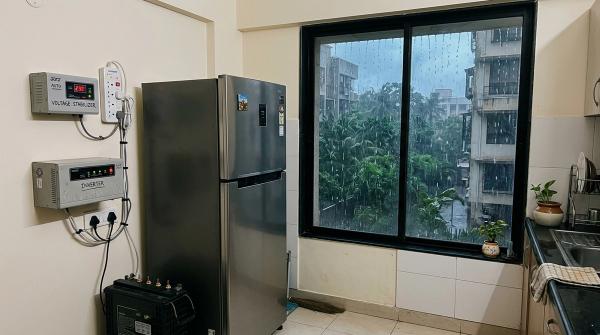
- Sometimes a fridge, if sized properly
A home inverter is best when you want backup for the family, not just one desk or one device. The catch is that it usually needs proper installation, battery space, wiring from an electrician and some maintenance.
UPS
#A UPS, or uninterruptible power supply, is designed for fast switching. When the power goes off, a UPS changes to battery almost instantly. That matters for devices that cannot tolerate even a split-second power gap.
A UPS is useful for:
- Desktop PCs
- Gaming PCs
- NAS drives
- Modems
- Wi‑Fi routers
- Some sensitive electronics
A mini router UPS is a smaller version made mainly for Wi‑Fi routers and modems. For many apartment users, it is one of the most useful backup devices to buy first.
Portable power station
#A portable power station is like a large rechargeable power bank with AC sockets. You charge it from the wall. When the power goes, you plug in your laptop charger, router, monitor, table fan or other small appliances.
Its biggest advantage is convenience. No wiring. No electrician. No landlord discussion. You can keep it near your work desk, move it to the bedroom at night or take it with you when you shift houses.
That makes it attractive for renters and work-from-home users. The downside is price. For the same amount of backup, a portable power station is usually more expensive than a traditional inverter and battery setup.
When each option makes sense
#Choose a UPS if your main problem is sudden interruption
#If your desktop PC restarts the moment power goes off, your issue may not be backup capacity. It may be switchover time.
A proper UPS switches fast enough to keep your PC running. A home inverter may take slightly longer. Your fan may keep spinning, but your computer can still reboot.
A UPS is best for:
- Desktop PC
- Gaming PC
- NAS drive
- Wi‑Fi router
- Modem
- Short backup while saving work
- Keeping internet alive during small cuts
If you only want Wi‑Fi backup, a mini router UPS is usually the smartest buy. If your laptop already has decent battery life, keeping the router alive may solve most of your power-cut frustration.
Choose a portable power station if you rent or work from home
#A portable power station makes sense when you want backup without touching apartment wiring. It can run a router, laptop charger, monitor and table fan, depending on the unit’s capacity.
This is especially useful during monsoon power cuts, when outages may not be very long but are frequent enough to disturb work.
It is best for:
- Renters
- Work-from-home users
- Short to medium power cuts
- Laptop plus Wi‑Fi plus monitor setups
- Table fan backup
- People who shift homes often
- Flats where inverter wiring is not allowed
It is not always the best option for full-home backup. If you want multiple ceiling fans, lights and a fridge to run for hours, a home inverter usually makes more sense.
Choose a home inverter if you need fans and lights across the flat
#A pure sine wave home inverter with a suitable battery is still one of the most practical options for Indian homes. It works well when power cuts are regular or long, and when the whole family needs basic comfort.
You may want to run:
- Two ceiling fans
- A few LED lights
- Wi‑Fi router
- Phone charging
- Maybe a TV for a short time
For this kind of load, a pure sine wave inverter with a suitable battery is usually better value than buying a very large portable power station.
Portable power station vs inverter vs UPS: comparison table
#Choose by load, not by product name
#The best backup system is not the one with the biggest number on the box. It is the one that matches what you actually need during a cut.
1. Only Wi‑Fi router and modem
#Best choice: mini router UPS
If your laptop battery lasts a few hours, you may not need a full inverter immediately. A small UPS for your Wi‑Fi router can keep your internet running through short outages.
This is often enough for video calls, online classes, UPI and phone use over Wi‑Fi, basic work-from-home continuity and short evening power cuts.
2. Router, laptop, monitor and one fan
#Best choice: portable power station
This is the typical work-from-home apartment setup. Keep the portable power station near your desk. When the power goes, plug in the router, laptop charger, monitor and maybe a table fan. Backup time depends on capacity and total load.
One warning: if you use a desktop PC, check the transfer time carefully. Many portable power stations are not proper UPS units, so your desktop may still restart when power switches.
3. Fans and lights for the family
#Best choice: home inverter with tubular battery
If your priority is comfort across the flat, a home inverter feels more natural. For selected fans, LED lights, phone charging and basic router backup, it is usually more practical than buying a very large portable power station.
4. Fridge during power cuts
#Best choice: properly sized pure sine wave home inverter
A fridge has a compressor, and that compressor may need higher starting power. Some modern inverter-compressor fridges are easier to support than older models, but sizing still matters.
Do not connect a fridge to any random inverter and hope it works safely. Check the fridge rating and speak to a qualified electrician or installer before adding it to your backup circuit.
5. Desktop PC, gaming PC or NAS
#Best choice: true desktop UPS
If your desktop restarts during a power cut, the problem is often the tiny gap before backup starts. A home inverter may keep your room fan running, but your PC can still reboot.
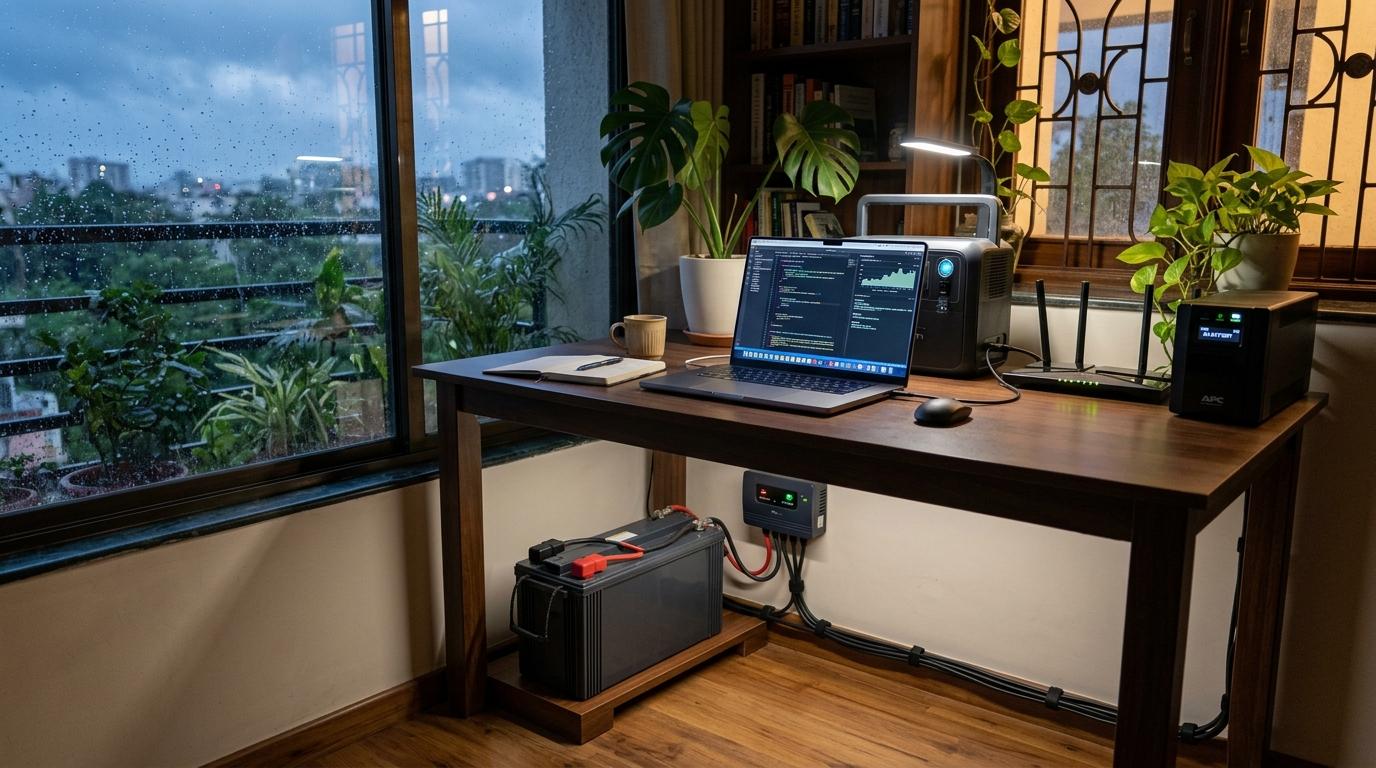
For many apartments, the best setup is layered:
- Home inverter for fans and lights
- Dedicated UPS for desktop PC
- Router UPS for internet, if needed
Renter vs owner: what changes?
#If you rent
#Be careful before installing a home inverter. It may need wiring near the MCB board, drilling and a proper battery space. You may also need permission from your landlord or society.
For renters, a portable power station is often more practical. It is clean, movable and does not become part of the flat.
A good renter setup:
- Mini router UPS for internet
- Portable power station for laptop, monitor and fan
- Desktop UPS if you use a PC
If you own
#A home inverter becomes more attractive when you own the flat. You can wire selected circuits properly, choose a safe battery location and build a more permanent backup system.
A good owner setup:
- Pure sine wave inverter
- Tubular battery sized for your load
- Proper wiring by an electrician
- Optional UPS for desktop PC
- Surge protection for sensitive devices
Cost and maintenance trade-offs
#A router UPS is usually the lowest-cost fix for internet backup. A desktop UPS costs more, but it protects your PC from sudden shutdowns and gives you time to save work. UPS batteries may need replacement after a few years.
A portable power station costs more than a small UPS, and large-capacity models can get expensive quickly. You are paying for no wiring, portability, low maintenance and renter-friendly use.
A home inverter with battery needs more setup effort, but it is usually the practical option for fans and lights during longer power cuts. The main ongoing responsibility is battery care, especially if the battery requires distilled-water top-ups.
Safety and placement cautions
#Power backup devices are useful, but they are not regular gadgets. Batteries, wiring and generators need care.
Battery safety
#- Keep inverter batteries in a ventilated area.
- Do not place lead-acid batteries inside a closed cupboard or sealed pantry.
- Use only distilled water for batteries that need topping up.
- Keep batteries away from rain, damp corners and floor flooding.
- Do not overload an inverter or portable power station.
- Avoid loose plugs, damaged wires and overloaded extension boards.
- Hire a qualified electrician for inverter wiring.
Portable power station safety
#- Keep it on a dry, stable surface.
- Do not place it where mopping water or balcony seepage can reach it.
- Use the charger and cables recommended by the brand.
- Do not cover it with cloth while charging or running.
- If it becomes unusually hot, smells odd or looks damaged, stop using it.
Generator safety in apartments
#Never run a petrol or diesel generator inside a flat, stairwell, enclosed balcony, closed parking area or poorly ventilated space. Fuel-burning generators can create carbon monoxide, which is dangerous because it has no smell and can build up quickly.
Also check society rules before using any generator. Noise, fumes, fuel storage and fire safety are serious issues in apartment buildings. For most apartment residents, battery backup is safer and more practical than a private generator.
Apartment power-backup checklist
#- List your essential devices. Start with Wi‑Fi router, laptop, monitor, one fan, lights, phone charging and fridge only if required.
- Check appliance wattage. Look at the sticker or power adapter rating before sizing backup.
- Separate sensitive electronics. Desktop PCs, gaming PCs and NAS drives should have a true UPS.
- Decide backup duration. For 10-30 minutes, router UPS may be enough. For 1-3 hours, consider portable power station or inverter. For longer cuts, consider a home inverter with suitable battery.
- Check battery water level. If your tubular battery needs maintenance, use only distilled water when required.
- Charge portable devices early. Before storms or planned outages, charge phones, power banks, laptops, emergency lights and portable power stations.
- Use surge protection. Power returning after an outage can be rough on electronics.
- Keep the fridge closed. If it is not on backup, avoid repeated opening during a cut.
- Keep backup gear dry. During monsoon, check balcony seepage, damp walls and floor water.
- Save important contacts. Keep your electrician, society office, inverter service person and power company complaint number handy.
A practical buying guide by situation
#“I only lose power for 15 to 30 minutes”
#Buy a router UPS if internet is the main concern. Add a desktop UPS if you use a PC. You probably do not need a large inverter unless the cuts happen often and make the house uncomfortable.
“I work from home and rent my flat”
#Buy a router UPS plus a portable power station. This gives you internet, laptop charging, monitor support and fan backup without wiring changes.
“My family needs fans and lights for several hours”
#Choose a pure sine wave home inverter with a suitable tubular battery. This still makes sense for Indian homes where outages are regular.
“I want to run a fridge too”
#Choose a pure sine wave inverter and size it carefully. Do not connect a fridge casually to an undersized inverter.
“I have a desktop PC”
#Buy a true UPS for the PC, even if you already have a home inverter. The inverter can support room power. The UPS protects your computer from that tiny interruption during switchover.
Quick recommendation summary
#- For Wi‑Fi only: mini router UPS
- For desktop PC: true desktop UPS
- For renter WFH setup: portable power station
- For fans and lights: pure sine wave home inverter
- For fridge backup: properly sized pure sine wave inverter and battery
- For whole-apartment comfort: home inverter, safely installed
- For no-installation backup: portable power station
The same logic works outside India too. Match the backup system to your load, outage duration, housing rules and safety needs. Indian apartments simply make these choices more urgent because of monsoon outages, rental restrictions, limited space and the need to keep work and family life running smoothly.
Source-aware safety notes
#This article avoids brand-specific runtime, warranty or price claims because those vary by model and seller. For safety, it follows general guidance from electrical safety and public-health sources: do not use fuel-burning generators indoors or in enclosed apartment spaces; keep batteries dry and ventilated; and use qualified electricians for fixed inverter wiring.