Start with the real problem, not the furniture
#The converter-versus-adjustable-desk debate gets weirdly intense online, almost like choosing the “wrong” one means you’ve failed at office wellness. You haven’t. Most people are just trying to work with less stiffness, fewer awkward shoulder positions, and maybe a little more energy at 3 p.m. A standing desk converter sits on top of your existing desk and lifts your laptop or monitor so you can stand. An adjustable desk, usually a full sit-stand desk, replaces the whole work surface and moves up and down. Both can be useful. Neither is magic. The better choice depends on your body, your room, your budget, your equipment, and honestly, how much hassle you’ll tolerate before you stop using the thing.
The health angle matters, but it needs to be kept realistic. Research on workplace sitting generally supports breaking up long sedentary periods, and sit-stand desks may help reduce sitting time, especially when people also use reminders or routines. But standing all day is not a cure for back pain, weight gain, poor circulation, fatigue, or anything else. It can even cause its own discomfort if you overdo it. Think of the desk as one tool that may support movement and better posture, not as medical treatment. If you have severe, persistent, worsening, or unusual pain, numbness, swelling, dizziness, chest symptoms, or anything that feels off, it’s worth speaking with a qualified healthcare professional.
The quick difference: converter vs adjustable desk
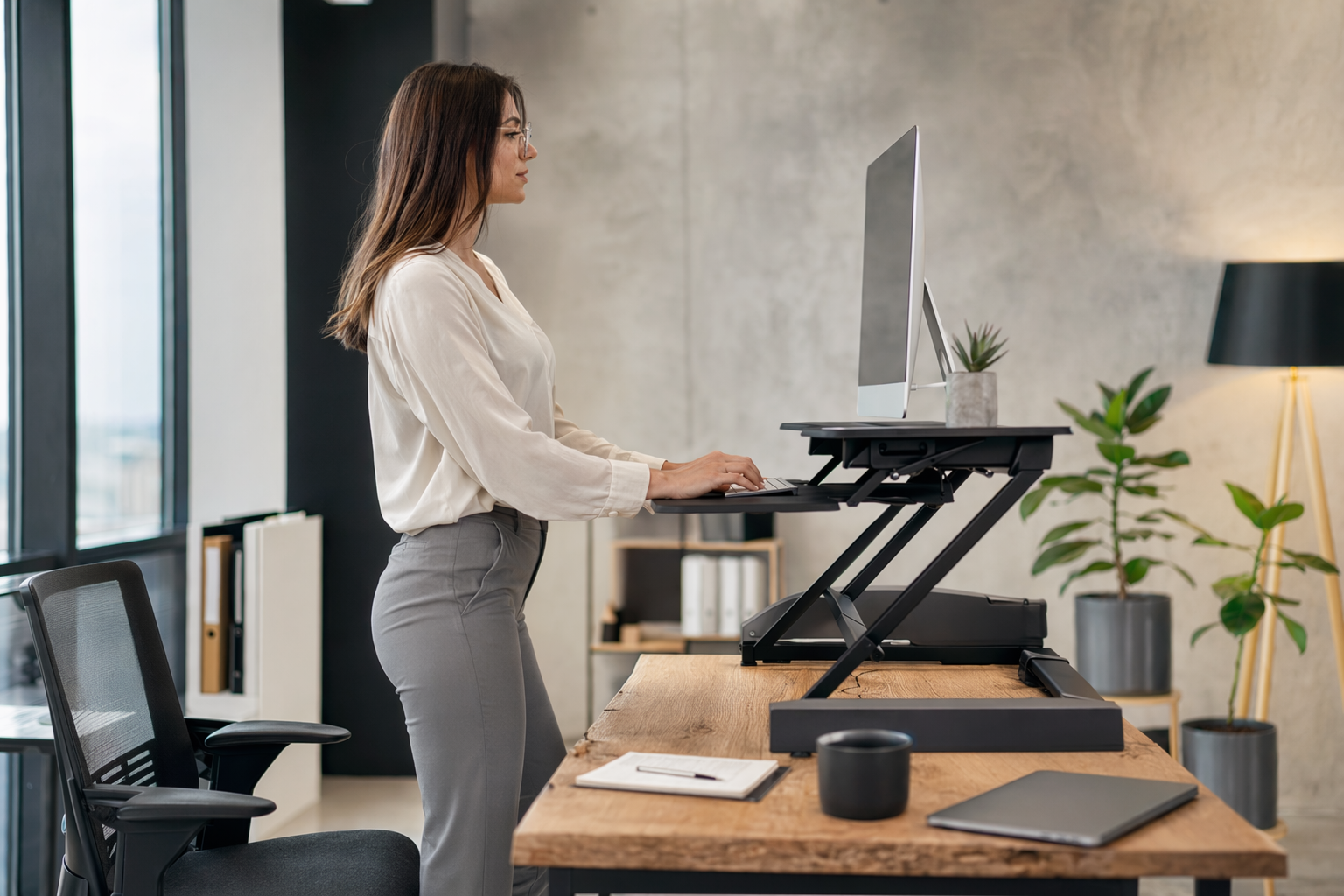
#A standing desk converter is the add-on version. It goes on your current desk, and you raise or lower the platform when you want to switch positions. Some are spring-assisted, some use gas lifts, some are electric, and some are basically a riser with limited adjustment. They’re popular because you don’t need to replace your desk. Renters, shared-office workers, students, and anyone with a desk they already like often start here. The downside is that converters can steal desk space, add height even when lowered, and sometimes wobble if you type hard or use multiple monitors.
An adjustable desk is the bigger commitment. The entire desktop moves, usually with electric motors or a crank. You get a cleaner setup, more usable surface area, and better long-term flexibility for monitors, keyboard trays, speakers, docking stations, and all the boring-but-important stuff. But it costs more, takes effort to assemble, and may not fit every room. Also, if the desk frame is cheap or underpowered, it can wobble at standing height. So no, a full adjustable desk isn’t automatically better. It’s just better for certain setups and certain people.
What wellness research actually suggests, without the hype
#The strongest practical message from workplace health research is not “stand more forever.” It’s more like: avoid staying in one posture for hours. Reviews of sit-stand workstation studies have found that these desks can reduce sitting time during the workday, though effects on weight, blood sugar, productivity, or pain are more mixed and often depend on how people use them. That matters because a desk can change your environment, but it doesn’t automatically change your habits. People still need prompts, breaks, comfortable footwear, good screen height, and a work culture that doesn’t make moving around feel strange.
Standing has benefits for some people simply because it interrupts stillness. You may shift your weight, take more steps, stretch your hips, or become more aware of posture. But long periods of standing can also lead to tired feet, leg discomfort, lower-back fatigue, or vein-related symptoms in some workers. Occupational health guidance often encourages alternating sitting, standing, and walking rather than choosing one “perfect” position. If you already deal with joint problems, balance issues, pregnancy-related discomfort, neuropathy, varicose veins, dizziness, or chronic pain, get personalized guidance before building a routine around standing for long blocks of time.
When a standing desk converter makes the most sense
#A converter is usually the gentler starting point if you are unsure whether sit-stand work will actually stick. It lets you test the habit without replacing furniture. It’s also useful if your current desk is built-in, vintage, shared, or just awkward to move. In apartments or small bedrooms, a converter can be the difference between “I can try this next week” and “I need to redesign my whole life.” That counts. Wellness changes that fit real life tend to last longer than perfect plans that require six purchases and a free weekend.
- Choose a converter if you already have a sturdy desk at a comfortable seated height and you don’t want to replace it.
- Choose a converter if your setup is simple: laptop plus external keyboard, or one monitor with modest accessories.
- Be cautious with converters if you need lots of writing space, use heavy dual monitors, or hate cluttered surfaces.
The big thing people miss is the lowered height. Some converters still sit several inches above your desk even in the seated position. That can push your keyboard too high, making your shoulders creep up and your wrists bend in a not-great way. If you’re shorter, this matters a lot. A converter can be wonderful at standing height and annoying at sitting height. Before buying, measure from the floor to your elbows while seated and standing, then compare that with the converter’s height range. Yes, it feels fussy. It’s also how you avoid buying a fancy platform that quietly irritates your neck.
When a full adjustable desk is the better buy
#A full adjustable desk tends to make more sense when your workspace is permanent, your equipment is heavier, or you want a cleaner ergonomic setup. Because the whole surface moves, your keyboard, mouse, notebook, mug, and monitors rise together. That sounds obvious, but it feels very different from balancing your essentials on a converter while the rest of the desk stays below. If you work from home most days, spend long hours at a computer, or use two monitors, the adjustable desk is often the more comfortable long-term option.
It also gives you more room to build a proper workstation. You can place your monitor at a better distance, keep the keyboard and mouse at elbow height, and manage cables without everything dangling off a lifting platform. If you’re planning a more permanent setup with monitors, laptop charging, Ethernet, audio, and other gear, the desk decision connects with your tech setup too. A guide like USB-C Hub vs Docking Station: Which One Should You Actually Buy? can be useful here because a stable, semi-permanent desk station has different needs than a laptop you pack away every night.
Ergonomics: the boring checklist that saves you money
#Whether you buy a converter or an adjustable desk, the same ergonomic basics apply. Your elbows should generally rest near a 90-degree angle when typing, with shoulders relaxed rather than shrugged. Wrists should be fairly neutral, not cocked upward. The top of the screen is often recommended around eye level, though people using progressive lenses or certain visual setups may need adjustments. The monitor should be close enough that you aren’t craning forward. Feet should feel supported. And the best posture is usually the next posture, meaning you change positions before your body starts complaining loudly.
- Measure your seated elbow height from the floor while sitting in your normal chair. This helps you know if a converter will make the keyboard too high.
- Measure your standing elbow height while wearing the shoes or slippers you normally work in. Tiny detail, but it can change the feel.
- Check monitor height separately from keyboard height. Many bad setups happen because the keyboard is right but the screen is too low.
- Think about reach. Your mouse, notebook, phone, and water bottle should not require constant twisting or leaning.
If you use a laptop, please don’t treat the laptop alone as a full ergonomic setup for long workdays. The screen and keyboard are attached, so one of them is usually in the wrong place. A separate keyboard and mouse can make either a converter or adjustable desk much more usable. For tight spaces, some people compare smaller screens and portable displays instead of large monitors. If that’s where your setup is heading, Portable Monitor vs Tablet as Second Screen fits naturally into the planning stage, because screen size and stand depth can decide whether a converter feels roomy or cramped.
Stability, weight limits, and the wobble problem
#Wobble is one of those things you don’t care about until you really, really care. A converter can wobble because it sits on another desk, because the lift mechanism flexes, or because the monitor arm attached to it magnifies tiny movements. An adjustable desk can wobble because the legs are narrow, the frame is light, the floor is uneven, or the desktop is overloaded. At standing height, small movements become more noticeable. If you type firmly, draw, write by hand, use a heavy monitor, or do video calls where camera shake is obvious, stability should be near the top of your list.
Look at the real weight rating, not just the marketing photos. Add up your monitor, laptop, keyboard, speakers, arms, desk lamp, books, and the random stuff that somehow lives on every desk. With converters, pay attention to whether the keyboard tray feels solid and whether it has enough room for both keyboard and mouse. With adjustable desks, check the frame design, lift capacity, crossbar placement, and reviews that mention wobble at standing height. A beautiful desk that shakes every time you hit backspace is not a wellness upgrade. It’s a daily irritation wearing a nice outfit.
Space: the detail that ruins otherwise good purchases
#Converters need surface depth. Some move straight up and down, while others swing forward as they rise. That forward movement can be a problem if your desk is shallow or your chair is already close to the wall. Also, many converters have a large footprint, so your existing desk may suddenly feel smaller. If you like spreading out papers, using a planner, eating lunch at your desk — not ideal, but people do it — or keeping reference books nearby, a converter may feel more cramped than expected.
Adjustable desks need room too, just in a different way. You need clearance around the desk so cables don’t snag when it rises, and you need enough depth for monitor distance. If you might add an under-desk treadmill or walking pad later, check the desk’s height range, frame clearance, stability, and the space behind you. Not everyone needs a walking setup, and walking while typing is definitely not for every task, but if you’re curious, this Walking Pad Buying Guide: What to Check Before You Buy an Under-Desk Treadmill covers the compatibility questions people often forget until the box is already in the hallway.
Comfort features that are worth caring about
#The best sit-stand setup is the one you will adjust without thinking too much. Electric desks with memory presets are popular because one button gets you to sitting or standing height. That convenience can support consistency. Manual crank desks can work well too, but some people stop adjusting them because it feels like a chore. Converters vary a lot. A smooth gas-assisted lift is easier than a stiff mechanism that requires both hands, cleared space, and a tiny prayer every time you move it.
- Memory presets are helpful if more than one person uses the desk, or if you switch positions often.
- A good cable tray or cable clips can prevent tugging, unplugging, and messy stress. Not glamorous. Very useful.
- Rounded edges may feel better on forearms, especially if you rest near the front of the desk.
- A separate anti-fatigue mat may help some people stand more comfortably, but it should not be used as permission to stand for hours without breaks.
Footwear and flooring matter as well. Standing barefoot on hard tile for long periods may not feel great. Some people prefer supportive shoes, others use a mat, and some alternate between sitting, standing, and short walks. There isn’t one perfect formula. A common starting approach is to stand for short intervals, maybe 15 to 30 minutes at a time, then adjust based on comfort. If symptoms appear or worsen, scale back and consider professional advice rather than pushing through. “No pain, no gain” is not a great office ergonomics philosophy.
Budget: cheap now versus expensive twice
#Converters are often less expensive than full adjustable desks, but price alone can mislead you. A cheap converter that forces poor seated posture may end up being a bad deal. A low-cost adjustable desk that wobbles, has weak motors, or lacks enough height range may also disappoint. On the other hand, you don’t need the most expensive desk with an app, glowing controls, and a marketing name that sounds like a spaceship. Spend on fit, stability, and adjustability first. Fancy finishes come after.
If budget is tight, consider the total setup. Sometimes a modest converter plus a separate keyboard, mouse, and laptop stand is better than spending everything on a desk and still working from a hunched laptop. Sometimes the reverse is true: if you already have monitors and accessories, a stable adjustable desk may be the cleaner investment. Also think about resale and moving. A converter is easier to sell, store, or take to another workspace. A full desk is more of a commitment, especially if stairs are involved. Stairs always have opinions.
A simple buying decision, if you’re still stuck
#If you want the lowest-risk trial, choose a converter. If you know you’ll work at this station for years and need space, choose an adjustable desk. If you’re short, tall, using a wheelchair, sharing the desk, dealing with specific mobility needs, or trying to fit unusual equipment, prioritize height range and professional ergonomic advice where possible. If you use heavy monitors or monitor arms, prioritize stability. If your room is tiny, map the footprint with tape on the floor before buying. It sounds silly, but it prevents that awful moment where a “compact” product somehow eats the whole corner.
| Choose this | Best fit | Watch out for |
|---|---|---|
| Standing desk converter | Testing sit-stand work, keeping your current desk, smaller budgets, simple laptop or single-monitor setups | Raised seated height, lost desk space, wobble, limited monitor support |
| Adjustable desk | Permanent home office, dual monitors, cleaner cable setup, shared users, more surface space | Higher cost, assembly, room clearance, stability at full height |
| Neither yet | If your current pain or symptoms are severe, unusual, or worsening | Get medical or ergonomic guidance before assuming furniture will fix the issue |
How to ease into standing without making yourself miserable
#Once the desk arrives, the temptation is to stand all day because you’re excited and it feels productive. Maybe don’t. A gradual approach is safer for most people. Start with short standing sessions, then alternate. Use natural triggers: stand for a meeting, sit for focused writing, walk during a phone call if it’s safe, stretch when a timer goes off. The goal is not to win a standing contest. It’s to reduce long, uninterrupted stillness and support a more comfortable workday.
Pay attention to signals from your body without turning every sensation into a crisis. Mild adjustment fatigue can happen when routines change, but sharp pain, numbness, tingling, swelling, dizziness, worsening back or neck pain, or symptoms that persist should not be ignored. People with existing medical conditions, pregnancy, recent injury or surgery, balance concerns, or circulation issues should ask a qualified professional what’s appropriate. General wellness advice is useful, but your own health history matters more than any buying guide.
Final thoughts: buy for your actual day, not your ideal day
#The best choice is not the one that looks most impressive in a home-office photo. It’s the one that fits your actual workday: your meetings, your room, your chair, your monitor, your budget, your energy, your habits. A standing desk converter is a practical, flexible way to try sit-stand work without replacing everything. A full adjustable desk is usually better for a stable, long-term workstation with more equipment and more surface space. Both can support healthier work patterns when used with movement breaks, sensible ergonomics, and realistic expectations.
So, measure first. Think about sitting height as much as standing height. Don’t ignore wobble. Don’t stand all day just because the desk can. And if discomfort is severe, persistent, worsening, or unusual, please treat that as a health question, not a shopping problem. Furniture can support comfort, but it can’t diagnose or treat what’s going on in your body. For more practical, careful guides that don’t make wellness feel like a guilt trip, you can keep browsing AllBlogs.in.