The stupid little mistake that made me take backups seriously
#Honestly, I became a travel document backup person after one very filmy, very irritating evening in Bangkok. Not a dramatic “passport stolen in a dark alley” type scene. More like me standing outside a small guesthouse near the canal, sweating like anything, phone battery at 4 percent, and the receptionist asking for my passport page and booking confirmation again because their system had “some issue”. My passport was in my sling bag, yes. But my hotel booking PDF was inside Gmail, Gmail wanted OTP, OTP was on my Indian SIM, and my Indian SIM had decided it was on spiritual leave. Classic.
That day I learnt one thing properly: travel documents are not just passport and tickets. It is a whole boring-but-important ecosystem. Passport scan, visa copy, boarding pass, hotel address, travel insurance, emergency contacts, vaccination or medical papers if needed, forex card details, local permits, train tickets, even a tiny note with your blood group and allergies. When all this is scattered between WhatsApp, email, screenshots, one cloud folder, and “arre I’ll find it later”, it looks fine from home. On the road, when Wi-Fi is weak and you’re hungry and the taxi guy is waiting, it becomes a full comedy show.
So this is my travel document backup checklist, written from very real Indian traveller chaos. I use it for international trips, yes, but also for Ladakh permits, Northeast trips, family temple trips, work trips to Bengaluru, everything. It sounds extra till the day you need it. Then you’ll bless your past self, trust me.
What documents I always backup before leaving home
#My rule is simple: if someone at an airport, hotel, border, hospital, embassy, police station, or bus counter can ask for it, I keep a backup. Not everything needs five copies, but everything should exist in at least two places. One offline. One printed or physically reachable. One secure digital copy. Ideally all three, but haan, we are not robots, sometimes we do what we can.
- Passport front and back pages, plus old passport copy if your valid visa is in the old booklet. Many Indian travellers forget this and then panic at check-in.
- Visa, e-visa, ETA, entry permit, or approval letter. For e-visas, I still print the first page because some airline counters and immigration desks are old-school.
- Flight tickets, boarding passes if already checked in, train tickets, bus bookings, ferry confirmations, and airport transfer details. Screenshots help when apps log you out.
- Hotel or hostel booking confirmation with address in English and local language if possible. This is useful in places like Vietnam, Japan, Thailand, Turkey, and even some Indian towns where drivers may not read English well.
- Travel insurance policy PDF, emergency assistance number, policy number, and claim instructions. Don’t just keep the fancy certificate, keep the useful page.
- PAN, Aadhaar, driving licence, international driving permit if you’re renting, student ID if you use discounts, and office ID if travelling for work. For India trips, DigiLocker is useful, but abroad it is not a substitute for your passport.
- Emergency contacts: family, one friend, bank helpline, card blocking numbers, Indian embassy or consulate details for the country, and your hotel front desk number.
One more thing I started doing after a friend got stuck in Singapore because her phone died: I write down my own email address and one trusted family member’s number on paper. Sounds silly. But when your brain is fried after a red-eye flight, even basic things disappear from memory.
My three-layer backup system: offline, printed, and secure
#I don’t like complicated systems because I won’t follow them. Simple system only survives. Mine has three layers. First is offline copies on my phone. Second is printed copies in my bag. Third is encrypted or at least locked digital storage that I can reach from another device if my phone goes missing. This is not cyber-security expert level, okay, but it is practical for normal travellers like us.
Layer 1: offline copies on your phone
#Before every trip, I create one folder on my phone called something very boring like “Trip Docs”. Not “Passport Visa Important”, because if someone steals your phone and it is unlocked for even two minutes, don’t make their life easy. Inside I keep PDFs and screenshots. Passport scan, visa, insurance, hotel bookings, flights, local transport tickets, itinerary, emergency numbers. Then I mark it available offline in the cloud app and also save it inside the phone’s file manager. If the cloud app logs out, I still have the phone copy.
For iPhone people, Files app works nicely if you actually download the file, not just keep it visible. For Android, Google Drive offline is useful, but also keep a copy in local storage. I learnt this in Himachal when my drive showed the file name but refused to open because network was doing full drama. In areas like Spiti, Ziro, Tawang side, or even beach towns where your network is “E” one minute and gone next minute, offline means really offline.
Layer 2: printed copies, because paper still wins sometimes
#I know, printing feels very uncle-aunty. But paper is underrated. I carry one small set in my cabin bag and another mini set in check-in luggage if I’m travelling with check-in. If solo backpacking, one set stays in my main backpack and one passport photocopy goes in my day bag. I do not carry ten copies like we used to do for college admissions, but 2 copies of passport and visa are genuinely useful.
What I print: passport bio page, visa or e-visa, first hotel booking, return ticket or onward ticket, travel insurance, emergency contacts, and maybe one page itinerary. For Schengen-style trips or multi-country trips, I print accommodation summary because border officers can ask where you are staying. For Southeast Asia, I’ve been asked hotel address more than once. For domestic India, printed permits for Ladakh, some protected areas, forest stays, treks, or temple bookings can save time. Many places accept mobile, but battery and signal don’t always accept your plans.
Layer 3: secure digital backup you can open from anywhere
#This is where cloud storage comes in. I keep a folder in cloud storage with scanned documents, but not as an open share link floating around WhatsApp. Please don’t do that. Share links can remain active for months and anyone with the link may access it if permissions are loose. If you store passport scans, tickets, insurance PDFs, and emergency files in one cloud folder, take five minutes to check permissions. I found this guide useful for tightening that habit: Cloud File Sharing Privacy Checklist: Share Links Safely.
My own setup is boring but works: strong password, two-factor authentication, recovery email updated, and a trusted family member knows how to access emergency copies if needed. I don’t send my entire passport scan to every cousin “just in case”. One person is enough. Maybe two if you’re travelling somewhere remote. And don’t keep your cloud password written in Notes as “Drive password”. Arre yaar, that’s basically putting the key under the doormat.
The actual checklist I use the night before travel
#| Backup item | Offline on phone | Printed copy | Secure cloud | Small note from my experience |
|---|---|---|---|---|
| Passport scan | Yes | Yes | Yes | Keep old passport scan too if it has active visas |
| Visa or permit | Yes | Yes | Yes | E-visa printouts still help at airline counters |
| Tickets and boarding passes | Yes | Optional but useful | Yes | Screenshots are faster than opening apps |
| Hotel bookings | Yes | First hotel printed | Yes | Keep address in local language if possible |
| Travel insurance | Yes | Yes | Yes | Save emergency helpline separately |
| Emergency contacts | Yes | Yes | Yes | Paper copy is best when phone dies |
| Card and bank helplines | Yes | No full card numbers | Yes, limited info | Never store CVV with card photo |
| Medical prescriptions | Yes | Yes if important | Yes | Use generic medicine names also, not just brand |
| Local permits | Yes | Yes | Yes | Especially for treks, border areas, forests |
| Passport photos | Digital copy | 2 to 4 physical | Yes | Helpful for permits and quick forms |
The card row is important. I don’t keep full debit card photos with CVV. If you must keep card details, keep only last four digits and bank helpline numbers. Better is to save customer care numbers and know how to block the card from your bank app or net banking. Also, keep one backup payment option separate from your main wallet. On my Vietnam trip, one ATM swallowed a card and I suddenly became philosopher for 20 minutes. Luckily I had another card in my backpack, otherwise full tension.
How I scan and name files without making a mess
#You don’t need a scanner-scanner. Phone scanning is enough if the photo is clear, all corners visible, no glare, and file is readable when zoomed. I use a scanning app or the built-in document scanner on phone. Then I save as PDF, not random photo buried between dosa pictures and airport selfies. File names matter more than we think. “IMG_7382” is useless when you’re stressed.
My naming style is like this: PassportName, VisaCountryName, InsurancePolicyNumber, FlightDelhiBangkokDate if the date is actually relevant, HotelCityCheckin. I don’t put too much sensitive info in file names. Keep it readable but not screaming “STEAL ME”. Also compress huge PDFs before uploading because hotel Wi-Fi can be painfully slow, especially budget stays where everyone is streaming reels at night.
If you’re travelling with parents or kids, make one family folder and one individual folder. Indian family trips are a document olympics: dad’s ID, mom’s medicines, child birth certificate sometimes, senior citizen proof, temple booking, train tickets, hotel voucher, cab driver number, and somebody’s PAN photocopy that appears from nowhere. Keep one master PDF with basic itinerary and emergency info. It reduces so much shouting at airport gate, no joke.
Security habits that are boring but save you later
#The biggest mistake I see is people backing up documents but not protecting access. If your phone is lost and your email is open, your backup system can become a problem. Keep phone lock strong. Not 1234, not your birth year, not the same pattern since school days. Turn on Find My Device or Find My iPhone before leaving. Keep cloud and email passwords different. Use two-factor authentication, but also understand the catch: if your OTP only comes to one Indian SIM and that SIM stops working abroad, you may lock yourself out.
Before I travel, I check my recovery email and recovery phone number. This became a serious habit after I changed SIM providers and forgot to update my recovery number for one old email. Later that email had a hotel voucher I needed. Full facepalm. If you are switching numbers, porting SIM, or using an international eSIM, this checklist is actually relevant: Changing Your Phone Number? Do This Before You Switch. Do it before the trip, not at the airport while eating overpriced sandwich.
Also don’t overshare your full itinerary publicly. I know we all love posting boarding pass coffee photo. But boarding passes can show booking references, names, sometimes loyalty numbers. Post after you land if you want, hide barcodes and PNRs. Share live location only with trusted people and for a time limit. With family, I usually share hotel name and city, not every lane I’m walking through. If you use WhatsApp or Google Maps location sharing, set limits properly. This privacy checklist explains it nicely: How to Share Your Location Safely: iPhone, Android, Google Maps and WhatsApp Privacy Checklist.
Printed document pouch: what goes where in my bag
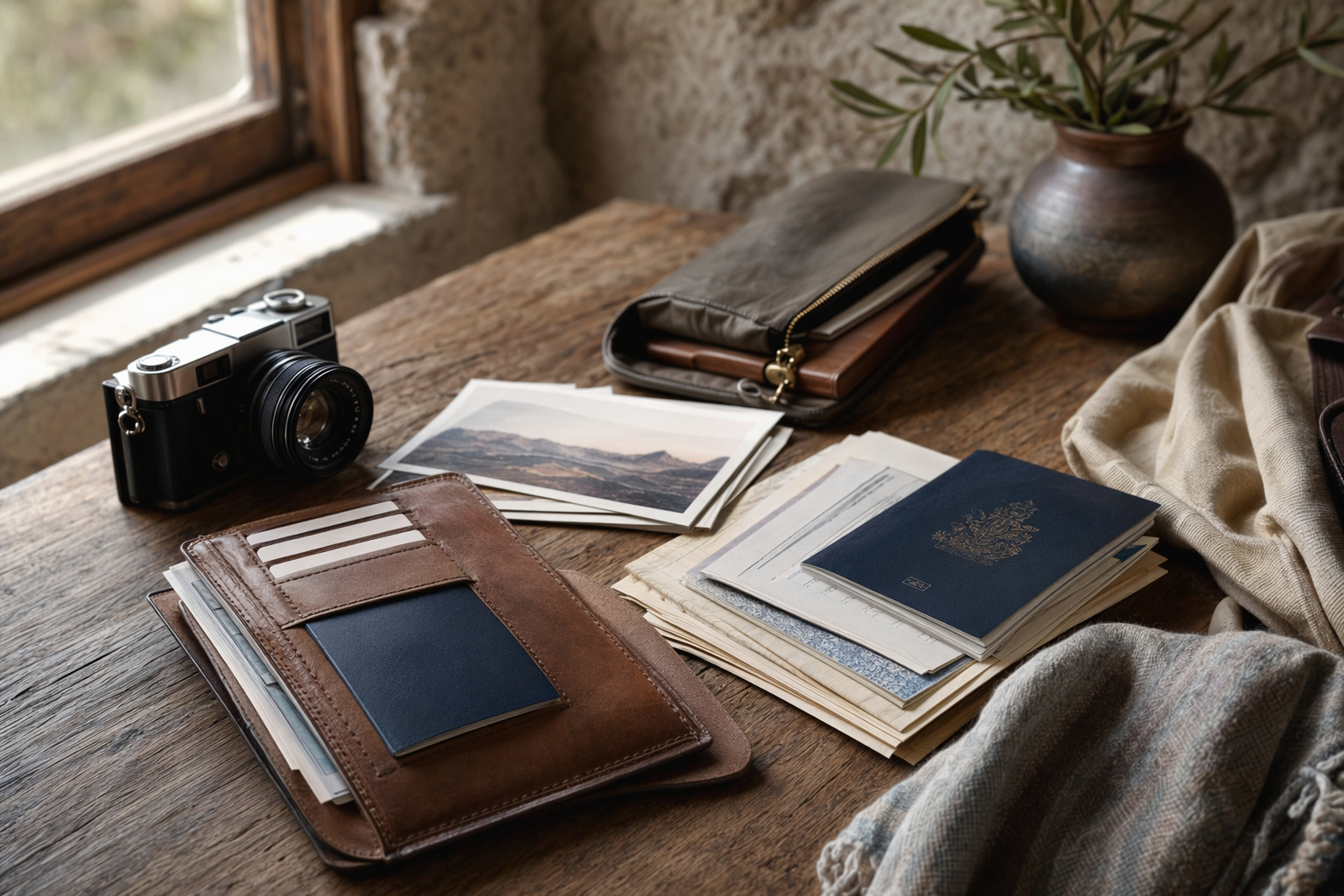
#My document pouch is not fancy. It is one slim waterproof-ish pouch, usually from Amazon or a stationery shop. Inside: passport, visa print, boarding pass, one pen, passport photos, forex card, small emergency cash, and printed emergency sheet. I keep it in the same pocket every time. This is important. When you keep passport in “safe place” and then forget which safe place, that is not safe, that is suspense thriller.
For international flights, passport stays in my sling or cabin backpack, never in check-in. For trains and buses in India, I keep ID in a front pocket or pouch because ticket checkers can appear when you’ve just started eating poha. In hostels, I use lockers if available. In budget hotels, I don’t leave passport lying on the table. If the hotel asks to keep passport, I try to avoid handing it over for long. Usually they need it for scanning or registration, and you can politely ask them to return it immediately. Most places are fine.
Accommodation choices change how I handle documents. Hostels are social and cheap, but lockers matter. In India and Southeast Asia, dorm beds can be very affordable, sometimes the price is less than what we spend on a café meal in Mumbai, but privacy is low. Mid-range hotels cost more but often have better reception help and secure storage. Homestays in places like Sikkim, Coorg, Meghalaya, or Himachal are lovely, but paperwork can be casual, so keep your own copies ready. Prices vary wildly by season and city, so I don’t trust one old blog rate. I check 2-3 booking apps, call if needed, and always save the booking offline.
Seasonal travel and why backups matter more in some trips
#Document backup sounds same in all seasons, but actually weather changes everything. During monsoon trips in India, waterproofing matters. Goa, Konkan, Kerala, Meghalaya, Mumbai airport chaos days, all can involve wet bags and delayed transport. Keep printed papers in zip-lock covers. In winter trips to Kashmir, Himachal, Uttarakhand, or Europe, phone battery drains faster in cold. Don’t depend only on mobile documents when temperature is low and you’re taking 500 snow photos.
Peak season also increases document checks. Long weekends, school holidays, Christmas-New Year period, summer vacation, and major festival travel means hotels are busy, staff are rushed, and transport counters have queues. If your booking confirmation is ready offline, you don’t become that person holding up the line. For treks, wildlife safaris, border area stays, and some religious circuits, permits and ID checks can be stricter. Even for something as simple as a rented scooter in Goa or Thailand, they may ask for passport, licence, or deposit. Please don’t leave passport as deposit casually. Offer photocopy, another ID, or choose a better rental shop.
Food walks, night markets, and the one document rule I follow outside
#Here’s a slightly different angle. Most document loss doesn’t happen at immigration. It happens during the fun part. Night markets, food walks, beach shacks, festival crowds, bus stations, local trains, street photography, after two beers, after too much momos, you get the idea. In Bangkok’s Yaowarat, Hanoi Old Quarter, Delhi’s Chandni Chowk, Jaipur bazaars, Istanbul lanes, or even a crowded Sunday market in Goa, I don’t carry every original document unless necessary.
I carry passport only when local law or hotel-to-border travel needs it. Otherwise, I keep passport locked and carry a photocopy plus digital copy. For domestic India, original ID is usually enough if needed for hotel or transport, but for casual roaming I keep minimal wallet. Food culture is why we travel, no? You want to enjoy khao soi, litti chokha, thukpa, appam, kebabs, jalebi, not keep patting your pocket every 30 seconds.
Btw, one lesser-known but useful trick: save your hotel location as an offline map pin and write the address on paper. In countries where English isn’t common, ask reception to write the address in local language. I did this in a small town in Japan and it saved me when I got off at the wrong bus stop. No internet, no confidence, just one paper slip and a very kind shop uncle. Sometimes low-tech is best tech.
If your passport or documents are lost: don’t panic, do this first
#First thing: breathe. Then retrace quickly. Taxi, café table, hostel locker, airport security tray, photocopy shop, train seat pocket. If passport is genuinely lost or stolen abroad, report to local police and contact the nearest Indian embassy or consulate. They will guide you on emergency certificate or replacement process depending on situation. Having passport scan, visa copy, entry stamp photo if you have it, and passport photos makes the process smoother. It doesn’t magically fix everything, but it reduces the “who are you” problem.
If phone is lost, use another device to lock or locate it, sign out of important accounts, and block cards if wallet is gone too. This is where your printed emergency sheet and trusted family access helps. If you only stored everything inside the lost phone, then backup kya hua? Also contact airline or hotel from another phone and ask them to resend booking confirmations if needed. Most travel companies can find booking by name, email, PNR, or phone number, but you need some basic details.
For India domestic trips, lost ID can still be painful. Airports and hotels may not accept just “photo in gallery” every time, and policies depend on operator. DigiLocker documents are widely useful within India, but keep a backup ID if possible. For train travel, bus travel, and hotel check-ins, names must match. If your booking says “Ravi Kumar” and ID says “Ravikumar Sharma”, usually okay, but avoid unnecessary mismatch when booking, especially international.
My quick pre-trip routine, from chai to final bag zip
#- Three days before travel, I scan new documents: visa, insurance, permits, latest hotel bookings. Not on the morning of flight, because printers smell fear.
- Two days before, I upload to secure cloud, mark offline on phone, and open each PDF once without internet. Yes, actually test it.
- One day before, I print the small set, put it in pouch, update emergency contact sheet, and check recovery numbers for email and cloud accounts.
- On travel day, I keep passport pouch in cabin bag, power bank charged, one pen ready, and screenshots of flight and hotel on top of gallery or files app.
I also send a short message to family: flight number, hotel name, city, and rough plan. Not my entire hour-by-hour schedule, because that is too much and also plans change. Indian parents will still call and ask “reached?” before boarding starts, but at least they have the main details. If travelling solo, especially women travellers, I’d say share a little more with one trusted person. Not because world is only unsafe, but because being reachable is practical.
Small mistakes I still make, and what I’ve changed
#I still forget things sometimes. I’ve printed old hotel booking after changing dates. I’ve saved visa PDF in downloads and then couldn’t find it because the file name was a joke. I’ve carried three passport photocopies and zero pen. So ya, this is not about being perfect. It is about reducing the chances of travel going sideways because of one missing PDF.
One habit I changed is not depending on WhatsApp as storage. We Indians use WhatsApp like a filing cabinet: tickets in one group, passport photo sent to spouse, hotel voucher in “notes to self”, cab number in family group. It works till media isn’t downloaded, chat backup fails, or phone storage is full. Keep WhatsApp as convenience, not as your main backup.
Another habit: I don’t keep all cash, cards, passport, and phone in one bag. Split it. One card in main wallet, one in luggage or hidden pouch. Emergency cash separate. Passport separate from snack packet zone, because oily thepla and important documents should not become friends. On long trips, I check my document pouch every few days, especially after changing hotels. Checkout mornings are dangerous. You’re sleepy, charger is behind bed, passport is in locker, taxi is honking. That’s when things get left behind.
Final thoughts: backups are not fear, they are freedom
#Some people feel all this backup planning makes travel less spontaneous. I feel opposite. When documents are sorted, I can wander more peacefully. I can eat at a random local place, take the slow bus, stay in a homestay, go for that sunrise walk, because the important boring stuff is handled. It’s like carrying a small umbrella in monsoon. You may not need it, but when clouds burst, you look very smart.
So before your next trip, whether it’s Thailand with friends, Dubai family visit, Bali honeymoon, Spiti bike ride, Kerala workation, or that first Europe plan you’ve been saving for, make your travel document backup checklist. Offline copies. Printed copies. Secure cloud. Updated recovery access. Emergency contact sheet. And please test the files once before leaving home, because “it should open” is not a strategy.
Travel is already full of enough uncertainty: delayed flights, spicy food decisions, bargaining failures, hotel rooms smaller than photos, and that one friend who says “I’ll pack in 10 minutes”. Don’t let missing documents become the main story. Keep it simple, keep it safe, and then go enjoy the trip properly. For more practical travel stuff and slightly-too-real planning tips, I keep finding good reads on AllBlogs.in, so you can check that out too when you’re making your next list.