Before you share your new WhatsApp handle with anyone, pause for a minute.
Yes, WhatsApp usernames can make messaging more private. They can help you connect with someone without immediately giving out your phone number. That is useful if you are joining a school group, replying to customers, running a small business, selling something online, managing a community, or simply trying not to hand your number to every person you meet.
But a username is still part of your identity.
For better WhatsApp username privacy, choose a handle that does not expose personal details, use the optional username key if available, verify unfamiliar contacts outside WhatsApp, limit your profile visibility, review linked devices, and turn on two-step verification.
Meta introduced WhatsApp username reservations on June 29, 2026, with a gradual rollout planned later in 2026. When the feature reaches your account, Meta says you can manage it here:
Settings > Account > Username
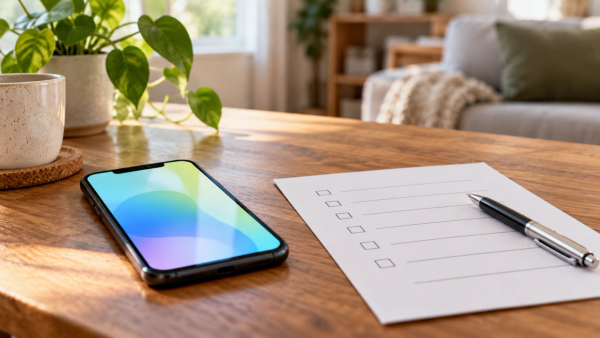
Quick Checklist Before You Share Your WhatsApp Username
#What changed with Meta’s WhatsApp username rollout?
#Meta announced WhatsApp username reservations on June 29, 2026. The idea is simple: people should be able to connect on WhatsApp without always sharing a phone number first.
The rollout is gradual, so don’t be surprised if you don’t see the option yet. Your friend may get it before you, or you may get it before someone else in your family. When it becomes available for your account and region, Meta says it should appear under:
Settings > Account > Username
A few privacy details matter here:
- There is no public username directory. WhatsApp usernames are not meant to work like a public social media search.
- There are no discovery suggestions. Someone should need your exact username to contact you.
- Spelling matters. If a person does not know your exact handle, they should not be able to find you easily.
- The username key is optional. Meta has described an optional username key that can add another step before someone contacts you.
- Using a username is your choice. You do not have to share one publicly just because the feature exists.
That last point is worth remembering. This is not a race to grab attention. A WhatsApp username should be something you use because it helps your privacy, not because everyone else is suddenly doing it.
Why WhatsApp usernames are useful
#A phone number is more personal than it looks.
In India, and in many other places, one mobile number can be connected to banking alerts, UPI, delivery apps, school groups, office messages, doctor appointments, family chats, shopping apps, and more.
So when you give your number to a shop, a local vendor, a tuition group, an event organiser, a client, or someone you met online, you may be sharing more than just a way to chat.
A WhatsApp username can reduce that exposure. It can help you:
- Chat without immediately giving out your number
- Keep personal and public conversations a little more separate
- Avoid sharing your number with every group or customer
- Give creators and small businesses a cleaner contact point
- Reduce casual phone number collection in public spaces
For example, a home baker, tutor, student club volunteer, freelance designer, housing society admin, or local event organiser may prefer sharing a WhatsApp handle instead of a personal mobile number.
That is the good part.
The tricky part is that usernames can also make impersonation easier. A scammer can create a handle that looks almost like a real person, brand, bank, college office, courier service, or local shop. One changed letter may be enough to fool someone who is in a hurry.
So the rule is simple: a username can protect your phone number, but it does not automatically prove who someone is.
The biggest risk: familiar-looking handles
#With phone numbers, people often noticed warning signs. Maybe the number had an unknown country code. Maybe it was not saved in contacts. Maybe it looked nothing like the number they expected.
Usernames change that habit.
A handle can look familiar even when it is fake. A scammer may use something that appears to be:
- A bank support account
- A courier or refund helpdesk
- A college office or exam update account
- A creator’s team account
- A relative’s name with one letter changed
- A small business that sounds almost like a real local shop
- A government-style or KYC-style support handle
India-aware users should be especially careful with messages about KYC updates, blocked bank accounts, courier delivery issues, job offers, exam forms, payment refunds, and urgent family money requests. These scams already exist. Usernames may simply give scammers one more way to look convincing.
That does not mean WhatsApp usernames are unsafe. It just means your checking habits need to become stronger.
WhatsApp Username Privacy Checklist
#Before you share your handle in a group, on a poster, in your bio, with customers, or with someone you just met, go through these steps.
1. Pick a username that does not reveal too much
#Your handle should be easy enough for real people to type, but not so personal that it gives strangers a mini-profile of your life.
Avoid using:
- Your full legal name, unless you genuinely need to
- Your birth year
- Your home city or exact locality
- Your school, college, or workplace name
- Your phone number, or part of it
- Identity clues that make you easy to track elsewhere
For example, riya.delhi.2004 may feel convenient, but it gives away a name, city, and likely birth year. That is a lot of information for a stranger to have before you even start talking.
For personal use, keep it a little less revealing.
For creators and small businesses, the balance is different. Your handle should be recognisable enough that your audience or customers know it is you. Still, think carefully before using the exact same handle you use on Instagram, Facebook, X, YouTube, or other public platforms.
For a brand, consistency may help. For a private person, it may make you easier to track across apps.
If privacy is the goal, a separate WhatsApp username is often the safer choice.
2. Use the optional username key if you get it
#Meta has described an optional WhatsApp username key. The idea is that even if someone knows your username, they may still need the key before they can start a chat with you.
If this option is available and you want more control, use it.
It can be especially helpful for:
- Students sharing a handle in a limited group
- Families who want to avoid random messages
- Creators who do not want every viewer messaging directly
- Small businesses trying to reduce spam
- People who have dealt with unwanted contact before
Just don’t post your username key publicly if your goal is to limit who can reach you. Share it only with people you actually want to hear from.
3. Verify new contacts before you trust them
#A username is not proof of identity. Treat it as a contact point, not a verification badge.
If someone messages you from a new handle and says they are from your bank, office, college, courier company, customer list, friend circle, or family, slow down before responding.
Confirm through another channel:
- Call the person on a number you already trust
- Use the company’s official app or website
- Ask a family member directly before sending money
- Check with your school, college, or workplace through known channels
- Do not trust only a profile photo, display name, or urgent tone
Be extra careful if a message asks for:
- Money
- OTPs
- Passwords
- Bank details
- UPI PINs
- ID documents
- Remote access to your phone
- Links to “verify”, “unlock”, or “reactivate” an account
A genuine person can wait while you check. A scammer usually wants you to panic and act fast.
Related AllBlogs read: If you travel often and depend on mobile access for codes, see our guide on eSIM OTP abroad: /post/esim-otp-abroad-indian-travelers-upi-whatsapp.
4. Tighten your profile privacy settings
#Once you start using a username, more people outside your close circle may be able to contact you. That makes your WhatsApp privacy settings more important.
Before sharing your handle, check who can see your:
- Profile photo
- About
- Last seen
- Online status
- Groups
- Status updates
For many people, a safer default is to keep personal details visible only to contacts, not everyone. If someone only has your username, they do not need to see your family photo, personal status, or daily activity pattern.
This matters even more for children, teens, students, and anyone using the same WhatsApp account for both private and semi-public conversations.
It is also worth helping parents and older relatives check these settings. Many scams work because a message includes small personal details that make it feel believable.
5. Review linked devices
#WhatsApp lets you use linked devices, such as web and desktop sessions. That is convenient, but it is also something you should check from time to time.
Go to:
Settings > Linked Devices
Look for any device, browser, or session you do not recognise. If something looks unfamiliar, log it out.
This is not only about usernames. It is basic account hygiene. But if your WhatsApp identity becomes easier to share, then keeping your account clean matters even more.
If your account is still active on a laptop, browser, or device you no longer use, your privacy may be weaker than you think.
Also check your phone’s app permissions. If random apps have access they do not need, remove it. For a broader phone check, read AllBlogs’ app permissions audit: /post/app-permissions-audit-android-iphone-privacy-checklist.
6. Turn on two-step verification
#Two-step verification is one of the simplest ways to protect your WhatsApp account from takeover attempts.
To check it, go to:
Settings > Account > Two-step verification
Turn it on and choose a PIN that you can remember but others cannot easily guess.
Do not share this PIN with anyone. Not with a friend. Not with a “support agent”. Not with someone claiming your account will be closed. WhatsApp support, your bank, a courier company, or a government office does not need your WhatsApp PIN.
If you plan to share your WhatsApp username publicly, turn on two-step verification first.
7. Think before posting your handle everywhere
#A username is easier to share than a phone number. That is the point. But because it is easy to share, it is also easy to overshare.
Before adding your handle to a public page, flyer, bio, comment, QR code, customer message, or group description, ask yourself:
- Do I actually want strangers from this place to contact me?
- Should I use a username key for this audience?
- Is this handle personal, public, or business-facing?
- Could someone copy it and create a similar fake handle?
- Do I need a separate account or identity for business contact?
For small businesses, sharing a WhatsApp username on menus, receipts, social pages, posters, or packaging may be useful. Just make sure customers know your exact handle. Repeat it clearly on your official pages so people can compare and spot fakes.
Related AllBlogs read: Public contact points and QR codes can both be abused. See our guide on restaurant QR safety: /post/restaurant-qr-code-menu-safety-privacy-scam-checks.
What not to do with your WhatsApp username
#A few simple don’ts can save you from a lot of trouble.
Do not:
- Use your phone number as your username
- Add your birth year, address, or private details to your handle
- Share your username key publicly if you want controlled contact
- Trust a message only because the handle looks official
- Send OTPs, passwords, UPI PINs, or banking details in chat
- Click links from unknown handles without checking first
- Ignore linked devices you do not recognise
- Copy your public social media handle automatically if privacy is your goal
- Assume a profile photo or display name proves anything
The point is not to be scared of WhatsApp usernames. The point is to use them with a little more care.
A simple setup plan for different users
#For families
#Keep handles simple and not too personal. Help parents and grandparents turn on two-step verification and limit who can see their profile photo.
Also make one family rule: no money transfers based only on a WhatsApp message from a new handle. If someone says it is urgent, call and confirm first.
For students
#Avoid usernames that reveal your full name, birth year, college, hostel, course, or location.
Be careful with messages about exam forms, scholarships, internships, job offers, fee payments, or “urgent document verification”. Some of these messages can look very real.
For creators
#Decide whether your WhatsApp username is for public audience contact or private communication.
If it is public, expect impersonators to copy your style. Tell followers your exact handle through trusted channels, and repeat it clearly. If you use a username key, explain how genuine followers or clients should get it.
For small businesses
#Use a clear, recognisable handle, but protect the account properly.
Share your exact username with customers through official pages, receipts, menus, or posters. Watch out for fake accounts pretending to be your business and asking customers for advance payments, refunds, extra charges, or delivery fees.
For everyday users
#If you mostly use WhatsApp with close friends and family, you may not need to share a username widely.
Use it when it helps you hide your phone number on WhatsApp, but keep your profile details private and your account protected.
Final thoughts
#WhatsApp usernames can make everyday messaging more private. They give you a way to connect without handing out your phone number every time, which is useful for students, families, creators, small businesses, and anyone who wants more control over personal contact details.
But privacy is not automatic.
A username is more like a front door than a random label. It helps people reach you, so you need to decide who should have it, what it reveals, and how you will verify people who message you.
Choose your handle carefully. Use the optional username key if it suits your needs. Check unfamiliar contacts before trusting them. Lock down your profile information. Review linked devices. Turn on two-step verification.
That is the practical middle path: enjoy the privacy benefit without making yourself easier to fool.